


Note:
This is the first part of a three-step integration. At the moment, SAM 3 is available only for segmentation tasks in a visual-prompt mode (clicks/boxes), not via text prompts.
Free tier (Online Free) gets demo-mode access to SAM 3 suitable for evaluation, not high-volume labeling.
For regular production labeling at scale, we recommend using SAM 3 from Online Solo, Team, or Enterprise editions where it’s part of the standard AI tools offering.
We’re excited to announce the integration of Meta’s new Segment Anything Model 3 (SAM 3) for images and videos segmentation in CVAT.
Since we introduced SAM in 2023, it has quickly become one of the most popular methods for interactive segmentation and tracking, helping teams label complex data much faster and with fewer clicks.
SAM 3 takes this even further by introducing a completely new segmentation approach, and we couldn’t wait to bring it to CVAT as soon as it was publicly released. The current SAM 3 integration is already available across all editions of CVAT and continues our commitment to bringing state-of-the-art AI tools into your annotation workflows.
What’s New in SAM 3?
Released in November 2025, SAM 3 is not just a better version of SAM 2, it’s a new foundation model built for promptable concept segmentation. Unlike its predecessor, which segments (and tracks) specific objects you explicitly indicate with clicks, SAM 3 can detect, segment, and track all instances of a visual concept in images and videos using text prompts or exemplar/image prompts.
Say you want to label all fish in an underwater video dataset. With SAM 2, you would typically have to initialize the object manually (for example, click or outline fish one by one), and then keep re-initializing or correcting the model whenever new fish appear, fish overlap, or the scene changes. In other words, the workflow is object-by-object and sometimes frame-by-frame. While tracking can propagate the masks or polygons to subsequent frames, every new object or missed instance still requires manual initialization.
With SAM 3, the goal is closer to concept-first labeling: you provide a prompt that describes the concept (like “fish”) or show an example, and the model attempts to find and segment all matching instances across the video, and then track them as the video progresses.
This shift toward concept-first segmentation opens up new possibilities for automated data annotation workflows. Instead of repeatedly initializing individual objects with clicks or boxes, annotators can focus on defining what needs to be labeled, while the model handles identifying matching instances. This can significantly reduce manual effort on large or visually complex datasets.
Key Capabilities of SAM 3
- Concept-level prompts
SAM 3 takes short text phrases, image exemplars, or both, and returns masks with identities for all matching objects, not just one instance per prompt. - Unified image + video segmentation and tracking
A single model handles detection, segmentation and tracking, reusing a shared perception encoder for both images and videos. - Better open-vocabulary performance
On the new SA-Co benchmark (“Segment Anything with Concepts”), SAM 3 reaches roughly 2× better performance than prior systems on promptable concept segmentation, while also improving SAM 2’s interactive segmentation quality. - Massive concept coverage
SAM 3 is trained on the SA-Co dataset with millions of images and videos and over 4M unique noun phrases, giving it wide coverage of long-tail concepts. - Open-source release
Meta provides code, weights and example notebooks for inference and fine tuning in the official SAM 3 GitHub repo.
SAM 3 for Image Segmentation in CVAT
Note: This is the first part of a three-step integration. At the moment, SAM 3 is available only for segmentation tasks in a visual-prompt mode (clicks/boxes), not via text prompts. Free tier (Online Free) gets only demo-mode access to SAM 3 suitable for evaluation, not high-volume labeling.
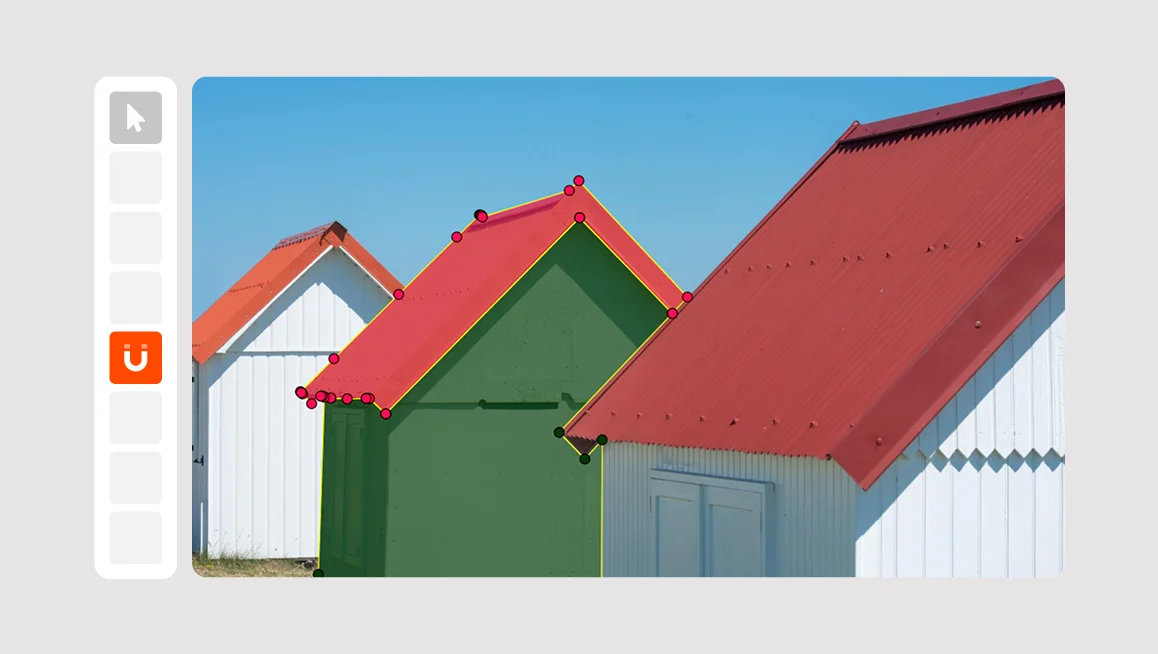
In the current integration, CVAT exposes the visual side of SAM 3 with point/box based interactive segmentation, because that’s what fits naturally into the existing AI tools UX and doesn’t force you to change your labeling pipelines overnight.
Text prompts, open-vocabulary queries, and SAM 3’s native video tracking API are not wired into the UI yet, so it doesn’t behave as a full concept-search engine. Yet, now that it's in CVAT, it remains a very strong interactive segmentation tool compared to other deep learning models, including its predecessor.
So, while our engineering team is working on adding the textual prompts annotation, our in-house labeling team decided to test drive SAM 3 labeling capabilities versus SAM 2 on real annotation tasks, and see in which use cases and scenarios each model performs best.
SAM 3 vs. SAM 2 Head-to-Head Test
To understand how SAM 3 performs in real labeling workflows, our in-house labeling team compared it with SAM 2 on 18 images covering different object types, sizes, textures, colors, and scene complexity. Both models were tested using interactive visual prompts (points and boxes), with and without refinement.
As expected, the results show that there is no single “better” model — each performs best in different scenarios.
Where SAM 2 still performs better
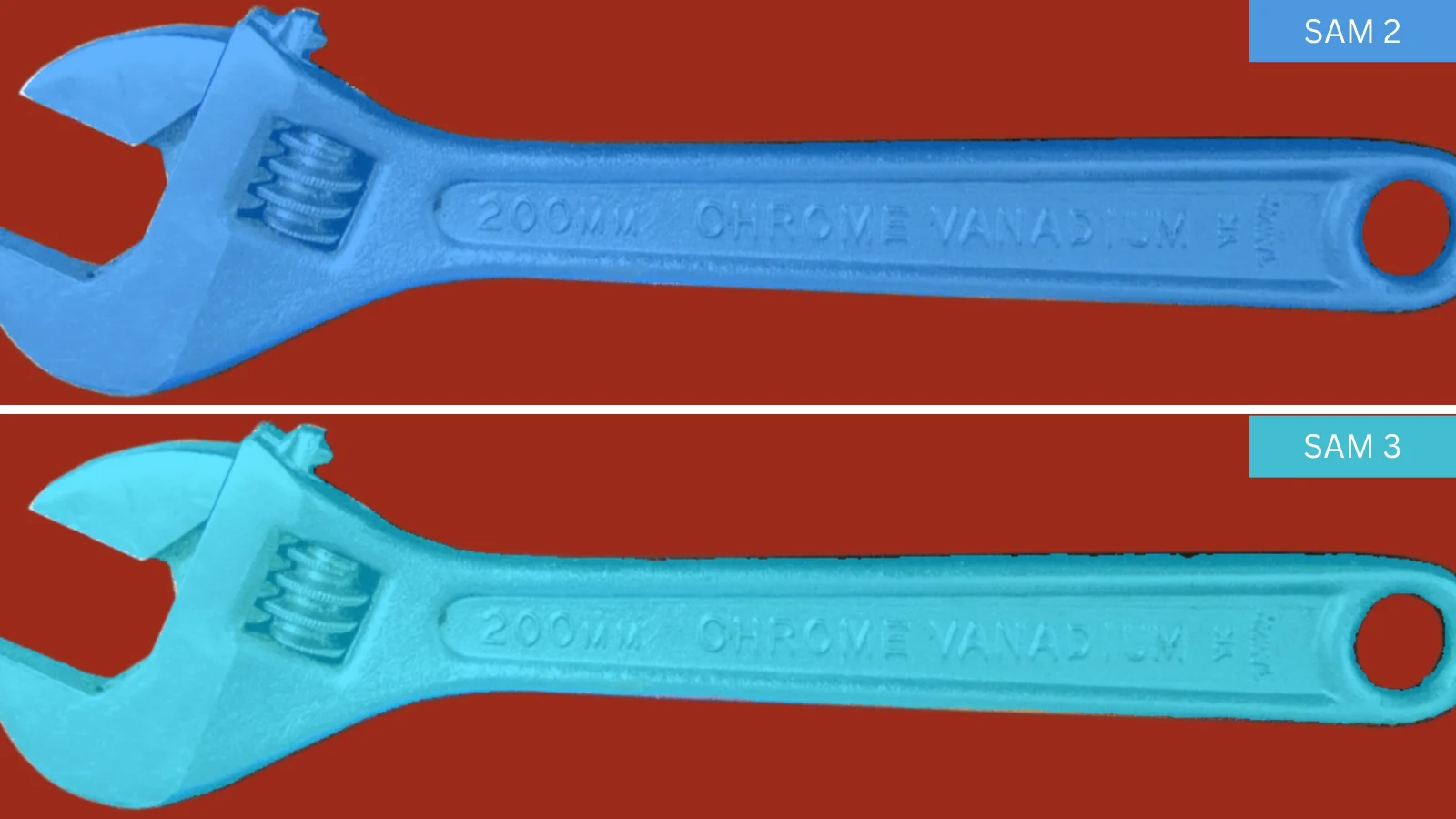
SAM 2 tends to produce cleaner, more stable masks with fewer edge artifacts when:
- Working with simple to medium-complexity objects
- Objects have clear, well-defined boundaries and stable shapes
- Smooth, clean edges are important
- Annotating people on complex backgrounds
- Minimal refinement and predictable behavior are required
Where SAM 3 shows advantages
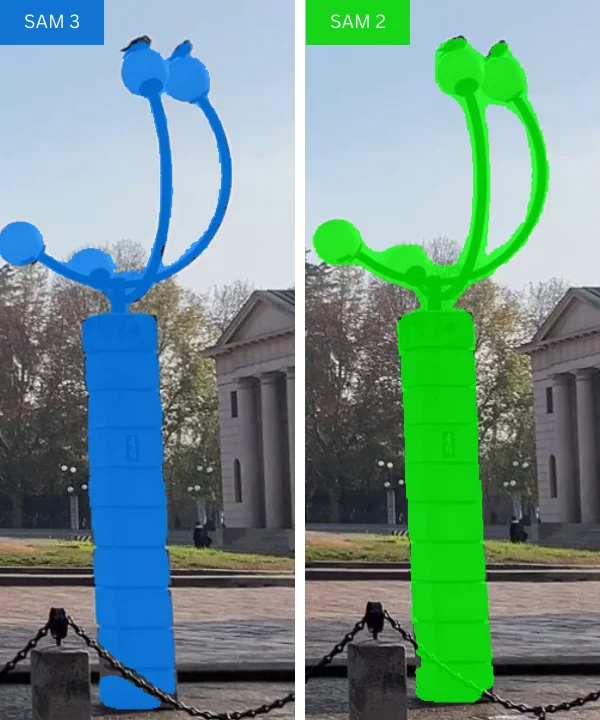
SAM 3 starts to outperform SAM 2 in more challenging conditions, such as:
- Complex scenes with many objects, noise, or motion blur
- Objects where a fast initial shape is more important than perfect boundaries
- Small, dense, or touching objects (for example, bacteria)
- Low-contrast imagery or objects with subtle visual cues, such as soft or ambiguous boundaries
Where both models perform similarly
In many common cases, both models deliver comparable results:
- Simple, high-contrast objects
- Large numbers of similar objects annotated individually (for example, grains)
- Common objects such as flowers, berries, or sports balls when pixel-perfect accuracy is not required
Key takeaway
There is no universal winner here. At least in the current integration setup. SAM 2 is more stable and predictable, especially around boundaries, while SAM 3 is more flexible and often better suited for complex scenes and hard-to-separate objects. In practice, the best results come from having both tools available and choosing based on the specific task.
Get Started with SAM 3 in CVAT
To try SAM 3 in CVAT:
- Create a segmentation task (images or video frames).
- Open a job in the CVAT Editor.
- In the right panel, go to AI tools → Interactors.
- Select Segment Anything Model 3.
- Use positive and negative clicks or boxes to generate a mask and accept the result.
- If needed, convert the mask to a polygon and refine it manually.
SAM 3 is available in all CVAT Online and Enterprise editions. In Online Free plan, it runs in demo mode for evaluation purposes.
What’s Next
This post covers the first stage of the SAM 3 integration in CVAT: interactive image segmentation. Looking ahead, SAM 3 opens up several directions we’re actively working toward:
- Text-driven object discovery and pre-labeling
- More advanced video object tracking built on SAM 3’s internal tracking capabilities
We’ll introduce these features incrementally and share updates as they become stable and ready for production annotation workflows.
For now, we anchorage you to try SAM 3 in your next segmentation task and compare it with SAM 2 on your own data.
Have questions or feedback?
Please reach out via our Help Desk or open an issue on GitHub. Your input helps shape the next steps of the integration.



.svg)
.png)

.png)




.png)