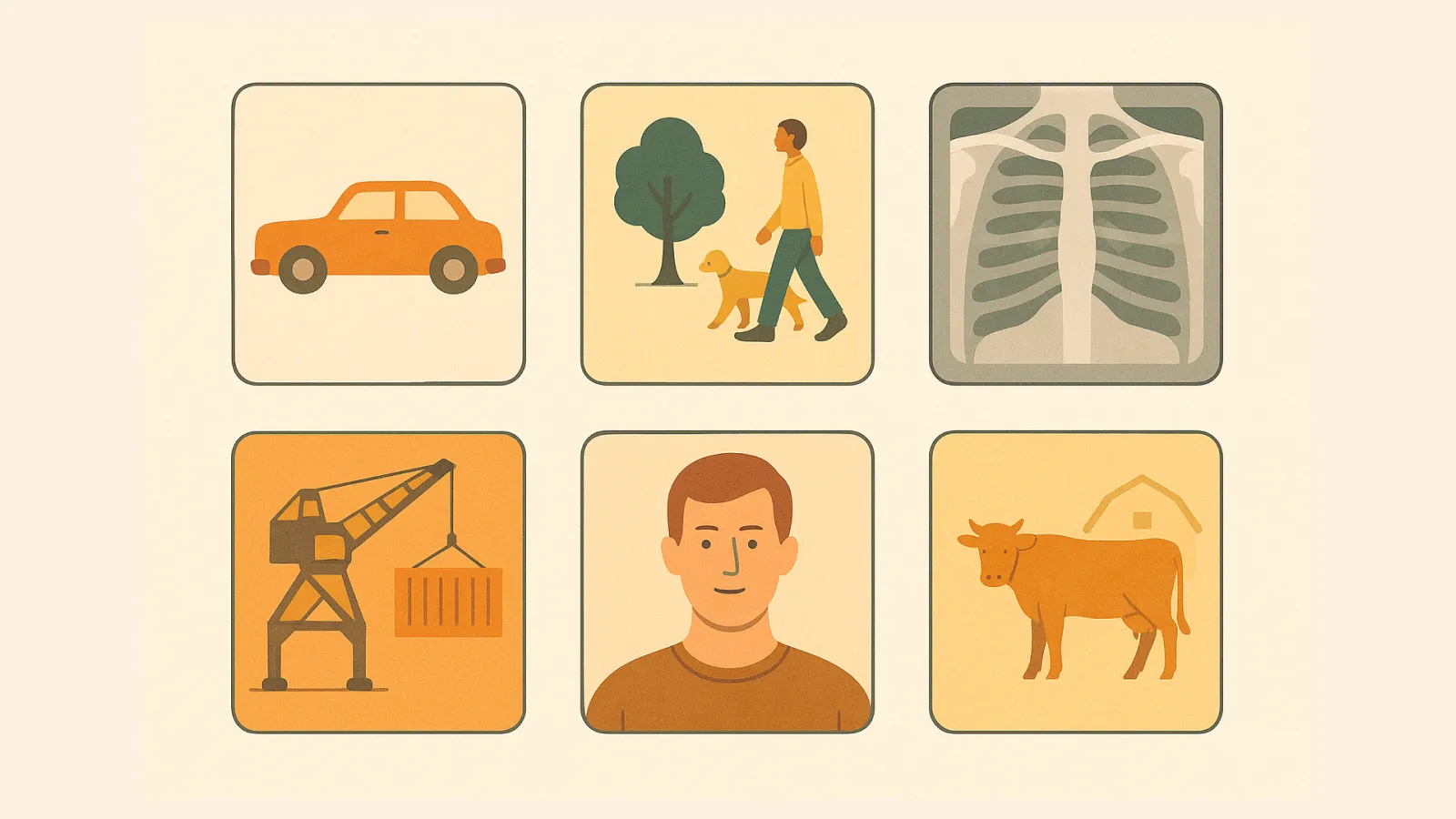
Picture a self-driving car navigating a busy street, flawlessly avoiding obstacles, adhering to traffic signals, and safely reaching its destination, all without human intervention. This remarkable feat is a testament to the power of artificial intelligence (AI), specifically computer vision. But how do they acquire this sophisticated understanding?The answer lies in vast amounts of meticulously annotated video data. Through a process known as video annotation, raw video footage is transformed into structured, labeled data that computer vision models can learn from and turn into real-world applications such as autonomous vehicles. If you are interested in learning more about video annotation, this guide will provide a comprehensive overview of what this process is, its significance, techniques, applications, and best practices.What Is Video Annotation? Video annotation is the process of labeling or masking specific objects of interest in videos based on their types or categories. A human annotator or labeler would highlight specific parts of the video frame and tag it with a label. The annotated video dataset then becomes the ground truth to train computer vision models, often through supervised learning.By teaching itself on each of the labels or masks, the machine learning algorithm becomes more adept at associating visual data to real-life objects as how humans see them. Video annotation is laborious, where human labelers patiently identify and classify multiple objects frame after frame. Often, they’ll use automated video annotation software to speed up the annotation process.Why is Video Annotation Important for Computer Vision & AI Models?Startups and global enterprises are in a race to market state-of-the-art computer vision systems. By 2031, the computer vision market is predicted to hit US $72.66 billion. But to compete and thrive in this industry, relying on state-of-the-art computer vision models isn’t enough.By itself, a computer vision model cannot interpret objects from video data correctly. Like other machine learning algorithms, it needs to learn from datasets curated and annotated for a specific application. It is through the process of video annotation that we provide the necessary context for the model to learn.Let’s take a traffic monitoring system as an example. Without learning from the annotated dataset, the computer vision model can’t identify cars, pedestrians, and other objects the camera captured. Instead, the system sees only pixelated data, including contrasts, hues, and brightness for each frame that passes through. But that changes when you annotate the video. For example, you can place a bounding box on a car to teach the computer vision model to identify it as such. Likewise, you can train the model to identify pedestrians by drawing key points on the people. We’ll cover more of this later. But the point is — video annotation makes a computer vision model smarter by training it to interpret video data just like we would with what we see in real life. Computer vision models operate with the garbage in principle. If you feed the model with low-quality data, it produces inaccurate results. Therefore, what’s equally critical is the dataset the model trains from, which calls for improved annotation quality.Video Annotation vs. Image Annotation: What's the Difference?Video annotation is a subset of data annotation, which also includes image annotation. Some people might draw similarities between video and image annotation.The common argument: video is made up of sequential frames of individual images. Just like how you can draw a bounding box on an image, you can do so on a still frame in a video. But that’s where the similarity ends. Video annotation is more suitable in certain use cases, especially those that require more contextual data like layers and movements. That said, video annotation is also more complex. And that’s why annotators use automated data labeling tools like CVAT video annotation to assist their efforts. Meanwhile, image annotation is simpler, as annotation is limited to a static visual.How is Video Annotation Used in Various Industries?Many modern AI tools and applications have been built on video and image annotation that allows AI models to capture the world in motion.Autonomous vehiclesAt the heart of an autonomous vehicle is an AI-powered system that processes real-life video streams to navigate complex environments safely. To achieve this level of precision, perception systems rely on millions of labeled examples of real-world driving scenarios. This training allows the AI to develop the robustness needed to handle unpredictable events like sudden pedestrian crossings or multi-lane intersections to ensure the vehicle adheres to traffic rules and avoids obstacles in real time.Common annotation tasks used to build these perception systems include:Object Detection to detect, track, and classify specific entities such as vehicles, pedestrians, and cyclists. This helps the system understand the location and volume of obstacles.Polylines to identify lane markings and road boundaries.Semantic segmentation to define the drivable surface area and ensure the vehicle stays on the road.3D LiDAR point clouds to build a depth-aware model of the surrounding environment.The accuracy of these annotations directly impacts the safety and reliability of the self-driving system, making high-quality video labeling a non-negotiable part of development.HealthcareDoctors, nurses, and medical staff benefit from imaging systems trained on annotated video datasets. Conventionally, they rely on manual observation to detect anomalies like polyps, cancer, or fractures. Now, they’re aided by computer vision-powered technologies to diagnose more accurately.This technology is moving beyond static scans into dynamic video analysis, allowing ai models to understand procedural flows and temporal changes in tissue. For surgical applications, this means an AI can learn to anticipate a surgeon’s next move or highlight critical anatomical structures in real-time. Key applications in healthcare include:Annotating surgical videos to train AI-assisted surgical guidance systems.Labeling endoscopy and colonoscopy footage to auto-detect polyps and lesions.Tracking organ movement in ultrasound and MRI sequences for anomaly detection.Monitoring patient video feeds to detect falls or abnormal movement in hospital settings.By training models on expertly annotated procedural videos, healthcare institutions can improve diagnostic speed, enhance surgical precision, and create more effective training tools for the next generation of clinicians.AgricultureIn agriculture, video annotation helps train computer vision models to monitor how crops, livestock, and machinery change and move over time. This is especially useful in farming environments, where important patterns such as plant growth, animal behavior, or signs of pest activity often become clear only across a sequence of frames rather than in a single image. Manual inspection across large fields is time-consuming, difficult to scale, and hard to sustain consistently. That's why professional farmers and agronomists rely on AI systems trained on labeled video data to spot patterns and issues that might otherwise be missed.Common use cases in agriculture data annotation include:Analyzing drone footage to monitor crop health and estimate yields.Identifying weeds and pests with polygon annotation for targeted spraying.Tracking livestock and analyzing behavior using keypoint and skeleton annotation.Mapping machinery paths and detecting obstacles for autonomous farm equipment.These applications help farmers make more informed, data-driven decisions, leading to increased efficiency, reduced waste, and more sustainable farming practices.ManufacturingProduct defects, left unnoticed, can negatively impact manufacturers both financially and reputationally. Installing a visual-inspection system trained with annotated datasets allows for more precise quality checks. In addition, such systems also create a safer workspace by proactively detecting abnormal or unsafe situations.Modern manufacturing relies on high-speed production lines where human inspection can be a bottleneck. AI-powered quality control, trained on annotated video, can identify subtle defects in real-time that are invisible to the naked eye, ensuring higher product quality and throughput.Typical annotation tasks in manufacturing include:Labeling surface defects, cracks, and irregularities on production lines.Annotating worker movements and posture to monitor for safety compliance.Detecting objects for robotic pick-and-place automation systems.Tracking assembly progress to verify correct component placement in complex products.By integrating annotated video into their workflows, manufacturers can significantly reduce error rates, improve worker safety, and increase overall operational efficiency. The continuous feedback loop between quality inspectors and the AI system highlights why this form of annotation is superior.Security surveillanceAnother area where video annotation is sought after is security surveillance. CCTV cameras allow security officers to oversee people's movement in real time. However, they might need help in identifying suspicious behavior, especially when monitoring multiple feeds. With computer vision, untoward incidents can be prevented as the computer vision system picks up patterns it was trained to identify and promptly alerts the officers. Key annotation use cases for surveillance include:Detecting and tracking individuals across multiple camera feeds.Estimating crowd density and flow using bounding box and polygon annotation.Identifying anomalous behavior like loitering, trespassing, or abandoned objects.Training facial recognition models using keypoint and bounding box labels.These AI-driven systems augment human security teams, enabling faster response times and more effective monitoring of large public and private spaces. Security teams commonly utilize the advanced features of modern surveillance platforms to provide real-time feedback on suspicious activities.Traffic managementTraffic rules violations, congestion, and accidents are concerns that governments want to resolve. With computer vision, the odds of doing so are greater. Upon training, the AI model can analyze traffic patterns, recognize license plates, and identify accidents from camera feeds. Smart city initiatives heavily rely on intelligent traffic systems to improve flow and safety. By training models on annotated video from roadside cameras, cities can dynamically adjust traffic signals, detect incidents in real-time, and gather valuable data for long-term urban planning.Common annotation tasks for traffic management include:Classifying vehicles by type (cars, trucks, motorcycles, buses).Annotating license plate regions for automated number plate recognition (ANPR).Labeling traffic lights and road signs for intersection management systems.Detecting incidents like accidents, stalled vehicles, and road blockages.This data allows for the creation of adaptive traffic networks that can reduce congestion, lower emissions, and improve the daily commute for thousands of people.Disaster responseFirst responders need to make prompt and accurate decisions to save lives and property during large-scale emergencies. Computer vision technologies, coupled with aerial video footage, can help responders strategize rescue operations. For example, emergency teams send drones augmented with computer vision algorithms to locate victims affected by wildfires. In the chaotic aftermath of a natural disaster, situational awareness is critical. Annotated aerial and ground-level video helps train models that can quickly assess damage, identify passable routes, and locate signs of human activity, providing a crucial intelligence layer for rescue teams.Annotation applications in this field include:Labeling aerial drone footage to detect survivors and victims.Assessing structural damage by identifying destroyed or compromised buildings.Segmenting flood and fire boundaries for resource deployment planning.Annotating thermal imagery to locate heat signatures in search-and-rescue operations.Beyond these industries, computer vision systems trained on annotated video is also transforming robotics, sports analytics, retail, and many other sectors. The robust features of these systems ensure that critical data is captured accurately.What Are the Main Types of Video Annotation Tools?In video annotation, you aren't just performing standard image annotation on a static frame, you are creating an object track. The goal is to maintain the identity and spatial accuracy of an object as it moves through time. So how do you do this?#1 Identifying and Monitoring Through Object TrackingObject tracking is the process of assigning a persistent unique identifier to a target across a continuous sequence of frames.In a professional environment, tracking is a hybrid process where human expertise and machine precision work in tandem to ensure data integrity. This ensures that the machine learning models receive the highest quality training data.Instead of manually drawing a box on every single frame, a high-efficiency tracking process follows this collaborative cycle:Initialization and Identity: A human annotator identifies the target object and assigns a persistent unique ID. This ensures that Car 1 in the first frame remains Car 1 throughout the entire sequence, providing the foundational data needed for re-identification and behavioral analysis.AI-Powered Pixel-Level Locking: Once the object is defined, advanced algorithms like SAM 2 take over. The AI locks onto the specific visual features of the target, automatically adjusting the label coordinates as the object moves, rotates, or changes scale—even through shifts in lighting or camera angles. This is one of the essential features found in modern online video annotation tools.Human-in-the-Loop Verification: The annotator transitions from a drawer to a supervisor. They monitor the automated track and step in only to provide corrective keyframes if the model loses its lock due to extreme motion, blur, or complex interactions.This integrated approach allows your team to manage the high-level logic of identity and intent while the machine handles the repetitive pixel-tracking.#2 Scaling Efficiency Through Interpolation and Occlusion ManagementInterpolation and occlusion management represent the primary mechanisms for handling the high volume and complexity of video data. These processes allow annotators to maintain high-quality labels without manually interacting with every individual frame. A streamlined workflow for managing motion and visual breaks looks like this:Keyframe Interpolation: Annotators identify the specific keyframes where an object begins, ends, or changes its path of motion. The software uses these anchors to calculate the object's position for all intermediate frames, effectively reducing manual labor by up to 90% in predictable sequences.Addressing Occlusion: When a target is partially or fully obscured by another object the track remains active but is marked as occluded. This informs the model that the object is still present in the scene, which is critical for training the spatial awareness required in autonomous systems.Re-entry and Continuity: When an object re-emerges from behind an obstacle, the annotator resumes the track using the same unique ID. This maintains temporal context, teaching the model that a physical object is a persistent entity even when it is temporarily out of sight.By focusing manual effort only on frames with significant changes and managing visual breaks with logic-based states, these techniques make it possible to process hours of high-resolution footage.#3 Classifying Behavior Through Action and Event AnnotationWhile tracking follows an object, action annotation, also known as temporal segmentation, labels the behavior occurring within a specific timeframe. Instead of just identifying a person, you are identifying the start and end points of a specific activity. A typical workflow for event-based labeling includes:Start and End Triggers: Annotators define the exact frame where an action begins (e.g., a car starting a left turn) and where it concludes, creating a temporal segment.Multi-Labeling Tracks: A single object track can have multiple sequential or overlapping action labels, such as a person walking, then stopping, then checking their phone.Global Scene Classification: Some events apply to the entire video rather than a single object, such as identifying a change in weather or a specific traffic phase (e.g., a green light duration).By segmenting video into these discrete behavioral chunks, you enable models to recognize intent and predict future actions. #4 Defining Spatial Boundaries With Video Annotation PrimitivesJust like in the image labeling process, labeling a video means using different geometric shapes, or primitives, to define the boundaries of your target object or scene. Choosing between these video annotation tools often depends on the particular vision task of your future machine learning model. Bounding boxesA bounding box is the simplest type of annotation you can make on a video. The annotator would draw a rectangle over an object, which is then tagged with a label. It’s suitable when you need to classify an object and aren’t concerned about separating background elements. For example, you can draw a rectangular box over a dog and tag it as an animal.While simple, bounding boxes are foundational for many computer vision tasks. Their efficiency makes them ideal for large-scale projects where the primary goal is to locate and identify objects within the frame, without needing to understand their exact shape.Common tasks for this annotation type include:Drawing rectangles around vehicles, pedestrians, and signs for traffic analysis.Placing boxes over products on a shelf for retail inventory management.Identifying and classifying different types of animals in wildlife footage.Despite its simplicity, mastering bounding boxes is a critical skill, as it underpins a wide range of object detection and classification pipelines.PolygonsLike bounding boxes, polygons enclose an object but allow you to remove unwanted background information by following the object’s outline. This method is essential for image segmentation tasks where the model must learn the exact shape and boundaries of complex, irregular objects.This method provides a much higher level of precision, which is critical for instance segmentation tasks where the model must learn the exact shape of an object. This additional detail comes at the cost of increased annotation time and effort.Key applications for polygon annotation involve:Outlining individual vehicles in a crowded street scene for autonomous driving.Segmenting specific organs or tumors in medical imaging videos.Tracing the shape of individual plants for agricultural yield analysis.When a project demands pixel-level accuracy, polygon annotation is typically the preferred choice over bounding boxes.PolylinesPolylines are sequences of continuous lines drawn over multiple points. They are helpful when you’re annotating straight-line objects across frames, such as roads, railways, and pathways. Unlike polygons, polylines do not need to form a closed shape, making them perfect for defining paths, lanes, and trajectories. They are essential for training models that need to understand directional movement and linear features in an environment.Typical uses for polylines include:Defining road lanes and boundaries for autonomous vehicle navigation.Mapping utility lines or cracks in infrastructure from aerial footage.Tracking the path of a moving object, such as a ball in a sports game.In practice, polyline annotation is often used alongside polygon annotation on the same project, with each tool applied to the object type it suits best.EllipsesEllipses are used for objects with round or oval outlines, such as eyes or balls. Any robust online video annotation tool will include this as one of its specialized features to save significant time compared to drawing multi-point polygons.For objects that are consistently round or oval, using an ellipse is significantly faster and more efficient than drawing a multi-point polygon. It provides a good balance between the speed of a bounding box and the precision of a polygon for specific object types.This video annotation tool is particularly effective for:Annotating fruits on a tree for automated harvesting systems.Tracking balls and other equipment in sports analytics videos.Labeling circular gauges and dials on a control panel for industrial automation.The ellipse tool is a small but valuable addition to any annotator's toolkit, saving significant time on projects with round or oval objects.Keypoints & skeletonsSome video annotation projects require pose estimation and motion tracking. That’s where skeleton and key point annotation come in handy. Keypoints are tags assigned to specific parts of the object. For example, you assign keypoints to body joints and facial features. Then, the machine learning algorithm could track how they move relative to each other. On top of that, you can join various keypoints to form skeletons, which helps track body movement more precisely. This technique is fundamental for applications that need to understand the posture, gestures, and actions of humans or animals. By tracking the movement of interconnected keypoints, a model can learn complex behaviors that are impossible to capture with other annotation types.Core applications for this technique are:Estimating human poses in fitness and physical therapy applications.Analyzing the gait of an animal for veterinary science and behavioral studies.Capturing subtle facial expressions for emotion recognition and avatar animation.Skeleton annotation is one of the more technically demanding annotation types, but it unlocks a level of behavioral understanding that no other method can match.CuboidsCuboids allow computer vision models to annotate 3D objects with a rather uniform structure, such as furniture, buildings, or vehicles. You can add spatial information, such as orientation, size, and position in cuboids, to train computer vision models. By adding the third dimension of depth, cuboids provide a much richer understanding of an object's presence in 3D space. This is essential for any application where the model needs to interact with or navigate around real-world objects, such as in robotics and autonomous driving.Annotators use cuboids for tasks like:Drawing 3D boxes around cars, trucks, and pedestrians for AV perception.Labeling packages on a conveyor belt for automated sorting in logistics.Defining the volume of furniture for augmented reality placement.3D cuboid annotation is increasingly in demand as autonomous systems require more spatially aware training data.How to Choose the Right Video Annotation ToolBeyond just knowing how to annotate a video, you also need video annotation tools that help you execute the steps.With a growing number of video annotation platforms available, selecting the right one is a critical decision. The best tool for your project will depend on factors like the annotation types you require, the scale of your dataset, your budget, and whether you need advanced annotation features like AI-assisted video labeling tools or collaborative workflows.Below is a table outlining the most common video annotation tools.What Are the Key Challenges for Video Annotation? Video annotation is key to enabling state-of-the-art computer vision applications. But creating accurate and consistent datasets remains challenging, even for experienced annotators and ML teams. If you’re starting a video annotation project, be mindful of these challenges.Labeling inconsistencyHuman labelers play a vital role in video annotation, regardless of the annotation tools you use. Therefore, annotation results are subject to individual interpretations. For example, one annotator may classify a dog as a Poodle, while the other may label it a Toy Poodle. Both are similar but not the same as far as machine learning algorithms are concerned. A practical way to enforce consistency is to measure Inter-Annotator Agreement (IAA) regularly. This metric quantifies how often different annotators assign the same label to the same object. Low IAA scores are a signal that your guidelines need to be clarified or that additional training is required. Common ways to improve consistency include:Creating a detailed labeling guide with visual examples of edge cases.Running calibration sessions where annotators label the same sample and compare results.Using consensus annotation, where multiple annotators label the same frame and a majority vote determines the final label.Inadequate training Before they annotate, labelers must receive proper training to ensure they’re familiar with the video annotation process, tools, and expectations. Otherwise, you risk compromising the outcome with inaccurate labeling, reworks, and costly delays. Effective annotator training goes beyond a one-time onboarding session. It should include hands-on practice with the specific annotation tool being used, worked examples covering the most common and ambiguous scenarios in your dataset, and a clear escalation path for edge cases the annotator is unsure about. Ongoing micro-training sessions as new object types or labeling rules are introduced will also help maintain quality over the life of a long project.Immense datasetsVideo data are larger than their textual and image counterparts. So, the time and effort spent on annotating video frames might take up considerable resources that not all companies can spare. Because of this, we recommend following these strategies to manage the scale of video annotation without sacrificing quality:Use frame sampling to annotate a representative subset of frames rather than every single one.Leverage interpolation to automatically generate labels between manually annotated keyframes.Apply pre-trained AI models to generate initial annotations, then use human reviewers to verify and correct them.Distribute work across a larger team using a platform with collaborative workflows and task queues.Combining these approaches can reduce annotation time by a significant margin while keeping dataset quality at the level your model requires.Data security and privacyVideo annotation requires collecting, storing, and processing large volumes of video content, some of which might contain sensitive information. You need ways to secure datasets throughout the entire labeling pipeline and comply with data privacy laws.Key security considerations for a video annotation project include:Ensuring data is encrypted both in transit and at rest.Restricting annotator access to only the data they need to label.Anonymizing or blurring personally identifiable information (PII) such as faces and license plates before annotation begins.Also, depending on your industry and geography, you may need to comply with regulations such as GDPR, HIPAA, or CCPA. Project timelineTime to market is another concern that puts additional pressure on annotators. By itself, video annotation is a laborious process. Plus, if they use manual tools, delays might happen as they’ll need to spend time addressing labeling issues. Timeline overruns in annotation projects are often caused by unclear requirements discovered mid-project, a high rate of rework due to inconsistent labeling, or bottlenecks in the review and approval process. Mitigating these risks through thorough scoping, a pilot annotation phase, and a clearly defined QA workflow is far more effective than trying to recover time later. We suggest building a realistic buffer into your schedule for edge cases and revisions is equally important.We know that video labeling can be very tedious, even if you’re equipped with the right tool. That’s why we help companies save time and costs with professional video annotation services.What are the Best Practices When Annotating Videos?Don’t be discouraged by the hurdles that might complicate video annotation. By taking precautions and smarter approaches, you can improve annotation quality without committing excessive resources.Here are some best practices for video annotation:#1 Set up an automatic video labeling processDon’t hesitate to automate the labeling process. Sure, automatic annotation is not perfect. You’ll likely need to review all the frames to ensure they’re correctly labeled. But don’t forget, automatic automation saves tremendous time that you can better spend on strategizing the computer vision project.If you use CVAT, you can take automated labeling further with SAM-powered annotation. We integrate SAM 2, or Segment Anything Model 2, with our data labeling software to enable instant segmentation and automated tracking of complex objects. #2 Prioritize video qualityWe know that annotators have little or no control over the video they annotate. But on your part, try to ensure the recordings are high quality to start with. Also, the annotation software you use matters, as some might unknowingly degrade the video quality. Poor video quality directly impacts annotation accuracy. Motion blur, low resolution, and poor lighting make it harder for annotators to draw precise labels and can introduce ambiguity that reduces dataset quality. Where possible, aim for:A minimum resolution of 1080p for most annotation tasks, higher for fine-grained labeling.A frame rate appropriate for the speed of objects in the scene — faster movement requires more frames per second.Consistent lighting conditions, as sudden changes in brightness can confuse both annotators and trained models.#3 Keep labels and datasets organizedVideo annotation can get out of hand quickly if you don’t stick to an organized annotation workflow. Overlapping classes, misplaced datasets, and other confusion can limit your video annotator’s productivity. Thankfully, they can be addressed if you’re using a user-friendly data annotation tool. Good organization starts with a clear, hierarchical list of all object classes and their attributes before annotation begins. Version-controlling your datasets and annotation files is equally important, as it allows you to roll back to a previous state if errors are introduced. Lastly, naming conventions for tasks, jobs, and exported files should be agreed upon by the whole team from day one.#4 Interpolate sequences with keyframesYou don’t need to label every single frame in a video. Instead, you can assign keyframes in between predictable sequences and interpolate them. Trust us; this will save you lots of time. Keyframe interpolation works best when objects move in a predictable, linear path between frames. For more complex or erratic motion, you may need to place keyframes more frequently to maintain accuracy. A good rule of thumb is to place a keyframe whenever an object changes direction, speed, or is partially occluded. Reviewing the interpolated frames after the fact is always recommended, as automated interpolation can drift on longer sequences.#5 Set up a feedback systemAnnotators need feedback from domain experts and machine learning engineers to know if they’re labeling correctly. Likewise, any updates in labeling requirements must be communicated to the entire team. Usually, good data annotation software is equipped with a feedback mechanism that streamlines communication. An effective feedback loop is bidirectional. Video reviewers should be able to flag specific frames or objects with comments that annotators can act on directly within the tool. Equally, annotators should have a clear channel to raise ambiguous cases or request clarification on guidelines. Closing this loop quickly prevents small misunderstandings from compounding across thousands of frames.#6 Import shorter videosLong video footage clogs up bandwidth if you’re uploading them to an online annotation tool. If you don’t want to spend hours waiting for the video to load, break it into smaller ones. Preferably, keep the videos below the 1-minute mark. Shorter video segments also have workflow benefits beyond upload speed. They make it easier to assign discrete chunks of work to individual annotators, track progress at a granular level, and isolate quality issues to a specific segment. Try Your Hand At Annotating Videos TodayAs we’ve explored, video annotation is the critical engine driving innovation across every major industry, from autonomous transit and smart cities to life-saving medical AI.But while the impact of high-quality data is undeniable, the challenges of managing massive datasets and ensuring pixel-perfect consistency are very real hurdles for any development team.Successfully navigating these technical demands requires a robust infrastructure that can bridge the gap between raw footage and a deployment-ready model. CVAT is designed to provide this exact foundation, allowing you to transform a laborious manual process into a high-speed, high-accuracy production engine.Want to try it for yourself? CVAT Online works in your browser without installing or managing infrastructure. The hosted platform supports 2D images, videos, and 3D point clouds, so your team can begin annotating right away.For teams running annotation at scale, CVAT Enterprise adds dedicated support, enterprise security options such as SSO/LDAP, and collaboration and reporting features that help large production teams monitor quality and throughput.For teams that need high-quality video datasets but don’t want to build or manage the annotation pipeline internally, CVAT Video Labeling Services offers a fully managed option. Our team handles video annotation workflows end to end, helping you produce consistent, production-ready training data for your specific use case.Video Annotation FAQsWhat is the difference between the video annotation process and video tagging?While the terms are sometimes used interchangeably, video annotation is a more specific and technical process than video tagging. Video tagging generally refers to adding descriptive keywords or labels to an entire video, while video annotation involves labeling individual objects, actions, or events within the video on a frame-by-frame basis.How much does video annotation cost?The cost of video annotation can vary widely depending on a number of factors, including the length and complexity of the video, the type of annotation required, the level of accuracy needed, the amount of video footage, and the cost of labor.What is the best software for video annotation?The best software for video annotation depends on your specific needs and budget. For individuals and small teams, open-source annotation tools like CVAT Community can be a great option. For larger teams and enterprise projects, CVAT Enterprise offers a self-hosted platform and advanced support.How can I ensure the quality of my video annotations?Ensuring the quality of your video annotations requires a multi-faceted approach. This includes providing clear and detailed labeling instructions, implementing a multi-level review process, and using an annotation platform that includes quality control features. It is also important to track key quality metrics, such as inter-annotator agreement and label accuracy.
.webp)
Annotation 101
March 31, 2026
The Ultimate Guide to Video Annotation for Computer Vision (2026)

.svg)




.webp)



.jpg)
.png)

.png)


