


In the process of data annotation for computer vision tasks, various labeling tools are widely used. Among them, points and skeletons hold a special place, as they allow for describing objects with a high degree of accuracy. These methods are actively applied in pose recognition, object tracking, and other tasks.
What are points and skeletons in data annotation?
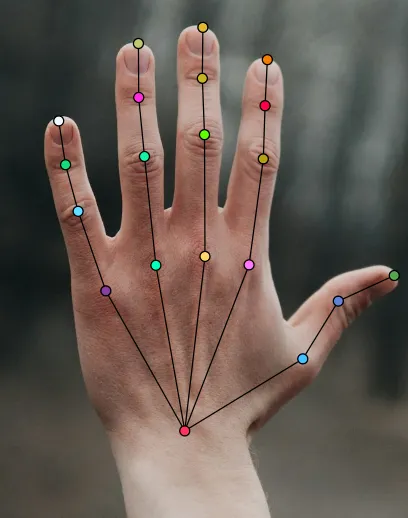
Points are a primitive but flexible annotation tool, consisting of individual coordinates in an image. They can be used to label key points of objects, such as eyes, nose, joints, or other characteristic features.
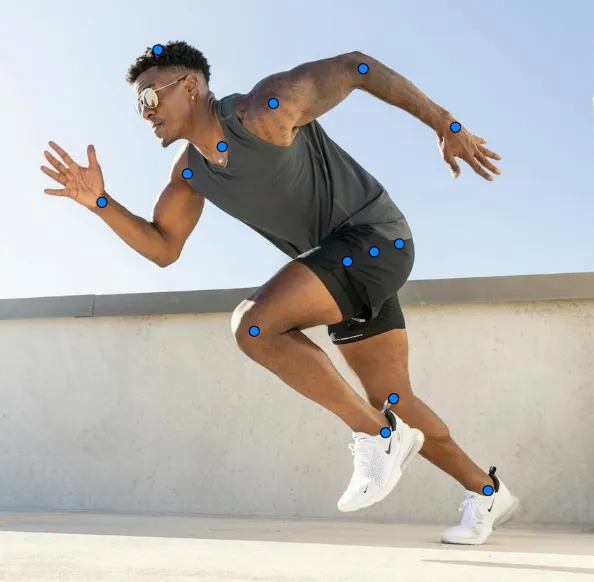
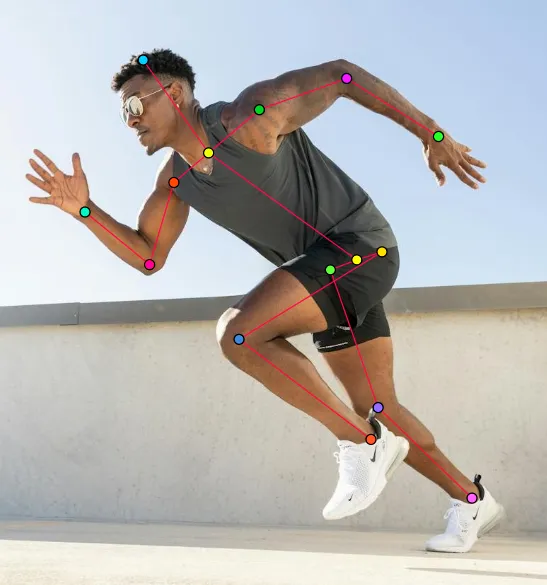
Skeleton is a more complex structure, consisting of a set of interconnected points. It is used to annotate objects with a specific structure, such as human or animal figures, where it is important to capture the positions of joints and limbs.
In what tasks are these tools used?
Pose Recognition
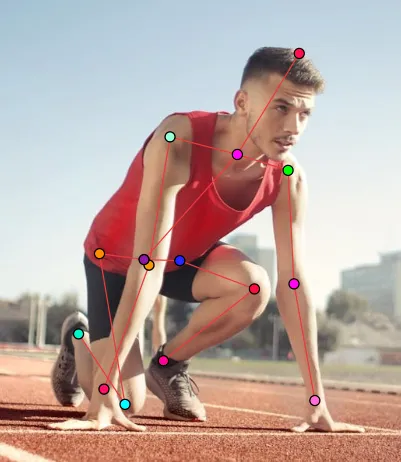
- Determining body posture for sports applications, VR, and animation.
- Analyzing movements in medicine and rehabilitation.
Biometric Identification
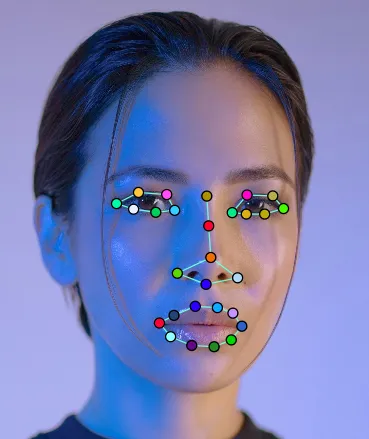
- Facial recognition considering the positioning of eyes, mouth, and other features.
- Gesture navigation and control.
Autonomous Systems and Robotics
- Recognizing the position of hands or other body parts for robot control.
- Optimizing robot interaction with the environment.
Advantages and Limitations of Tools
Advantages
- High annotation accuracy: Allows marking even the smallest details of objects.
- Flexibility: Applicable to a wide range of tasks, from medicine to entertainment.
- Efficiency: Allows annotating complex structures, such as the human body, with minimal data.
Limitations
- Time-consuming: Manual annotation can be time-intensive.
- Data quality demands: Errors in annotation can significantly reduce model accuracy.
- Limited applicability: Points and skeletons cannot fully describe the shape and boundaries of an object. If the task requires recognizing the type of object (e.g., a car, building, or animal), points alone will not provide sufficient information.
Examples of Usage in Popular Datasets
- COCO (Common Objects in Context)
- Contains skeleton annotations for human pose analysis.
- 250,000 images, 17 key points for each annotated person.
- Used in pose analysis and motion tracking tasks.
- MPII Human Pose Dataset
- One of the most well-known datasets for human pose annotation.
- 25,000 images, 40,000 annotated poses.
- 16 key points for each skeleton.
- Used for training models for motion analysis.
- PoseTrack
- Dataset including annotations for image sequences to track poses in motion.
- 135,000 frames with annotated skeletons.
- 15 key points for each skeleton.
- Applied to analyze sports movements and gestures.
Conclusion
Points and skeletons are powerful data annotation tools, especially in pose recognition and object tracking tasks. Despite their limitations, they remain an integral part of modern computer vision algorithms. With the development of automated annotation tools and improvements in machine learning models, their application will become increasingly precise and efficient.

.svg)





.svg)
.png)

.png)


