Try for free
PRODUCT
CVAT CommunityCVAT OnlineCVAT Enterprise
SERVICES
Labeling Services
COMPANY
AboutCareersPress
PRICING
CVAT OnlineCVAT Enterprise
RESOURCES
All ResourcesBlogDocsVideosAcademyCase StudiesPlaybooks
COMMUNITY
DiscordLinkedinYoutubeGitHub
CONTACT US
Contact us

CVAT Resources

Explore our library of data annotation resources—from CVAT technical docs and release notes to case studies and video lessons.
Thank you! Your submission has been received!
Oops! Something went wrong while submitting the form.
Blog
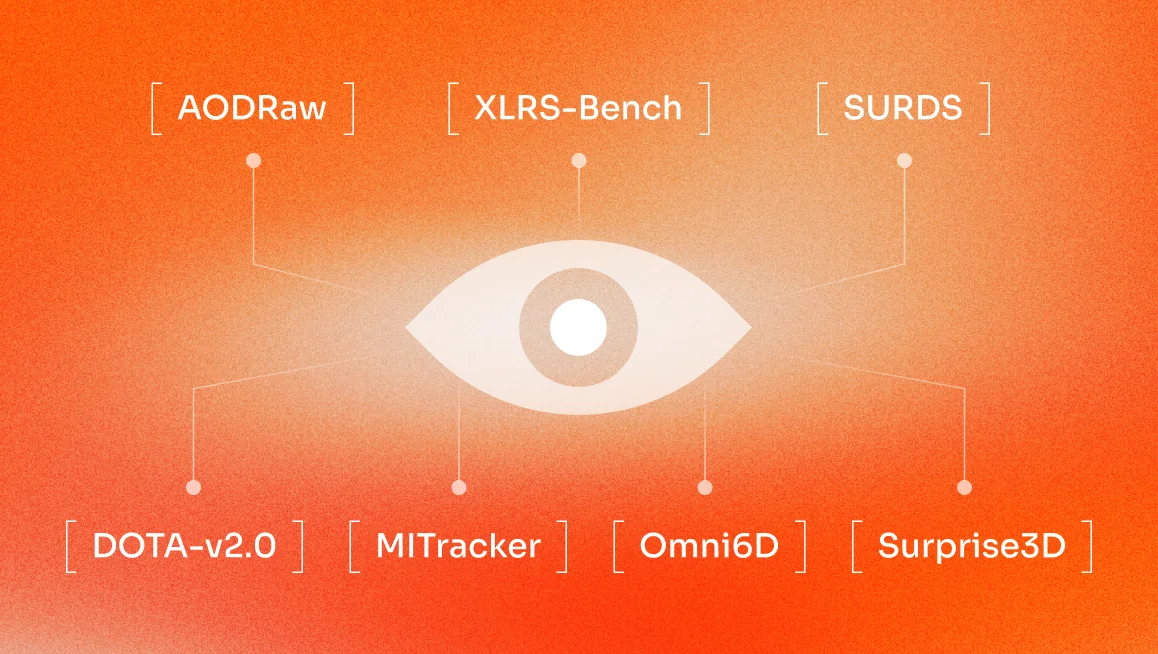
The computer vision landscape is shifting from simple pattern recognition to deep, world-aware intelligence, defined by multimodal AI, 3D spatial mapping, and generative data pipelines that can simulate millions of miles of driving data or medical testing before a single prototype ever hits the road or the clinic.In fact, we predict that in 2026, these technologies will empower a new wave of applications, from autonomous drones navigating dense urban forests to medical systems performing real-time 3D surgical mapping.While we believe AI models will become more powerful next year, their performance is only as good as the information they learn from. That is why the industry is moving beyond simply "collecting" data and toward "curating" it with surgical precision. Why the Quality of a Dataset Matters for Computer Vision ApplicationsGarbage in, Garbage OutThe ‘Garbage In, Garbage Out’ is a classic rule of computing, but in 2026, it is absolute. A model's performance is fundamentally tied to the precision of its labeled data, especially as we move toward pixel-perfect segmentation. In high-stakes fields like healthcare or autonomous driving, the margin for error is non-existent. Even a 1% error in pixel-level labels can lead to catastrophic failures, such as a medical AI misidentifying a rare pathology or a navigation system miscalculating a curb's depth.Mastering the "Hard Negatives" and Edge CasesIn the past, showing a model a thousand photos of a clear street was enough. Today, models must be robust against the unpredictable. High-quality datasets must now include "hard negatives" and rare edge cases, like a stop sign partially obscured by a reflection, or a pedestrian in low-light conditions that break standard shape recognition. Without these "long-tail" scenarios, a model remains a "fair-weather" pilot, unable to handle the beautiful messiness of real-world unpredictability.Without long-tail scenarios, a model unable to handle the beautiful messiness of real-world unpredictability.Fairness and RepresentativenessIn 2026, quality data also needs fairness and representativeness. If a dataset lacks diversity, be it geographical, demographic, or environmental, the resulting AI will inevitably carry those biases into production. High-quality data ensures that a vision system works as accurately in a rainy rural village as it does in a sunny tech hub, avoiding the algorithmic bias that can stall global innovation.What Determines a Good Dataset?As models transition from laboratory settings to high-stakes production environments, a high-quality dataset should have the following features.Multimodal IntegrationThe dominant paradigm for 2026 AI systems is multimodality, which is the ability to process and generate synchronized data from diverse sources. A superior dataset integrates various data streams together to provide a holistic view of a scene. By combining visual inputs with other sensory information, datasets enable models to achieve higher accuracy and robustness in complex real-life scenarios.This is done by fusing multiple layers of information together, including:Synchronized Sensor Streams: Aligning data from RGB cameras, LiDAR, radar, and infrared sensors.Visual-Linguistic Pairs: Pairing images or videos with natural language descriptions for context-aware reasoning.Metadata Context: Adding non-visual data such as temperature, motion, or GPS to deepen a model's understanding.A prime example of this is the nuScenes dataset, which revolutionized the field by providing synchronized data from a full sensor suite (6 cameras, 1 LiDAR, 5 RADAR), allowing models to "see" and "feel" the environment simultaneously across varying weather and lighting conditions.Annotation Density and PrecisionAs computer vision applications move into high-stakes fields like healthcare and autonomous driving, the margin for error has effectively vanished. Precision is the bedrock of safety-critical AI, and in 2026, it is measured by ‘annotation density’, which is the amount of labeled data within a dataset.This shift moves development away from simple bounding boxes toward pixel-perfect masks and 3D metadata that capture the entirety of a scene. By increasing annotation density, teams can train models to recognize subtle features, such as the specific orientation of overlapping objects in a dense warehouse, which are critical for the next generation of "embodied" AI.High-Resolution and DiversityDiversity in a dataset is the primary defense against model bias and failure in production. In 2026, a "good" dataset must represent the full spectrum of global reality, capturing variations that standard web-scraped data often overlooks. High-resolution imagery further supports this by allowing models to detect small or distant objects with the clarity required for precision tasks.To ensure true representativeness, top-tier datasets focus on:Environmental Variation: Diverse weather conditions, lighting, and geographic locations, from urban tech hubs to rural villages.Demographic Representation: Balanced coverage across different ethnicities, ages, body types, and physical attributes.Long-Tail Scenarios: Intentional inclusion of rare edge cases and "hard negatives" that standard datasets typically miss.The Cityscapes Dataset is a great example of capturing diverse data. This dataset provides high-resolution frames from 50 different cities in various weather conditions, specifically curated to ensure that urban driving models aren't just "overfit" to a single street or climate.To ensure true representativeness, top-tier datasets focus on diverse weather conditions, lighting, and geographic locations. Source: https://people.ee.ethz.chClear Provenance and ComplianceIn the current regulatory landscape, a dataset is only as valuable as its paper trail. With the full enforcement of AI safety standards in 2026, clear provenance and legal compliance have become absolute business imperatives. When using a dataset, organizations must now prove not only what data powers their models, but exactly how it was collected, transformed, and authorized.A compliant dataset in 2026 is defined by:Verifiable Lineage: A documented history of data transformations, algorithm parameters, and validation steps.Ethical Sourcing: Evidence of explicit consent from data rights holders and fair treatment of human annotators.Transparency and Auditability: Public summaries of training data sources and adherence to privacy regulations.The risks of ignoring these standards are best illustrated by the LAION-5B dataset. Despite its unprecedented size, LAION-5B faced significant scrutiny and was temporarily removed from distribution after a report by the Stanford Internet Observatory (SIO) discovered over 3,000 instances of suspected Child Sexual Abuse Material (CSAM) embedded as links within the data. This controversy highlighted how a lack of rigorous filtering and provenance can expose organizations to severe legal and ethical liabilities.As a result, the industry has shifted toward "vetted" datasets like DataComp-1B. Unlike its uncurated predecessors, DataComp-1B prioritizes transparent source tracking and rigorous filtering, ensuring that performance gains are matched by legal integrity.What Are Some Computer Vision Datasets to Follow in 2026?While we aren’t able to cover every new dataset in this blog, we did want to highlight a few that have caught our attention. These were chosen specifically for their inclusion in top-tier 2025 conferences like CVPR and NeurIPS, and their focus on solving "frontier" problems, such as raw sensor processing, ultra-high-resolution reasoning, and fine-grained spatial logic, rather than simply iterating on older classics like COCO or ImageNet.AODRawSource: https://github.com/lzyhha/AODRaw‍Key Details:Total Images: 7,785 high-resolution RAW captures.Annotated Instances: 135,601 instances across 62 categories.Atmospheric Diversity: Covers 9 distinct light and weather combinations, including low-light rain and daytime fog.Processing Advantage: Supports direct RAW pre-training to bypass ISP overhead.AODRaw is a pioneering dataset designed for object detection, specifically targeting adverse environmental conditions. This dataset is particularly interesting because it addresses the "domain gap" that often causes models trained on clear daylight images to fail when conditions turn poor. By training directly on unprocessed sensor data, AI can "see" through noise and lighting artifacts that would typically obscure critical objects.For developers, AODRaw offers a unique chance to build a single, robust model capable of handling multiple conditions simultaneously. Instead of training separate models for day and night, this data provides the diversity needed for a truly universal perception stack. XLRS-BenchKey Details:Images Collected: 1,400 real-world ultra-high resolution imagesImage Resolution: Average of 8,500 x 8,500 pixels per image.Evaluation Depth: 16 sub-tasks covering 10 perception and 6 reasoning dimensions.Total Questions: 45,942 human-annotated vision-language pairs.Reasoning Focus: Includes tasks for spatiotemporal change detection and object motion state inference.XLRS-Bench sets a new standard for ultra-high-resolution remote sensing (RS), designed specifically to evaluate Multimodal Large Language Models (MLLMs). It boasts an average image size of 8,500x8,500 pixels, with many images reaching 10,000x10,000, roughly 10 to 20 times larger than standard benchmarks. This scale allows models to perform complex reasoning over entire city-level scenes rather than tiny, isolated crops.What makes XLRS-Bench a "must-watch" is its focus on cognitive processes like change detection and spatial planning. It moves beyond simple object classification to test if an AI can understand "spatiotemporal changes," such as identifying new construction or inferring a ship's movement from its wake. This is a massive leap forward for urban planning, disaster response, and environmental monitoring.DOTA-v2.0Key Details:Instance Count: Over 1.7 million oriented bounding boxes in DOTA-v2.0.Tracking Volume: 234,000 annotated frames across multiple synchronized views in MITracker.Geometric Precision: Uses 8 d.o.f. quadrilaterals for oriented object detection.Recovery Metrics: MITracker improves target recovery rates from 56.7% to 79.2% in occluded scenarios.DOTA-v2.0 and the integrated MITracker framework provide the ultimate benchmark for detecting and tracking objects from aerial perspectives. DOTA-v2.0 features 1.7 million instances across 18 categories, using "Oriented Bounding Boxes" (OBB) to capture objects like ships and airplanes at any angle. Meanwhile, MITracker enhances this by using multi-view integration to maintain stable tracking even when targets are temporarily occluded from one camera's view.The core innovation here is the shift from 2D images to 3D feature volumes and Bird’s Eye View (BEV) projections. By projecting multi-camera data into a unified 3D space, the AI can "stitch together" a target's trajectory even through complex intersections or warehouse clutter. This combined data power allows for "class-agnostic" tracking of 27 distinct object types, from everyday items to heavy machinery. SURDSKey Details:Total Instances: 41,080 training instances and 9,250 evaluation samples.Reasoning Categories: Covers depth estimation, pixel-level localization, and pairwise distance.Logical Tasks: Includes front–behind relations and orientation reasoning.Model Integration: Designed specifically to benchmark and improve fine-grained spatial logic in VLMs.SURDS (Spatial Understanding and Reasoning in Driving Scenarios) is a large-scale benchmark designed to give Vision Language Models (VLMs) "common sense" in the physical world. Built on the nuScenes dataset, it contains over 41,000 vision-question-answer pairs that test an AI’s ability to understand geometry, object poses, and inter-object relationships. It is the definitive test for whether an AI truly "understands" the road or is just memorizing patterns.What makes SURDS fascinating is its focus on fine-grained spatial logic. Instead of just labeling a car, the model must answer questions about "Lateral Ordering" (which car is further left?) or "Yaw Angle Determination" (which direction is the truck facing?). Surprise3D & Omni6DSource: https://github.com/3dtopia/omni6dKey Details:Query Scale: 200,000+ vision-language pairs and 89,000+ human-annotated spatial queries in Surprise3D.Object Diversity: 166 categories and 4,688 real-scanned instances in Omni6D.Capture Volume: 0.8 million image captures for 6D pose estimation.Reasoning Depth: Covers absolute distance, narrative perspective, and functional common sense.Surprise3D and Omni6D represent the pinnacle of indoor 3D understanding, combining spatial reasoning with precise 6D object pose estimation. The "object-neutral" approach in Surprise3D is a breakthrough because it forces AI to rely on geometric reasoning rather than semantic shortcuts. For example, a robot might be asked to find "the item used for sitting" rather than a "chair," ensuring it truly understands functional properties and 3D layout. This is critical for "embodied AI" that must navigate and interact with messy, unfamiliar human environments.Omni6D complements this by providing rich annotations including depth maps, NOCS maps, and instance masks across a vast vocabulary of 4,688 real-scanned instances. It uses physical simulations to create diverse, challenging scenes with complex occlusions and lighting. Together, these datasets provide the foundation for robots to perform precise manipulations and navigate 3D spaces with unprecedented intelligence.SA-1B (Segment Anything 1-Billion)Key Details:Total Images: 11 million high-resolution, privacy-protected licensed images.Total Masks: Over 1.1 billion high-quality segmentation masks (the largest to date).Image Quality: Average resolution of 3300×4950 pixels, ensuring granular detail for small objects.Annotation Method: A three-stage "data engine" comprising assisted-manual, semi-automatic, and fully automatic mask generation.Global Diversity: Features images from over 200 countries to ensure broad geographical and cultural representation.The SA-1B dataset is the foundational engine behind Meta AI’s Segment Anything Model (SAM). Released to democratize image segmentation, it moved the industry away from labor-intensive, task-specific training toward "zero-shot" generalization, which is the ability for a model to segment objects it has never seen before. Because SA-1B is class-agnostic, it focuses on the geometry and boundaries of "anything" rather than a limited set of pre-defined labels.How Can You Find Other Trending Datasets in 2026?While the datasets we've highlighted are currently at the forefront of the industry, the computer vision field moves at breakneck speed. By the time you’ve integrated one breakthrough, another is likely being presented at a conference or uploaded to a community hub. In 2026, staying ahead of the curve means knowing exactly where to look for the next wave of high-quality, long-tail data.Here is how you can stay in the loop and find the latest trending datasets throughout the coming year.Hugging Face & Kaggle: The Community HubsHugging Face and Kaggle have become the "primary hubs" for trending open-source datasets and community-vetted benchmarks. These platforms act as living libraries where researchers and developers upload their latest work, often accompanied by "dataset cards" that explain the provenance, ethical considerations, and intended use cases. Kaggle, in particular, is invaluable for finding niche or competitive datasets that have been "stress-tested" by thousands of data scientists in real-world challenges.To find new datasets here, you should leverage the "Trending" or "Most Downloaded" filters. On Hugging Face, the datasets library allows you to programmatically search for new uploads using specific tags like object-detection or multimodal. Academic Portals: CVPR and WACVFor research-grade data that pushes the theoretical limits of AI, academic portals are your most reliable source. Major conferences like CVPR 2026 and WACV 2026 (taking place in March 2026) are the launchpads for datasets that define state-of-the-art benchmarks. These datasets are typically released alongside peer-reviewed papers, ensuring they have undergone rigorous validation.The best way to stay updated is to follow the CVF (Computer Vision Foundation) Open Access library. During conference weeks, you can search for "Dataset" in the paper titles to find the newest repositories. Google Dataset Search: The Universal IndexIf you are looking for data hosted across fragmented university, government, or specialized repositories, Google Dataset Search is an essential tool. It functions as a specialized search engine that indexes over 25 million datasets from publishers worldwide, making it the fastest way to discover data that might not be on the major social hubs.To use it effectively, you can filter results based on last updated or usage rights (e.g., commercial vs. non-commercial). For example, searching for specific sensors or environments like "FMCW Radar datasets" or "Arctic urban driving" to find niche repositories hosted by academic institutions or government bodies that the broader AI community hasn't yet discovered.Cloud Provider Libraries: AWS, Google Cloud, and AzureFor enterprise-level applications, exploring pre-curated collections from AWS, Google Cloud, and Microsoft Azure is highly recommended. These libraries host massive, high-value datasets that are optimized for their respective machine learning pipelines, such as Amazon SageMaker or Google’s Vertex AI. These are often "industry-grade" sets, such as satellite imagery or large-scale medical archives, that would be too expensive for a single team to collect on their own.You can access these via the AWS Open Data Registry, Google Public Datasets, or Azure Open Datasets. These providers frequently add new, ethically sourced collections that are compliant with global regulations. Looking for a Platform to Create, Refine, and Manage Datasets?While public datasets are an incredible resource for benchmarking and initial training, they eventually hit a ceiling. To achieve true competitive advantage and handle the specific "long-tail" scenarios unique to your business, your team must eventually move beyond open-source data and begin curating custom, proprietary datasets. This is where CVAT becomes an essential part of your stack. Whether you are dealing with the multi-camera 3D views of Omni6D or the pixel-perfect requirements of AODRaw, CVAT provides a scalable, high-quality environment for the most complex segmentation workflows. If you are a small team or a researcher looking to start annotating immediately with industry-leading tools, our cloud platform is the perfect place to begin.Try CVAT Online for FreeFor organizations requiring advanced security, custom deployments, and massive-scale collaboration, our enterprise solutions provide the control and power you need to manage your data at a global level.Get Started With CVAT Enterprise
Industry Insights & Reviews
January 29, 2026

5 Ground-Breaking Datasets for Computer Vision Applications in 2026

Blog
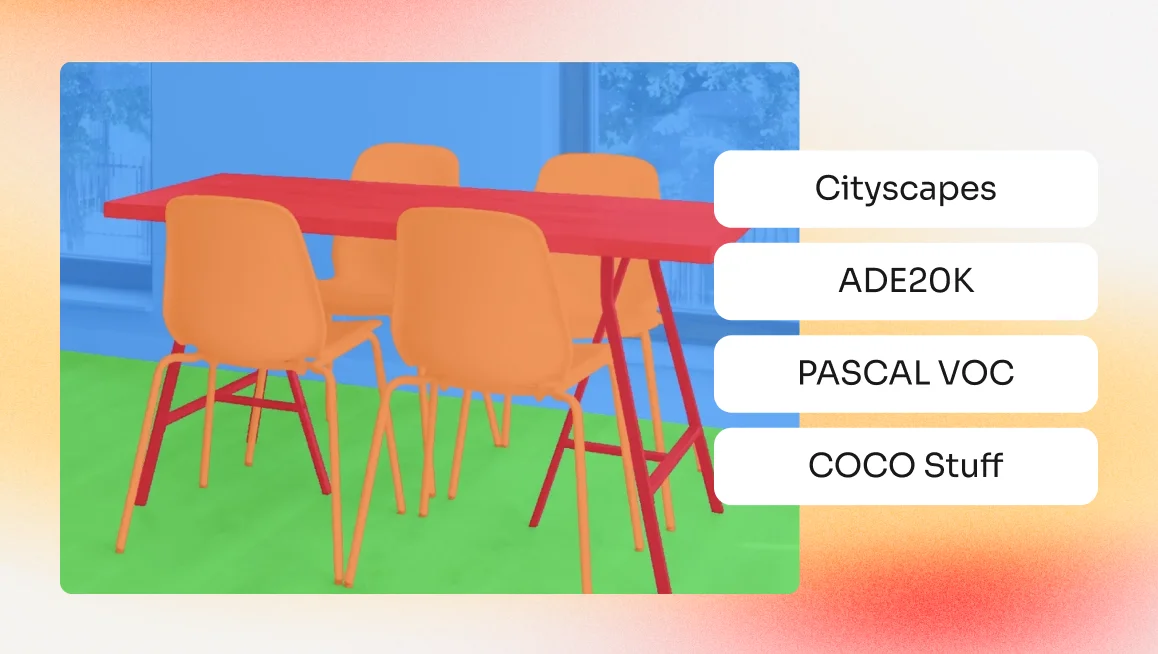
Most computer vision projects don’t actually fail because of the model architecture. They stall because teams hit an invisible wall trying to source high-quality training data. This is particularly true in semantic segmentation, which is the process of assigning a specific class label to every individual pixel in an image.Because semantic segmentation relies on these high-fidelity, pixel-level labels to define the world, there is no room for the "close enough" approach used with bounding boxes. In this workflow, every single pixel must be accounted for, because even minor inconsistencies or "noisy" labels in your training set will directly degrade your model’s precision and its ability to generalize in the real world.This makes your dataset selection a critical early decision that directly impacts performance. If the dataset's labels are misaligned, your model will never achieve the "pixel-perfect" accuracy required for production-grade AI.What Is Semantic Segmentation and How Is It Used in Computer Vision?To understand why high-quality data is the primary bottleneck, we first need to define the task. Semantic segmentation is the process of partitioning an image into meaningful regions by assigning a specific class label to every individual pixel. Unlike other computer vision tasks that provide a general summary, semantic segmentation delivers a complete, pixel-by-pixel map of an environment.In practice, this allows computer vision systems to understand the exact shape and boundaries of objects. It is used in high-precision applications like autonomous driving, where a car must distinguish between the "drivable surface" of a road and the "non-drivable" sidewalk , or medical imaging, where surgeons need to identify the exact margins of a tumor.Example of an imaged segmented semantically in CVAT.Here is how it differs from the standard tasks you likely already know:Image Classification: The model outputs a single label for the entire image, such as "Street Scene". It identifies what is in the photo but provides no information on location.Object Detection: The model outputs rectangular bounding boxes around specific objects. It identifies where a car is, but the box includes "noise" like bits of the road or sky in the corners.Semantic Segmentation: The model outputs a dense pixel mask where every pixel is labeled. In the car example, every pixel belonging to the car is labeled "car," while the surrounding "noise" pixels are labeled "road" or "sky". Note: All objects of the same class share the same label.Instance Segmentation: Like semantic segmentation, this provides pixel-level masks, but it treats multiple objects of the same class as distinct individual entities (e.g., "Car 1," "Car 2").Panoptic Segmentation: This is the most complete version, combining semantic and instance segmentation. It provides unique IDs for individual objects ("things") while also labeling amorphous backgrounds like grass or sky ("stuff").How Semantic Segmentation Datasets Are Structured and UsedWhen building a dataset for semantic segmentation, a raw image (the visual data captured by a camera or sensor) is only the starting point. To be "production-ready," that image must be paired with one or more segmentation masks that provide the ground truth for every pixel.The Relationship Between Images and MasksIn tasks like object detection, the "labels" are simply coordinates for a bounding box. However, because semantic segmentation requires defining the exact shape of an object, the labels must be as high-resolution as the image itself.Instead of a single text file with coordinates, a semantic segmentation dataset typically consists of:The Raw Image: Standard visual data, such as an RGB photo.The Segmentation Mask: A pixel-perfect "map" (usually an indexed PNG or grayscale image) where the value of each pixel represents a specific Class ID rather than a color. For example, in a medical dataset, a pixel value of "1" might represent a tumor, while "0" represents healthy tissue.Multiple Masks (Optional): In complex projects, a single image may have multiple mask files to separate different categories of labels or to manage instance-level data.The Role of Specialized AnnotationThese masks are not generated automatically and are the result of a rigorous annotation process. Because the model learns the spatial relationship between visual textures (like the edge of a road) and the labels in the mask, the two files must be perfectly synchronized.To create these high-fidelity datasets, teams use specialized annotation tools like CVAT. Instead of manually coloring millions of pixels, annotators use these tools to draw precise polygons (connected dots) around objects. The software then converts these shapes into the dense, pixel-by-pixel masks required for training, ensuring the sharp object boundaries necessary for production-grade AI.Common Semantic Segmentation Dataset FormatsTo ensure your data is compatible across different training frameworks (like PyTorch, TensorFlow, or Detectron2) you need to use the following standardized technical formats. Indexed PNGs: These are preferred because they are lightweight and preserve exact integer values for every pixel. Unlike JPEG, they don't suffer from "compression artifacts" that could accidentally shift a pixel's label from "road" to "sidewalk" at the boundary.Class ID Mappings (JSON): Because a model only sees numbers (0, 1, 2), a companion JSON file acts as the "legend". It maps those integers to human-readable categories, such as {"7": "road", "8": "sidewalk"}.Polygon Metadata: Most annotators don't draw pixel-by-pixel. They draw polygons (a series of connected dots), which are easier to edit. Tools like CVAT then convert these polygons into the dense pixel masks required for model training.By standardizing these formats early in the pipeline, teams prevent "data rot," ensuring that masks created today remain fully interoperable with future model architectures or different training workflows as the project scales.Training, Benchmarking, and Fine-TuningA dataset’s role changes depending on where you are in the development lifecycle.Training: This is the "heavy lifting" phase where the model consumes thousands of image-mask pairs to learn the foundational features of a scene.Benchmarking: This acts as a standardized test to measure your model's real-world readiness. Teams use structured public datasets like Cityscapes or COCO to run "test sets," comparing their model's Mean Intersection over Union (mIoU), a metric that measures how well the predicted mask overlaps with the ground truth, against global State-of-the-Art (SOTA) performance.Fine-Tuning: In production environments, few teams build from scratch. Instead, they take a "foundation model" already pre-trained on a massive, general-purpose dataset (like ADE20K) and specialize it on their own niche, structured data. This structured lifecycle allows teams to leverage the broad knowledge of public datasets while using their own custom-labeled masks to push past the "performance ceiling" and achieve production-grade accuracy.4 Common Datasets for Semantic Segmentation ComparedWhile many public datasets exist, the following options have become the industry standard.‍Cityscapes DatasetSource: https://www.cityscapes-dataset.comThe Cityscapes Dataset is arguably the most influential benchmark for urban scene understanding and autonomous driving. Recorded across 50 different cities, it provides a diverse look at high-resolution street scenes captured in various seasons and daytime weather conditions. What makes Cityscapes a "gold standard" is the sheer complexity of its labels. It doesn’t just identify objects, it captures the intricate interactions between vehicles, pedestrians, and infrastructure in dense urban environments.Key Features:Dual Annotation Quality: The dataset includes 5,000 frames with "fine" pixel-level annotations and an additional 20,000 frames with "coarse" (rougher) polygonal labels.High-Resolution Data: Images are typically captured at 2048 x 1024 resolution, providing the granular detail necessary for identifying small objects like traffic signs or distant pedestrians.Comprehensive Class List: It features 30 distinct classes grouped into categories like flat (road, sidewalk), human (person, rider), and vehicle (car, truck, bus, etc.).Benchmark Leaderboard: It maintains a global State-of-the-Art leaderboard where models like VLTSeg and InternImage-H currently push Mean IoU scores above 86%.A notable example is NVIDIA’s Applied Deep Learning Research team, which utilized Cityscapes to benchmark architectures derived from DeepLabV3+, achieving top-tier performance by optimizing how the model extracts hierarchical information from complex urban landscapes.‍ADE20K DatasetSource: https://ade20k.csail.mit.edu‍The ADE20K Dataset is the gold standard for large-scale scene parsing and indoor/outdoor environmental understanding. Spanning over 25,000 images, it provides a densely annotated look at complex everyday scenes with a massive, unrestricted open vocabulary. While Cityscapes focuses strictly on the road, ADE20K challenges models to understand the entire world, from the layout of a kitchen to the architectural details of a skyscraper.Key Features:Exhaustive Dense Annotation: Unlike datasets that only label foreground objects, every single pixel in ADE20K is assigned a semantic label, covering 150 distinct object and "stuff" categories (like sky, road, and floor) in its standard benchmark.Hierarchical Labeling: It is one of the few datasets to include annotations for object parts and even "parts of parts," such as the handle of a door or the cushion of a chair.Extreme Diversity: The dataset captures 365 different scene categories, ensuring models are exposed to a wide variety of lighting conditions, spatial contexts, and object occlusions.Competitive Benchmark: The MIT Scene Parsing Benchmark, built on ADE20K, is a primary proving ground for global SOTA models like BEiT-3, which currently pushes Mean IoU scores to approximately 62.8%.A notable use case example is the development of Microsoft’s BEiT-3 (Image as a Foreign Language), which utilized ADE20K to demonstrate the power of unified vision-language pre-training. By benchmarking on ADE20K’s complex scene parsing task, the team achieved state-of-the-art performance, proving that their model could successfully "read" and segment the intricate relationships between hundreds of object classes in a single frame.‍PASCAL VOC Segmentation DatasetSource: https://www.kaggle.com/datasets/gopalbhattrai/pascal-voc-2012-datasetThe PASCAL VOC (Visual Object Classes) Dataset is the classic, foundational benchmark for object recognition, detection, and semantic segmentation. While it is significantly smaller than modern massive datasets like COCO, its high-quality, standardized annotations have made it the primary entry point for researchers and engineers testing new model architectures.Key Features:Diverse Object Categories: The dataset covers 20 distinct classes, categorized into vehicles (cars, buses, trains), household items (sofas, dining tables), animals (dogs, cats), and persons.Standardized Evaluation Metrics: It popularized the Mean Intersection over Union metric, providing a robust mathematical way to compare the accuracy of different segmentation models.Beginner-Friendly Structure: Its XML annotation format and relatively small size of roughly 11,500 images in the 2012 version make it compatible with almost all standard computer vision tools and ideal for educational tutorials.Historic SOTA Benchmark: It has hosted annual challenges that led to the development of legendary architectures like Faster R-CNN, SSD, and DeepLab, which continue to influence the industry today.A notable example is the evaluation of DeepLabV3+, one of the most successful semantic segmentation models to date. The research team used PASCAL VOC to demonstrate the model's superior ability to capture multi-scale contextual information through various convolutions, achieving a Mean IoU of 82.1% and setting a new standard for how models refine object boundaries.‍COCO Stuff DatasetSource: https://github.com/nightrome/cocostuff‍The COCO Stuff Dataset is an extension of the massive Microsoft Common Objects in Context (COCO) benchmark, designed to provide a "panoptic" or complete view of an image. While the original COCO focuses on countable objects “things” with distinct shapes like cars, people, or dogs, COCO Stuff adds labels for "stuff," which refers to amorphous background regions like grass, sky, and pavement.By labeling both objects and their background surroundings, it forces models to understand how a "thing" relates to the "stuff" around it. Which means recognizing, for instance, that a metal object is likely an airplane if it is surrounded by "sky," but likely a boat if it is surrounded by "water".Key Features:Massive Category Count: The dataset features 172 distinct categories, including the original 80 "thing" classes from COCO and 91 "stuff" classes, providing a comprehensive vocabulary for daily scenes.Dense Pixel-Level Annotations: Every pixel in its 164,000 images is accounted for, offering a total of 1.5 million object instances across diverse, complex environments.Complex Spatial Context: It captures the intricate relationships between foreground objects and background materials, such as a train (thing) traveling on a track (stuff) beneath a bridge (stuff).Universal Benchmark: It is the primary training ground for "universal" architectures like Mask2Former and OneFormer, which currently push Mean IoU (mIoU) scores to approximately 45% on the full 172-class challenge.A notable use case for the COCO stuff dataset is the development of Facebook AI’s Mask2Former, a "universal" segmentation model that achieved state-of-the-art results by training on COCO Stuff. How to Choose the Right Semantic Segmentation Dataset to Start WithNow that we’ve highlighted four options, we want to mention that there is no one single best dataset. The "best" dataset isn't necessarily the largest one, but the one that most closely mirrors the visual domain and label granularity of your production environment.When evaluating your options, use these five criteria to determine if a dataset aligns with your project goals:Domain Alignment: Does the imagery match your camera's perspective? A model trained on the "bird’s-eye view" will struggle to understand the "first-person" perspective of an autonomous vehicle in Cityscapes.Label Complexity vs. Scale: Are you prioritizing a massive variety of classes (like ADE20K’s 150 categories) or a smaller, more precise set? High label complexity often requires more training data to achieve convergence.Annotation Fidelity: Does your use case require "pixel-perfect" boundaries (e.g., medical surgery) or are "coarse" polygonal labels sufficient for general object localization?Licensing and Commercial Usage: Many public datasets are restricted to non-commercial research (Creative Commons BY-NC). Always verify that the license allows for private or commercial redistribution.Data Diversity: Ensure the dataset covers the "long-tail" scenarios of your industry, such as varied weather, lighting conditions, or rare object occlusions.Challenges with Common Semantic Segmentation DatasetsPublic datasets are essential for research, but they are rarely "plug-and-play" solutions for production-grade AI. Scaling a model from a benchmark to a real-world application reveals several structural and technical hurdles that teams must navigate.Inconsistent Class DefinitionsThere is no universal standard for "what is a car" or "where does a sidewalk end." For example, the Cityscapes dataset might include a vehicle's side mirrors in its mask, while COCO Stuff might exclude them. When teams attempt to combine multiple datasets to increase their training pool, these conflicting definitions create "label noise" that confuses the model and degrades its accuracy.Annotation Noise and Boundary AmbiguityEven in "gold standard" datasets, human error is inevitable. At the pixel level, determining the exact boundary between a tree's leaves and the sky is subjective. This ambiguity leads to "fuzzy" edges in the ground truth, making it difficult for the model to learn sharp, precise object boundaries, which is a major hurdle in fields like medical imaging or high-precision manufacturing.The High Cost of Pixel-Level AnnotationWhile bounding boxes for object detection typically take only a few seconds per object, the labor involved in semantic segmentation is on a completely different scale.To understand the sheer effort required, look at the Cityscapes dataset where labeling a single, complex urban image with high-quality, pixel-level annotations takes an average of 1.5 hours. For a dataset of 5,000 images, that translates to 7,500 hours of manual tracing, a workload that causes many projects to stall before they even reach the training phase.This massive time investment is why industry leaders are pivoting toward AI-assisted workflows. Instead of drawing every boundary by hand, teams are using platforms like CVAT to automate the process. By leveraging integrated AI and foundation models (like SAM) to generate initial masks, CVAT allows users to annotate data up to 10x faster than traditional manual tracing. Creating and Building Your Own Semantic Segmentation DatasetsTo move from raw benchmark scores to a high-performing model in specialized environments, professional teams follow an iterative data-centric AI pipeline.Taxonomy & Requirement EngineeringBefore a single pixel is labeled, you must define the ground truth. This involves creating an exhaustive annotation manual that dictates how to handle edge cases, like whether a "person" includes the backpack they are wearing or how to label semi-transparent objects like glass. Inconsistency in this step is the #1 cause of model failure.Strategic Data Sourcing & CurationA production dataset requires a "Golden Distribution", or a strategic balance of data to ensure the model is both highly accurate in common scenarios and resilient when facing rare ones. To achieve this, your dataset must consist of:A Massive Foundation: This is your "bread and butter" data, consisting of representative, everyday scenarios that the model will encounter most frequently.Targeted Diversity: To prevent the model from overfitting to a single environment, you must intentionally source data across different sensors, geographical locations, and times of day.By curating a balanced dataset, you ensure the model can handle the "long-tail" scenarios of your industry, such as varied weather, lighting conditions, or rare object occlusions.Production-Scale AnnotationThis is where the bulk of the work happens. To stay efficient, teams use AI-assisted labeling (like SAM, Ultralytics YOLO, or other models) to generate initial masks. This allows human annotators to act as "editors" rather than "illustrators," drastically increasing throughput.Multi-Stage Quality Assurance (QA)Production-grade data requires a "Reviewer-in-the-loop" system to ensure the high precision required for semantic segmentation. Because even minor label inconsistencies can degrade model performance, teams should implement a multi-layered validation process that includes:Manual Review: Every segmentation mask is checked by a second, more senior annotator to verify boundary accuracy and class consistency.Consensus Scoring: In high-stakes fields like medical imaging or autonomous driving, multiple annotators label the same image independently. Their results are compared, and only masks with a high degree of agreement are used for training.Honeypots: Teams insert "gold standard" images with known, perfect labels into the workflow to secretly test annotator accuracy and maintain high standards throughout the project.Automated Validation: Using programmatic checks to ensure that all pixels are accounted for and that no impossible class combinations exist (e.g., a "car" label appearing inside a "sky" region).Looking to Turn a Dataset Into a Production-Ready Model?Bridging the gap between a common dataset and a high-performance specialized one requires a platform built for precision and scale. Whether you are a solo researcher or an enterprise-scale engineering team, CVAT provides the infrastructure to build your own "gold standard" datasets through:AI-Assisted Efficiency: Leverage 2025's most advanced foundation models, including SAM 3, to automate the heavy lifting of pixel-level tracing. Scalable Enterprise Workflows: Manage global teams with robust role-based access controls, detailed project analytics, and multi-stage review loops that ensure every mask is verified before it hits the training server.Seamless Integration: Export your data in any industry-standard format (from Indexed PNGs to COCO JSON) to maintain total interoperability with your existing PyTorch or TensorFlow pipelines.Plus, CVAT is available in two different formats to fit your needs.With CVAT Online, you can start your project immediately in your browser without managing any infrastructure. CVAT Online gives you instant access to SAM 3 for text-to-mask segmentation and SAM 2 for automated video tracking. With native, browser-based integrations for Hugging Face and Roboflow, you can pull in pre-trained models and push your annotated datasets to your training pipeline without a single line of infrastructure code.With CVAT Enterprise, you can bring the power of CVAT to your own infrastructure. Benefit from dedicated AI Agents that run on your own GPUs, custom model hosting for proprietary taxonomies, and advanced Quality Assurance (QA) tools, including honeypots and consensus scoring, designed for the most demanding production-scale workflows.
Industry Insights & Reviews
January 27, 2026

Top 4 Datasets for Semantic Segmentation

Blog
We’re excited to announce another special addition to our automatic and model-assisted labeling suite: Hugging Face Transformers.Hugging Face Transformers is an open-source Python library that provides ready-to-use implementations of modern machine learning models for natural language processing (NLP), computer vision, audio, and multimodal tasks.The library includes thousands of pre-trained models, including a broad selection of computer vision models that you can now connect to CVAT Online and CVAT Enterprise for automated data annotation.The current integration supports the following tasks:Image classificationObject detectionObject segmentationAll you need to do is pick a model you want to label your dataset with from Transformers library, connect it to CVAT via the agent, run the agent, and get fully labeled frames or even entire datasets, complete with the right shapes and attributes in a fraction of the time.Annotation possibilities unlockedJust like with Ultralytics YOLO and Segment Anything Model 2 integrations, this addition opens up multiple workflow optimization and automation opportunities for ML and AI teams.(1) Pre-label data using the right model for the taskConnect any supported Hugging Face Transformers model that matches your annotation goals—whether it’s a classifier, detector, or segmentation model—and run it directly in CVAT to pre-label your data. Each model can be triggered individually, enabling you to generate different types of annotations for the same dataset without scripts or external tools.(2) Label entire tasks in bulkWorking with a large dataset? Apply a model to an entire task in one step. Open the Actions menu and select Automatic annotation. CVAT will send the request to your agent and automatically annotate all frames across all jobs, reducing manual effort and repetitive work.(3) Share models across teams and projectsRegister a model once and make it instantly available across your organization in CVAT. Team members can use it in their own tasks with no local setup, ensuring consistent labeling workflows at scale.(4) Validate model performance on real dataEvaluate any custom or fine-tuned Hugging Face Transformers model directly on annotated datasets in CVAT. Compare model predictions with human labels side-by-side, identify mismatches, and spot edge cases—all within the same environment.How it worksStep 1. Register the functionCreate a native Python function that loads your Hugging Face model (e.g., ViT, DETR, or segmentation transformers) and defines how predictions are returned to CVAT. Register this function via the CLI.Note: The same function works for both CLI-based and agent-based annotation.Step 2. Start the agentLaunch an agent through the CLI. It connects to your CVAT instance, listens for annotation requests, runs your model, and returns predictions back to CVAT.Step 3. Create or select a task in CVATUpload your images or video and define the labels, depending on your evaluation needs and model output.Step 4. Choose the model in the UIOpen the AI Tools panel inside your job and select your registered Hugging Face model under the corresponding tab.Step 5. Run AI annotationCVAT sends the request to the agent, which performs inference and delivers predictions back in the form of annotation shapes tied to the correct label IDs.Get startedReady to enhance your annotation workflow with Hugging Face Transformers? Sign in to CVAT Online and try it out.For more information about Hugging Face Transformers, visit the official documentation.For more details on CVAT AI annotation agents, read our setup guide.
Product Updates
January 12, 2026

CVAT Integrates Hugging Face Transformers Model Library for Automatic Image and Video Annotation

Blog
Note: ‍This is the first part of a three-step integration. At the moment, SAM 3 is available only for segmentation tasks in a visual-prompt mode (clicks/boxes), not via text prompts. Free tiers (Community and Online Free) get demo-mode access to SAM 3 suitable for evaluation, not high-volume labeling.For regular production labeling at scale, we recommend using SAM 3 from Online Solo, Team, or Enterprise editions where it’s part of the standard AI tools offering.‍We’re excited to announce the integration of Meta’s new Segment Anything Model 3 (SAM 3) for images and videos segmentation in CVAT.Since we introduced SAM in 2023, it has quickly become one of the most popular methods for interactive segmentation and tracking, helping teams label complex data much faster and with fewer clicks.SAM 3 takes this even further by introducing a completely new segmentation approach, and we couldn’t wait to bring it to CVAT as soon as it was publicly released. The current SAM 3 integration is already available across all editions of CVAT and continues our commitment to bringing state-of-the-art AI tools into your annotation workflows.What’s New in SAM 3?Released in November 2025, SAM 3 is not just a better version of SAM 2, it’s a new foundation model built for promptable concept segmentation. Unlike its predecessor, which segments (and tracks) specific objects you explicitly indicate with clicks, SAM 3 can detect, segment, and track all instances of a visual concept in images and videos using text prompts or exemplar/image prompts.Say you want to label all fish in an underwater video dataset. With SAM 2, you would typically have to initialize the object manually (for example, click or outline fish one by one), and then keep re-initializing or correcting the model whenever new fish appear, fish overlap, or the scene changes. In other words, the workflow is object-by-object and sometimes frame-by-frame. While tracking can propagate the masks or polygons to subsequent frames, every new object or missed instance still requires manual initialization.With SAM 3, the goal is closer to concept-first labeling: you provide a prompt that describes the concept (like “fish”) or show an example, and the model attempts to find and segment all matching instances across the video, and then track them as the video progresses.This shift toward concept-first segmentation opens up new possibilities for automated data annotation workflows. Instead of repeatedly initializing individual objects with clicks or boxes, annotators can focus on defining what needs to be labeled, while the model handles identifying matching instances. This can significantly reduce manual effort on large or visually complex datasets.Key Capabilities of SAM 3Concept-level promptsSAM 3 takes short text phrases, image exemplars, or both, and returns masks with identities for all matching objects, not just one instance per prompt.Unified image + video segmentation and trackingA single model handles detection, segmentation and tracking, reusing a shared perception encoder for both images and videos.Better open-vocabulary performanceOn the new SA-Co benchmark (“Segment Anything with Concepts”), SAM 3 reaches roughly 2× better performance than prior systems on promptable concept segmentation, while also improving SAM 2’s interactive segmentation quality.Massive concept coverageSAM 3 is trained on the SA-Co dataset with millions of images and videos and over 4M unique noun phrases, giving it wide coverage of long-tail concepts.Open-source releaseMeta provides code, weights and example notebooks for inference and fine tuning in the official SAM 3 GitHub repo.SAM 3 for Image Segmentation in CVATNote: This is the first part of a three-step integration. At the moment, SAM 3 is available only for segmentation tasks in a visual-prompt mode (clicks/boxes), not via text prompts. Free tiers (Community and Online Free) get demo-mode access to SAM 3 suitable for evaluation, not high-volume labeling.In the current integration, CVAT exposes the visual side of SAM 3 with point/box based interactive segmentation, because that’s what fits naturally into the existing AI tools UX and doesn’t force you to change your labeling pipelines overnight.Text prompts, open-vocabulary queries, and SAM 3’s native video tracking API are not wired into the UI yet, so it doesn’t behave as a full concept-search engine. Yet, now that it's in CVAT, it remains a very strong interactive segmentation tool compared to other deep learning models, including its predecessor. So, while our engineering team is working on adding the textual prompts annotation, our in-house labeling team decided to test drive SAM 3 labeling capabilities versus SAM 2 on real annotation tasks, and see in which use cases and scenarios each model performs best.SAM 3 vs. SAM 2 Head-to-Head TestTo understand how SAM 3 performs in real labeling workflows, our in-house labeling team compared it with SAM 2 on 18 images covering different object types, sizes, textures, colors, and scene complexity. Both models were tested using interactive visual prompts (points and boxes), with and without refinement.As expected, the results show that there is no single “better” model — each performs best in different scenarios.Where SAM 2 still performs betterSAM 2 tends to produce cleaner, more stable masks with fewer edge artifacts when:Working with simple to medium-complexity objectsObjects have clear, well-defined boundaries and stable shapesSmooth, clean edges are importantAnnotating people on complex backgroundsMinimal refinement and predictable behavior are requiredWhere SAM 3 shows advantagesSAM 3 starts to outperform SAM 2 in more challenging conditions, such as:Complex scenes with many objects, noise, or motion blurObjects where a fast initial shape is more important than perfect boundariesSmall, dense, or touching objects (for example, bacteria)Low-contrast imagery or objects with subtle visual cues, such as soft or ambiguous boundariesWhere both models perform similarlyIn many common cases, both models deliver comparable results:Simple, high-contrast objectsLarge numbers of similar objects annotated individually (for example, grains)Common objects such as flowers, berries, or sports balls when pixel-perfect accuracy is not requiredKey takeawayThere is no universal winner here. At least in the current integration setup. SAM 2 is more stable and predictable, especially around boundaries, while SAM 3 is more flexible and often better suited for complex scenes and hard-to-separate objects. In practice, the best results come from having both tools available and choosing based on the specific task.Get Started with SAM 3 in CVATTo try SAM 3 in CVAT:Create a segmentation task (images or video frames).Open a job in the CVAT Editor.In the right panel, go to AI tools → Interactors.Select Segment Anything Model 3.Use positive and negative clicks or boxes to generate a mask and accept the result.If needed, convert the mask to a polygon and refine it manually.SAM 3 is available in all CVAT editions. In Community and Online Free plans, it runs in demo mode for evaluation purposes.What’s NextThis post covers the first stage of the SAM 3 integration in CVAT: interactive image segmentation. Looking ahead, SAM 3 opens up several directions we’re actively working toward:Text-driven object discovery and pre-labelingMore advanced video object tracking built on SAM 3’s internal tracking capabilitiesWe’ll introduce these features incrementally and share updates as they become stable and ready for production annotation workflows.For now, we anchorage you to try SAM 3 in your next segmentation task and compare it with SAM 2 on your own data.Have questions or feedback? Please reach out via our Help Desk or open an issue on GitHub. Your input helps shape the next steps of the integration.
Product Updates
January 5, 2026

Segment Anything Model 3 in CVAT, Part 1: Image Segmentation Support

Blog
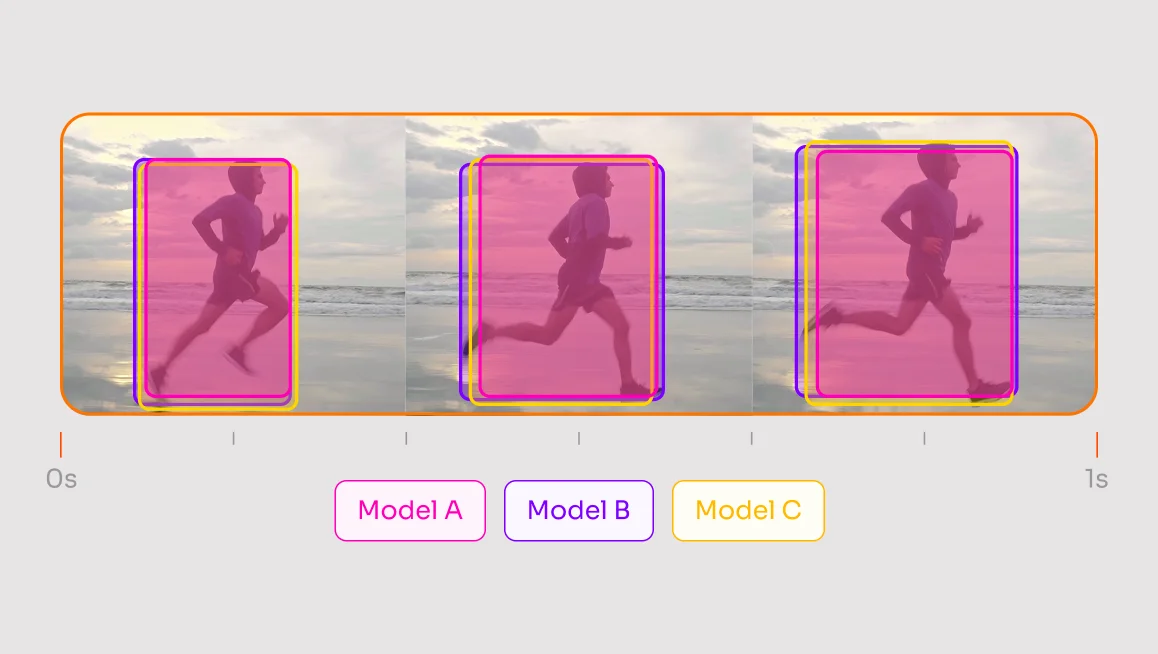
Video annotation is the backbone of many modern artificial intelligence (AI) and machine learning (ML) systems, yet it remains one of the most labor-intensive tasks in the AI lifecycle. If you’ve ever manually drawn bounding boxes frame-by-frame, you know the struggle: it is painstakingly slow and prone to human error, often leading to inconsistent tracks that require hours of cleaning.Thankfully, there is a solution, which is leveraging state-of-the-art (SOTA) ML/AI models to automate the heavy lifting and ensure frame-to-frame consistency, allowing you to annotate entire video sequences with just a few clicks.In this article, we’ll explore the top-performing models for different video tracking tasks, from high-speed object detection to pixel-perfect segmentation, and show you how to choose the right one for your specific use case.The Hierarchy of Video Tracking TasksBefore picking a model, you must determine which tracking sub-task fits your data. Most video annotation projects fall into one of two categories based on how the objects are identified and followed:Single-Object Tracking (SOT) & Video Object Segmentation (VOS)Single-Object Tracking (SOT) and Video Object Segmentation (VOS) focus on maintaining a relentless lock on one specific target provided by the user. SOT provides a focused bounding box, while VOS generates a high-fidelity, pixel-level mask that adapts to the object's changing shape. Best For: Scenarios requiring extreme precision, such as robotic surgery, medical imaging, or analyzing the complex movements of mechanical parts.Example: VOS is often used to track the exact geometry of a surgical instrument or a robotic gripper. By using models like XMem or the newly released SAM 3, researchers can maintain publication-quality masks across long video sequences, ensuring the model captures complex shape analysis that a simple bounding box would miss.Multi-Object Tracking (MOT)Multi-Object Tracking (MOT) is designed to detect and track every instance of a specific class, like every vehicle in a traffic feed, by generating bounding boxes with persistent ID numbers that follow each unique object throughout the video. Best For: High-throughput video annotation where you need to quantify large numbers of moving parts.Example: High-throughput aerial datasets often use MOT to handle hundreds of moving targets. A prime example is the M3OT dataset (Nature, 2025), which provides over 220,000 bounding boxes for multi-drone tracking in RGB and Infrared modalities, labeled with CVAT Pipeline Anatomy: How Tracking Works in PracticeBefore diving into specific models, it is helpful to understand the tracking-by-detection pipeline, which is the industry standard for most production environments. This workflow typically involves three distinct stages:Per-frame Detector: A model like YOLOv12 or RT-DETR scans individual frames to identify objects.The Tracker: A secondary algorithm, such as ByteTrack or DeepSORT, links those detections across frames to maintain unique IDs.Optional Segmentation Head: If your task requires more than a box, models like XMem or SAM 3 are used to generate precise pixel-level masks.Now that we’ve broken down the architecture, let’s look at some specific MOT, SOT, and VOS models.The Three Main Types of Models for Video Tracking1. Multi-Object Tracking (MOT) ModelsWhen your goal is high-throughput annotation, such as tracking every vehicle on a highway or every person in a retail store, these are the SOTA models worth checking out.RT-DETR (Real-Time DEtection TRansformer)Source: https://github.com/bharath5673/RT-DETRRT-DETR (Real-Time DEtection TRansformer) is the first transformer-based detector to achieve real-time speeds, providing a high-accuracy alternative to the traditional YOLO family. By treating detection as a direct set-prediction problem, it avoids the typical complexities of grid-based scanning.Key aspects of this model include:Primary Function: Utilizes "object queries" to predict all objects simultaneously rather than searching the image grid-by-grid.Practical Use: Ideal for production environments like autonomous robotics or surveillance where precision is non-negotiable but lag is not an option.Standout Feature: Eliminates the Non-Maximum Suppression (NMS) bottleneck, ensuring smooth, consistent performance with no post-processing delays.This end-to-end architecture delivers a superior balance of accuracy and stability for complex, high-stakes visual tasks.ByteTrackSource: https://github.com/FoundationVision/ByteTrackByteTrack is a high-performance association algorithm that acts as the essential "glue" of a tracking pipeline, linking detections across frames to maintain consistent identities. It is renowned for its efficiency, relying on motion and geometry rather than heavy visual computation.Key aspects of this model include:Primary Function: It "rescues" low-score or blurry detections that other trackers might discard, ensuring tracks don't break when objects become fuzzy.Standout Feature: Extremely lightweight because it tracks based on logic and movement patterns rather than "remembering" what an object looks like.It is currently the industry standard for real-time applications like traffic monitoring or crowd counting when paired with a YOLO detector.DeepSORTSource: https://arxiv.org/pdf/1703.07402DeepSORT is a sophisticated tracking model that incorporates deep learning to "recognize" objects through unique visual profiles. Key aspects of this model include:Primary Function: Creates a unique visual "fingerprint" for every object, allowing the model to recognize them even after they disappear and reappear.Practical Use: The premier choice for complex scenes with long occlusions, such as tracking a specific person walking behind obstacles in a security feed.Standout Feature: Excels at re-identification (Re-ID), making it highly robust against identity swaps during long periods where an object is hidden.While more computationally demanding, it provides superior reliability in crowded environments where objects frequently overlap.2. Single-Object Tracking Models (SOT)These models are designed to "lock onto" a single target and follow it relentlessly, regardless of how it moves or how the camera shifts.OSTrackSource: https://github.com/botaoye/OSTrackOSTrack is a cutting-edge "one-stream" tracker that utilizes a transformer architecture to unify feature extraction and relation modeling into a single step. Key aspects of this model include:Primary Function: Integrates feature learning and matching in parallel, allowing the model to understand the target within its environment more effectively than traditional two-stream pipelines.Practical Use: The current "State-of-the-Art" for benchmarks like LaSOT and GOT-10k, making it perfect for high-value targets like drones or wildlife.Standout Feature: Extremely efficient single-stream approach that delivers faster convergence and higher accuracy than older Transformer trackers.The focused architecture provides relentless accuracy for single-target missions where precision is the absolute priority.TrackingNetTrackingNet is a reliable framework and large-scale benchmark designed to bridge the gap between academic theory and real-world performance. Key aspects of this model include:Primary Function: Focuses on generic object tracking by following a target's position, scale, and motion dynamics with high temporal consistency.Practical Use: Widely used in industrial robotics and high-speed assembly lines where a camera must track a specific part without fail.Standout Feature: Offers "reasonable speed," providing a balanced performance that runs effectively on standard hardware without requiring elite-level GPUs.By prioritizing robustness over sheer complexity, TrackingNet remains a staple for industrial-grade tracking where reliability is king.3. Video Object Segmentation (VOS) ModelsWhen bounding boxes aren't enough, VOS models provide "pixel-level" masks, allowing you to track the exact shape and boundaries of an object as it moves.XMem (eXtra Memory Network)Source: https://hkchengrex.com/XMem/XMem (eXtra Memory Network) is a high-fidelity segmentation model designed to maintain mask quality over long video sequences. It solves the problem of "forgetting" by utilizing a sophisticated memory architecture to store object features over time.Key aspects of this model include:Primary Function: Utilizes a long-term memory module to maintain mask quality and identity even in very long videos.Practical Use: The go-to model for producing publication-quality masks for high-end visual analysis and research.Standout Feature: Extremely consistent across long sequences, preventing the "drift" or loss of detail that plagues simpler models.This focus on long-term temporal consistency makes XMem the premier choice for complex projects where every pixel matters from the first frame to the last.4. Promptable Segmentation & Interactive Tracking (SAM / SAM 2 / SAM 3)The SAM Family (Segment Anything Models) represents a shift toward "promptable" AI, allowing you to track and segment any object with a simple click or text command. These foundation models eliminate the need for project-specific training, working "out-of-the-box" for almost any category.Key aspects of these models include:Primary Function: SAM 3 introduces "promptable concept segmentation," enabling users to track objects using descriptive text rather than manual clicks.Practical Use: SAM 2 and 3 natively handle video tracking, drastically reducing user interactions for complex VOS.Standout Feature: SAM 3 features native video handling and advanced identity retention to prevent the model from confusing similar objects.By moving from frame-by-frame clicking to high-level concept tracking, the SAM family has set the new standard for interactive video annotation efficiency.How Tracking and Segmentation Models Are EvaluatedFor high-throughput annotation projects, the industry relies on three core metrics to measure how well a tracker maintains order in a crowded scene.1. Multi-Object Tracking MetricsMOTA (Multi-Object Tracking Accuracy)This is the most established metric, focusing heavily on detection quality. It counts three types of errors: False Positives (ghost detections), False Negatives (missed objects), and Identity Switches (when ID 1 suddenly becomes ID 2). While useful, MOTA is often criticized because it prioritizes finding every object over keeping their identities consistent for long periods.IDF1 (ID F1 Score)Unlike MOTA, IDF1 focuses almost entirely on identity consistency. It measures how long a tracker can follow the same object without an error, making it the superior metric for tasks like long-term surveillance or player tracking in sports. It is calculated by finding the longest possible match between a predicted track and the ground truth across the entire video.HOTA (Higher Order Tracking Accuracy) Developed to solve the "tug-of-war" between MOTA and IDF1, HOTA is now considered the most balanced SOTA metric. It splits evaluation into three distinct sub-scores: Detection Accuracy (DetA), Association Accuracy (AssA), and Localization Accuracy (LocA). This allows engineers to see exactly where a model is failing, whether it's failing to "see" the object or failing to "link" it across frames.2. Video Object Segmentation (VOS) MetricsWhen evaluating pixel-level masks instead of bounding boxes, researchers use the J and F metrics popularized by the DAVIS Challenge and YouTube-VOS benchmarks.Region Similarity (J / Jaccard Index)J is essentially the Intersection over Union (IoU) for masks, which measures the static overlap between the predicted pixels and the ground truth pixels. A high J score means the model has captured the bulk of the object's body accurately.Contour Accuracy (F - Measure)While J looks at the "body," F looks at the "edges". It evaluates how precisely the model has traced the boundary of the object. This is critical for high-fidelity tasks like rotoscoping, where a mask that is "mostly correct" but has jagged, incorrect edges is unusable.How to Choose the Right Model For Your Use CaseSelecting the ideal model for video tracking involves balancing raw processing speed against the need for high-precision identification. To do this, you must weigh critical factors such as real-time latency for high-speed feeds, identity persistence for crowded environments, and mask fidelity for complex scientific or medical data.As a general rule of thumb, we suggest following these industry-standard pairings for your specific project:For real-time traffic or urban surveillance: Use YOLOv12 paired with ByteTrack to maximize frames-per-second while tracking hundreds of objects simultaneously.For crowded scenes with long occlusions: Use DeepSORT to leverage visual "fingerprints" that prevent ID switching when objects are temporarily hidden.For pixel-perfect masks and complex shape analysis: Use SAM 3 or XMem to achieve high-fidelity, consistent segmentation across long sequences.For tracking a single high-value target (e.g., a robot gripper): Use an OSTrack-style SOT model for a relentless, focused lock on one entity.By prioritizing the correct architecture from the start, you ensure high-throughput consistency, reduce downstream errors in safety-critical scenarios, and establish a reliable foundation that scales as your dataset grows.Where Models Can Still StruggleEven though you choose an industry-standard model, you can still run into "edge cases" where the logic can falter. This can happen because even SOTA AI/ML models still struggle with:Occlusion: This occurs when an object is fully or partially hidden (e.g., a pedestrian walking behind a tree). While models like DeepSORT use visual "fingerprints" to recover these tracks, simpler models may lose the ID entirely.ID Switching: In crowded scenes, the model may confuse two similar objects, like two white cars and swap their unique ID numbers as they cross paths.Scale and Perspective Changes: Models often struggle when an object moves from the far background (appearing very small) to the close foreground (appearing very large), as the rapid change in pixel size can break the tracker’s "lock".Motion Blur: Fast movements or low-shutter-speed footage can cause objects to appear as a "smear," making it difficult for the detector to identify features and resulting in lost or erratic tracks.How You Can Mitigate These Issues in AnnotationTo address the inherent limitations of AI, you can apply these four mitigation strategies to your workflow:1) Address Domain Shift through Strategic Data SelectionThe Strategy: Use a mix of real-world "edge cases" and synthetic data to expose the model to the specific lighting, angles, and object scales of your project.CVAT Advantage: Instead of starting from scratch, you can plug in specialized models from platforms like Roboflow or Hugging Face that are already pre-trained for niche domains like manufacturing or healthcare.2) Implement a Human-in-the-Loop (HITL) ReviewThe Strategy: Use AI to do the first 80% of the work while humans handle the difficult 20%, specifically at points where objects overlap or disappear.The CVAT Advantage: CVAT’s Track Mode uses powerful temporal interpolation. You only need to set "keyframes" before and after an occlusion, and CVAT automatically calculates the smooth path in between, significantly reducing manual frame-by-frame adjustments.3) Leverage the Power of Fine-TuningThe Strategy: Use a small, carefully curated subset of your own data to fine-tune a model, which "internalizes" the specific motion patterns of your targets.The CVAT Advantage: CVAT allows you to export your corrected labels in dozens of formats (like YOLO or COCO) to immediately fine-tune your model. You can then re-upload your improved model via a custom AI Agent or Nuclio function to auto-annotate the rest of your dataset with much higher accuracy.4) Identity Management & Track RefinementThe Strategy: In complex scenes, models often suffer from "ID switches" or "fragmented tracks" when objects cross paths. Instead of manually redrawing these, use a workflow that treats objects as continuous "tracks" rather than a collection of individual shapes.The CVAT Advantage: If a model loses a track during a crowded scene, you can use CVAT’s Merge feature to unify separate fragments into a single, persistent ID. This, combined with the ability to "Hide" or "Occlude" shapes while maintaining the track’s metadata, ensures that your final dataset preserves the object’s identity from the first frame to the last.It’s Never Been Easier to Integrate ML Video Tracking into Your WorkflowWe are witnessing a significant shift toward unified and any-modality tracking models, with recent research, such as the "Single-Model and Any-Modality" demonstrating how general-purpose trackers can handle different tasks and sensor types (like RGB, Thermal, or Depth) within a single architecture. The best part about this shift is that you don't need to rebuild your entire infrastructure or design a custom UI to start.CVAT is designed to bridge the gap between cutting-edge research and production-grade annotation, allowing you to plug these advanced models directly into your existing workflow without writing a single line of interface code. With our high-performance environment, you can deploy the industry's best models and manage them within a single, streamlined interface that includes:Native SAM 2 & SAM 3 Tracking: Leverage the world’s most advanced segment-and-track models integrated by default. Use built-in algorithms to automatically calculate the path of bounding boxes and masks between keyframes, drastically reducing manual clicks.Seamless Model Integration: Whether your model is a custom-built proprietary stack or a public favorite on Roboflow or Hugging Face, you can integrate it directly as an AI agent.Integrated Review & QA: Ensure data integrity with specialized workflows that allow human supervisors to quickly identify, "merge," and correct any model errors before they reach training.If you’re ready to move on from the grind of manual tracking and start leveraging the latest in AI-assisted annotation, we have a solution that fits your needs:Get started today with CVAT Online and begin labeling in seconds. CVAT Online gives you immediate access to SAM 2, SAM 3, and seamless integrations with Roboflow or Hugging Face directly in your browser.Scale your production with CVAT Enterprise and bring CVAT to your own infrastructure. With CVAT Enterprise, you can deploy a secure, self-hosted instance with dedicated AI agents, custom model hosting, and full ecosystem integration for large-scale production.
Industry Insights & Reviews
January 1, 2026

The Top ML/AI Models To Use for Object Tracking in Video Annotation 

Blog
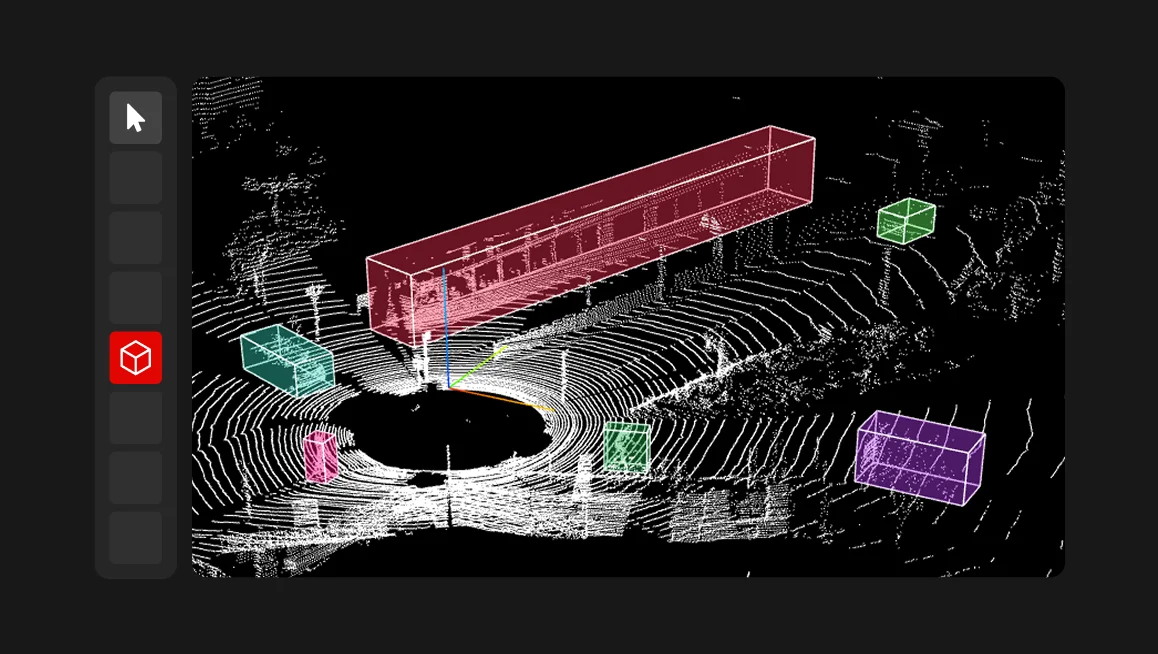
Instead of our usual month-by-month roundup, this final Digest of 2025 looks back at the core product features and notable CVAT moments we shipped and celebrated this year.From agentic automation to faster video tracking, stronger QA, better analytics, safer API access, and smoother 3D workflows—here’s the 2025 highlight reel.#1 Agentic automation: AI Agents and ML models integration2025 marked a shift in how automation works in CVAT. Instead of treating ML as an add-on, CVAT introduced AI Agents—a way to plug your own models directly into annotation workflows.AI Agents allow teams to run auto-annotation using models hosted on their own infrastructure, while keeping annotators inside CVAT. This makes it easier to automate labeling, reuse existing ML pipelines, and scale annotation without changing tools.We also shared practical examples of how AI Agents work with popular model ecosystems, including SAM 2 and Ultralytics YOLO, showing how agentic labeling fits into real-world workflows.Related posts:Announcing CVAT AI AgentsCVAT AI Agents: What's NewUltralytics YOLO Agentic Labeling#2 SAM 2 for automated video object trackingVideo annotation saw a major upgrade in 2025 with the introduction of SAM 2–based tracking.For CVAT Enterprise, SAM 2 is available as a native tracking solution designed for production-scale video annotation. It significantly reduces manual work when tracking objects across frames and is optimized for large video datasets.For CVAT Online users, SAM 2 tracking is available via AI Agents. This gives teams flexibility to run the tracking model in their infrastructure while keeping annotation workflows centralized in CVAT.Related posts:SAM 2 for object tracking in videos (Enterprise)SAM 2 tracking via AI Agents (Online)#3 Faster QA with honeypots and immediate job feedbackAs annotation teams scale, quality control needs to happen continuously, not only at the final review stage. In 2025, CVAT introduced features that help teams detect issues earlier and reduce rework.Honeypots use pre-annotated reference data mixed into regular jobs to automatically evaluate annotation quality. This makes it possible to monitor quality across the pipeline using a limited but reliable set of ground-truth samples.Immediate Job Feedback complements this by providing quality insights right after a job is completed. Annotators can fix issues immediately, without waiting for delayed review cycles.Related posts:Annotation QA with honeypots‍Immediate Job Feedback#4 Advanced annotation analytics for teams who want visibilityTo give teams better visibility into how work gets done, CVAT introduced advanced analytics. It provides metrics such as working time, annotation speed, object counts, label usage, and productivity trends. Reports can be refreshed when needed, making it easier to monitor performance, identify bottlenecks, and plan resources.Related post:Advanced annotation analytics#5 Safer automation with Personal Access Tokens for API/SDK/CLIAutomation is a core CVAT use case, and in 2025 we made it more secure. Personal Access Tokens (PATs) are a modern way to authenticate to CVAT’s API/SDK/CLI without reusing passwords or relying on legacy keys. You can scope permissions, set expirations, and revoke tokens without disrupting other integrations.Related post:Personal Access Tokens#6 UX and usability improvementsAlongside major features, 2025 included a series of usability improvements aimed at saving time in everyday work.Bulk actions make it possible to manage multiple resources at once, reducing repetitive operations in large workspaces.Project copying workflows are now supported through project backup and restore, allowing teams to reuse configurations, templates, and structures across projects.Keyboard shortcut customization gives power users full control over shortcuts, with support for global and workspace-specific settings and built-in conflict detection.Related posts:Bulk actions documentation‍Keyboard shortcut customization#7 3D / point cloud annotation improvementsPoint cloud annotation workflows received focused improvements in 2025, aimed at stability and precision during long annotation sessions.Updates included smoother navigation, more predictable zoom behavior, improved object focusing, better control point handling, and more stable camera behavior across views.Related post:Point cloud annotation updates#8 CVAT Academy launchIn 2025, CVAT launched CVAT Academy, a dedicated learning space for anyone who wants to build annotation skills faster.CVAT Academy offers hands-on training covering core annotation concepts as well as more advanced workflows, helping individuals and teams onboard more efficiently and work more consistently.Explore CVAT Academy‍And that's a wrap on 2025. Thank you for choosing CVAT for your dataset labeling this year. Whether you use CVAT Online or CVAT Enterprise in production, contribute to the CVAT Community open-source edition, or build your own workflows on top of CVAT, thank you for being with us.See you in 2026!
Product Updates
December 23, 2025

CVAT Digest, 2025 Wrap Up: The Biggest Product Releases and Milestones of the Year

Blog
Point cloud annotation is fundamentally more demanding and complex than 2D labeling. Annotators have to work in sparse, multi-view environments, constantly switch perspectives, and maintain spatial context while dealing with small or partially occluded objects. Our labeling services team knows better than anyone that even minor issues in navigation, zoom behavior, or camera stability can significantly slow down the workflow.That’s why, in our recent release, we’ve focused on practical updates that remove everyday friction and make 3D annotation faster, smoother, and more predictable.#1 Quick object focus with double-clickFinding and focusing on objects in 3D space used to require manual camera rotation and careful positioning. Now, a simple double-click on any object automatically centers the camera on it. This seemingly small change dramatically speeds up annotation, especially when working with smaller objects that are difficult to locate manually. The feature works consistently across both 3D and 2D annotation tasks.#2 Consistent zoom behavior across modes Previously, zoom settings were inconsistent across different annotation modes, requiring constant readjustment. We've standardized the Attribute annotation zoom margin setting to work uniformly across all annotation modes, including 3D side view projections. Even better, zoom levels now persist when switching between objects—no more losing your carefully adjusted view every time you move to the next annotation.#3 Stable and configurable control pointsControl points are essential for precise annotation, but they were behaving erratically in 3D views. They would change size, become transparent, or scale incorrectly with camera distance. We've fixed this completely: the Control point size setting now works properly in 3D, and control points maintain consistent, readable size regardless of camera position or zoom level.#4 Camera stability across projections and view changesSwitching between the main view and side views used to reset the camera position, forcing annotators to re-navigate each time they wanted to check an object from different angles. The camera now maintains its position when moving between projections, allowing smooth multi-angle verification without repetitive navigation.#5 Improved UI readabilityWe've improved the contrast and readability of contextual menus and reduced transparency in areas where it was obscuring text. Small visual improvements like these reduce eye strain and cognitive load during long annotation sessions.#6 Improved zoom limits and touchpad supportWe've increased the maximum zoom level and completely reworked the zoom algorithm to work properly with trackpads. Navigation is now smoother and more predictable, particularly on laptops where trackpad gestures are the primary input method.These updates are available across all CVAT editions: CVAT Online, Enterprise, and Community. Improvements like these come directly from our hands-on work with real customer data and have immediate impact on annotation speed and quality, especially for complex workflows like 3D and point cloud annotation. If you work with point cloud data, we hope these updates will streamline your labeling workflow. Have feedback or suggestions? We'd love to hear from you! Contact our team via HelpDesk or submit an issue on GitHub.
Product Updates
December 17, 2025

Point Cloud Annotation Updates: Faster Navigation, Better Stability, Cleaner UX

Blog
We're excited to announce Personal Access Tokens (PATs), a new and improved authentication method for CVAT's API, SDK, and CLI. If you're building integrations, running automated scripts, or working with CVAT programmatically, this feature is designed to make your workflow more secure and convenient. Why Personal Access Tokens? Until now, authenticating with CVAT's API required using your username and password or legacy API keys. While functional, this approach had some limitations: Security risks: Sharing your password with multiple applications increases exposure if one gets compromised Limited control: No way to restrict what specific applications can do Manual management: Changing your password meant updating it everywhere Personal Access Tokens solve these problems by giving you better control over API access. What Are Personal Access Tokens? Think of PATs as specialized keys for your CVAT account. Instead of using your password in scripts or third-party tools, you create a unique token for each use case. Each token can have: Custom permissions: Choose between read-only or read/write access Expiration dates: Set tokens to automatically expire after a specific time Individual management: Revoke any token instantly without affecting others This means if you suspect a token has been compromised or simply don’t need a specific token anymore, you can revoke just that one token without disrupting your other integrations or changing your password. Key Benefits Enhanced Security: Use separate credentials for each application and eliminate the need to embed passwords in your code. Better Control: Configure exactly what each token can do. Need a script that only reads data? Create a read-only token. Easy Management: Create, edit, and revoke tokens anytime directly from your CVAT user settings. Automatic Cleanup: Unused tokens are automatically removed after a period of inactivity, reducing security risks from forgotten credentials. Getting Started Creating your first Personal Access Token is simple: Navigate to your Profile page Go to the "Security" section Click the "+" button to create a new token Configure the name, expiration date, and permissions Save and securely store the token value (it's only shown once!) Once you have your token, use it in your API requests with the Authorization header: import requests token = "your_token_value" response = requests.get( "https://app.cvat.ai/api/tasks", headers={"Authorization": f"Bearer {token}"} ) Or, if you prefer working with the CLI, set the token as an environment variable: export CVAT_ACCESS_TOKEN="your_token_value" && cvat-cli task ls Important Security Reminders Store tokens securely: Treat them like passwords Set expiration dates: Always configure tokens to expire Use minimal permissions: Grant only the access level needed Revoke immediately: If you suspect a token is compromised, revoke it right away Never share tokens: Each user and application should have its own token Learn More Personal Access Tokens are available now for all CVAT users across Community, Online, and Enterprise editions. We recommend migrating your existing integrations to use PATs for improved security and control. Ready to start using Personal Access Tokens? Check out our complete documentation for detailed instructions on creating, managing, and using PATs in your CVAT workflows. Have questions or feedback? Join the conversation on our Discord or open an issue on our GitHub repository.
Product Updates
November 25, 2025

Introducing Personal Access Tokens: A More Secure Way to Work with CVAT API

Blog
Content Brief Primary Keyword Robotics data annotation Keyword Data Suggested Slug robotics-data-annotation Title Tag What Is Data Annotation in Robotics? A Complete Beginner’s Guide Meta Description Robotics data annotation serves as the bridge between raw data and functioning robotic intelligence. Read this article to see how it’s powering ML. What Is Data Annotation in Robotics? A Complete Beginner’s Guide When we picture a fully operational robot, we imagine a machine that can see, move, and react to its surroundings with precision. But behind that capability lies one crucial process: data annotation. As a robot moves around and interacts with the world, it is receiving massive streams of information from cameras, LiDAR sensors, and motion detectors, but this data is meaningless until it’s labeled and structured. That’s where data annotation comes in, and turns those raw inputs into recognizable patterns that machine learning models can interpret and act upon. Think of annotation as the bridge between raw data and intelligent behavior, with each bounding box, 3D tag, or labeled sound clip teaching a robot how to move, grasp, or navigate. Why Is Data Annotation in Robotics Unique? First and foremost, data annotation in robotics is distinct because it must handle multiple sensor inputs and fast-changing environments. The uniqueness comes from three main factors: Variety of data types: A warehouse robot can capture RGB images, LiDAR depth maps, and IMU motion data at the same time. Annotators need to align these streams so the robot understands what an object is, how far it is, and how it is moving. Environmental complexity: A robot navigating a factory floor may see drastically different lighting between welding zones, shadowed aisles, and outdoor loading bays. It also must track moving forklifts, shifting pallets, and workers walking across its path. Annotated data must represent all these variations so models do not fail when conditions change. Safety sensitivity: If an obstacle in a 3D point cloud is labeled incorrectly, a mobile robot may misjudge clearance and strike a shelf or worker. For instance, Amazon’s warehouse AMRs rely on accurately labeled LiDAR data to avoid collisions when navigating between racks. Meaning that even a small annotation error, like misclassifying a reflective surface, can cause a robot to stop abruptly or make unsafe turns. Beyond this, robotics is also unique because it is scaling at a pace few industries match. According to the International Federation of Robotics (IFR) ‘s World Robotics 2025 Report, the total global installations of industrial robots in 2024 were 542,076 units, more than double what was installed a decade earlier. The capabilities of general-purpose robots have also advanced rapidly in 2024–2025. A clear example is Figure’s 01 robot, which in 2024 successfully performed a warehouse picking task using OpenAI-trained multimodal models. Achieving this required large volumes of annotated 3D point clouds, motion trajectories, and force-feedback data, illustrating how teams like Figure and Agility Robotics rely on richly labeled sensor inputs to enable robots to operate safely in human environments. These innovations show how dynamic robotics has become, and why precise, context-aware annotation is essential. As robots expand into more real-world tasks, their performance depends directly on the quality of the data used to train them. Key Use Cases of Data Annotation in Robotics Robots rely on labeled sensor data to understand the world around them and make safe, reliable decisions. In practice, data annotation powers several core capabilities that appear across nearly every modern robotics system: Autonomous navigation, where labeled images, depth maps, and point clouds help robots detect obstacles, follow routes, and adjust to changing layouts. Robotic manipulation, which depends on annotated grasp points, object boundaries, textures, and contact events so arms can pick, sort, or assemble items accurately. Human–robot interaction, supported by labeled gestures, poses, and proximity cues that allow robots to move safely around people and predict their intentions. Inspection and quality control, where annotated visual and sensor data help robots detect defects, measure alignment, or identify early signs of wear. Semantic mapping and spatial understanding, where labels on floors, walls, doors, racks, and equipment help robots build structured maps of their environment. A widely referenced example comes from autonomous driving research. The Waymo Open Dataset provides millions of labeled camera images and LiDAR point clouds showing vehicles, pedestrians, cyclists, road edges, and environmental conditions. These annotations train Waymo’s autonomous systems to detect obstacles, anticipate movement, and navigate safely in dense urban environments. These use cases demonstrate how annotation turns raw sensor streams into actionable understanding, forming the backbone of safe and capable robotic behavior. Types of Data Annotation in Robotics and Their Applications Robotics relies on diverse data sources, each requiring a specific annotation method. From vision to motion, labeling ensures robots can interpret and act safely in dynamic environments. These annotated datasets power navigation, manipulation, and autonomous decision-making across industries. Visual and Image Annotation Cameras give robots their sense of sight, but the data needs structure. That’s where annotators outline and classify objects using bounding boxes, polygons, and segmentation masks. Common visual annotation tasks include: Object detection and classification Pose and gesture tracking Instance segmentation in complex scenes One example of visual/image annotation is Ambi Robotics, which uses large annotated image datasets to train sorting arms to recognize boxes and barcodes. Platforms like CVAT streamline this process with AI-assisted labeling, frame interpolation, and attribute tagging. 3D Point Cloud and Depth Data Annotation LiDAR and depth sensors capture spatial geometry, forming dense 3D point clouds that need precise labeling. In this case, annotators define objects, surfaces, and distances so robots can move safely through real-world spaces. Autonomous systems like Nuro’s delivery vehicles depend on this annotation to recognize pedestrians and road edges. For those using CVAT, we support 3D point-cloud annotation with cuboids, allowing teams to mark and classify objects. CVAT also provides an interactive 3D view, frame navigation, and integrated project management features, giving robotics teams a unified platform within a single environment. Sensor and Motion Data Annotation Robots depend on sensor feedback to monitor movement and performance. For example, annotating accelerometers, gyroscopes, or torque data helps identify start points, motion shifts, and anomalies. In industrial settings, this labeling improves precision and predicts faults. Which is why companies like Boston Dynamics and ABB Robotics use it to refine robot motion and detect wear. Audio and Tactile Data Annotation Sound and touch give robots environmental awareness. So annotators will label motor noises, ambient sounds, and tactile pressure data so systems can detect irregularities or adjust handling. Key annotation areas include: Detecting mechanical or ambient sound changes Labeling tactile feedback and slip events Linking sensory data with visual or motion inputs Robots from Rethink Robotics and RightHand Robotics use such annotations to refine grip and texture handling. Integrated platforms like CVAT, combined with audio or haptic plugins, allow engineers to visualize and align these sensory streams for more adaptive learning models. Best Practices for Effective Annotation in Robotics Robotics annotation requires accuracy, consistency, and clear processes. These best practices help teams create safer, more capable robotic systems. Create Detailed, Robotics-Specific Annotation Guidelines Robotics data varies widely across sensors, environments, and behaviors. Clear guidelines ensure annotators understand how to handle occlusions, fast-moving objects, and overlapping sensor data. For example, a warehouse robot may record an object partially hidden behind a pallet. Guidelines should specify how to label the object’s visible area and how to tag occlusion attributes so the model learns realistic edge cases. Consistent rules across image, LiDAR, and depth frames prevent drift as datasets scale. Use Tools Designed for Multi-Sensor and 3D Workflows General-purpose labeling tools often struggle with robotics workloads that include point clouds, video frames, IMU data, and synchronized sensor streams. Tools like CVAT support 3D cuboids, interpolation for long sequences, and multi-modal annotation, which reduces errors when labeling spatial data. For instance, with CVAT, annotators can mark a forklift in a 3D point cloud and maintain label continuity across hundreds of frames using interpolation rather than redrawing boxes manually. Combine Automation with Human Oversight Automation accelerates labeling but cannot replace expert review. AI-assisted pre-labeling is useful for repetitive tasks such as drawing bounding boxes or segmenting floor surfaces, but humans must refine edge cases, ambiguous objects, or safety-critical scenes. A typical workflow might use automated detection to pre-label all pallet locations in a warehouse scan, while a human annotator fixes misclassifications, handles cluttered areas, or corrects mislabeled reflections or shadows. Label with Deployment Conditions in Mind Robots operate in environments that shift constantly. Annotations must include examples of glare, motion blur, low light, irregular terrain, and human interaction and other edge cases to make sure the model behind the robot can perceive and act reliably in unconstrained, safety-critical settings . For example, an autonomous robot navigating a distribution center should be trained with labeled images captured during daytime, nighttime, and transitional lighting so it performs reliably across all shifts. Leverage Synthetic and Simulated Data When Real Samples are Limited Simulated data allow teams to create rare or dangerous scenarios that are difficult to capture safely in the real world. Synthetic point clouds, simulated collisions, or randomized lighting conditions help models generalize more effectively. A good use case is robotic grasping: simulation can generate thousands of synthetic grasp attempts on objects of varying shapes and materials, providing a foundation before fine-tuning on real-world captures. Maintain Strong Versioning and Traceability Robotics datasets evolve over months or even years. Version control allows teams to track which annotations led to which model behaviors, helping diagnose regressions or drift. For example, if a navigation model starts failing on reflective surfaces, teams can trace the issue back to a specific dataset version where labeling rules changed, and correct the underlying annotation pattern. Taken together, these practices make robotics datasets more reliable and scalable, ensuring models continue to perform accurately as environments, hardware, and operating conditions evolve. The Biggest Challenges of Robotic Data Annotation Robotic data annotation is uniquely demanding because robots operate in fast-changing, unpredictable environments. Unlike static image datasets, robotics data combines multiple sensor types that must be labeled in sync. A single scene may include RGB video, LiDAR point clouds, IMU readings, and depth data, all captured at different rates. Aligning and annotating these streams accurately is one of the biggest technical hurdles. Scale is another challenge. Even a simple warehouse AMR requires millions of frames and 3D scans. Reviewing, labeling, and validating that volume of data requires careful workflows, automation, and strong quality control. Plus, safety sensitivity raises the stakes further. Mislabeling an obstacle in a point cloud or marking an incorrect grasp point can lead to collisions, dropped objects, or erratic behavior. Because robots act on these labels in the real world, the cost of an annotation error is significantly higher than in many other AI domains. Together, these challenges make robotic annotation a complex, high-precision task that demands specialized tools, domain expertise, and rigorous verification. How Does CVAT Support Robotics Data Annotation? With CVAT, teams can annotate bounding boxes, polygons, segmentation masks, and 3D cuboids all within one environment. Plus, features like advanced 3D visualization, and collaborative project management make it suitable for both research teams and large enterprises handling complex robotic datasets. CVAT is available in two deployment models. With CVAT Online, teams can scale projects instantly without managing infrastructure. For enterprises with strict data control or compliance needs, CVAT Enterprise offers the same power within a secure, private environment. Both are built on CVAT’s open-source foundation and share the same high-performance tools for labeling and review. Beyond software, CVAT also offers data labeling services for robotics companies that need expert annotation but lack internal capacity. These services help teams accelerate development by delivering high-quality labeled data quickly, without building an in-house annotation team. Together, CVAT’s flexible platform options and professional services make it a complete solution for robotics companies that need reliable, scalable annotation pipelines to power next-generation automation. Annotation is Teaching Robots to See the World Clearly The future of robotics depends on how well machines can interpret their surroundings, and data annotation is what turns streams of raw information into actionable insight, teaching robots to perceive, decide, and adapt. As robotics expands into new sectors like logistics, healthcare, and manufacturing, the need for accurate annotation grows just as quickly. This means that building reliable, safe, and intelligent systems requires structured workflows, skilled teams, and the right technology. In the end, every intelligent robot starts the same way: with precise, thoughtful annotation that helps it see the world as clearly as we do. Ready to build smarter, safer robots? Explore how CVAT can streamline your annotation workflow and accelerate your robotics projects today.
Industry Insights & Reviews
November 19, 2025

Data Annotation for Robotics AI: Unique Challenges, Key Methods, and Best Practices

Blog
Data annotation serves as the foundation of every successful machine learning project, because without accurately labeled datasets, even the most advanced AI models cannot detect objects, classify images, or interpret text with real-world precision. To label and manage these datasets for AI and computer vision applications, data scientists and engineers have begun to rely on open-source data annotation tools. Unlike proprietary platforms that often lock users into closed ecosystems or restrict data access, open-source tools offer transparency, control, and the freedom to customize workflows, making them increasingly attractive for teams prioritizing privacy and long-term scalability. These annotation tools give developers the flexibility to handle everything from bounding box labeling in computer vision to Semantic Segmentation, OCR annotation, and complex Medical Imaging workflows. With so many tools available though, choosing the right one can be a bit tricky. How to Choose the Right Open Source Annotation Tool Each open-source annotation tool is different (from features, to usability, to documentation), and choosing the right one starts with understanding your project’s scope, data types, and workflow requirements. So, before selecting a platform, evaluate how well it aligns with your technical goals and the size of your annotation team. The following factors should guide your decision: Supported Data Types: Ensure the platform supports your required formats, such as images, videos, 3D point clouds, or text documents. A tool that handles multimodal data will save you from migrating later. Quality Control Tools: Look for built-in review features, annotation comparisons, and consensus scoring. Quality assurance prevents mislabeled data that can degrade model performance. Collaboration and Workflow Management: For larger teams, choose a data labeling platform with task assignment, role-based access, and progress tracking to streamline coordination. Automation and AI Assistance: AI-assisted labeling and auto labeling reduce manual effort by pre-labeling data with AI tools and models like Mask R-CNN or Faster R-CNN. This accelerates annotation and helps scale to enterprise workloads. Dataset Compatibility and Integration: A tool that integrates with AWS S3, Microsoft Azure, or TensorFlow OD API allows seamless movement of annotation data between your storage, model training, and MLOps stack. Data scientists and machine learning teams should test a few open-source platforms to see which supports their annotation workflows most efficiently, ensuring consistent data quality and faster model training cycles. The 6 Top Open Source Data Annotation Tools Compared There are many open-source data annotation tools available today, but not all are built for the same purpose. Some focus on simplicity and speed for quick labeling tasks, while others deliver advanced automation, collaboration, and dataset management for large machine learning workflows. To help you make an informed decision, we have closely compared the top 6 open source data annotation tools below. By understanding the strengths and trade-offs of each, you can select the right platform to streamline your data labeling process and produce the high-quality datasets your AI models depend on. Tool Overview Key Features Best For Limitations CVAT (Computer Vision Annotation Tool) Advanced open-source tool built for high-precision computer vision projects; developed by Intel and maintained by CVAT.ai. - Supports bounding boxes, polygons, polylines, keypoints, and 3D cuboids. - AI-assisted labeling with Mask R-CNN, YOLO, SAM. Large-scale image, video, and LiDAR projects in autonomous driving, robotics, and medical imaging. Requires setup and server management; complex for beginners. Label Studio Multi-modal annotation platform by Heartex supporting image, text, audio, video, and time-series labeling. - Flexible interface configuration. - REST API and Python SDK. - Collaboration and review tools. Teams working on cross-domain projects combining computer vision, NLP, and audio. Complex setup for non-technical users; limited 3D support; some enterprise features paid. LabelMe MIT-developed, browser-based image annotation tool designed for simplicity and accessibility. - Polygon and bounding box tools. - Community-shared datasets. - Lightweight, quick to start. Academic, research, and educational projects. No AI-assisted labeling; limited scalability and data type support. Diffgram Enterprise-grade open-source data annotation and management platform built for large-scale, multi-modal AI workflows. - End-to-end dataset management with version control. - Supports images, videos, text, and 3D data. - AI-assisted and active learning labeling. Large AI teams needing automation, governance, and MLOps integration for scalable annotation pipelines. Requires server setup and technical management; may be overkill for small projects. Doccano Open-source text annotation tool built for NLP projects and language model training. - Sequence labeling, text classification, and NER. - Multi-user collaboration with roles. - Easy Docker-based deployment. NLP researchers and teams building datasets for sentiment analysis, chatbots, and translation models. Limited to text-based annotation; no model-assisted labeling or multi-modal support. WEBKNOSSOS Open-source 3D annotation and visualization platform originally built for connectomics and neuroscience research. - Handles terabyte-scale volumetric datasets efficiently. - 3D tracing and segmentation tools for cells and neurons. - Tile-based data streaming for large volumes. Neuroscience, biomedical imaging, and any project requiring high-resolution 3D segmentation and analysis. Interface designed for scientific use; limited support for general-purpose ML labeling formats. CVAT (Computer Vision Annotation Tool) CVAT is an open-source data annotation tool built for computer vision projects that require high precision and scalability. Developed by Intel and now maintained by CVAT.ai, it’s widely used by machine learning teams to prepare training data for object detection, image classification, and video annotation tasks. Key Features Comprehensive Annotation Support: Bounding boxes, polygons, polylines, keypoints, and 3D cuboids for LiDAR and point cloud data. AI-Assisted Labeling: Integrations with models like Mask R-CNN, YOLO, and SAM help automate labeling for faster dataset creation. Video & Object Tracking: Interpolation and object tracking simplify video annotation workflows. Dataset Management: Supports popular export formats like COCO, Pascal VOC, and YOLO. Collaboration & Storage: Multi-user projects with role-based access and direct links to AWS S3 or Azure Blob Storage. Use Cases CVAT is ideal for large-scale projects in autonomous driving, robotics, and military purposes. It supports both manual and semi-automated labeling, fitting seamlessly into MLOps and Active Learning pipelines. Pros Advanced automation and customization Supports multiple data types and formats Strong collaborative tools for teams Cons Requires setup and server maintenance What Users Say: “We have a dedicated annotation team within our company, comprising over 50 annotators. For the past four years, we have been using self-hosted CVAT, which has been functioning exceptionally well. Recently, we acquired a project that requires annotating approximately 1 million images and videos monthly. We tried various tools, such as Supervisely, Label Studio etc, especially for video annotation, but CVAT remains the best option.” Source. Label Studio Label Studio is an open-source data labeling platform developed by Heartex that supports text, image, audio, video, and time-series annotation. It stands out for its flexibility, allowing users to design custom labeling interfaces for different data types. This makes it ideal for teams working across multiple AI applications such as computer vision, NLP, and speech recognition. Key Features Multi-Modal Annotation: Supports labeling for text, images, videos, and audio within the same platform. Custom Interface Builder: Users can design annotation templates for specific workflows using a simple configuration format. Model-Assisted Labeling: Integrates with AI models to suggest pre-labels for human review, enabling active learning and faster project completion. API and SDK Integration: Offers REST API and Python SDK for automation, pipeline integration, and dataset export. Collaboration Tools: Teams can assign roles, review annotations, and track performance metrics. Use Cases Label Studio is used for text classification, sentiment analysis, Named Entity Recognition, document tagging, and multimodal research combining images and text. It is also useful in audio projects like transcription or sound event detection, supporting teams training speech and language models. Pros Works with many data types in one environment Highly customizable labeling interface Active learning and model integration capabilities Strong API for MLOps workflows Cons Configuration can be complex for new users Limited optimization for 3D or high-frame-rate video Some enterprise collaboration features are paid What Users Say: “I used label studio with a custom script to auto label data, manually corrected parts, retained the model, and repeated. It takes some work to learn the model API but it's free and works really well!” Source. LabelMe LabelMe is a long-standing open-source image annotation tool that remains one of the simplest and most accessible options for computer vision projects. Its web-based interface makes it easy for anyone to start labeling without complex setup, making it especially popular in academic and research environments focused on image classification and object detection. Key Features Web-Based Interface: No installation required, allowing immediate access and collaboration through a browser. Polygon and Bounding Box Tools: Designed for accurate segmentation and region-based labeling. Community Dataset Access: Users can contribute to and download from a large shared library of labeled images for training and benchmarking. Simple Data Export: Supports standard formats such as JSON and compatible outputs for training ML models. Lightweight Setup: Minimal system requirements and quick onboarding for teams or students. Use Cases LabelMe is widely used in education, research, and early-stage AI experiments. It is ideal for small to mid-sized datasets where efficiency and accessibility matter more than complex integrations. Common applications include image classification, semantic segmentation, and bounding box labeling for computer vision models. Pros Extremely easy to set up and use Ideal for quick projects and academic research Free and fully open-source with public dataset access Lightweight interface with minimal dependencies Cons Lacks advanced automation or AI-assisted labeling Limited support for video or 3D data Not suited for large enterprise-scale annotation projects What Users Say: “The tool is a lightweight graphical application with an intuitive user interface. It’s a fairly reliable app with a simple functionality for manual image labeling and for a wide range of computer vision tasks.” Source. Doccano Doccano is an open-source text annotation tool widely adopted in natural language processing (NLP) projects. It enables users to label data for tasks like sentiment analysis, named entity recognition (NER), and text classification through a simple, browser-based interface. Key Features Text-Centric Annotation: Supports sequence labeling, document classification, and span-based annotation. Collaborative Labeling: Multi-user support with role management for team projects. Flexible Export Formats: Outputs data in JSON, CSV, and fastText for seamless integration into NLP pipelines. Ease of Use: Simple to install and run via Docker; ideal for both developers and researchers. Language Support: Unicode-compatible, making it suitable for multilingual annotation tasks. Use Cases Doccano is best suited for NLP research teams, data scientists, and machine learning engineers labeling text datasets for chatbots, translation models, or AI-powered content moderation systems. Pros Purpose-built for NLP projects Intuitive, web-based interface Supports multiple export formats Lightweight and easy to deploy Cons Limited support for non-text data types Lacks advanced automation or model-assisted labeling What Users Say: “I used Doccano. Easy to setup with Docker compose. Kind of disliked that the only way to import data was from JSON, CSV or CoNLL format. Other than that, no issues. The UI is simple, it works fine. It's free.” Source. Diffgram Diffgram is a powerful open-source data annotation and management platform designed for production-scale machine learning workflows. It combines labeling, automation, and data governance in one unified system, making it suitable for enterprise-grade projects that require both flexibility and collaboration. Key Features End-to-End Data Pipeline: Handles dataset versioning, task management, and annotation tracking from a single dashboard. Multi-Modal Annotation: Supports image, video, text, and 3D data, with advanced tools for object detection, segmentation, and classification. AI-Assisted Labeling: Integrates with pretrained models for auto-labeling and supports active learning loops. Collaboration and Security: Offers role-based permissions, activity logs, and dataset audit trails for team-based annotation. Cloud and On-Prem Support: Works seamlessly with AWS, GCP, or self-hosted environments for secure data control. Use Cases Diffgram is ideal for AI and MLOps teams working on large, complex datasets where automation and version control are essential. It’s often used in autonomous driving, medical imaging, and industrial inspection where precise labeling and reproducibility are key. Pros Scalable for enterprise and research use Strong automation and AI integration Robust data governance and tracking Multi-user collaboration with granular controls Cons Requires setup and server infrastructure May be overkill for small or simple projects What Users Say: “Diffgram is hands down the best annotation tool I've ever worked with. I'm really impressed by the graphical output it provides, and their customer support is always quick and responsive whenever I need help” Source. WEBKNOSSOS WEBKNOSSOS is an open-source 3D annotation and visualization platform primarily developed for neuroscience research and volumetric data analysis. It allows users to explore, segment, and annotate large-scale 3D image datasets, such as brain scans or microscopy volumes, with precision and efficiency. Originally built to support connectomics projects, it has evolved into a flexible tool for any 3D labeling and reconstruction workflow. Key Features Scalable 3D Visualization: Designed to handle terabyte-scale volumetric datasets efficiently, enabling detailed navigation through dense 3D imagery. Annotation and Segmentation Tools: Provides intuitive tracing and labeling tools for neurons, cells, and other structures across 3D volumes. Tile-Based Data Management: Streams only the data needed for visualization, making it suitable for very large datasets stored remotely or locally. Cross-Platform Support: Runs on Windows, macOS, and Linux, with an interface optimized for both scientific and general 3D annotation tasks. Community and Extensibility: Open-source under GPL license with active contributions from the neuroscience and open data communities. Use Cases WEBKNOSSOS is widely used in connectomics, neuroimaging, and other fields requiring detailed 3D segmentation. Its ability to visualize dense biological structures at microscopic resolution makes it a preferred tool for labs mapping neural circuits or reconstructing biological tissue samples. Pros Handles extremely large 3D datasets efficiently Specialized for neuroscience and volumetric data Free and open-source with active community input Supports detailed tracing and cell segmentation workflows Cons Limited support for non-scientific annotation formats Interface may feel complex for general-purpose ML labeling What Users Say: “webKnossos has all the tools to immediately view and more importantly annotate (large) volume datasets already built-in. Any modification to annotations/segmentations made in webKnossos will show up in third-party tools.” Source. Emerging Trends in Open Source Data Annotation After the Scale AI data leak and subsequent investment by Meta, many organizations have begun reevaluating how they handle sensitive datasets. One way they are doing this is through open-source tools. According to Data Insight Markets, the current open-source data labeling market size is approximately $500 million in 2025, but will grow at a compound annual growth rate (CAGR) of 25% from 2025 to 2033, reaching approximately $2.7 billion by 2033. This clearly highlights how valuable these tools will be for both generative AI and agentic AI. Plus, open-source annotation software is evolving fast, and it’s not just about drawing boxes anymore. Today’s tools are smarter, more flexible, and ready to support complex AI workflows. For example, the integration of AI-assisted labeling powered by models like Segment Anything (SAM). With SAM, CVAT annotators can now generate segmentation masks or bounding boxes automatically, then refine them instead of drawing every shape manually. The pace of innovation doesn’t stop there. CVAT has also introduced an auto-annotation feature powered by Ultralytics YOLO models, expanding its toolkit for AI-assisted labeling. Through the new agentic integration, annotators can automatically detect and tag objects within images using pretrained YOLO weights, then refine the results alongside models like Segment Anything (SAM) for precise segmentation and bounding boxes. This blend of automation and human input has made labeling significantly faster, especially in complex datasets such as autonomous driving, and 3D point cloud annotation. Beyond this, there are other key trends emerging in open source data annotation. These include: Multimodal annotation support: tools handling images, video, text, audio, and 3D point clouds in the same platform Plugin ecosystems and custom modules: community-built extensions for domain needs (e.g., pathology annotation, geospatial overlays) Stronger dataset governance: versioning, audit logs, role permissions, and integration with cloud storage Active learning and pre-labeling loops: the system picks the hardest samples for human review to improve efficiency These changes make open-source annotation tools far more than “free alternatives.” They’re becoming core infrastructure for AI development, helping teams accelerate labeling, maintain quality, and scale data pipelines. Our Final Thoughts on Choosing the Right Tool for Your Needs Now that we've made it to the end of the article, it's time to share our key takeaways. Choosing the right data annotation tool comes down to knowing your goals and workflow. Each platform serves a different purpose, and the best one for you depends on how complex your datasets are, how much automation you need, and how your team collaborates. To keep things short and sweet, always ask these questions: Ease of setup: How quickly can you start annotating? Data type coverage: Does it support your images, text, audio, or 3D point clouds? Automation tools: Can AI help speed up repetitive tasks? Dataset management: How easily can you organize and export your labeled data? If you’re labeling text data, Doccano is one of the best open-source options. It’s built for tasks like text classification, sequence labeling, and sentiment analysis, making it ideal for NLP-focused projects. For image-based datasets, LabelMe offers a lightweight interface that works well for small or academic projects where setup speed and simplicity matter most. Lastly, CVAT and Label Studio are better suited for larger or multi-format projects. They support images, video, and point clouds, and include automation, AI-assisted labeling, and integrations with machine learning pipelines. These platforms are ideal for enterprise or research teams working across computer vision, medical imaging, or multimodal AI. If you want to experience how professional-grade open-source data labeling should feel, give CVAT’s Community edition a try today and see how it can simplify your next annotation project.
Industry Insights & Reviews
November 6, 2025

The 6 Best Open Source Data Annotation Tools in 2026

Blog
Welcome to the October edition of the CVAT Digest, your monthly roundup of the latest features, improvements, and fixes in Computer Vision Annotation Tool (CVAT).This month’s updates make CVAT smoother for teams working with large cloud-based datasets, 3D projects, and automation workflows. Whether you’re managing storage, creating tasks, or connecting external tools via API, you’ll notice a faster, more flexible, and more secure experience across the board.NewToken‑based Authentication Across the PlatformYou can now use API access tokens everywhere:Server API supports API access tokens.CLI accepts tokens via the CVAT_ACCESS_TOKEN environment variable.SDK can authenticate with an API token via login()/make_client().Create Tasks Without LabelsSpin up tasks first and finalize taxonomy later. Great for quick intake from cloud or bulk uploads.Cloud Dataset HandlingCVAT now reliably supports related images for both 2D and 3D tasks from cloud storage, and the Dataset Manifest tool handles 3D datasets across all supported layouts.Admin Control: Max Jobs per TaskSet a maximum number of jobs allowed per task to keep workloads tidy and predictable.Configurable Disk‑Usage Health CheckTune the threshold that triggers the disk‑usage health check to better fit your environment.UpdatesSecurity & OperationsRedis upgraded to address a reported CVE.FFmpeg 8.0 is now used for modern codec support.Helm compatibility restored with Kubernetes pre‑release versions; charts now pull images from the public repo.Clarified behavior: CVAT_ALLOW_STATIC_CACHE only affects new tasks (existing tasks keep their configured chunking).SDK & CLI Quality of LifeThe SDK now automatically retries certain transient server errors.SDK supports server URLs that include ports (e.g., https://example.com:8443).Performance ImprovementsFaster task creation from the cloud, even when you don’t have a manifest.Lower memory usage when counting objects in tracks during annotation updates and analytics.Manifest Requirements & ClarityFrame width and height are now required in dataset manifests (2D & 3D).Manifests can include an optional original_name field, and error messages at task creation are clearer.Documentation around supported layouts with related images has been improved.Cleanup and DeprecationsYou can no longer upgrade directly from releases prior to v2.0.0—plan a staged path through a 2.x release.Removed legacy, non‑functional API URL signing code.Upcoming change: overly broad filtering of files that merely contain the string related_images is deprecated. CVAT will filter only actual related‑image files according to the input layout.‍FixesExport integrity: Fixed an issue where tracks could leak between jobs on export.Cloud storage workflows: Bulk delete now removes all selected storages; project/task transfers retain the correct storage reference.Related images: Detection is more reliable across all supported layouts for both 2D and 3D media.UI stability & polish: Resolved a crash when loading annotation format metadata.Fixed a sporadic UI error related to reading points.Corrected model card clipping on small displays.Organization description updates now save correctly.Server resilience: The backend starts correctly even when analytics are disabled, and a packaging quirk that produced a misleading pkg_resources error message is handled.Have suggestions or requests for what you'd like to see next? Open an issue on GitHub.
Product Updates
October 30, 2025

CVAT Digest, October 2025: Smarter Cloud Workflows and Token-Based Automation

Blog
The success of every modern computer vision system relies on one thing: data. Specifically, it relies on computer vision datasets that are well-annotated, diverse, and representative of the real world. These datasets are the fuel that drives object detection, semantic segmentation, visual recognition, and other tasks in AI.But in 2026, computer vision is entering a new stage. The rise of generative adversarial networks, synthetic data pipelines, and 3D object detection has changed how teams think about data altogether. Systems are no longer trained on simple labeled images, they now rely on dynamic, multimodal datasets that capture texture, movement, and depth.That's why choosing the right dataset has become less about quantity and more about context, structure, and how well it mirrors the world your model is meant to understand.In this guide, we’ll break down the most influential and widely used computer vision datasets in 2026. Our goal is to compare them based on format, task coverage, relevance, and how well they support emerging use cases like autonomous driving, image captioning, scene recognition, and multimodal AI so that you can make an informed decision.Criteria for Choosing a Computer Vision DatasetChoosing the right computer vision dataset isn’t just about finding the largest collection of images. It’s about aligning the dataset with your task, architecture, and domain constraints.In our opinion, there are four core factors that determine how useful a dataset will be. Let’s walk through each one so you can make confident, well-informed decisions.Scale and StructureLarge datasets are essential for training deep learning models, but volume alone isn’t enough. A high-quality dataset should include:Well-balanced class distributionClearly defined training, validation, and test setsDetailed annotations like bounding boxes, image-level labels, or segmentation masksDatasets like COCO and Open Images V7 offer strong structure and multi-label annotations, making them effective for object detection and visual recognition tasks.Diversity and RealismDiversity improves generalization, and a model trained on narrow or biased data won’t perform well in production. That’s why we suggest you look for datasets with:Variation in environments, weather, lighting, and anglesRepresentation across different demographics, geographies, and object typesRealistic examples that match your deployment settingFor example, Cityscapes is known for capturing a wide range of urban driving scenarios, making it ideal for autonomous vehicles and pedestrian detection.Use Case FitThe dataset must support your specific application. A project focused on face verification requires different annotations than one focused on optical flow or handwriting recognition.Before committing to a dataset, check:Are the right annotations included? (e.g., segmentation masks, temporal data, point clouds)Does the format align with your tooling? (COCO JSON, Pascal VOC XML, TensorFlow TFRecords, etc.)Is the level of detail sufficient for your model type?The more aligned the dataset is with your use case, the less time you’ll spend converting formats or creating custom labels.Adoption and EcosystemA well-adopted dataset benefits from mature documentation, tooling support, and community contributions. When a dataset is widely used, it’s easier to integrate with frameworks like YOLO.Highly adopted datasets often come with:Active GitHub communitiesPrebuilt loaders and evaluation scriptsLong-term maintenance and version trackingHigh adoption also signals trust. If other teams are using the dataset for training ML models or benchmarking Vision AI systems, it’s more likely to fit into your pipeline without friction.Computer Vision Datasets ComparedEvery dataset plays a different role in how teams build, test, and refine machine learning models. Some focus on broad image classification, while others capture depth, motion, or real-world context for 3D object detection and scene understanding.The table below gives a quick overview of each dataset’s strengths and best uses.DatasetKey StrengthsBest Used ForImageNetOver 14 million labeled images across 21,000 categories. Strong benchmark for classification and transfer learning.Image classification, object recognition, pretraining ML models, face recognition.COCO (Common Objects in Context)330K+ images with detailed bounding boxes, segmentation masks, and captions. Context-rich, multi-object scenes.Object detection, instance segmentation, pedestrian detection, scene recognition, optical flow validation.Open Images Dataset (by Google)9M+ images with 600+ categories, 15M bounding boxes, and 2.8M segmentation masks. Cloud-scale and diverse.Large-scale model training, 3D object detection, object recognition, handwriting recognition, transfer learning.Pascal VOC20-class dataset with bounding boxes and segmentation masks in VOC XML format. Simple and lightweight.Model prototyping, educational projects, small-scale image segmentation and detection tests.LVISOver 1,000 fine-grained categories with long-tail coverage and 2M+ masks. COCO-compatible JSON format.Instance segmentation, fine-grained classification, long-tail recognition, rare-object detection.ADE20K25K+ images with pixel-level annotations for 150 categories, covering both “stuff” and “object” classes.Semantic segmentation, scene parsing, AR/VR model training, 3D face recognition, synthetic data validation (Unreal Engine).ImageNetImageNet is the cornerstone of modern computer vision. Introduced in 2009 by researchers at Princeton and Stanford, it provided the foundation for nearly every major breakthrough in deep learning and visual recognition over the last decade. Containing over 14 million labeled images across more than 21,000 categories, it became the standard benchmark for training and evaluating image classification models.Data FormatEach image in ImageNet is annotated with an image-level label corresponding to a WordNet hierarchy concept. The dataset also includes bounding boxes for over one million images, allowing it to support object detection and localization tasks. The files are typically organized by category folders, making them easily exportable for formats like COCO JSON, TensorFlow TFRecords, or Pascal VOC XML.Key FeaturesLarge-scale dataset covering diverse object categoriesHierarchical labeling system aligned with WordNetAvailability of both classification and detection subsetsSupported by nearly all modern frameworks (PyTorch, TensorFlow, MXNet)Used as a pretraining source for transfer learning in downstream tasksBest Use CasesPretraining for deep learning models in classification and object recognitionTransfer learning for custom datasets and domain adaptationBenchmarking model performance against established standardsFine-tuning tasks like scene recognition, face verification, or image captioningProsExtremely large and diverse datasetUniversally supported across frameworksStrong benchmark for visual recognition modelsEnables faster convergence during model trainingConsLacks domain-specific or multimodal annotationsSome images are outdated or low-resolutionLimited segmentation or 3D data supportLicensing restrictions for certain research usesCurrent RelevanceWhile newer datasets have emerged, ImageNet continues to hold immense value. Its influence is evident in how most Vision AI and generative model pipelines still begin with ImageNet pretraining. Even synthetic datasets are often validated against ImageNet accuracy benchmarks.ImageNet also continues to be cited in thousands of academic papers annually and has appeared in over 40,000 research papers and 250 patents, reflecting its ongoing importance across academia and industry.Even as models evolve toward multimodal and generative architectures, it continues to serve as the baseline reference for training, validation, and performance benchmarking in the field.COCO (Common Objects in Context)The COCO dataset, or Common Objects in Context, is one of the most widely used computer vision datasets for object detection, instance segmentation, and keypoint tracking. Released by Microsoft in 2014, it set a new benchmark for real-world image understanding by emphasizing the importance of context. Rather than focusing on isolated objects, COCO captures how multiple objects interact within complex scenes, making it far more representative of real-world environments.Data FormatCOCO contains over 330,000 images, with more than 1.5 million object instances labeled across 80 core categories. Each image is annotated using COCO JSON format, which supports detailed metadata including segmentation masks, keypoints, and bounding boxes. It also includes captions and labels for image captioning and visual relationship tasks, expanding its utility beyond detection.Key FeaturesRich annotations for object detection, keypoint estimation, and segmentationContext-driven images showing multiple overlapping objectsBuilt-in captions for image captioning and visual recognition tasksFine-grained instance segmentation masksBest Use CasesObject detection and instance segmentationImage captioning and visual question answeringKeypoint estimation and human pose detectionScene recognition and relationship modelingBenchmarking performance for Vision AI and autonomous driving modelsProsHigh-quality, richly annotated datasetComprehensive support for multiple vision tasksStrong compatibility with open-source pipelines and frameworksRemains a universal benchmark across research and industryConsLimited category set compared to datasets like LVIS or Open ImagesFocuses primarily on everyday objects, lacking domain-specific scenesComputationally demanding for model training due to annotation densityCurrent RelevanceAs of 2025, COCO remains one of the most cited and actively used computer vision datasets worldwide, appearing in over 60,000 academic papers in a single year. Its structured format, visual diversity, and consistent annotation standards make it an indispensable resource for anyone developing deep learning models in vision-related tasks.From YOLO and Faster R-CNN to newer architectures like SAM and Ultralytics YOLO11, nearly every major object detection and segmentation benchmark is measured on COCO.Open Images Dataset (by Google)The Open Images Dataset, developed by Google, is one of the largest and most comprehensive computer vision datasets available today. First released in 2016 and continually expanded through multiple versions, it was designed to bridge the gap between image-level classification and fine-grained object detection, segmentation, and visual relationship understanding. Its goal was to create a dataset that could support every stage of modern computer vision development from pretraining and model validation to object recognition and scene analysis.Data FormatThe dataset contains over 9 million images, each annotated with image-level labels and, for a subset, bounding boxes and segmentation masks. It supports a wide range of file formats, including COCO JSON and TensorFlow TFRecords, making it compatible with most ML frameworks. The Open Images V7 release added detailed object relationships, human pose annotations, and localized narratives for image captioning.Key FeaturesOver 600 object categories with bounding boxes for 15 million objects2.8 million instance segmentation masksImage-level labels for over 19,000 visual conceptsAnnotations for object relationships and human posesPublicly hosted through Google Cloud for large-scale accessBest Use CasesLarge-scale model training for image classification and object detectionInstance segmentation and visual relationship modelingBenchmarking Vision AI or multimodal model performanceData augmentation and transfer learning across multiple visual domainsProsMassive dataset with rich, multi-level annotationsCovers a wide range of visual categories and contextsExcellent interoperability with standard formats and frameworksSupported by cloud-hosted infrastructure and community toolsConsHigh storage and computational requirementsAnnotation inconsistencies in certain object categoriesLess suitable for domain-specific or specialized use casesSome subsets require Google authentication for accessCurrent RelevanceOpen Images continues to play a crucial role for teams developing large-scale AI and Vision AI pipelines. Its scale and variety make it ideal for training deep learning models that require high visual diversity and balanced label distribution. Because it integrates both instance segmentation and image-level labeling, it remains useful for general-purpose computer vision tasks and multimodal pretraining.As of 2025, it has appeared in over three thousands research papers and remains a reference point for deep learning and computer vision research across both academia and enterprise.Pascal VOCThe Pascal Visual Object Classes (VOC) dataset is one of the earliest and most influential benchmarks in computer vision. Released between 2005 and 2012 as part of the PASCAL Visual Object Challenge, it helped standardize how researchers evaluate tasks like object detection, classification, and segmentation. Although smaller in scale compared to modern datasets like COCO or Open Images, Pascal VOC remains a cornerstone for model benchmarking and algorithm development.Data FormatPascal VOC includes roughly 20 object categories across thousands of labeled images. Each file comes with annotations in the Pascal VOC XML format, which defines bounding boxes, segmentation masks, and image-level labels. It’s widely supported by frameworks such as TensorFlow, PyTorch, and Keras, and it remains a go-to dataset for educational and prototype-level projects due to its simplicity and accessibility.Key Features20 well-defined object classes for detection and segmentationClear annotation standards in XML formatIncludes both image classification and pixel-level segmentation tasksConsistent train, validation, and test splits for fair benchmarkingLightweight dataset size for fast experimentationBest Use CasesTraining and benchmarking small to medium-sized modelsEducational and academic computer vision researchModel prototyping and pretraining before large-scale deploymentObject detection and semantic segmentation experimentsProsEasy to download, interpret, and integrateLightweight, making it ideal for rapid testingCompatible with a wide range of frameworks and export formatsHistorically important for evaluating visual recognition systemsConsLimited scale and class diversityLacks the contextual depth of modern datasetsNo support for complex relationships or 3D objectsOutdated for large-scale model training and evaluationCurrent RelevanceDespite its age, Pascal VOC remains one of the most recognized names in the field. Its influence extends to nearly every major dataset released since, and its simple, structured annotations continue to teach new generations of data scientists the fundamentals of computer vision dataset design.It’s widely used in academic settings for introducing new architectures or validating lightweight models before scaling up to larger datasets like COCO. The Pascal VOC format also remains foundational, with many modern datasets, such as Cityscapes and Open Images that borrow its structure and export compatibility.While it may no longer set state-of-the-art benchmarks, its influence persists in transfer learning, model validation, and open-source frameworks. Many real-world projects still use Pascal VOC as a quick and reliable dataset for initial model training or small-scale proof-of-concept experiments.LVISThe Large Vocabulary Instance Segmentation (LVIS) dataset was introduced to address a critical limitation in earlier benchmarks like COCO: the lack of diversity and long-tail representation. Developed by researchers from Facebook AI Research, LVIS builds on the COCO dataset but dramatically expands the number of object categories and annotations, making it ideal for fine-grained object detection and instance segmentation.Data FormatLVIS includes over 1,000 object categories across approximately 160,000 images. Each image contains detailed instance segmentation masks, bounding boxes, and object-level annotations stored in JSON format. The dataset structure is COCO-compatible, allowing seamless use with the same APIs, frameworks, and annotation tools. It is also organized to capture both frequent and rare object classes, enabling balanced model training for long-tail distributions.Key FeaturesOver 1,200 object categories, from common to rare classesMore than 2 million segmentation masks with precise boundariesCompatibility with COCO APIs and annotationsInclusion of long-tail and fine-grained object categoriesDesigned to improve generalization in real-world visual recognition tasksBest Use CasesInstance segmentation and object detectionLong-tail recognition and fine-grained classificationTransfer learning and domain adaptation researchBenchmarking generalization and model robustnessProsLarge number of detailed object categoriesExcellent representation of rare and fine-grained classesCompatible with existing COCO tools and pipelinesIdeal for testing generalization and open-vocabulary modelsConsMore complex and computationally intensive than COCOImbalanced category distribution can complicate trainingLimited support for non-visual or 3D dataAnnotation errors may appear in rare classesCurrent RelevanceBy 2026, LVIS will be one of the most important datasets for training deep learning models that need to handle a wide variety of object types. It’s widely used for research in instance segmentation, open-vocabulary detection, and fine-tuning models for edge cases in autonomous vehicles, robotics, and scene understanding.LVIS’s structure also makes it particularly useful for transfer learning, as models trained on LVIS tend to perform better on datasets with rare or domain-specific objects. With the rise of open-vocabulary and multimodal AI systems, LVIS continues to be a standard dataset for evaluating how well models generalize beyond high-frequency object classes.ADE20KThe ADE20K dataset, short for the ADE (Annotated Dataset) for Scene Parsing, is one of the most comprehensive resources for semantic segmentation and scene understanding. Developed by MIT’s Computer Science and Artificial Intelligence Laboratory (CSAIL), it focuses on parsing complex scenes with pixel-level precision. Unlike datasets centered on individual objects, ADE20K provides a holistic understanding of both foreground and background elements within an image.Data FormatADE20K contains over 25,000 images with detailed pixel-level annotations across 150 object and stuff categories. Every image is manually annotated to include all visible objects and regions, ensuring accurate scene segmentation. The dataset is distributed in a format compatible with COCO JSON and Pascal VOC XML, making it easy to integrate with popular frameworks for training deep learning models. It also includes pre-defined train, validation, and test splits for reproducibility and benchmarking.Key FeaturesPixel-level semantic segmentation for 150 object categoriesCovers both “object” and “stuff” classes for complete scene parsingManually annotated by trained professionals for precisionCompatible with major frameworks like TensorFlow, PyTorch, and Detectron2Frequently used for training segmentation models such as DeepLab and PSPNetBest Use CasesSemantic segmentation and scene parsingTraining and evaluation of segmentation and panoptic modelsBenchmarking transformer-based architectures for visual understandingValidation for synthetic or domain-adapted datasetsProsHigh-quality, dense annotations with strong accuracyBalanced coverage of object and environmental categoriesMaintained by a reputable academic research groupIdeal for developing and benchmarking segmentation modelsConsLimited dataset size compared to Open Images or COCOFocuses mainly on segmentation, with no instance or 3D dataComputationally heavy due to detailed pixel-level labelingCurrent RelevanceAs of 2025, ADE20K remains a top benchmark for semantic segmentation and scene recognition research. Its fine-grained annotations make it essential for developing models that must interpret complex, multi-object environments, particularly in fields like robotics, autonomous driving, and aerial image segmentation. Even as new datasets emerge, it continues to define what “high-quality segmentation data” looks like in the era of large-scale Vision AI and multimodal learning.Examples of Use Cases for Computer Vision DatasetsEvery team uses computer vision datasets differently. For some, it’s about training models that recognize products on a shelf. For others, it’s about helping a car see the road or a robot understand its surroundings. So to shed a bit more light on how they’re used, let’s look at some of the most common and emerging applications shaping the future of computer vision today.1. Image Classification and Object RecognitionThis remains the entry point for most computer vision systems. Datasets like ImageNet, COCO, and Open Images have become industry benchmarks for training models to recognize objects, people, and scenes in real-world contexts.These datasets are ideal for applications such as:Product recognition in retail and e-commerceVisual search and image taggingQuality inspection in manufacturingFace or gesture recognition in security systemsImageNet provides broad visual diversity for general classification, while COCO adds contextual depth through overlapping objects and captions. LVIS and Pascal VOC are excellent choices for refining recognition models on more detailed or long-tail object categories.2. Object Detection and Instance SegmentationFor models that need to locate and classify multiple objects in a single frame, COCO, LVIS, and Open Images remain the gold standard. These datasets feature dense annotations, segmentation masks, and bounding boxes that teach AI to interpret complex, multi-object environments.Key applications include:Autonomous retail checkout and shelf monitoringCrowd and pedestrian detectionIndustrial defect and anomaly detectionWildlife tracking and environmental monitoringLVIS extends COCO’s capabilities with over 1,000 categories, supporting fine-grained detection and rare-object recognition, while Open Images helps scale detection to millions of diverse scenes.3. Scene Understanding and Semantic SegmentationWhen the goal is to help AI understand the entire scene, datasets like ADE20K and Cityscapes are indispensable. They include pixel-level labels for every region of an image, allowing models to learn spatial relationships and contextual awareness.Use cases include:Smart city infrastructure and traffic analyticsAR/VR environment mappingInterior design and robotics navigationAerial and satellite imagery analysisADE20K covers both “stuff” (background) and “object” classes for scene parsing, while Cityscapes provides high-resolution street-level data ideal for autonomous vehicles.4. 3D Object Detection and Spatial MappingDatasets like KITTI, nuScenes, and Matterport3D power AI systems that must understand depth, motion, and geometry. These are critical for self-driving cars, drones, and robots operating in 3D space.They support tasks such as:LiDAR and sensor fusion for autonomous drivingDrone-based warehouse mappingRobotics path planning and obstacle detectionDepth estimation and 3D reconstructionKITTI and nuScenes combine LiDAR, radar, and camera data to train robust perception models, while Matterport3D provides high-quality 3D scans for indoor spatial analysis.5. Medical Imaging and Healthcare AIIn medical data annotation, computer vision datasets help accelerate diagnosis and automate complex visual analysis. Datasets such as LIDC-IDRI, BraTS, and CheXpert provide expertly labeled scans across radiology and pathology disciplines.Common applications include:Tumor segmentation and lesion detection3D organ modeling and reconstructionDisease classification and triage systemsAutomated medical image review and workflow optimizationThese datasets mirror the structure of segmentation datasets like ADE20K, but focus on medical-specific modalities such as CT and MRI.What You Need to Know to Choose the Right Dataset for Your ProjectEvery great computer vision model starts with a decision: what data should it learn from? And that choice matters more than most people realize, as the dataset shapes how your model sees the world, what it pays attention to, and how well it performs once it faces the real thing.If you’re building something practical, start with the classics. ImageNet and COCO are perfect for object recognition, pedestrian detection, or face recognition projects where variety and accuracy matter. But as models grow more specialized, many teams are moving beyond general-purpose datasets to ones built for specific challenges, like Open Images V7 for large-scale training, KITTI for 3D object detection, or ADE20K for scene understanding. And for projects where no ready-made dataset quite fits, the next step is to collect and label their own data. That’s where CVAT can really make a difference.With CVAT, teams can turn raw data into structured, ready-to-train datasets tailored to their exact use case. You can upload images or videos, organize them into datasets, and apply consistent, high-quality annotations using tools like bounding boxes, polygons, segmentation masks, and keypoints. Once complete, datasets can be exported in formats compatible with TensorFlow, PyTorch, and other ML frameworks, making it easy to move from data preparation to model training without friction.If you’re ready to start building, CVAT gives you everything you need to manage, label, and refine your datasets in one place. Use CVAT Online if you prefer a managed cloud solution with no setup required, offering access to advanced labeling and automation features.Set up CVAT Community if you want a self-hosted, open-source version that provides full control and customization.Or, choose CVAT Enterprise if your organization needs a secure, scalable, feature-rich, self-hosted solution with professional support and tailored integrations.
Industry Insights & Reviews
October 29, 2025

The Most Popular Datasets for Computer Vision Applications in 2026

Blog
Announcing the new Ultralytics YOLO support for automatic annotation via CVAT agents. Powerful computer vision libraries such as Ultralytics YOLO, Detectron2, and MMDetection have made it easier to train high-performing models for a wide variety of tasks. However, using these models for automated annotation often requires custom code, format conversions, and one-off integrations, especially when labeling workflows span multiple tasks. As a result, many teams fall back on manual labeling because they find automation too complex to adopt at scale. Ultralytics YOLO is one of the most widely used model families in the computer vision community. Until now, CVAT included a single built-in YOLO model for auto-annotation, but expanding beyond that required manual setup. That's why we're excited to announce our new integration with Ultralytics YOLO via the CVAT AI annotation agent. Introducing the new Ultralytics YOLO and CVAT integration With this new integration, you can use native Ultralytics models (YOLOv5, YOLOv8, YOLO11) and third-party YOLO models with Ultralytics compatibility (YOLOv7, YOLOv10, etc.) for automatic image or video annotation for a wide range of computer vision tasks, including: Classification Object detection Instance segmentation Oriented object detection Pose estimation Just pick a YOLO model you want to label your dataset with, connect it to CVAT via the agent, run the agent, and get fully labeled frames or even entire datasets, complete with the right shapes and attributes, and all, in a fraction of the time. Annotation possibilities unlocked This integration opens up multiple workflow optimization and automation opportunities for ML and AI teams. Here are just a few. Pre-label data using the right model for the task Connect the YOLO models that match your annotation goals and run them sequentially to pre-label your data. Each model can be triggered individually through the CVAT interface, allowing you to generate different types of labels for the same dataset without custom scripts or external tools. This works for any YOLO model, out-of-the-box or fine-tuned. Label entire tasks in bulk Working with a large dataset? You don’t have to annotate each frame manually. Apply a YOLO model to the entire task in one step. Just open the Actions menu in your task and select Automatic annotation. CVAT will send the job to the agent and automatically annotate all frames across all jobs in a task, saving you time and reducing repetitive work. Share models across teams and projects Register a model once via a native function and agent, and make it instantly available across your organization in CVAT. Team members can use it in their own tasks without any local setup. Validate model performance on real data Test your fine-tuned YOLO model directly on annotated datasets and compare its predictions side-by-side with human labels in CVAT. Spot mismatches, edge cases, or underperforming classes, all without leaving your annotation environment. How it works Here’s what a typical YOLO auto-annotation setup via agents looks like: Step 1. Write and register the function Start by implementing a native function–a Python script that loads your YOLO model (e.g., yolov8n, yolo11m-seg) and defines how predictions will be generated and returned to CVAT. Then register this function in CVAT using the CLI. Note: You can reuse the same native function both in CLI-based annotation and agent-based mode. Step 2. Start the agent Once the function is registered, launch an agent using the CLI command. This starts a local service that automatically connects to your account in CVAT Online or Enterprise, and listens for annotation requests from CVAT. The agent then runs the model (inside your function), generates predictions, and sends them back to CVAT. For more in-depth information about how to set up automated data annotation with a YOLO or any custom model using a CVAT AI agent, read this article. Step 3. Create or select a task in CVAT Log into your CVAT instance and create a new task (or select an existing one). Upload your images or video, and define the labels you want to annotate (e.g., "person", "car", "helmet"). Depending on your use case, you can define different types of labels such as bounding boxes, polygons, or skeletons to match the expected output from your model. Step 4. Choose the model in the UI Once your task and the job are created and the agent is running, go to the AI Tools panel inside your job. Select the Detector tab and the YOLO model you registered earlier. Step 5. Run AI annotation on selected frames After selecting the model, CVAT sends a request to the running agent. The agent runs the model and returns predictions in the form of shapes (e.g., boxes, polygons, or keypoints), each associated with a label ID. Get started now Ready to speed up your annotation workflow with YOLO? Sign in to your CVAT Online account and try it out yourself. For more information about Ultralytics YOLO models and the tasks they support, check the Ultralytics documentation page. For more information about CVAT AI annotation agents, visit Announcing CVAT AI Agents: A New (and Better) Way to Automate Data Annotation using Your Own Models
Product Updates
October 23, 2025

CVAT Integrates Ultralytics YOLO Models, Unlocking Scalable Auto-Annotation for ML Teams

Blog
The 10 Biggest AI & Computer Vision Conferences in 2026For business leaders, data engineers, and researchers, attending an AI or computer vision conference in 2026 should be a top priority. These gatherings showcase breakthroughs in generative AI models, deep learning, and annotation, but the biggest value of attending a computer vision or AI conference lies in their ability to connect you with industry leaders. Through expert sessions, workshops, and hands-on demonstrations, attendees get the chance to work and learn AI strategies from the top thought leaders in the space.In the next section, we break down the 10 biggest computer vision and AI conferences in 2026, giving you a roadmap to maximize your learning, networking, and innovation opportunities.‍The Top AI & Computer Vision Conferences at a GlanceWe will go over each conference in more detail later in the article. But if you want a quick overview of the 10 biggest conferences, the table below will help.‍‍The Top Computer Vision ConferencesComputer vision sits at the heart of today’s most exciting advances in artificial intelligence. From powering autonomous driving to enabling smarter recommendation engines and behavior prediction, this field is shaping how we see and interact with the world.Below, we highlight the most influential gatherings that set the direction for research and business applications alike.CVPR (Conference on Computer Vision and Pattern Recognition)CVPR is the world’s premier computer vision and artificial intelligence conference, attracting thousands of researchers, engineers, and business leaders each year.Organized by the IEEE and CVF, it serves as a launchpad for groundbreaking work in deep learning, behavior prediction, motion planning, remote sensing, and autonomous driving. The conference balances academic rigor with applied innovation, making it one of the most influential AI conferences globally.Date: June 3-7, 2026.Location: Denver, Colorado.Virtual Access: Live streamed keynotes and access to recorded tutorials, workshops, and proceedings, though not all sessions are streamed.Focus / Who Should Attend:CVPR is ideal for researchers, data engineers, and companies investing in computer vision, generative AI, and AI strategies.Attendees gain exposure to expert sessions, tutorials, and workshops covering high-performance computing, edge computing, and data analytics, with direct applications in fields like autonomous driving, network optimization, and customer experience.International Conference on Computer Vision (ICCV)ICCV is one of the most prestigious global gatherings in computer vision and machine learning, held every two years. It brings together academics, researchers, and industry innovators to present cutting-edge work on topics like deep learning models, motion planning, and autonomous driving.Date: October 2026.Location: To be announced (previous editions have rotated worldwide, including Paris, Seoul, and Venice).Virtual Access: access to live streams and replays, but paper presenters are generally required to attend in person.Focus / Who Should Attend:ICCV is best suited for researchers, PhD students, and organizations seeking to explore theoretical advancements alongside applied breakthroughs.Expect intensive paper presentations, tutorials, and workshops designed for those shaping the next generation of AI strategies.European Conference on Computer Vision (ECCV)ECCV is Europe’s flagship AI conference for computer vision, alternating years with ICCV. It emphasizes both foundational theory and practical applications in natural language processing, remote sensing, and data analytics.Date: September 8-13, 2026.Location: Malmö, Sweden.Virtual Access: Includes virtual passes with online session access and recordings, while accepted authors must usually register in person.Focus / Who Should Attend:ECCV is ideal for European researchers, startups, and business leaders looking to collaborate on projects that link vision with AI-driven business value. ECCV offers a strong mix of academic sessions, poster presentations, and networking opportunities.Embedded Vision SummitThe Embedded Vision Summit focuses on practical applications of computer vision and edge computing in real-world products. It highlights how vision systems are transforming industries like robotics, healthcare, and autonomous driving, with a strong emphasis on deployment at scale.Date: May 11-13, 2026.Location: Santa Clara, California (Silicon Valley).Virtual Access: Offers a virtual pass that streams keynotes, selected technical sessions, and on-demand recordings.Focus / Who Should Attend:The Embedded Vision Summit is perfect for engineers, product managers, and business leaders building vision-enabled solutions. Attendees gain insights into system design, AI strategies, and deep learning innovations that deliver measurable business value.The event also features an expo showcasing the latest hardware and software tools for accelerating development.‍The Top AI ConferencesAI conferences provide a front-row seat to breakthroughs in machine learning, generative AI, and high-performance computing, while also showcasing the latest tools and AI strategies for real-world impact.The following conferences connect industry leaders, researchers, and business leaders, offering both technical depth and strategic insight.NVIDIA GTCNVIDIA GTC is one of the most influential global events for artificial intelligence and high-performance computing. It covers everything from generative AI and deep learning to quantum computing and data engineering.With a mix of expert sessions, hands-on labs, and keynote addresses from leaders at NVIDIA and partners like Google DeepMind, the conference highlights both research breakthroughs and real-world business applications.Date: March 16-19, 2026.Location: San Jose, California.Virtual Access: Fully supports virtual attendance with live keynotes, technical talks, training, and on-demand replay access.Focus / Who Should Attend:NVIDIA GTC was designed for data engineers, developers, researchers, and business leaders seeking to translate AI into measurable business value.It’s particularly valuable for those working in cloud conferences, AI strategies, and industries pushing the limits of autonomous driving, network optimization, and scientific insights.AAAI Conference on Artificial Intelligence (AAAI)AAAI is one of the longest-running and most respected gatherings in artificial intelligence. It serves as a bridge between academic research and applied innovation, featuring sessions on machine learning, natural language processing, generative AI, and emerging areas like agentic AI.The conference emphasizes both technical rigor and societal impact, including ethics and public trust.Date: January 20-27, 2026.Location: Singapore.Virtual Access: Runs as a hybrid event where virtual attendees can join livestreams of talks and panels and access recordings.Focus / Who Should Attend:AAAI offers deep dives into theory, workshops on applied systems, and panels connecting industry leaders with academia to shape the future of intelligent systems. Making it best suited for researchers, graduate students, and business leaders looking to understand the future of AI strategies.Data + AI SummitThe Data + AI Summit, hosted by Databricks, is the leading event at the intersection of data engineering, machine learning, and artificial intelligence. It showcases advances in data analytics, generative AI models, and real-world use cases that demonstrate the direct business value of unified data and AI strategies.Date: June 15-18, 2026.Location: San Francisco, California.Virtual Access: Provides both in-person and virtual registration, with streaming of sessions, training, and on-demand access.Focus / Who Should Attend:The Data + AI Summit is ideal for data engineers, analysts, scientists, and business leaders who want to harness the power of AI in enterprise settings.The event combines technical workshops, expert sessions, and keynote talks, making it a must-attend for organizations aiming to scale AI strategies and drive innovation in cloud and enterprise systems.Rise of AIRise of AI is Europe’s flagship artificial intelligence conference, centered on the societal, business, and ethical dimensions of AI adoption.While it includes technical tracks on machine learning and deep learning, its main strength lies in connecting industry leaders, policymakers, and entrepreneurs to discuss the long-term impact of AI strategies on business and society.Date: May 5-6, 2026.Location: Berlin, Germany.Virtual Access: Offers hybrid participation with livestreamed talks and recordings available to virtual ticket holders.Focus / Who Should Attend:Rise of AI is a strong fit for business leaders, policymakers, and executives exploring the strategic and regulatory aspects of AI.Attendees benefit from thought-leadership keynotes, panels on public trust and governance, and networking sessions designed to link startups, enterprises, and government stakeholders.HumanXHumanX is a high-impact AI conference where enterprise leaders, innovators, and capital converge to turn AI into real outcomes. It emphasizes bridging the gap between research, product strategy, and business deployment—anchoring programming by job function rather than just technology.Date: April 6‑9, 2026.Location: San Francisco, California.Virtual Access: No.Focus / Who Should Attend:HumanX is well suited for senior executives, product leaders, AI strategists, and technical decision‑makers who aim to translate AI from concept to large-scale business impact. Sessions and experiences focus on function‑driven tracks (e.g. builders, command desk, customer engine, ecosystem) and facilitate buyer‑seller matchmaking, peer exchange, and 1:1 networkingIBM ThinkThink is IBM’s flagship technology conference, with artificial intelligence, cloud computing, and high-performance computing at its core. The event blends thought leadership with technical depth, highlighting use cases in generative AI, network optimization, and quantum computing.Date: May 2026.Location: Las Vegas, Nevada.Virtual Access: Provides a strong virtual option with live streams of keynotes, breakout sessions, and replay libraries.Focus / Who Should Attend:Think is ideal for enterprise executives, IT decision-makers, and technical teams. Attendees gain insights from IBM and partner experts on AI strategies, data analytics, and the Power of Networks.The event also offers hands-on labs and solution showcases for those seeking enterprise-grade applications of AI.‍What Conference Do We Suggest You Attend?Each of these conferences brings something unique, whether it’s the research depth of CVPR, the enterprise focus of Data + AI Summit and Think, or the strategic dialogue at Rise of AI. Together, they highlight how fast artificial intelligence and machine learning are moving from theory into practice, creating real business value across industries.The key takeaway? Pick conferences that match your goals. If you’re a researcher, events like ICCV or AAAI will sharpen your technical expertise. If you’re a business leader, forums such as NVIDIA GTC or Embedded Vision Summit will show you how to turn innovation into strategy. And if you’re looking for cross-disciplinary insights, gatherings like AI Con and ECCV bridge the gap between academia and applied impact.In short, the question isn’t which AI conference should you attend, it’s which one will best accelerate your growth, network, and vision for the future.
Industry Insights & Reviews
October 6, 2025

The 10 Biggest AI & Computer Vision Conferences in 2026

Blog
Artificial Intelligence is only as good as the data it learns from. In the world of machine learning, “garbage in, garbage out” isn’t just a cliché, it’s a business risk. That's because poorly labeled data doesn’t just slow down your models; it can quietly sabotage entire AI initiatives. This is where data annotation quality metrics like Precision, Recall, and Accuracy come in. Far more than academic formulas, these metrics help you avoid costly annotation errors, and produce the kind of ground truth data that keeps AI models reliable at scale. For beginners, mastering these three concepts is a gateway into understanding both the performance of your models and the integrity of your training datasets. What Are Data Annotation Quality Metrics? Data annotation quality metrics provide a structured way to evaluate how well your data labeling efforts are performing. They highlight whether labels are consistent, comprehensive, and aligned with the ground truth needed for model training. For annotation teams, these metrics act as both a diagnostic tool and a roadmap for improvement, ensuring that data quality issues are identified early. Think of it like this. Whenever a job boils down to making repeatable decisions with verifiable outcomes, a human effectively functions like a classifier or detection model. That means we can evaluate the quality of those decisions with model metrics: precision (how often actions are right), recall (how many true cases we catch), and accuracy (overall hit rate). Precision Precision measures the proportion of correctly labeled items among all items labeled as positive, where "positive" refers to the items that the model has predicted as belonging to the target class (e.g., spam emails, diseased patients, or images containing a specific object). It serves as a measure of label trustworthiness, making it central to quality assurance in any annotation project. It is measured through the following formula: Precision = True Positives (TP) ÷ [True Positives (TP) + False Positives (FP)] Example: Imagine you labeled 10 objects as cats, but only 8 truly are cats. Your precision is 80%, meaning 2 of your labels were false positives. Another thing to note, if you label 1 cat as a cat, the precision will be 100% even if you were unable to find 9 other cats. Why It Matters: In the annotation process, high precision shows that annotators are applying labels accurately and avoiding unnecessary noise. For tasks like autonomous vehicle perception, this translates into fewer mistakes (false positives) in detecting pedestrians, vehicles, or obstacles and greater trust in the models that guide navigation and safety decisions. Recall Recall measures the proportion of actual positive items that were correctly labeled. It reflects how complete your annotations are, ensuring important objects or signals are not overlooked during the annotation process. It is measured through the following formula: Recall = True Positives (TP) ÷ [True Positives (TP) + False Negatives (FN)] Example: Suppose there are 10 cats in an image, butand you labeled only 8 of them. Your recall is 80%, meaning 2 cats were missed. Why It Matters: High recall indicates that annotators are capturing the majority of relevant items, reducing the risk of missing critical data. In fields like autonomous vehicles or sentiment analysis, missing positive cases can severely undermine model performance and introduce hidden data quality issues. Accuracy Accuracy measures the overall proportion of correctly labeled items, including both true positives and true negatives, across the entire dataset. A true negative refers to an item that is not the target class and is correctly left unlabeled. For example, if you are labeling cats, a dog that remains unlabeled counts as a true negative. Overall, accuracy provides a broad view of data annotation quality but can sometimes mask problems when working with imbalanced classes. It is measured through the following formula: Accuracy = (True Positives (TP) + True Negatives (TN)) ÷ (TP + TN + False Positives (FP) + False Negatives (FN)) For clarity, a true negative refers to an item correctly left unlabeled—e.g., when labeling “cats,” a dog that is not labeled counts as a true negative. Example: If you label 100 items and 90 of them are correct, whether labeled or unlabeled, your accuracy is 90%. However, this might hide issues. For instance, in object detection , a model might only detect 90 out of 100 objects (10 false negatives) and mislabel another 10 (10 false positives), resulting in the same 90% accuracy. But that doesn’t reflect the underlying errors. Why It Matters: Accuracy gives a quick, high-level snapshot of annotation performance, but it can be misleading if one class dominates the dataset. In highly imbalanced scenarios, like when one class intentionally makes up 99% of examples, skipping annotations for rare classes won’t drastically hurt overall accuracy, yet the resulting dataset can be highly unreliable. To get a clearer picture, accuracy should be paired with class-level metrics like precision and recall for each category. Connecting the Metrics Precision, Recall, and Accuracy each highlight different aspects of data annotation quality. Precision emphasizes trustworthiness, showing whether labels avoid unnecessary false positives. Recall emphasizes completeness, ensuring important objects or signals are not missed. Accuracy offers a big-picture view, showing the overall correctness of annotations. Used together, these metrics provide a balanced perspective on how well your annotation process is performing and create the foundation for annotation QA, linking day-to-day labeling decisions to long-term model performance. Why These Metrics Matter for Annotation QA Formulas alone don’t capture the real value of Precision, Recall, and Accuracy. Their importance lies in how they connect day-to-day labeling decisions with long-term model reliability. Direct Impact on Model Performance Annotation quality metrics directly determine whether an AI system performs reliably in production. Precision, Recall, and Accuracy quantify how annotation decisions ripple through the entire ML pipeline, exposing weaknesses before they undermine results. When these metrics are ignored, the consequences quickly surface in real-world applications: Low Precision → Too many false positives. In retail and ecommerce, this could mean mistakes in product classification, shelf monitoring, logo detection, and attribute tagging for catalogs. Low Recall → Missed signals. In autonomous vehicles, failing to detect pedestrians or traffic signs poses serious safety risks. Misleading Accuracy → Inflated performance. In sentiment analysis, accuracy may appear high simply because neutral reviews dominate, while misclassified positives and negatives go unnoticed. By monitoring these metrics, data scientists and annotation teams can identify weaknesses in the annotation workflow early. This ensures training data does not silently introduce bias, inflate the error rate, or degrade model performance. Consistency and Objectivity High-quality data annotation is not just about labeling correctly; it’s about labeling consistently across annotation teams, projects, and time. Without consistency, even well-labeled data can become unreliable, creating hidden biases that degrade model performance. Precision, Recall, and Accuracy provide the objective lens needed to measure and maintain this consistency. These metrics reduce reliance on subjective reviewer opinions and bring structure to quality assurance. Key ways these metrics improve consistency include: Standardizing Quality Checks → Metrics provide a common benchmark for all annotators, ensuring alignment with the intended annotation scheme. Reducing Subjectivity → Instead of relying on gut feeling, teams can use numbers to decide whether an annotation meets the gold standard. Comparing Performance → Metrics reveal differences in accuracy between annotators or teams, highlighting where additional QA steps or manual inspections are needed. Enabling Reproducibility → With consistent measurement, results can be validated across projects, supporting reproducibility checklists and reducing the risk of data drift. By embedding these metrics into the annotation workflow, organizations gain both transparency and control, making data annotation quality measurable, repeatable, and scalable. Ground Truth Validation Even with strong annotation processes, you need a reliable way to measure new data against a gold standard dataset. This is where Precision, Recall, and Accuracy become essential. They provide the framework for comparing fresh annotations to trusted ground truth labels, ensuring that new data is not drifting away from established quality benchmarks. Ground truth validation acts as a safeguard, keeping the annotation process aligned with project goals. Key benefits of applying metrics to ground truth validation include: Error Detection → Quickly identifies false positives and false negatives in new annotations. Confidence Intervals → Provides reliable quality estimates, ensuring that data annotations meet required sample sizes for validation. Bias Monitoring → Highlights systematic issues, such as ambiguous annotation guidelines or skill gaps among annotators. Long-Term Quality Control → Detects data drift by checking if new labels remain consistent with established ground truth data. Specification Validation → Reveals gaps or ambiguities in the data annotation specification itself, helping teams improve guidelines and reduce repeated errors. By embedding ground truth validation into the annotation workflow, teams transform QA from a one-time checkpoint into an ongoing quality management process that scales with industry-level AI applications. How CVAT Online & Enterprise Helps You Measure These Metrics Both CVAT’s SaaS and On-prem editions elevate annotation QA from manual guesswork to a streamlined, metrics-driven workflow. Built with high-scale, mission-critical applications in mind, it empowers teams with automated tools, modular validation options, and analytics that map directly to precision, recall, and accuracy. Consensus-Based Annotation CVAT Enterprise enables the creation of Consensus Replica jobs, where the same data segment is annotated by multiple people independently. These replica jobs function just like standard annotation tasks: they can be assigned, annotated, imported, and exported separately. Why it Matters: Reduces Bias & Noise: By merging multiple perspectives, consensus helps eliminate outlier annotations and noise. Improves Ground Truth Reliability: Ideal for validating especially important samples within your dataset. Cost-Efficient Quality Control: Achieve robust ground truth with minimal additional annotation workload. Consensus matters because high-quality machine learning models require trusted data to benchmark against. When ground truth annotations are unavailable or too costly to produce manually, consensus provides a practical path forward. By merging multiple annotations with majority voting, CVAT creates reliable ground truth that strengthens precision, recall, and accuracy scores in automated QA pipelines. Learn more about consensus-based annotation here. Automated QA Using Ground Truth & Honeypots CVAT Enterprise enables automated quality assurance through two complementary validation modes: Ground Truth jobs and Honeypots. Ground Truth jobs are carefully curated, manually validated annotation sets that serve as reliable reference standards for measuring accuracy. Honeypots build on this by embedding Ground Truth frames into regular annotation workflows without the annotator’s awareness, enabling ongoing quality checks across the pipeline. The process of using this in CVAT is simple and scalable: A Ground Truth job is created within a task, annotated carefully, and marked as “accepted” and “completed,” after which CVAT uses it as the quality benchmark. In Honeypot mode, CVAT automatically mixes validation frames into annotation jobs at task creation, allowing continuous and unobtrusive QA sampling. By comparing annotator labels against the trusted Ground Truth, CVAT calculates precision, recall, and accuracy scores automatically. This ensures quality is monitored in real time while reducing the need for manual spot checks, giving teams confidence in both speed and consistency at scale. Learn more about automated QA with ground truth and honeypots here. Manual QA and Review Mode CVAT also includes a specialized Review mode designed to streamline annotation validation by allowing reviewers to pinpoint and document errors directly within the annotation interface. Why It Matters: Focused Error Identification: The streamlined interface ensures that annotation flaws aren’t overlooked amidst complex tools. Structured Feedback Loop: QA findings are clearly documented and addressed systematically through issue assignment and resolution. Improved Annotation Reliability: By resolving human-reported mistakes, your dataset’s precision, recall, and overall trustworthiness are actively enhanced. This mode elevates quality assurance beyond metrics, adding a human-in-the-loop layer for nuanced judgment. Learn more about Manual QA and Review Mode in CVAT Enterprise here. Summary & Takeaways Precision, Recall, and Accuracy are more than academic metrics, they are the backbone of annotation quality assurance. Together, they provide a balanced view of trustworthiness, completeness, and overall correctness in labeled data. High annotation quality directly translates into more reliable, fair, and high-performing AI systems, reducing costly errors and mitigating risks like data drift. If you want to track and measure annotation quality at scale, CVAT provides the consensus workflows, automated QA, and analytics dashboards to make it happen. Try it for free today and see how we make training data more trustworthy, annotation teams more efficient, and AI models more reliable.
Annotation 101
September 12, 2025

Is Your Training Data Trustworthy? How to Use Precision & Recall for Annotation QA

Blog
Far too often, AI and ML projects begin with a model-first mindset. Teams dedicate talent and compute into tuning architectures and experimenting with deep learning techniques, while treating the dataset as fixed. But this quickly leads to a painful realization. All that time you spent and all those GPUs you utilized to build the model is often worthless, because model performance is impacted less by design and more by the quality of the labels. This is where data-centric AI changes the conversation. Instead of assuming data is static, it treats annotation quality (consistent & accurate labels), dataset creation, and ongoing curation as the real drivers of reliable outcomes. Data-Centric AI vs. Model-Centric AI: Understanding the Difference AI has long been built on a model-centric foundation in which researchers optimized architectures and fine-tuned parameters while treating datasets as static. That mindset produced progress in controlled benchmarks, but it often fails in production. What is Model-Centric AI? Model-centric AI is the traditional way many teams have tried to improve artificial intelligence systems. Progress in this model-centric era was possible largely because massive datasets like ImageNet became available, enabling deep learning models to achieve breakthroughs despite imperfections in the data. Some common traits of a model-centric approach include: Focusing on algorithm tweaks, not annotation quality Relying on compute power rather than improving training data Producing models that look strong in testing but fail under distribution shift One key thing to note in model-centric AI is that data is treated as fixed, so whatever annotations exist are simply taken as-is. The downside of this approach is that in real-world computer vision tasks, datasets are rarely clean. In computer vision applications, for example, label errors, class imbalance, and noise in the dataset often cause failures. A good illustration of these failures comes from medical image classification. In datasets like OrganAMNIST and PathMNIST, researchers found that mislabeled images and class imbalance significantly lowered accuracy. This resulted in the model failing to distinguish between known conditions, which is especially harmful in healthcare settings. Because of that, a shift is underway to a data-centric approach, which prioritizes annotation quality and dataset curation to provide more sustainable results. What is Data-Centric AI? Data-centric AI flips the priority, and instead of pushing models harder, it focuses on improving the dataset itself. In data-centric AI, datasets are never fixed. Labels are audited, refined, and expanded to capture real-world variation. Subtle issues, like a scratch on a phone screen or a flaw in a medical device, are annotated precisely so they are not missed in deployment. The advantage is that models trained on curated, high-quality data perform more reliably. They continue to work when real-world data looks different from the training data, reduce false rejections in inspection tasks, and achieve higher accuracy even in smaller data regimes. Some common traits of a data-centric approach include: Prioritizing annotation accuracy and consistency across annotators Using active learning to surface uncertain samples for review Applying confident learning to detect and correct mislabeled data Treating data curation and dataset creation as ongoing, iterative processes Comparing datasets over time to measure progress in quality In short, data-centric AI does not replace models but strengthens them. By prioritizing annotation quality instead of model performance, organizations create a stronger foundation for their AI models. We recommend watching this video from Andrej Karpathy for added information. Why Label Quality Often Beats Model Complexity The contrast between model-centric and data-centric AI makes one thing clear: model performance ultimately depends on the quality of the labels it learns from. This is because every AI system is only as strong as the data it learns from. While deep learning and advanced model architecture get attention, the reality is simple: if the training data is flawed, performance will suffer. High-quality AI models depend on accurate labels and the quality of the images themselves. Poor image resolution, inconsistent samples, or unrepresentative datasets can weaken even the strongest models. At CVAT, we focus on delivering precise annotations, while our partners like FiftyOne help teams select and curate the right data, ensuring that both images and labels contribute to stronger, more reliable AI systems. Garbage Labels = Garbage Predictions When annotations are incorrect, the model has no way to understand it is incorrect, so mislabeled or inconsistent data becomes baked into the predictions. This means a model trained on poor labels doesn’t just perform badly, it scales those mistakes across every deployment. In computer vision tasks, these consequences are costly. For example, a mislabeled defect in a medical device inspection dataset can lead to false rejections, while confusing scratches with cracks in consumer electronics creates unreliable quality checks. This is why no amount of deep learning complexity or hyperparameter tuning can undo bad data. Poor labels also increase the risk of overfitting, where a model learns noise instead of useful patterns. High-Quality Labels Enable Reliable Feedback Loops If bad labels lock errors into every prediction, high-quality annotations do the opposite. They create a foundation for models to improve. When labels are consistent and precise, they allow models to signal where they are uncertain, enabling teams to act on that feedback. This is where feedback loops become powerful, as accurate datasets make it possible to: Run active learning to identify ambiguous samples for re-labeling Apply confident learning to detect hidden annotation mistakes Each cycle of annotation, model training, and review builds stronger data assets, which means that instead of scaling mistakes, teams scale improvements. The result is an AI system that adapts better to distribution shifts, reduces false rejections in inspection tasks, and delivers more trustworthy outcomes in production. Practical Steps to Improve Labeled Data Quality If poor labels create unreliable models and high-quality labels enable feedback loops, the obvious question is, “How can you improve your data label quality?” Well, it often comes down to an ongoing process of review, refinement, and curation. To get started, here are three practical steps any team can take. 1 - Use Active Learning to Target Low-Confidence Labels If annotation errors are the root of unreliable AI, the solution lies in focused review. The key here is targeting the data labels most likely to contain errors. This may sound like a challenging manual process, but with CVAT, teams can integrate active learning to automatically surface low-confidence samples for re-labeling. CVAT also takes this one step further by: Flagging low-confidence samples generated by model outputs or heuristic checks Providing “Immediate job feedback” via validation‑set (ground truth) jobs to catch errors early. These practices help teams surface and correct mistakes efficiently, making human effort count where it matters most. 2 - Balance and Expand The Dataset Even perfectly labeled data loses value if one category dominates. This is because class imbalance creates blind spots that models can’t recover from. CVAT helps by making it straightforward to ingest new data into active projects. You can import full datasets or annotation files, including images, videos, and project assets, directly in the UI, then continue labeling within the same workspace. If your imbalance involves spatial understanding, CVAT also supports 3D point cloud annotation with cuboids, so you can increase coverage for classes that are underrepresented in 3D scenarios like robotics or logistics. 3 - Track Progress Through Accurate Analytics Improving annotation quality only matters if you can measure it. Without reliable metrics, teams can’t see whether label consistency is improving, class balance is shifting, or error rates are dropping. This lack of visibility makes it difficult to justify investments in annotation or to understand why models still fail in production. Thankfully, CVAT provides built-in analytics and automated QA to make progress transparent and actionable. These include: Ground truth jobs and auto-qa tools to compare annotations against reference subsets and catch errors early Analytics dashboards to monitor annotation speed, class distribution, and annotator agreement over time By embedding measurement into everyday workflows, CVAT turns datasets into evolving assets. Data-Centric AI Helps You Get the Most from Your AI Investments The reality of artificial intelligence is clear: most failures don’t come from model design, they come from inaccurate data. And while chasing improvements through a model-centric approach of grid search, hyper parameter tuning, and ever-larger architectures may boost results on benchmarks, it rarely solves real-world problems caused by poor label quality. This is why a data-centric approach is more sustainable. By investing in annotation quality, ongoing data management, and techniques like data augmentation or active learning, teams strengthen their foundation and avoid scaling mistakes into production. With CVAT, you can put a data-centric approach into practice. From annotation to data management and quality measurement, CVAT gives your team the tools to fix label errors, improve datasets, and build AI systems that actually perform in the real world. Want to see how CVAT Works? Try CVAT Online, CVAT Enterprise, and the CVAT Community version now.
Annotation 101
September 8, 2025

Why Data-Centric AI Leads to Better Results Than Model-Centric AI

Blog
TL;DR One-step user off-boarding: remove a user with all their data via a new Django CLI command. Smarter label schema checks: the Raw Labels Editor now blocks invalid configs before they hit the server. Smoother reviews: Issue dialogs auto-reposition to stay fully visible near frame edges. Cleaner APIs: deleted_frames in job meta now only reports frames from the current job segment. Lower backend load: preview requests for Projects/Tasks/Jobs are sent sequentially to avoid spikes. Added Delete a user together with all their resources (admin CLI) Context: Adds a safe server-side flow to remove a user and all associated data in one go. Impact: Admins can fully deprovision accounts without manual cleanup. Built-in validation prevents unsafe deletions (e.g., community users still in orgs with other members; SaaS users with active subscriptions). Example: python manage.py deleteuser <user_id> Changed Raw Labels Editor: stronger validation Context: UI now catches malformed/unsupported label configurations earlier. Impact: Fewer bad payloads reaching the backend; clearer inline feedback for editors. No action needed unless your current config is invalid. Preview requests sent sequentially to reduce server load Context: Fetching previews for Projects/Tasks/Jobs could spike concurrency. Impact: More stable performance under load; slightly lower peak concurrency for preview calls. Fixed Issue dialog never opens off-screen Context: In review mode, dialogs near frame corners could render outside the viewport. Impact: Dialogs now auto-reposition and remain fully visible. No more zooming out to find them. deleted_frames in job meta constrained to the job segment Context: API could return deleted_frames outside the job’s segment in /jobs/{id}/data/meta. Impact: Client code relying on this field now receives only relevant frames. If you worked around the previous behavior, you can simplify your client logic. Notes: Includes a test for video tasks with frame step > 1.
Product Updates
September 1, 2025

CVAT Digest, August 2025: One-Step Account Cleanup, Smarter Labels, and More

Blog
In the world of machine learning and neural networks, annotations are more than labels. They are the ground truth that shapes how models learn, adapt, and perform. For example, in an autonomous driving system, correctly labeling trees and other road hazards helps the neural network distinguish between safe and unsafe obstacles, allowing it to make accurate, split-second decisions when navigating complex traffic scenarios. At its core high-quality annotations guide the learning algorithm, reduce biases, and improve inference. And with the right annotation strategies and smart tools like CVAT to streamline and refine the process, teams can create training datasets that lead to better model performance. Why High-Quality Data is Critical for Model Training Annotation High-quality annotations are essential because they directly shape how a machine learning model understands its training data. Without precise and consistent labels, even the most advanced architecture, whether it is a convolutional neural network for image recognition or an object detection model for computer vision, will misinterpret patterns. This leads to lower accuracy, poor inference, and unreliable results when the model is deployed. Impact on Model Training When annotations are precise, consistent, and aligned with the project’s objectives, the model can learn the correct patterns and relationships within the dataset. This results in stronger generalization, faster convergence, and higher performance in production. However, when annotations are flawed, the model’s ability to interpret data is compromised. This is where the Garbage In, Garbage Out (GIGO) principle comes into play. No matter how sophisticated the architecture or training algorithm, if the labeled data fed into the model is inaccurate or inconsistent, the output will be equally unreliable. Poor annotations can lead to overfitting, underfitting, or skewed model bias, all of which degrade predictive performance. Key effects of annotation quality on model training include: The accuracy of learned patterns and feature recognition Model confidence scores during inference Overall training time and convergence speed Increasing or reducing the risk of overfitting to mislabeled data Enhancing or limiting the model’s ability to generalize to unseen scenarios Ultimately, investing in high-quality annotations is the foundation for a model’s ability to deliver reliable, actionable insights. Without this, even large datasets and advanced algorithms will fail to produce dependable results. (e.g., models trained on the refined COCO‑ReM dataset converge faster and score higher than those using original COCO annotations) Examples of Errors from Poor Annotation In machine learning, even small annotation mistakes in the training dataset can have significant downstream effects on an ML model’s behavior. During data preparation, these errors often remain hidden, only to surface during the inference stage when the machine learning algorithm must evaluate and predict in real-world conditions. For instance, in medical classification tasks, an incorrectly annotated MRI scan, such as tagging a benign tumor as malignant, could trigger unnecessary treatment, impacting both the patient and the healthcare production system. Other impacts of annotation errors include: Model confusion on edge cases – Neural network architectures misinterpret visually similar features or overlapping classes. Reduced confidence scores – The training model produces low model confidence scores during evaluation, weakening performance metrics. Propagation of bias – Systematic labeling errors introduce biases into the learning algorithm and affect correlation patterns. Misclassification in critical applications – Incorrect predictions in safety-critical domains such as predictive maintenance, financial fraud detection, or medical diagnostics. Poor generalization – The ML model fails to adapt to new datasets, validation sets, or unseen scenarios in production. Addressing these risks requires rigorous validation systems, manual review of annotations, and re-trainings supported by quality-controlled data pipelines. This can be done through platforms like CVAT, which have built-in audit trails and annotation consistency checks and which can be integrated with TensorFlow or PyTorch workflows to ensure the training set remains accurate, helping the learning algorithm reach optimal performance in both classification and regression tasks. The Role of High-Quality Data in Neural Network Training Neural networks are only as strong as the data that teaches them. In machine learning, annotations transform raw data into meaningful training signals, giving the learning algorithm the context it needs to recognize patterns, classify inputs, and make accurate predictions. Annotation as a Source of Truth In supervised learning, high-quality annotations serve as the ground truth that a machine learning algorithm depends on to learn from its training set. Whether the task involves image recognition, binary classification, or regression, accurate labels guide the training process, allowing the model to identify features, optimize hyperparameters, and improve predictive performance. When your annotated data is accurate, the outputs are more reliable, the loss function converges faster, and performance metrics improve in both training and validation sets. Key benefits of treating annotations as a source of truth include: Providing a reliable foundation for ML model training and re-trainings Reducing confusion in decision trees, random forest, and neural network architectures Improving generalization in deep learning models, from CNNs to large language models Supporting effective cross-validation for more robust predictions Enabling reproducible workflows for distributed training across GPUs and cloud platforms By incorporating manual review, annotation guidelines, and consistent quality checks into the workflow, teams can ensure annotations remain accurate over time. Bias and Noise Reduction Even the most advanced deep learning architectures can fail if the training dataset is filled with bias or noise. Poorly annotated data skews the learning algorithm’s understanding of correlations, causing systematic errors that can harm both model accuracy and customer trust. High-quality annotation reduces these risks by ensuring consistency across the training set and minimizing human error in the labeling process. Whether using supervised learning for classification or unsupervised learning methods like k-means clustering, accurate labels help the model predict with greater confidence and adapt to varied test data in production systems. Here are some ways that precise annotations help reduce bias and noise: Maintaining consistent class definitions across the entire training dataset Eliminating mislabeling that introduces false correlations into the regression model or clustering algorithms Preventing performance degradation in models used for critical tasks like predictive maintenance or spam detection Improving gradient descent convergence by reducing variability in the training process Supporting re-trainings and model evaluation cycles that catch emerging biases early By combining automated machine learning pipelines with manual review, federated data strategies, and scalable annotation tools, teams can deliver ground truth data that is free from systemic bias. How High-Quality Annotation Workflows Are Built — and How CVAT Helps High-quality annotation workflows don’t happen by accident. They are the result of structured processes, clear guidelines, and reliable tools. CVAT supports these workflows by providing a collaboration platform that enables accuracy, scalability, and quality control for every stage of the machine learning data labeling process. Redundancy and Consensus for Reliability Using multiple annotators per task helps achieve consensus on labels, reducing the likelihood of errors in the training dataset. CVAT allows for configurable redundancy so ML model training benefits from diverse perspectives while maintaining accuracy through agreement-based labeling. The benefits of this include: Fewer mislabeled examples in the training set Stronger ground truth accuracy for supervised learning Reduced bias in machine learning model outputs Annotation Consistency Over Time Consistency ensures that features are labeled the same way across the training set. CVAT supports predefined label sets (such as object categories like car, pedestrian, traffic light) and annotation guidelines (which define how these labels should be applied, including attributes or tagging rules). These guidelines make it easier for distributed teams to maintain uniformity in supervised learning workflows. Built-In Quality Control CVAT provides several automated QA and control mechanisms that help catch annotation errors early and streamline the training process. These include: Ground Truth (GT) jobs: A curated validation set is used as a benchmark, allowing statistical evaluation of annotation quality across the dataset. Honeypots: Hidden validation frames are randomly inserted into jobs, helping monitor annotation accuracy in real time without alerting annotators. Immediate Job Feedback: Once a job is completed, CVAT automatically evaluates it against GT or honeypots and shows the annotator a quality score with the option to correct mistakes immediately. Traceability and Audit Trails Traceability is critical for large-scale datasets, which is why CVAT has an analytics page for all your project data, ensuring teams can track events, annotations and more. This transparency is essential for model evaluation, regulatory compliance, and maintaining customer trust. Flexible Workflows for Diverse Data From image recognition to 3D sensor data, CVAT adapts to different data types and annotation styles. Flexible task management, support for multiple annotation formats, and integration with ML pipelines make it suitable for varied AI and deep learning applications. Best Practices for Ensuring High-Quality Data The structured workflows above provide the foundation for producing reliable training data at scale. But building a strong annotation pipeline is only part of the equation. Maintaining quality over time requires discipline, clear standards, and continuous evaluation. By following these proven best practices, teams can ensure that every dataset, whether used for image recognition or predictive modeling, remains accurate, consistent, and free from bias. Follow Annotation Guidelines Clear, documented annotation guidelines are essential for ensuring that every label in a training set is applied consistently, regardless of who is doing the work. Without them, inconsistencies can creep in, creating noise in the training data and reducing the accuracy of the machine learning model. A good place for a CTA block How to implement clear annotation guidelines: Define each label class with clear descriptions and examples. Specify rules for handling edge cases and overlapping classes. Document attributes that need to be captured (for example, color, orientation, or object state). Ensure guidelines are regularly updated and accessible to all annotators. For a deeper breakdown of what makes strong labeling specifications, see CVAT’s guide on creating data labeling specifications. Conduct Annotation Review Cycles Even experienced annotators make mistakes, which is why conducting annotation review cycles is so critical. Review cycles help catch errors early, before flawed data is used in ML model training. How to conduct annotation review cycles: Schedule periodic reviews of completed annotations. Use CVAT’s Immediate Job Feedback to automatically evaluate annotations against ground truth or honeypots and provide annotators with instant quality scores. Assign multiple reviewers for critical or complex datasets. Use feedback loops to train annotators on corrections. CVAT’s built-in review mode allows reviewers to approve, reject, or edit annotations in real time. Task assignment tools ensure the right people review the right data, while commenting features make feedback easy to share. Perform Continuous Model Evaluation A dataset is never truly “finished.” Models improve when their training data is updated and re-evaluated. Continuous model evaluation measures whether annotation improvements are actually boosting accuracy, reducing loss, and improving performance metrics. How to perform continuous model evaluation: Benchmark model performance before and after annotation updates. Track changes in accuracy, precision, and recall over time. Re-train models when new patterns or edge cases are identified. CVAT makes model evaluation easy. We integrate with ML pipelines so teams can quickly export labeled datasets, test them in TensorFlow or PyTorch, and compare results. Plus, our version control ensures teams can roll back to previous annotations and measure improvement with confidence. The Data-Driven Path to Smarter Annotations Adopting best practices like clear guidelines, structured review cycles, and continuous model evaluation helps you build a feedback-driven workflow where data constantly informs better decisions. CVAT makes this easier by giving organizations the tools to embed their standards into the workflow, collaborate effectively across teams, and integrate seamlessly with existing ML pipelines. Because in a world where machine learning models are judged by their ability to perform in real-world scenarios, data labeling quality is non-negotiable. The more accurate your ground truth, the more reliable your predictions, and the faster your AI projects deliver real value. Don’t let poor annotations hold your models back. Join the thousands of teams using CVAT to build better datasets, streamline labeling, reduce errors, and deliver higher-performing AI faster. Get started now.
Industry Insights & Reviews
August 22, 2025

How Data and Annotation Quality Improves ML Model Training

Blog
In early June, Business Insider and other outlets reported that Scale AI had left at least 85 Google Docs publicly accessible, which exposed thousands of pages of confidential AI (Artificial Intelligence) and ML (Machine Learning) project materials tied to clients like Meta, Google, and xAI. These documents included internal training guidelines, proprietary prompts, audio examples labeled "confidential," and even contractor performance data and private email addresses. The leak wasn’t just an operational lapse, it highlighted a growing risk that AI and ML teams can no longer ignore. When confidential data is exposed, it can compromise AI model integrity, violate data agreements, and erode your competitive advantage. Scale AI’s Leak Is a Cautionary Tale for the Industry The Scale AI breach serves as a stark warning for enterprises across the AI and ML landscape. When third-party vendors entrusted with high-value training data leaves sensitive documents publicly accessible, it reveals systemic lapses in access control and data security While no malicious breach occurred, the scope of exposure reveals deep systemic risks that extend far beyond simple oversight. Four Key Risks Surfaced From the Leak: Confidential Client Data Exposure: Documents related to AI model training for companies like xAI and Bard (Google) were accessible to anyone with the link. These files detailed labeling instructions and dataset structures, exposing sensitive technical workflows and proprietary methodologies. Private Contractor Data Leaked: Spreadsheets with names, performance metrics, and work history of global annotation contractors were included in the leak. This not only violates privacy laws like GDPR but also risks long-term reputational harm and trust breakdown with the human workforce underpinning AI development. Editable Files Created Tampering Risks: Several documents were not only viewable but editable. This opened the door to potential sabotage from altering instructions, inserting malicious data, or deleting critical content, all without any authentication barrier. IP Leakage from Client Datasets: When proprietary data structures, labeling schemas, and annotation logic become public, they reveal how a client frames its machine learning problems. This can offer competitors rare insight into AI training projects, domain assumptions, and even model behavior. In short, this incident highlights a glaring truth: as AI systems scale, so do the stakes of even minor security lapses. Meta–Scale AI: When Your Labeling Vendor Becomes Your Competitor The story doesn’t stop there though. On June 12th, 2025 Meta announced a $14.3 billion investment in Scale AI that sent shockwaves through the AI industry, not just for its size, but for what it implies. By taking a 49% stake in one of the most widely used data labeling vendors, Meta didn’t just acquire a service provider. It embedded itself deep within the data supply chains of competing AI labs and enterprise teams. This immediately raised uncomfortable questions. If you previously entrusted Scale with sensitive internal data, how confident are you that none of that institutional knowledge, annotation strategy, or model-adjacent metadata could now inform Meta’s roadmap? Even with supposed conflict-of-interest firewalls in place, the optics are difficult to ignore. What happens when your annotation pipeline is owned, in part, by the company you're trying to out-innovate? Clients like Google, OpenAI, and xAI reportedly began distancing themselves from Scale AI within days of the deal’s announcement. That reaction speaks volumes. And for many other enterprise AI leaders, this is a moment to re-evaluate who they trust at the most sensitive layers of their model development process. Why Most Annotation Pipelines Are a Breach Waiting to Happen The Scale AI leak revealed just how easily annotation workflows can become a liability when basic security principles are overlooked. Despite handling sensitive datasets and proprietary model inputs, most annotation workflows remain poorly secured. Here are some of the most common and critical vulnerabilities. Orphaned Credentials from Ex-Contractors The use of rotating contractor pools is standard in annotation, but many teams fail to offboard users properly. Scale AI’s leak reportedly included internal documentation still accessible long after project completion, a sign of credential sprawl and poor deactivation hygiene. Common failure points include: No automated credential expiration or deactivation Shared logins reused across projects Lack of audit trails to flag old or unused accounts Inadequate Identity Verification Across Roles and Regions In many global labeling operations, the pressure to scale quickly and cut costs often comes at the expense of trust and traceability. Identity verification is frequently treated as an afterthought, with teams relying on manual invites or generic user accounts to onboard annotators. For example, Scale AI’s documents were accessible through public links, some editable by anyone, which clearly highlights the lack of verified, accountable user access. This leads to several security gaps, including: Weak or absent identity checks before access is granted No multi-factor authentication Inability to map user actions to verified individuals No Fine-Grained Project-Level Access Without project-level controls, users may see more than they should. The Scale AI leak showed internal materials were accessible by too many annotators, contractors, and managers. This lack of compartmentalization creates several common security gaps, including: Broad access across unrelated client projects Inability to isolate users to specific datasets No role-based constraints on actions like exporting or editing Why Treating Annotation Like “Just Labeling” Is a Mistake Annotation is often seen as a routine step in the ML pipeline, but the Scale AI leak shattered that assumption. It showed that the labeling layer is not just vulnerable, but deeply entangled with a company’s intellectual property, strategic intent, and model logic. And when organizations treat annotation as a disposable service, they often neglect essential safeguards around identity verification, access control, and data governance. This mindset is risky. In Scale AI’s case, loosely controlled labeling environments reportedly left project-specific instructions, confidential prompts, and internal guidelines open to the public. That level of exposure can’t be undone, and the consequences extend far beyond a single document. For enterprise AI teams, the message is clear. Labeling workflows must be treated like any production-critical environment: monitored, locked down, and governed by principle, not convenience. Anything less invites unnecessary risk. What Enterprise ML Leaders Should Do to Protect Themselves The Scale AI leak made one thing painfully clear: the weakest part of your AI pipeline can compromise everything else. For enterprise ML teams who want to prioritize data security, that means treating the annotation environment as a high-risk, high-value component of the stack. So how can you prevent your own data from becoming the next headline? It starts with a security-first approach grounded in the following enterprise principles: Centralized Identity Management One of the clearest failures in the Scale AI leak was access control. Documents were left open, sometimes editable, with no clear identity attribution. In an ideal environment, every annotator, reviewer, and admin should authenticate through a centralized identity provider. This reduces credential sprawl, enables automatic deactivation, and ensures access can be instantly revoked when roles change or contracts end. Role-Based Access Controls (RBAC) The Scale AI leak exposed files including sensitive labeling guidelines and client-specific project data, material that should never be visible across teams or contractors. RBAC enforces boundaries by ensuring users only access the specific projects, tools, and data required for their role. This limits unnecessary exposure and contains potential damage if a breach occurs. Auditable Activity Every action within the annotation environment should be logged and traceable. Without logging audit trails, you can't know when a breach occurred or who was responsible. In the Scale AI case, the trail of accountability was murky at best. Enterprise annotation environments must track all user activity, from file access to export actions, to support compliance, detect threats, and respond quickly to any incident. These security pillars are not optional for enterprise-grade AI projects. They’re the baseline for responsible, resilient machine learning pipelines, especially as the value and sensitivity of training data continues to rise. How CVAT Enterprise Supports Secure Annotation at Scale If you want to project yourself, CVAT Enterprise is the perfect option. The first critical advantage of CVAT Enterprise is that it removes the risk of vendor lock-in. If a supplier disappears or changes their terms, customers do not have to search for a new data annotation platform. Reason being? Around 90% of CVAT’s features are available in the open-source version under the permissive MIT license, ensuring long-term access and control. Plus, for CVAT Enterprise customers, even private modules are fully inspectable. This transparency allows organizations to verify code security, meet internal compliance requirements, and maintain complete control over their data workflows. Getting started with CVAT is equally simple. There’s no need to contact procurement teams or wait for a sales process to run its course. Companies can download and test the open-source version immediately, evaluate its capabilities, and determine if it meets their needs. Beyond the advantages listed above CVAT Enterprise offers numerous security features to meet the demanding operational needs of modern AI and ML teams. Scalable Identity Management CVAT integrates with enterprise-grade identity systems including SSO, LDAP, and SAML. This allows teams to manage access through their existing identity infrastructure, eliminating siloed logins and reducing the risk of outdated or orphaned accounts. It also enables consistent enforcement of security policies such as password strength, session limits, and multi-factor authentication across the entire organization. Granular Role-Based Access Control (RBAC) With CVAT’s fine-grained RBAC and group-level permissions, organizations can tailor access by role, team, and project. Internal staff, external contractors, and QA reviewers can each be granted exactly the level of access they require. This limits the spread of sensitive information and protects high-value datasets from accidental exposure or unauthorized use. Flexible, Secure Deployment Options CVAT supports both on-premise and air-gapped deployments, giving security-conscious teams complete control over their infrastructure. For organizations operating in regulated industries or with strict data residency requirements, this means training data can remain fully contained within internal networks and compliance zones. These features make CVAT not just a powerful annotation tool, but a secure foundation for enterprise-scale AI development. Recommended Actions to Protect Your Annotation Pipeline The Scale AI leak is a warning about the fragility of unsecured data privacy in ML workflows. Prudent enterprise AI teams must take these proactive steps to secure their annotation environments before exposure turns into damage. Audit Your Annotation Pipeline The first step to securing your pipeline is performing a comprehensive review of your current workflows, tools, and access points. Understand where your vulnerabilities lie and address them systematically. Key steps include: Take inventory of all annotation platforms, datasets, and projects in use List all active and inactive users, including third-party contractors Identify accounts with excessive or outdated access rights Map how data flows between teams, tools, and storage systems Mandate SSO and IAM Integration Next, you need to tightly control who can access your annotation systems by enforcing centralized identity management. This ensures consistent access policies and faster response to personnel changes. Recommended actions: Require SSO, LDAP, or SAML for all annotation tools Disable platforms that do not support enterprise IAM Integrate access provisioning with your IT team’s existing workflows Automatically revoke credentials upon contract termination or offboarding Treat Annotation Like a Production System As you move forward, it’s a good idea to treat annotation environments similar to production environments, as they both contain sensitive data that powers production models. This data must be secured, monitored, and governed accordingly. The best practices for this include: Enable full activity logging and keep detailed audit trails Monitor for anomalies such as unusual login times or data exports Enforce role-based access and restrict permissions by project Conduct periodic access reviews and compliance checks These steps aren’t just for damage control, they are core to building resilient, secure, and trustworthy AI systems. Training Smarter Means Securing Sooner For AI and ML leaders, the lesson is clear: waiting until a breach occurs is too late. If your labeling workflows are open, unmonitored, or loosely governed, then your entire AI system is vulnerable. So don’t wait until another data breach occurs, now is the time to act. That means rethinking how you manage, secure, and monitor every part of the annotation process. This is where CVAT Enterprise comes in. As an enterprise-ready platform, CVAT gives teams the tools they need to protect high-value training data without slowing down the annotation process. With support for centralized identity, role-based permissions, and secure deployment options, CVAT Enterprise helps organizations label smarter and safer. Don’t wait for your training data to become tomorrow’s headline. Secure your annotation workflow today with CVAT Enterprise.
Industry Insights & Reviews
August 13, 2025

What ML & AI Teams Should Learn from the Scale AI Data Leak

Blog
Summer is in full bloom, and we haven’t slowed down. Here’s a quick roundup of our team’s July deliveries across CVAT Online, Enterprise, and Community platforms, and more. CVAT Academy After months of preparation, we’re excited to launch CVAT Academy! CVAT Academy is a hands-on online course to help you and your team master key annotation tools and techniques in CVAT, from your first bounding box to advanced workflows. We’ve published the first module on core CVAT annotation tools like bounding boxes, polygons, and AI tools. You can watch them on the CVAT Academy page or YouTube and leave your likes and comments. Your feedback is valued, and we’ve already made some tweaks based on user input. The best part: after talking to our customers and soon-to-be annotators, we decided to make this course completely free! So, whether you want to improve your annotation skills or onboard new members faster, you can do it at no cost with CVAT Academy. New features (Releases 2.41 + 2.42) SAM2 Object Tracking via AI Agents (CVAT Online) CVAT Online users can now automatically track shapes across video frames with SAM2 or any other tracking model, custom or pre-trained, using AI agents. Read more Improved Navigation on Listing Pages (All Platforms) On listing pages like Tasks, Jobs, Projects, and Models, users can choose how many items to display per page: 10, 20, 50, or 100, and quickly jump to a specific page by entering its number. These updates enhance browsing large datasets and make navigation more efficient. Quick Edit from List Views (All Platforms) We’ve added a dynamic Edit option for Task, Job, and Project list pages. Users can now update key fields directly from the list view without opening each item: Assignee can be changed for tasks, jobs, and projects. State and Stage can be updated for jobs. This simplifies routine updates and reduces extra clicks. Other Changes & Fixes (All Platforms) Enabled multi-threaded image downloading from cloud storage when preparing chunks, enhancing performance. Resolved COCO keypoints export issues with absent keypoints. Updated the organization Actions menu to match the style of other menus. Enabled shortcuts configuration in tag annotation mode. Ensured “Automatically go to the next frame” setting applies correctly when adding the first tag in the tag annotation workspace. Improved performance of GET /api/jobs/<id>/annotations and GET /api/tasks/<id>/annotations with many tracks containing mutable attributes. Enforced email verification when using Basic HTTP authentication, if ACCOUNT_EMAIL_VERIFICATION is set to mandatory, preventing unverified access. Updated Python runtime for the Segment Anything Nuclio function from 3.8 to 3.10 to ensure compatibility and support. API: Deprecated legacy token authentication. Updated API token and session/CSRF token auth schemas for simplified and more secure access. The PATCH and PUT endpoints at /api/tasks/<id>/annotations and /api/jobs/<id>/annotations now enforce that annotation IDs are present when updating and absent when creating. This improves consistency and prevents mismatched operations. Updated API schema for session authentication. To get into all the nitty-gritty details, visit our GitHub changelog.
Product Updates
August 1, 2025

CVAT Digest, July 2025: CVAT Academy, SAM2 Tracking via AI Agents, and More

Blog
SAM2 Object Tracking Comes to CVAT Online Through AI Agent Integration Previously on this blog, we described the use of the Segment Anything Model 2 (SAM2) for quickly annotating videos by tracking shapes from an initial frame. However, this feature was limited to self-hosted CVAT Enterprise deployments. We have also covered using arbitrary AI models via agents and auto-annotation functions to annotate a CVAT task from scratch. Today we’ll talk about a new CVAT feature that combines the benefits of the two approaches: tracking support in auto-annotation (AA) functions. This enables each user of CVAT Online to make use of an arbitrary tracking AI model by writing a small wrapper (AA function) around it, and running a worker process (AI agent) on their hardware to handle requests. In addition, we have implemented a ready-to-use AA function based on SAM2, so that users who want to make use of that particular model can skip the first step and just run an agent. In this article we will explain how to use the SAM2-based AA function, as well as walk through some of the implementation details. Quick start Let’s get started. You will need: Installed Python (3.10 or a later version) and Git. An account at either CVAT Online or an instance of CVAT Enterprise version 2.42.0 or later. First, clone the CVAT source repository into some directory on your machine. We’ll call this directory <CVAT_DIR>: git clone https://github.com/cvat-ai/cvat.git <CVAT_DIR> Next, install the Python packages for CVAT CLI, SAM2 and Hugging Face Hub: pip install cvat-cli -r <CVAT_DIR>/ai-models/tracker/sam2/requirements.txt If you have issues with installing SAM2, note that the SAM2 install instructions contain solutions to some common problems. Next, register the SAM2 function with CVAT and run an agent for it: cvat-cli --server-host <CVAT_BASE_URL> --auth <USERNAME>:<PASSWORD> \ function create-native "SAM2" \ --function-file=<CVAT_DIR>/ai-models/tracker/sam2/func.py -p model_id=str:<MODEL_ID> cvat-cli --server-host <CVAT_BASE_URL> --auth <USERNAME>:<PASSWORD> \ function run-agent <FUNCTION_ID> \ --function-file=<CVAT_DIR>/ai-models/tracker/sam2/func.py -p model_id=str:<MODEL_ID> where: <CVAT_BASE_URL> is the URL of the CVAT instance you want to use (such as https://app.cvat.ai). <USERNAME> and <PASSWORD> are your CVAT credentials. <FUNCTION_ID> is the number output by the function create-native command. <MODEL_ID> is one of the SAM2 model IDs from Hugging Face Hub, such as facebook/sam2.1-hiera-tiny. Optionally: Add -p device=str:cuda to the second command to run the model on your NVIDIA GPU. By default, the model will run on the CPU. Add --org <ORG_SLUG> to both commands to share the function with your organization. <ORG_SLUG> must be the short name of the organization; it is the name displayed under your username when you switch to the organization in the CVAT UI. The last command should stay running, indicating that the agent is listening to annotation requests from the server. This completes the setup steps. Now you can try the function in action: Open the CVAT UI. Create a new CVAT task or open an existing one. The task must be created either from a video file or from a video-like sequence of images (all images having the same dimensions). Open one of the jobs from the task. Draw a mask or polygon shape around an object. Right-click the shape, open the action menu and choose “Run annotation action”. Choose “AI Tracker: SAM2” in the window that appears. Enter the number of the last frame that you want to track the object to and press Run. Wait for the annotation process to complete. Examine the subsequent frames. You should now see a mask/polygon drawn around the same object on every frame up to the one you selected in the previous step. Instead of selecting an individual shape, you can also track every mask & polygon on the current frame by opening the menu in the top left corner and selecting “Run actions”. Implementation Now let’s take a peek behind the curtains and see how the SAM2 tracking function works. This will be useful if you need to troubleshoot, or if you want to implement a tracking function of your own. Unfortunately, the source of the module is too long to explain in its entirety in this article, but we’ll cover the overall structure and key implementation features. First, let’s look at the top-level structure of func.py: @dataclasses.dataclass(frozen=True, kw_only=True) class _PreprocessedImage: ... @dataclasses.dataclass(kw_only=True) class _TrackingState: ... class _Sam2Tracker: ... create = _Sam2Tracker Since we wanted to support multiple model variants, as well as multiple devices, with a single implementation, we did not place the function’s required attributes directly in the module. Instead, we put them inside a class, _Sam2Tracker, which we want to be instantiated by the CLI with the parameters passed via the -p option. To tell the CLI which class to instantiate, we alias the name create to our class. There are also two auxiliary dataclasses, _PreprocessedImage and _TrackingState. These are not part of the tracking function interface, but an implementation detail. We will see their purpose later. Let’s now zoom in on _Sam2Tracker. __init__ and spec Similar to detection functions that we’ve covered before, in the constructor we load the underlying model (SAM2VideoPredictor). We also create the PyTorch device object and create an input transform. def __init__(self, model_id: str, device: str = "cpu") -> None: self._device = torch.device(device) self._predictor = SAM2VideoPredictor.from_pretrained(model_id, device=self._device) self._transform = torchvision.transforms.Compose([...]) Also similar to detection functions, our tracker must define a spec, although it has to be of type TrackingFunctionSpec: spec = cvataa.TrackingFunctionSpec(supported_shape_types=["mask", "polygon"]) In a tracking function, the spec describes which shape types the function is able to track. However, the other attributes of _Sam2Tracker are entirely unlike those of detection functions. On a high level, a tracking function must analyze an image with a shape on it, then predict the location of that shape on other images. However, to allow more efficient tracking of multiple shapes per image, as well as to enable interactive usage, this functionality is split across three methods. preprocess_image def preprocess_image( self, context: cvataa.TrackingFunctionContext, image: PIL.Image.Image ) -> _PreprocessedImage: image = image.convert("RGB") image_tensor = self._transform(image).unsqueeze(0).to(device=self._device) backbone_out = self._predictor.forward_image(image_tensor) ... return _PreprocessedImage( original_width=image.width, original_height=image.height, vision_feats=...(... backbone_out...), ..., ) This method is supposed to perform any processing that the function can do without knowing the details of the shape it’s tracking. In this way, the results can be reused for multiple shapes. In our case, the underlying model has a dedicated method for doing this, so we transform our input image, and pass it to this method. We then return all information we’ll need later as a new instance of our class _PreprocessedImage. The agent does not care what type of object is returned by preprocess_image - it just saves that object so it can pass it to the other methods. Speaking of which… init_tracking_state def init_tracking_state( self, context: cvataa.TrackingFunctionShapeContext, pp_image: _PreprocessedImage, shape: cvataa.TrackableShape, ) -> _TrackingState: mask = torch.from_numpy(self._shape_to_mask(pp_image, shape)) resized_mask = ...(... mask ...) current_out = self._call_predictor(pp_image=pp_image, mask_inputs=resized_mask, ...) return _TrackingState( frame_idx=0, predictor_outputs={"cond_frame_outputs": {0: current_out}, ...}, ) def _call_predictor(self, *, pp_image: _PreprocessedImage, frame_idx: int, **kwargs) -> dict: out = self._predictor.track_step( current_vision_feats=pp_image.vision_feats, frame_idx=frame_idx, ... **kwargs, ) return ...(... out ...) This method is supposed to analyze the shape on the initial frame. Here we convert the input shape to a mask tensor (for brevity we’ll omit the definition of _shape_to_mask here), and then pass it, alongside the preprocessed image, to the underlying model (via a small wrapping function). The method then encapsulates all information that will be needed to track the shape on subsequent frames in a new _TrackingState object and returns it. Much like preprocess_image, the agent doesn’t care what type of object the method returns, so the tracking function can choose the type in order to best suit its own needs. The agent will simply pass this object into our final method… track def track( self, context: cvataa.TrackingFunctionShapeContext, pp_image: _PreprocessedImage, state: _TrackingState ) -> cvataa.TrackableShape: state.frame_idx += 1 current_out = self._call_predictor( pp_image=pp_image, frame_idx=state.frame_idx, output_dict=state.predictor_outputs, ... ) non_cond_frame_outputs = state.predictor_outputs["non_cond_frame_outputs"] non_cond_frame_outputs[state.frame_idx] = current_out ... output_mask = ...(... current_out["pred_masks"] ...) if output_mask.any(): return self._mask_to_shape(context, output_mask.cpu()) else: return None This method is supposed to locate the shape being tracked on another frame. Here we pass data from the state object and the preprocessed image to the model and get a mask back. If the mask has any pixels set, we return it as a TrackableShape object. The _mask_to_shape method (whose definition we’ll omit) will convert the mask to a shape of the same type as the original shape passed to init_tracking_state. If the mask is all zeros, we presume that we lost track of the shape, and return None. The model also returns additional data that can be used to better track the shape on subsequent frames. track adds it to the tracking state, as can be seen with the non_cond_frame_outputs update. This way, future calls to track are able to make use of this data. Agent behavior Now that we’ve examined the purpose of each method, we can see how they all fit together by looking at the tracking process from the agent’s perspective. Let’s say an agent has loaded tracking function F, and a user makes a request for shape S0 from image I0 to be tracked to images I1, I2, and I3. In this case, the agent will make the following calls to the tracking function: STATE = F.init_tracking_state(SC, F.preprocess_image(C, I0), S0) S1 = F.track(SC, F.preprocess_image(C, I1), STATE) S2 = F.track(SC, F.preprocess_image(C, I2), STATE) S3 = F.track(SC, F.preprocess_image(C, I3), STATE) It will then return resulting shapes S1, S2, and S3 to CVAT. Here C and SC are context objects, created by the agent. For more information on these, please refer to the reference documentation. Limitations There are a few things to keep in mind when using tracking functions (SAM2 included). First, agents currently keep the tracking states in their memory. This means that: Only one agent can be run at a time for any given tracking function. If you run more than one agent for a function, users may see random failures as agents try to complete requests referencing some other agent’s tracking states. If the agent crashes or is shut down, all tracking states are destroyed. If this happens while a user is tracking a shape, the process will fail. Second, tracking functions can only be used via agents. There is no equivalent of the cvat-cli task auto-annotate command. Third, tracking functions may be used either via an annotation action (as was shown in the quick start), or via the AI Tools dialog (accessible via the sidebar). However, the latter method only works with tracking functions that support rectangles - other functions will not be selectable. Fourth, skeletons cannot currently be tracked. Conclusion Tracking with SAM2 saves significant time compared to manually annotating each frame. If you are a user of CVAT Online, this feature is now available to you - sign in and try it out! If there is another model you’d like to use for tracking, you can likely do that as well, as long as you implement the corresponding auto-annotation function. For more details on that, refer to the reference documentation: https://docs.cvat.ai/docs/api_sdk/sdk/auto-annotation/ https://docs.cvat.ai/docs/api_sdk/cli/#examples---functions For more information on other capabilities of AA functions and AI agents, see our previous articles on the topic: https://www.cvat.ai/resources/blog/an-introduction-to-automated-data-annotation-with-cvat-ai-cli https://www.cvat.ai/resources/blog/announcing-cvat-ai-agents https://www.cvat.ai/resources/blog/cvat-ai-agents-update
Product Updates
July 31, 2025

SAM2 Object Tracking Comes to CVAT Online Through AI Agent Integration

Blog
CVAT began as an open-source program at Intel in 2017 to accelerate the annotation of digital images and videos for training computer vision algorithms. Back then, our mission was to help internal data science teams obtain new annotated data to train deep neural networks. Little did we know that, eight years later, we’d be helping hundreds of thousands of teams build better AI models. Three years ago, we spun out into an independent company to build on our leadership position in visual data annotation for computer vision and machine learning applications. Since then, we’ve achieved some impressive feats as a team and as a business. One of them is our vibrant developer community on GitHub, which has helped shape CVAT’s roadmap and core architecture in powerful ways. To celebrate our three-year anniversary and 14,000 stars on the GitHub repository that started it all, we’re sharing 14+ key (and fun) milestones that brought us here: Milestone #1: January 2017 Intel software engineers Nikita Manovich (Team Lead of Data Infrastructure) and Andrey Zhavoronkov (Software Engineer) begin developing an internal annotation tool by enhancing the VATIC tool. They add image annotation, attribute support, and redesign the client-server architecture. Milestone #2: June 2018 The team decides to go open-source. Since the team also supported OpenCV, a popular computer vision library, they released the first version of CVAT (Computer Vision Annotation Tool), 0.1.0, on GitHub under the same organization. Because of that, the project quickly gained traction. Milestone #3: December 2019 Intel officially announces CVAT as its new open-source initiative to streamline digital image and video annotation for computer vision use cases. Milestone #4: September 2020 The CVAT open-source community grows rapidly, contributing new features, fixes, and integrations. We also launch cvat.org (no longer available) – a free online server for annotating data without installing CVAT locally. Milestone #5: April 2021 The GitHub project becomes one of the most-starred in its category, reaching 5,000 stars by late 2021. CVAT is also included in the GitHub Arctic Code Vault, preserving our code in a long-term Arctic archive of notable open-source projects. Milestone #6: February 2022 CVAT partners with HUMAN Protocol, a decentralized labor marketplace, to allow customers to scale annotation workflows with on-demand, crowdsourced annotators. Milestone #7: July 2022 CVAT officially spins out from Intel and becomes an independent company. Nikita Manovich and Boris Sekachev, who joined Intel as an intern during summer of 2017, become co-founders, ready to take CVAT to the next level. Milestone #8: December 2022 We launch CVAT Online—a cloud-hosted version of our open-source platform, giving teams and individuals access to scalable, collaborative annotation workflows without needing to self-host. Milestone #9: August 2023 CVAT Online reaches 50,000 users. We also sign our first enterprise contract, laying the foundation for CVAT Enterprise—a commercial version of our self-hosted annotation platform with support for automation, team workflows, and enterprise-grade integrations. Milestone #10: September 2023 We reach 10,000 stars on GitHub and secure our first paid labeling contract, launching our Labeling Services business – a natural extension of our mission to provide end-to-end annotation solutions. Milestone #11: February 2024 CVAT joins Google Summer of Code 2024, enabling students and new contributors around the world to work on real-world annotation challenges. Milestone #12: April 2024 We introduce annual plans for CVAT Online, helping our customers save up to 30% on premium features. Transparent, flexible pricing becomes a core part of our user experience, especially for teams with long-term annotation pipelines. Milestone #13: May 2024 CVAT’s labeling services scale to a global workforce of several hundred annotators. Our clients now include Fortune 100 companies across retail, logistics, robotics, and more. We’re also honored to be recognized as a top-choice annotation tool at Embedded Vision Summit 2024. Milestone #14: October 2024 We introduce SAM2-powered video tracking in CVAT Enterprise, enabling video annotation to be completed up to 10x faster than before – a massive leap in productivity for teams working with surveillance, autonomous driving, and motion datasets. Milestone #15: January 2025 AI agents come to CVAT. Customers can now integrate their own detection and segmentation models to automate labeling across CVAT Online and CVAT Enterprise. Milestone #16: June 2025 CVAT Analytics expands: teams can now track annotation efficiency, reviewer throughput, rework rates, and annotator performance trends in real time. This helps customers make data-driven decisions about scaling their workforce and improving dataset quality over time. What’s Next? As more companies embed AI into their operations, from warehouses and self-driving fleets to retail shelves and hospitals, supervised learning will remain the backbone of innovation. And supervised learning requires high-quality, structured annotated data. In our fourth year as an independent company, we’re more focused than ever on giving teams everything they need to produce that data fast, accurately, and at scale. We’re not just building an annotation platform. We’re building the foundation for better AI. Thank you for being part of the journey!
Company News
July 24, 2025

CVAT Celebrates 14K Stars on GitHub and Its Three-Year Anniversary!

Blog
The June edition of the CVAT Monthly Digest is here. We are happy to keep you updated with the latest improvements, fixes, and new features across both the SaaS and self-hosted versions of CVAT. What’s new? Status Page for CVAT Online CVAT Status: Now you can check if CVAT Online platform is up and running in real-time at https://status.cvat.ai/. Self-Hosted Enhancements (CVAT Community, Enterprise) Configurable Cache Size Limit: You can now define a maximum size for cached data to avoid oversized data chunks. This gives you more control over your server resources. Grafana Username Filtering: Dashboards just got more intuitive. It’s now possible to filter by usernames, not just internal user ID. It makes monitoring and debugging much more user-friendly. User Activity Tracking (CVAT Online, Community, Enterprise) CVAT now records the last activity date for each user (updated daily). Command-Line Interface Update Clearer Auto-Annotation Errors: If a spec attribute is missing during auto-annotation, you’ll now receive a clear, helpful error message so you can fix the issue quickly. SDK Updates New decode_mask Function: This handy addition lets you generate a bitmap from a mask's points array. Improved encode_mask: You can now use this function without needing to define a bounding box, making it more flexible. Other Improvements (All Versions) Zoom Behavior: Navigation in the annotation view has been improved for both touchpad and mouse users, enjoy smoother and more responsive zooming. Kvrocks Auto Compaction: CVAT now automatically schedules compaction to remove outdated data from disk, helping your system stay efficient. Nuclio Functions: We’ve fixed an issue where shapes from previous frames were incorrectly passed during tracking. Now, tracking starts fresh from the current frame. Annotation Input Validation: Endpoints that accept annotations now validate the shape data format to prevent issues during import. File Import Checks (TUS Protocol): Filename validations have been added during imports for better reliability. Job Frame Input Field: This field now automatically adjusts to match the maximum frame number, improving usability during annotation. TUS Metadata Storage: Only declared fields are now saved—no more clutter from unnecessary data. Grafana & Helm Fixes: We’ve resolved an issue that prevented connections to ClickHouse from Grafana when using Helm charts. Lambda Request Performance: The GET /api/lambda/requests endpoint now performs much better and puts significantly less strain on your database. Reduced Database Load: Dataset export is now much lighter on your database. Small Fixes (All Versions) Page Size Selector: This now works correctly on the organization page. Webhook Setup UI: The project field width has been adjusted for better visibility. Project Reports: These now reuse existing task quality data when available—saving time and resources. 3D Data Export: Exporting 3D data for projects now functions properly. New in the Docs SSO Documentation: We added a new article about CVAT integration with SSO providers: https://docs.cvat.ai/docs/enterprise/sso/. We hope these updates help make your experience more seamless and productive. As always, feedback is very valuable and drives our roadmap. If you have suggestions or run into friction, let us know through the usual channels. You can read the full changelog here: https://github.com/cvat-ai/cvat/releases
Product Updates
June 30, 2025

CVAT Digest, June 2025: Online Status Page, SDK & CLI Upgrades, and Self-Hosted Performance Boosts

Blog
Whether it's a small university research or a large enterprise activity, project owners often face similar challenges. They need to maintain consistent quality, track team productivity effectively, and avoid extra costs — no matter what tools they use. CVAT addresses these challenges by providing clear, detailed, and easy-to-understand analytics that includes all the necessary metrics for annotation projects, tasks, and jobs. This allows managers to effortlessly monitor progress, pinpoint productivity bottlenecks, making the annotation workflows smoother and more efficient. But what exactly does CVAT Analytics offer, how do you access Analytics data, and how can you practically use it in your projects? In this article, you'll discover how CVAT Analytics helps to approach these challenges by providing practical tools and actionable insights. What is CVAT Analytics? CVAT Analytics provides insightful metrics for project managers and annotation teams to monitor and improve the annotation workflows. The following outlines the types of metrics that can be tracked: Working time: See exactly how much time annotators spend on tasks. Monitoring time allocation for job stages: Track how long each stage of annotation takes, helping identify slow stages. Quantifying total objects annotated: Keep accurate counts of annotated objects to evaluate productivity. Measuring annotation speeds: Monitor the pace at which annotations are completed and identify efficient annotators or potential issues. Identifying annotation activity and label usage: Gain insights into how labels are being used and annotation patterns. Accessing CVAT Analytics Analytics is available only to users with paid CVAT Online plans or with CVAT Enterprise. The level of access users have depends on their role within CVAT: Owners and Maintainers: Can access analytics for all projects, tasks, and annotation jobs across their workspace. For example, a project owner can review metrics of all team activities to estimate the overall productivity and resource allocation. Supervisors: Can access analytics data only for the projects, tasks, and jobs they have visibility over. For instance, a supervisor overseeing two specific tasks can see analytics for those tasks but not other unrelated projects. Workers: Have access only to analytics related to tasks and jobs assigned directly to them. For example, an annotator will see metrics for their assigned job, allowing them to track their own productivity and performance. Navigating CVAT Analytics To access analytics data in CVAT, navigate to the overview page where all your projects, tasks, or jobs are listed. Find the specific project, task, or job for which you need analytics data, click the three-dot menu next to it, and select "Analytics." When opening the Analytics page for the first time, no data will be displayed immediately. You'll need to click the "Request" button to load the data. This will gather analytics for the selected item and any associated tasks or jobs. Whenever updated analytics are needed, simply click the "Request report update" button to refresh the metrics. Understanding the Analytics Page The Analytics page in CVAT is divided into several tabs, each giving a different view of annotated data to help with tracking progress and improving performance. The Summary tab gives you a quick overview of key project metrics. By default, data is shown for the entire lifetime, but it can be filtered by specifying a UTC start and end date. You can also view the number of created and deleted objects, along with the overall difference in the Objects Diff section. Total Working Time displays the cumulative time spent across all events. Average Annotation Speed indicates the average number of objects annotated per hour. You’ll also see the total working time spent by all annotators, and the average annotation speed, calculated in the number of annotated objects per hour. Scroll down to view pie charts displaying annotation data for shapes and tracks, broken down by type and label. Hover over each segment to see a tooltip with additional information. The Annotations tab breaks down annotation statistics further, depending on the type of annotation. The Detection tab shows count by shapes, there you’ll find a number of objects labeled per category (polygons and masks). This is useful when you want to check whether the distribution of labels aligns with your dataset goals. In the Tracking tab, you’ll get data on how many keyframes, interpolated frames, and object tracks were annotated. Both views come with searchable, filterable tables that you can export annotation statistics or raw events if needed. The Events tab gives a deeper look into what happened and when. This is the most important tab. This tab allows you to track how, when, and by whom each child's job was changed. It shows how everything changed over time. The Total objects, Total images, Total working time, and Avg. annotation speed, which are recalculated automatically depending on the selected filters. You can see who the task and job were assigned to, as well as the annotation stage and current status. On all three tabs of the Analytics page, you can use the calendar to select the time period for which you want to view analytics. For example, you can see if a particular annotator spent extra time in a specific stage or made a excessive number of edits. This level of detail helps identify inconsistencies or inefficiencies in the workflow. Events are grouped based on the job's status and who performed the actions, making it easier to follow the history of work done over time. The Export Events button downloads raw, non-aggregated event data based on the selected dates for users who need custom analytics beyond what's shown on the Events tab. Each table allows users to customize visible columns. Note that not all columns are shown by default on the Events tab. Best Practices for Using CVAT Analytics To get the most out of CVAT Analytics, many teams apply a few simple habits that make a big difference in their workflow. These practices help ensure annotations are not only accurate but also completed efficiently. For instance, in a project focused on labeling traffic signs for autonomous vehicles, a small team of annotators works across multiple batches of city footage. The project manager downloads and reviews analytics reports every Friday. They look for patterns like a sudden drop in label volume or a spike in rejected tasks. Lets say, one of team members has consistently low object counts after a schema change.Weekly review helps the manager catch this early and leads to a quick clarification of the labeling rules. Without the analytics check, several batches could have gone out with missing data. In another scenario, a healthcare research group is annotating MRI scans with regions of interest. Different annotators handle different patient sets. Over time, the team notices that one annotator is completing far fewer images than the others. Analytics shows they spend significantly more time per image, because, as it turned out, they’re unsure how to label edge cases in a new category. With that insight, the team arranges a brief retraining session and updates their labeling guide. Productivity improves, and uncertainty drops across the board. Monitoring quality metrics can also prevent wasted effort on downstream tasks. In a project detecting damaged packages from warehouse photos, annotation speed and object counts are tracked closely. If an annotator suddenly doubles their speed but the object count per image drops, it may signal they’re rushing or misunderstanding instructions. This could be due to the fact that a new guideline wasn't fully communicated, and several batches had to be rechecked. Having access to annotation speed and density trends helped the lead catch the issue before model training began. How to Use CVAT Analytics: Step-by-Step Guide CVAT Analytics helps teams keep their annotation projects on track by showing clear, useful data. It makes it easier to spot problems early, check the quality of work, and make sure tasks are shared fairly among team members. Whether the project is small or large, using analytics regularly can save time and improve results Still have questions? Check out the Analytics documentation or watch a short video that explains everything in detail. Ready to explore the new analytics? Create a CVAT account to get started, or contact us to deploy CVAT on your own premises.
Product Updates
June 26, 2025

Advanced Analytics: In-Depth Labeling Metric Analysis for CVAT Online and Enterprise

Blog
Outsourcing data annotation is becoming increasingly widespread as more companies developing AI and ML-powered products or services realize they don’t have the internal bandwidth to handle this job cost-effectively in-house. Building reliable, production-grade AI requires enormous volumes of data (often millions of examples) that need to be labeled accurately and consistently. In many cases, this labeling still has to be done manually or semi-manually, and having ML engineers or data scientists do it can be prohibitively expensive.That’s where annotation services come in. They enable ML and AI teams to delegate labeling tasks to a dedicated group of annotators who not only have the required expertise but can also scale up or down depending on the volume of data, timeline, and technical complexity of the project.But when you outsource annotation, how you structure the collaboration matters just as much as That’s where annotation services come in. They enable ML and AI teams to delegate labeling tasks to a dedicated group of annotators who not only have the required expertise but can also scale up or down depending on the volume of data, timeline, and technical complexity of the project. does the work. The engagement model you choose directly impacts your budget, timeline, and flexibility. Whether your dataset is already collected or still being assembled can make a big difference in which model is right for you.For our labeling services at CVAT, we offer two engagement models:A one-time annotation projectA subscription-based serviceIn this article, we’ll break down how each model works, what financial and operational benefits they bring, and help you decide which one works best for your use case.Model 1: One-Time Annotation ServiceA one-time annotation project is exactly what it sounds like: a fixed-scope engagement where a pre-collected dataset is labeled once, according to well-defined specifications. This model best fits teams working on well-defined, self-contained projects, such as building a proof-of-concept, training a production model, or preparing labeled data for a grant or publication. If your dataset is static, your requirements are clear, and speed and cost transparency are key, a one-time project is the most efficient path.When to choose this modelYour dataset is already fully collected.You have clear annotation guidelines (classes, formats, tools).You need to annotate the data once to feed it into a training pipeline, proof of concept (PoC), or minimum viable product (MVP).You want to keep the collaboration transactional and short-term.How it worksProject scoping. You share the dataset and annotation requirements, including task types, formats, and edge cases.Proof of Concept (PoC). We annotate a small sample to confirm feasibility, estimate complexity, and define per-object pricing.Proposal & agreement. We prepare a commercial offer and sign a fixed-scope contract covering delivery terms and specs.Full data transfer. You provide the complete dataset for annotation.Annotation execution. We assign a trained team, annotate the data according to your specs, and validate quality internally.Final delivery. Results are shared in full or by batch for larger projects.Review & approval. You validate the work; if needed, we handle corrections. Once approved, payment is processed.Pricing & termsWe require a minimum project value of $5,000, regardless of dataset size. That’s because even the smallest project involves fixed overhead, including several levels of communication, PoC, project management, team training, documentation, QA setup, etc. In most cases, cost is calculated per annotated object. This model is transparent: we count the actual number of objects in a dataset, multiply by the agreed rate determined during PoC, and provide full stats upon delivery. However, if in some cases the per object billing model isn’t applicable, we’ll offer an alternative billing model.For example: if your dataset contains 10,000 images and, based on a PoC, we estimate an average of 10 objects per image, that’s 100,000 objects total. At a per-object rate of $0.10, the total project cost would be $10,000.Deadlines & rulesOne-time projects are designed to be executed quickly and predictably. By default, our standard delivery window is within 1 month from the start of work (i.e., once the contract is signed and data is received).For smaller projects (near the $5,000 threshold), we typically deliver the full dataset in one batch.For larger projects, we may break the work into milestones or batches, each with its delivery timeline.Each batch is reviewed by the client, and payment is made upon acceptance of the results.If project complexity or data volume requires more time, we’ll agree on an adjusted timeline during the scoping phase. Model 2: Subscription-Based Annotation ServiceA subscription model offers more flexibility for companies that are still collecting their data or expect to annotate data incrementally over time. Instead of scoping and billing a fixed project, you reserve our annotation capacity for a specific period and send data as it becomes available. This model is ideal for teams working in agile, R&D-heavy environments where the dataset evolves, the specs might change, and rapid feedback loops are essential.When to choose this modelYour dataset is still being collected or updated regularly.You want to start annotation before the full dataset is ready.You need flexibility in timing, batch size, or annotation spec.You’re looking for a longer-term collaboration with predictable access to skilled annotators.How it worksInitial discussion. You describe your project, timeline, and data format.PoC. We annotate a small, representative sample to establish scope, complexity, and per-object pricing.Subscription agreement. We sign a 6-month service agreement (or longer, if needed), including all technical details and annotation rules.Data delivery begins. You send data as it becomes available — weekly, monthly, or in bursts.Ongoing annotation. We label incoming data promptly and return results in batches for your review.Continuous feedback loop. You can iterate on spec or adjust priorities. For significant changes, we re-estimate the scope if needed.Project tracking. We provide running stats so you always know how much of your quota has been used.Pricing & termsUnlike one-time projects, the subscription is prepaid and starts at $5,000 for 6 months, and includes reserved access to annotation resources throughout the subscription period. Subscription = one project: all data delivered under a subscription must follow the same annotation spec. Changes in scope (e.g. new classes or formats) may require a re-estimation. If the client does not send the expected amount of data to cover the anticipated subscription cost, the unused amount will not be refunded.Thanks to prepayment and resource commitment, subscription plans come with built-in discounts, typically 20% to 50% cheaper than one-time pricing. For example: A client plans to annotate around 100,000 objects but doesn’t yet have the full dataset.If they wait and come back later with all data, they’ll likely use a one-time project — at around $0.10/object, totaling $10,000.If they prefer to start immediately and send data gradually, they can choose a 6-month subscription. With a prepayment and volume estimate, we can offer a reduced per-object rate of $0.05–0.075, bringing the total closer to $5,000–$7,500.The result is the same, but the subscription allows them to start earlier, save money, and keep annotation continuous while their dataset grows.Deadlines & rulesUnlike a one-time service, with a subscription-based model, you’re not waiting for the full dataset to be ready. You get annotated data continuously, supporting your model development in real-time. However, to ensure we can process everything smoothly:Within the last 90 days of your subscription, you can send up to 75% of your total quota.In the final 60 days — up to 50%.In the last 30 days — only 25%.This helps us avoid last-minute overloads and ensures timely delivery.One-Time vs. Subscription: A Side-by-Side LookNow, let’s take a quick look at how the two models compare between each other:‍‍Which Pricing Model Is Right For You?So, how do you know which model is right for your project? Both one-time projects and subscription-based services are designed for different workflows and project stages. For instance, if you're a startup collecting traffic camera footage weekly, still experimenting with model architectures, and needing annotated data on an ongoing basis, a subscription gives you flexible access to annotation resources and helps you move faster while saving your budget.On the other hand, if you work at a robotics company with a completed dataset of indoor navigation footage, clear labeling rules, and a tight delivery deadline, a one-time project will get your data annotated quickly without any long-term commitment.In any case, the best choice depends on how far along you are with your dataset, your timeline, and how much flexibility you need.Still not sure where you fall? Tell us about your project and we’ll help you scope it and recommend the best path forward or visit labeling services page to learn more about our process.
Annotation Economics
June 23, 2025

Subscription or One-Off? How Smart Teams Choose Annotation Services

Blog
In the rapidly evolving field of computer vision, datasets used for model training can contain thousands or even millions of images, making manual data labeling a major bottleneck due to its time-consuming nature and high price. To address this challenge, automating annotation tasks through automated data labeling has become crucial, as it significantly improves efficiency without increasing costs. This article will help you identify automated data labeling techniques that are explicitly tailored to your project's specific needs and your team, or just you if you are annotating solo. And remember, properly implemented automation methods can drastically accelerate annotation tasks, consistently delivering high-quality labels efficiently and economically. CVAT provides several robust auto-annotation methods designed to streamline and enhance your data labeling workflows: Nuclio Functions: Made for real-time automated labeling without external dependencies. The serverless annotation models run within your self-hosted CVAT infrastructure and provide customizable, on-premises automation that integrates seamlessly into your existing machine learning workflows. External Service Integration (Hugging Face and Roboflow): CVAT supports importing models directly from cloud-based annotation platforms, including Hugging Face and Roboflow. This enables straightforward access to powerful, pre-trained models, expanding your automated data labeling capabilities with minimal setup. CLI Annotation: Execute annotation tasks locally through command-line interfaces (CLI). This method supports efficient batch processing and automation scripts for high-volume visual data labeling projects, providing you with complete control and flexibility. AI Agents: Acts as a seamless integration bridge between your AI models and the CVAT platform. By selecting a suitable model, you can quickly establish a direct connection, leveraging your custom-trained models for precise automated labeling in real-time. Let's dive into details. Nuclio (CVAT Community and Enterprise) Nuclio is an integrated serverless function framework that enables you to run deep learning (DL) models within your CVAT environment. It’s beneficial when your use case involves objects or categories that generic, pre-trained models can’t recognize. For example, rare defects in industrial components or specialized instruments used in lab research. Public models may not be trained on these specifics, and in cases like this, custom-trained deep learning (DL) models become necessary. In CVAT, custom DL models can be connected as serverless functions through Nuclio. Once deployed, they can automatically generate annotations, such as bounding boxes, masks, or tracks. However, the quality of these auto-generated labels depends on the model. For niche or complex tasks, the predictions often need refinement. Still, if the model can handle even 50% of the workload, it significantly reduces the time spent on manual annotation. How Data Labeling with Nuclio Works Nuclio functions are serverless annotation models that operate directly within your CVAT infrastructure. Annotation models (such as YOLOv11 or SAM2) are encapsulated as Nuclio functions via specific metadata and associated implementation code. After deployment, models become accessible through CVAT’s internal model registry for immediate auto-labeling use. Supported Annotation Models and Data Formats with Nuclio Nuclio functions are set up by administrators using Docker Compose (docker-compose.serverless.yml) and configured with a metadata file (function.yml) that defines the model behavior and expected labels. Once deployed, models are immediately accessible through CVAT’s internal model registry, enabling quick and seamless auto-labeling tasks. Nuclio functions support various annotation models, including object detection using bounding boxes, masks, and polygons, frame-by-frame tracking, re-identification, and interactive mask generation. You will find one that fits your machine learning needs. Automated Annotation with Nuclio: Pros and Cons Nuclio functions offer several advantages, including support for diverse and advanced annotation types, direct integration with CVAT for seamless operation, and suitability for customized and complex workflows. The main drawbacks are that setting up and managing Nuclio functions require administrative access and technical expertise, which can be challenging for users without specialized knowledge. Additionally, these functions are only available in CVAT On-Prem installations, meaning they cannot be used in cloud-based or managed versions of CVAT. When to Use Nuclio for Automated Data Labeling In practice, Nuclio is a strong choice for teams working in tightly controlled environments or tackling highly specialized tasks. For instance, an automotive supplier might use it to detect microcracks on engine parts during quality control, a task too specific for public models to handle reliably. That said, Nuclio isn't limited to niche use cases. You can use it to deploy any deep learning model your team needs. Nuclio's flexibility makes it a good fit solution not just for rare or complex tasks, but also for common, high-volume annotation workflows where having control over the model and infrastructure matters. Integration with RoboFlow & Hugging Face (CVAT Online & Enterprise) For teams that don’t have the infrastructure to host their models or want to move quickly, CVAT supports integration with external AI model platforms, such as RoboFlow and Hugging Face. These platforms host a variety of pre-trained models and also let you upload your own. How Data Labelling with Hugging Face and Roboflow Works Setting up a third-party model in CVAT is straightforward. You navigate to the Models page, paste in the model’s URL and access token, and the model becomes available for use. No administrative privileges are required, and any team member can start using it immediately. This makes it ideal for collaborative environments. For guidance, users can refer to tutorials and demonstration videos that show how to add models and use them for annotation tasks. Supported Annotation Models and Data Formats with Hugging Face and Roboflow The third-party integrations support a wide range of pretrained public models and custom-trained models hosted on Hugging Face and Roboflow. While the exact model types depend on the external service, typical support includes object detection and classification tasks, making it suitable for many standard annotation workflows. Automated Annotation with Hugging Face and Roboflow: Pros and Cons Third-party model integrations are easy to configure and use, don’t require any on-premise deployment or server setup, and give users access to an extensive library of powerful models. The convenience of using pretrained or custom models directly from platforms like Hugging Face and Roboflow significantly speeds up the annotation process. There are some trade-offs. Performance can be slower since data is sent frame by frame to remote servers for processing, and overall availability depends on the uptime and responsiveness of the external platform's API. When to Use Hugging Face or Roboflow for Automated Data Labeling This method is an excellent fit for startups, distributed teams, or individual users who need to annotate large volumes of common, well-understood data without setting up their infrastructure. For example, a logistics company could quickly deploy a RoboFlow model to detect package types across thousands of warehouse images, or an agricultural monitoring team might use a Hugging Face model to classify crop health in drone imagery, using a pretrained model from an external provider. Auto-Annotation with CVAT CLI (CVAT Community) CVAT’s Command Line Interface (CLI), powered by its Python SDK, lets you run annotations entirely on your local machine without the need to deploy models on the server or connect to external services. You define custom annotation logic in a Python script, specifying which labels the model should detect and how it should process the input data. Once the function is ready, you can run a CLI command to apply the model to a task. How Data Labeling with CVAT CLI Works You begin by writing a simple script tailored to your model and task. Then, using the CVAT CLI, you run the script locally to annotate your dataset. This method is well-documented, with step-by-step tutorials available to guide users through the process. Supported Annotation Models and Data Formats with CVAT CLI Using the CLI, you can automatically generate annotations for complete tasks in several standard formats, including object detection, pose estimation, and oriented bounding boxes, based on your local model’s capabilities. With the CLI approach, you can utilize any model to meet your annotation needs. Automated Annotation with CVAT CLI: Pros and Cons This CLI-based method requires no server configuration and is ideal for solo users who want to experiment with models locally. Since everything runs on your machine, it offers maximum data privacy. Another key advantage is cost: because there are no external API calls or cloud services involved, there are no additional usage fees. You only pay for your hardware and resources, making it a highly economical option for small-scale or exploratory projects. However, you need sufficient machine resources to run the model, and annotation is done entirely via scripts; there is no graphical interface. Only whole-task annotation (not frame-by-frame) is supported, and the current implementation is limited to detection-type models, such as bounding boxes, pose, and oriented bounding boxes. When to Use CVAT CLI for Automated Data Labeling Available for everyone. For example, this method can be utilized by AI research teams conducting experiments with various object detection models, or by institutions such as hospitals and banks that handle sensitive data and must comply with stringent privacy regulations. AI Agent-Based Functions: Scalable and Shareable Annotation (CVAT Online & Enterprise) AI Agents are CVAT’s newest auto-annotation method, designed to connect your custom AI models with CVAT through a specifically designed service that works as a bridge between the model and CVAT. Unlike Nuclio, agents don’t require server-side deployment; instead, they operate independently and communicate with the platform to handle annotation tasks. How Data Labeling with AI Agents Works To set up an AI agent, you first create a native Python function that wraps your model’s inference logic using the CVAT SDK. You then register this function with CVAT using the CLI—only metadata, such as function names and label definitions, are required. Only they are uploaded, not the model itself. After registration, you launch a local or cloud-based AI agent that "listens" for incoming annotation tasks. When a task is queued, the agent retrieves the relevant data, runs inference using your function, and sends the results back to CVAT for review. You can also scale your operations by running multiple agents simultaneously, enabling distributed processing across machines or teams. Supported Annotation Models and Data Formats with CVAT AI Agents At launch, AI agents support only detection-based annotation types, including object detection with bounding boxes and oriented boxes. While interactive features and support for more complex tasks are still in progress, the current capabilities make them suitable for a wide range of automated data labeling workflows. Automated Annotations with CVAT AI Agents: Pros and Cons One of the key advantages of AI agents is their ease of deployment, as no server integration or administrator access is required, which reduces friction for both individuals and teams. The deployment is flexible, working equally well on local machines or in the cloud. Agents can be shared and reused across different teams or organizations, helping streamline operations. They also build on CVAT’s existing CLI functions, reducing the need for additional setup and accelerating the onboarding process. From a cost perspective, this method avoids external API fees and scales effectively with your hardware, giving you control over both performance and expenses. However, AI agents are still under active development, meaning some features—such as interactive annotations—are not yet available. Current functionality is limited to detection tasks, and users need a basic understanding of the command-line interface to set up and operate agents effectively. Despite these limitations, the flexibility and extensibility of this method make it a compelling option for teams building custom automation workflows. When to Use CVAT AI Agents for Automated Data Labeling AI agents are ideal for anyone who needs both flexibility and scalability. For example, a company building autonomous vehicles might run multiple agents to annotate thousands of driving scene images in parallel. Or a retail chain could deploy an internal model as an agent and share it with staff across different locations to ensure consistent product labeling. Let's Compare the Automated Data Labeling Approaches Choosing the proper auto-labeling method in CVAT depends on what you’re working with—your team size, available tools, privacy needs, and the type of annotations you need. If you want something quick and easy, third-party models from Hugging Face or Roboflow are straightforward to integrate and use, but they rely on external services and may be slower. For complete control and flexibility, Nuclio functions or AI agents enable you to run your models inside CVAT; however, they require some setup and technical knowledge. If you’re working solo or want to keep everything local, CVAT’s CLI-based annotation is lightweight, private, and cost-free—but it's best suited for simpler tasks and lacks a UI. Hybrid approaches are great if you want to mix speed with accuracy. They use automation for the easy parts and let humans handle the tricky bits—ideal when your dataset has both repetitive patterns and edge cases. The table below breaks down the primary methods, allowing you to quickly find what fits your workflow. Feature Nuclio 3rd Party Services CLI AI Agent Availability CVAT On-Prem (Community & Enterprise) CVAT Online & Enterprise CVAT Community CVAT Online & Enterprise Model Hosting On your server or infrastructure Hosted on RoboFlow or Hugging Face Local machine Any environment (local, cloud, custom) Admin Access Needed Yes No No No (only maintainer role for org-level sharing) Annotation Types Supported Detection, Tracking, Segmentation, etc. Detection, Tracking, Segmentation, etc. Detection Detection (more types coming soon) Scalability High for large deployments Moderate Low (single-machine) High (can run multiple agents in parallel) Limitations Requires infra + admin setup Limited model formats Limited to full-task runs, requires local resources New feature: limited to detection; CLI setup required Conclusion The best auto-annotation method in CVAT depends on your specific needs, whether it's local control, ease of setup, support for complex annotations, or the ability to scale up at no additional cost. Use Nuclio for advanced workflows and full model customization in self-hosted environments. Choose third-party integrations like Hugging Face or Roboflow for quick access to pretrained models with minimal setup. Use CVAT CLI for lightweight, local automation without server dependencies, and when you need to use any model for your machine learning needs. Deploy AI agents to scale annotations flexibly across teams using your models. Each option is built to fit different teams, infrastructures, and project sizes. Start now: Log in or sign up at CVAT Online, or contact us to explore CVAT Enterprise for full-featured, scalable deployments.
Tutorials & How-Tos
June 10, 2025

Four Ways to Automate Your Labeling Process in CVAT

Blog
Data labeling is the process of assigning meaningful tags or annotations to raw data, such as images, text, audio, or videos, to make it usable for training AI and machine learning models. It can be done manually by human annotators or automatically using pretrained models integrated in data annotation tools. As AI adoption grows, so does the demand for large, high-quality labeled datasets. However, manual labeling is often slow and resource-intensive. Automated and hybrid approaches address this challenge by accelerating the annotation process and enabling organizations to stay within timelines and budgets.The goal of automated labeling isn’t to replace humans but to accelerate workflows and reduce costs by automating the most repetitive or straightforward tasks. This allows annotators to dedicate more time and effort to tricky or edge cases, leaving the routine work to algorithms.‍How Manual Labeling and Automated Data Labeling WorkAutomated data labeling services utilize machine learning models trained on previously labeled datasets. Once trained, these models can be seamlessly integrated into data labeling platforms like CVAT, automating most of the annotation workload.While automation offers speed and scalability, the most effective strategy often combines it with human oversight — a method known as "human-in-the-loop." This hybrid approach strikes a balance between accuracy and relatively low cost, making it well-suited for real-world applications.That said, not all scenarios are the same. Depending on the project requirements, data characteristics, and resource availability, there are three main approaches to data labeling: manual, automated, and hybrid.Manual Labeling: Human annotators manually review and assign labels to each data point.Automated Labeling: Software tools or algorithms automate the labeling process, eliminating the need for human intervention.Hybrid Approach: Combines manual and automated labeling methods: human annotators label a subset of data to create a high-quality, relatively small training dataset, which automated methods then use to extend labeling to larger datasets.Manual Data LabelingIn this approach, human annotators manually review and assign labels to each data point, ensuring high accuracy and quality through careful judgment and attention to detail. This method is ideal when working with novel or sensitive data, edge cases, or tasks that require specialized domain expertise. It is especially suited for projects where ground truth accuracy is paramount. This approach is commonly used in domains where precision is critical, such as medical imaging, autonomous driving, aerospace, and other fields where even minor errors can have serious consequences.‍Automated Data Labeling: ML, Active Learning, Programmatic Some tools and techniques allow data to be labeled automatically by machines, with little to no human involvement. Here are some examples:Machine Learning & Deep Learning Pre-Trained Models: Used exclusively for predictive labeling based on learned patterns without human validation.Active Learning (Automated Variant): In semi-automated setups, the model auto-labels data when it's highly confident, reducing the need for constant human input. However, for uncertain cases, human help is still essential, and therefore, this approach is on the fence, balancing between automated and hybrid techniques.Programmatic Labeling: Uses rule-based labeling logic implemented through scripts to handle clear-cut annotation tasks systematically. While by itself it is designed to work fully automatically, there are some concerns regarding this approach, and humans still intervene primarily in ambiguous cases or edge scenarios to ensure labeling quality.These methods are effective for large-scale, repetitive tasks where patterns are clear and confidence is high, such as in e-commerce, content moderation, industrial inspection, and others.‍Human-in-the-Loop: Hybrid Data Annotation ApproachHuman-in-the-loop (HITL) annotation combines the strengths of both automated and manual labeling. The process starts with a small, manually labeled dataset, which is used to train an initial machine learning model. The amount of manual data required depends on your specific task and the complexity of your dataset; it often takes some experimentation to determine the optimal volume.Once trained, the model begins labeling new, unlabeled data. These labels are then reviewed by human annotators, who identify and correct any mistakes.The corrections made by humans are then given back to the model and, therefore, used to refine and improve it further. As the cycle repeats, the model becomes increasingly accurate and reliable, enabling automation to assume a larger share of the labeling work over time.Human-in-the-loop annotation is particularly useful in domains where automation can accelerate labeling but human judgment remains essential, such as medical diagnostics, financial document processing, and automotive systems. It strikes a balance between efficiency and accuracy, making it ideal for evolving datasets or complex tasks where fully automated methods fall short.Manual vs. Automated vs. Hybrid: When to Choose EachUnderstanding when to select manual or automated labeling depends on several factors, including data complexity, scale, and the desired level of accuracy.‍‍So, how do you know which approach is right for the job?Use Manual Labeling When:You're working with new or sensitive data that contains many edge cases requiring special attention. Human intervention is critical in your case, and all data must be manually checked.The task is subjective or requires specialized domain expertise, and no suitable model is available.Ground truth accuracy is critical, for example, in safety-critical applications where lives may depend on the outcome.Use Auto Labeling When:You're dealing with large volumes of data that follow consistent and repetitive patterns.You have a reliable, pre-trained, or previously developed model, and its performance is good.The goal is to maximize efficiency and output with minimal human involvement.Use Hybrid Labeling When:You want to achieve a balance between accuracy, scalability, and costs.You can afford to invest time and resources upfront to create a high-quality labeled dataset that supports model training.The dataset is diverse—some parts are repetitive and straightforward, while others contain edge cases or require nuanced judgment.You plan to improve model performance continuously through iterative human feedback.‍Auto-Labeling Annotation TechniquesIn fully or partially automated data labeling pipelines, various strategies exist to minimize manual effort while maintaining high-quality labels. The choice of technique depends on the level of model maturity, data complexity, and project constraints.‍Pretrained ModelsPretrained models are based on large, diverse datasets and are capable of delivering high-quality labels out of the box or with minimal fine-tuning. Examples like Meta's Segment Anything Model 2 (SAM 2) are particularly valuable for image segmentation.Annotating an image with SAM 2 in CVATBenefits:Delivers high-quality annotation with minimal setup.Useful in domains where labeled data is scarce or expensive.Accelerates annotation significantly when well-matched to the domain.Challenges:May require fine-tuning or engineering for domain-specific tasks.Performance may degrade in niche applications or where the model’s training data lacks relevant examples.Use case: In radiology or pathology, pretrained models can help segment organs or anomalies in scans and x-rays. ‍Active LearningActive Learning is a machine learning approach where a model identifies the most informative or uncertain data points and asks a human annotator to label them. The idea is to improve model performance efficiently by prioritizing which examples to label, rather than labeling a random sample. Benefits:Let human annotators prioritize labeling the most uncertain or valuable samples, handling all routine work.Improves model performance with fewer labeled examples.Reduces overall human labeling effort.Challenges:Without human review, confidence thresholds alone may not prevent propagation of errors.Can mislabel edge cases if the model’s uncertainty estimation is poor.Use Case: Training an object detection model for self-driving cars by automatically selecting and labeling frames where the model is least confident, therefore reducing the need to label every frame manually.‍Programmatic LabelingProgrammatic labeling utilizes rules or scripts to assign labels to data automatically. It works best for straightforward cases where the logic is clear (e.g., keywords, patterns, etc.). While it's mostly automated, humans may still intervene to handle edge cases or review uncertain results to maintain high quality.Benefits:Speeds up labeling for repetitive or clear-cut tasks.Scales easily with large datasets.Reduces the need for manual annotation in well-defined scenarios.Challenges:Only works well when the labeling logic is consistent and straightforward.Struggles with ambiguous, messy, or context-heavy data.May need human oversight to handle exceptions or improve accuracy.Use case: A system labels emails as “spam” or “not spam” using simple rules, such as checking for specific phrases ("win money", "free offer"), suspicious domains, or formatting patterns. This labeling is done automatically, but human reviewers may intervene to correct mistakes or update rules when spammers modify their tactics.‍CVAT and Automated LabelingCVAT offers a comprehensive range of automatic and hybrid labeling options, designed to meet different infrastructure needs, control levels, and user types. Below is an overview of the four primary automation methods supported in CVAT. Nuclio (CVAT Community and Enterprise)CVAT integrates with Nuclio, a serverless framework for running machine learning models as functions. This framework is available in CVAT Community and Enterprise versions. How It Works:Requires Docker Compose setup with a specific metadata file.Models (e.g., YOLOv11 or SAM2) are wrapped as Nuclio functions using a metadata file and implementation code.Once deployed, models are added to CVAT's model registry for use in auto-annotation.Supported:Object detection (bounding boxes, masks, polygons)Tracking across framesRe-identification and interactive mask generationPros:Highly flexible; supports multiple model typesFully self-hosted and customizableCons:Requires some tech experience and Docker-level deploymentNot available in CVAT OnlineThird-Party Platforms Integration (CVAT Online and Enterprise)CVAT supports model integration from third-party platforms Hugging Face and Roboflow, enabling annotation using externally hosted models.How It Works:You can add models in CVAT -> Models PageHere is a helpful tutorial: Run the models to annotate your data, like in the video herePros:Easy integration if your models are already hosted on Hugging Face or RoboflowEasy to integrate and use, even for non-tech-savvy usersCons:Relies on third-party service availability and APIsSlower due to data being sent frame-by-frame to remote serversAuto-Annotation with CVAT CLI (CVAT Community)Using CVAT's Python SDK and CLI, you can implement and run custom auto-annotation functions locally.How It Works:Write the scriptRun the script locally with CVAT CLI to annotate a taskHere is a helpful tutorial showing how to do it step by stepPros:No server configuration neededIdeal for solo users and individual experimentsCons:Requires local execution and sufficient machine resourcesNo interactive annotation; everything is done through CLI Task-wide onlyCurrently limited to detection modelsAgent-Based Functions (CVAT Online and Enterprise)CVAT AI agents are a powerful and flexible way to integrate your custom models into the annotation workflow, available on both CVAT Online and CVAT Enterprise, v2.25 and above.How It Works:You start by creating a Python module ("native function") that wraps your model's logic using the CVAT SDK.Register the function with CVAT using the command-line interface (CLI). This only sends metadata (such as function names and labels), not the model code or weights.Then, run a CVAT AI agent that uses your native function to process annotation requests from the platform.When users request automatic annotation, the agent retrieves the task data, runs the model, and returns the results to CVAT.Pros:Custom Models: Use models tailored to your specific datasets and tasks.Collaborative: Share models across your organization without requiring users to install or run them locally.Flexible Deployment: Run agents anywhere: on local machines, servers, or cloud infrastructure.Scalable: Deploy multiple agents to handle concurrent annotation requests.Cons:Only detection-type models (bounding boxes, masks, keypoints) are supported.Requires tasks to be accessible to the agent's user account.‍ConclusionAutomated data labeling is a powerful tool in the machine learning (ML) workflow arsenal. Used wisely, it can reduce costs and expedite labeling projects without compromising quality. The key lies in understanding your data, your goals, and the capabilities of the automation tools at your disposal.Want to automate your annotation workflow with CVAT? Sign in or sign up to explore automation features in CVAT Online or contact us if you'd like to explore try CVAT's Enterprise automation features on your server.
Annotation 101
June 3, 2025

Automated Data Labeling: What It Is and When to Use It

Blog
In computer vision, machine learning, and spatial analysis, 3D point cloud annotation is often used to help convert raw 3D data into structured, meaningful information. In doing so, the transformation enables algorithms to recognize objects, environments, and spatial relationships and powers the use of real-world applications from autonomous navigation to industrial inspection.But what exactly is a point cloud, what applications use them, and what are the best ways to annotate them?This article explains what point clouds are, where they’re used, and how CVAT streamlines the annotation process, from raw scan to labeled dataset.‍What is a Point Cloud?A point cloud is a digital map of an object's surface, made up of individual points captured by a scanning system. These datasets form the foundation for most 3D computer vision tasks and are produced using methods such as LiDAR, photogrammetry, stereo vision, laser light or structured light-based systems. There are subtle variations between how each type of 3D scanner works, but fundamentally, they all use light to capture surface geometries, resulting in a 3D map.Depending on the size of the object, the number of points can range from just a few up to trillions of points. For example, a point cloud of a cube could be created from just 8 points (one for each corner), while the recent 3D scan of the Titanic wreck resulted in a 16 terabyte dataset comprising billions of points. The Titanic scan (made using photogrammetry) is so detailed that individual bolts on the ship and even a necklace are visible in the scan data.Titanic 3D scan (Source)Urban planning and planetary LiDAR scans are even bigger and can feature trillions of points in the point clouds.Once the raw scan data has been acquired by the scanning hardware of choice, it can be processed into a usable format. This is typically achieved by aligning, filtering, and converting the raw data into a structured point cloud for visualization, measurement, modeling…or annotation.‍Applications of Point Clouds Data in Computer VisionFrom autonomous vehicles and robotics to drones and geospatial analysis, point clouds enable machines to interpret real-world geometry. Annotated 3D data enables detection, reconstruction, and spatial reasoning across a broad swath of AI applications such as:Autonomous DrivingLiDAR-generated point clouds are used for 3D object detection, lane and road mapping, obstacle avoidance, and real-time vehicle localization.RoboticsRobots need point clouds to map their surroundings, stay clear of crashes, spot objects, and move around in dynamic environments.Augmented and Virtual Reality (AR/VR)Used to reconstruct real-world environments for immersive experiences, enabling realistic interaction with virtual objects.Industrial Inspection and Quality ControlCapture precise 3D models of manufactured parts to detect defects, verify tolerances, and ensure conformity with design specifications.Construction and ArchitectureUsed for as-built documentation, site surveys, clash detection, and the creation of accurate digital twins for buildings and infrastructure.Geospatial Analysis and MappingPoint clouds from aerial LiDAR or drones are used for terrain modeling, land classification, flood simulation, and urban planning.AI and Machine LearningAnnotated point clouds are used by researchers to train machine learning models for segmentation, object classification, and scene understanding in 3D.Each application relies on the precision and richness of point cloud data to bridge the gap between raw spatial input and actionable digital insight.‍Point Cloud Raw Data Point clouds are typically represented using Cartesian (XYZ) coordinates, but they aren't always captured that way at the source. Many 3D scanners (LiDAR systems in particular) initially collect data in spherical coordinates, recording each point’s distance from the scanner (r), horizontal angle (θ), and vertical angle (φ). In other cases, such as tunnel inspection or pipe mapping, scanners may use cylindrical coordinates. Range imaging systems often store depth as pixel intensity in a 2D grid. These native coordinate systems reflect the scanner’s internal geometry and sensing method, optimized for capturing specific environments. However, for consistency and compatibility (whether in CAD, simulation, or AI pipelines), these formats must be converted. Using trigonometric transformations, spherical and cylindrical data are recalculated into standard XYZ coordinates, where each point is defined by its position along three perpendicular axes. The XYZ format is universally supported by common point cloud file types like .ply, .pcd, .xyz, and .las, making it essential for downstream processing. So, while point clouds may originate in various coordinate systems, they are almost always converted into XYZ for storage, visualization, and further analysis.‍Readily Available 3D Datasets2D datasets are quite laborious to obtain manually, so you can imagine how much of a resource-intensive task gathering training data for 3D applications is.Thankfully, there is a wide range of publicly available point cloud datasets available. Many are free and open access, and some require the purchase of a license. The table below shows a selection of popular datasets available, which you may wish to use for your model training.<table class="table-class"> <tr> <th>Dataset</th> <th>Application Type</th> <th>Environment</th> <th>Open Access?</th> </tr> <tr> <td>KITTI Autonomous Driving, SLAM</td> <td>KITTI Outdoor (Urban)</td> <td>KITTI Yes</td> </tr> <tr> <td>nuScenes Autonomous Driving</td> <td>nuScenes Outdoor (Urban)</td> <td>nuScenes Yes</td> </tr> <tr> <td>Waymo Open Autonomous Driving</td> <td>Waymo Open Outdoor (Urban/Suburban)</td> <td>Waymo Open Yes (non-commercial use)</td> </tr> <tr> <td>ApolloScape 3D Scene Parsing</td> <td>ApolloScape Outdoor (Urban)</td> <td>ApolloScape Yes</td> </tr> <tr> <td>ScanNet 3D Reconstruction, Semantic Segmentation</td> <td>ScanNet Indoor</td> <td>ScanNet Yes</td> </tr> <tr> <td>ShapeNet Object Classification, Segmentation</td> <td>ShapeNet Object-Level</td> <td>ShapeNet Yes</td> </tr> <tr> <td>ObjectNet3D 2D-3D Alignment, Pose Estimation</td> <td>ObjectNet3D Object-Level</td> <td>ObjectNet3D Yes</td> </tr> <tr> <td>Toronto-3D Urban Scene Segmentation</td> <td>Toronto-3D Outdoor (Street-Level)</td> <td>Toronto-3D Yes</td> </tr> <tr> <td>DALES Aerial Mapping, Segmentation</td> <td>DALES Outdoor (Aerial/Suburban)</td> <td>DALES Yes</td> </tr> <tr> <td>NPM3D Mobile Mapping, Localization</td> <td>NPM3D Mixed (Indoor/Outdoor)</td> <td>NPM3D Yes (CC-BY-SA License)</td> </tr> </table>‍3D Point Cloud Annotation in CVATCVAT contains a variety of tools for annotating a range of data types, from static images to moving video. A later addition to the software saw the ability to annotate 3D scan data in the form of point clouds.This is particularly important for those who wish to train their models with three-dimensional data.Cuboids are used for point cloud annotation in CVATWhile the 2D image and video data comes with a large selection of annotation tools (such as skeleton, ellipse, square, mask), annotation of point cloud data in CVAT is done exclusively with cuboids.Cuboids provide a balance between simplicity and spatial context. Cuboids are:Easy to manipulate in 3D spaceSufficient for common tasks like object detection and trackingCompatible with widely used datasets like KITTI and formats used in frameworks like OpenPCDet, MMDetection3D, etc.‍Understanding Labeling Tasks and TechniquesBefore beginning the annotation workflow in CVAT, it helps to understand how labeling tasks are structured and what techniques can improve accuracy and consistency.‍What Is a Labeling Task in CVAT?In CVAT, a labeling task defines the scope of your annotation project. Each task includes:A name and descriptionA set of labels or object classes (e.g., “car,” “pedestrian,” “tree”)Optional attributes (e.g., “moving,” “occluded”)A dataset to be annotated (images, video frames, or 3D point clouds)For 3D point clouds, tasks support both static scans and sequential frames, allowing for temporal annotation (e.g., tracking objects across time). Each task can contain multiple jobs, which are the individual segments of data assigned to annotators. It allows us to make the annotation process parallel. ‍‍Defining Clear Labels and AttributesBefore uploading your dataset, define your label structure carefully according to your business or research requirements. Avoid vague labels, and keep class names consistent. For example, use “vehicle” consistently instead of alternating with “car” or “van.” Add attributes to capture additional information, such as:Object state: moving, stationary, partially_visiblePhysical characteristics: damaged, open, closedAttributes can be marked as mutable (changes over time) or immutable (stays constant), which helps simplify the annotation interface and improve training consistency.‍Techniques for Effective 3D AnnotationTo annotate efficiently:Use Track mode to maintain object IDs across framesPlace cuboids in the main 3D viewport and refine them in the Top, Side, and Front orthogonal views. Two projections are usually enough to place the cuboid correctly across all axes.Use contextual 2D images (if available) to support difficult annotationsApply interpolation for objects in motion across multiple framesFlag ambiguous or occluded annotations with appropriate attributesProper task setup and labeling discipline not only make the process smoother, they also ensure that the resulting dataset is accurate, structured, and ready for downstream AI training.‍Annotating Point Clouds in CVAT: OverviewCVAT’s 3D point cloud annotation workflow is straightforward. The user simply creates a task, loads the dataset, places and adjusts cuboids, and optionally propagates or interpolates the cuboids across frames. Here’s an abbreviated overview of the full process, from start to finish.Create a 3D annotation task.Open the task and explore the interface layout.Navigate the 3D scene using mouse and keyboard controls.Create and adjust cuboids for annotation.Copy and propagate annotations across frames.Interpolate cuboids between frames.Save, export, and integrate annotated data into your pipeline.‍Before training begins, it’s good practice to run a validation script to check for label inconsistencies, misaligned cuboids, or frame mismatches. Ensuring clean, well-structured annotation data is just as critical as the model architecture itself.For a more fleshed out tutorial on how to annotate 3D point clouds, head on over to our official guide.‍Challenges in 3D Point Cloud AnnotationAnnotating 3D point clouds comes with a distinct set of challenges (both technical and human) that can significantly affect the quality of your dataset.One of the biggest issues is occlusion. Since point clouds are generated from specific sensor perspectives, any surfaces not visible to the scanner (the back of an object or areas blocked by other objects, for example) simply don’t appear. This missing data can make it difficult to annotate complete geometries with confidence. This lack of visual information can make it difficult to fully interpret object boundaries, identify shapes, or distinguish between overlapping items. In dense or cluttered scenes, occlusion can lead to under-representation of key objects and introduce ambiguity during annotation.Example of an occluded and non-occluded 3D objects annotated in CVAT Point density is another problem. Objects close to the sensor may be richly detailed, while distant objects can appear sparse or fragmented. Low-density regions often result in uncertainty when drawing precise cuboids or estimating object boundaries.Add to that sensor noise, which can result from misfired points, ghosting from reflective surfaces, or jitter from moving elements in a scan, and the result is a lot of visual clutter that annotators must mentally filter out.Then there’s annotation fatigue. Unlike 2D image annotation, working in 3D often involves constant panning, zooming, and adjusting the scene from different angles. This level of interaction increases the mental load and can lead to inconsistency across sessions.To help mitigate this, CVAT allows the use of contextual 2D images alongside point clouds, displayed in separate windows within a 3D annotation task.‍Best Practices for High-Quality Point Cloud Data AnnotationGetting 3D point cloud annotation right isn’t complicated, but it does require discipline. The most common issues come from inconsistency and lack of structure, both of which are easy to avoid if you put the right systems in place from the start.Be consistent: Start with label consistency. Stick to a fixed label set. Don’t call something a “car” in one frame and a “vehicle” in another. CVAT’s label constructor locks this down, so use it. It stops annotators from improvising with naming conventions.Attribute properly: If you’re annotating objects with different states (like “open/closed” or “damaged”), don’t create separate labels. Add a mutable attribute. For fixed traits (like color or make), use immutable ones. It keeps the label space clean and keeps your training data flexible.Establish Annotation Guidelines: Whether you're working solo or with a team, define clear rules for edge cases, like how to handle partial occlusion, ambiguous shapes, or overlapping objects. A short internal guideline document can eliminate confusion and reduce rework later on.Quality assurance: Apply some basic QA. Do a second pass. Spot-check frames. Use annotation guidelines. If multiple annotators are involved, establish consensus rules for edge cases. You don’t need a formal pipeline, you just need to try to avoid leaving junk labels, floating cuboids, or inconsistent tags in the data.Don’t Over-Label: Last, but not least, it can be tempting to annotate every object in the scene, but not all data is equally useful. Focus on what your model actually needs to learn. Prioritize annotation quality over quantity, especially when resources are limited.Clean data is trainable data. Anything else just provides more work unnecessarily down the line.‍CVAT Labeling ServiceWhile point cloud data annotation with CVAT is relatively straightforward, not everybody has the luxury of time or other resources to commit to the data annotation process - it can be time-consuming after all, particularly when dealing with huge datasets.If you fit into this category and would rather outsource your data labeling needs, you will be pleased to know that CVAT offers our own services for such tasks.Our professional data annotation services offer expert annotation of your computer vision data at scale, regardless of if the data is point cloud, image- or video-based. Our team of experts ensures high-quality annotations and provides detailed QA reports so you can focus on your core experience and computer vision algorithms. ‍Why You Should Consider CVAT for Point Cloud Data Annotation3D point cloud annotation isn’t glamorous, but it’s a vital step in building reliable 3D perception systems. Whether you’re working on autonomous vehicles, machine learning, robotics, or spatial AI, well-structured annotations make the difference between a model that just runs and a model that performs.CVAT offers annotation tools such as cuboids, multi-view layouts, contextual 2D images, and export formats compatible with common frameworks like OpenPCDet, TensorFlow, and MMDetection3D. Getting high-quality annotations means doing the basics right: using consistent labels, applying attributes carefully, and maintaining coherence across frames. CVAT’s propagation and interpolation tools help speed that up while reducing manual error. And before you push your dataset into training, take the time to review and validate it, because annotation mistakes are a lot cheaper to fix before the model starts learning from them.In short, clean data leads to cleaner results. The effort you put into annotation shows up later in model accuracy, stability, and generalization. And CVAT gives you the foundation to build clean datasets. What you choose to do with the annotated data afterwards is down to your own ingenuity!To try CVAT for your own workflows, you can sign up for a free account here.
Annotation 101
June 2, 2025

Point Cloud Annotation: A Complete Guide to 3D Data Labeling

Blog
CVAT Digest, May 2025: Smarter Data Tracking, Improved Data Import and Export, and an Expanded Analytics Suite Over the past month the CVAT team has focused on three themes: richer analytics, clearer control over data volume, and a cleaner, more predictable API. Below you’ll find an overview of the most noticeable changes along with a closer look at improvements that make daily annotation work faster and more reliable. Improved Analytics The most significant change you’ll notice lives in the new Analytics report, available from the “Actions” menu on every project, task, and job. The report now includes three tabs, each helping you to understand project progress better: Summary tab assembles high-level charts^total objects, time spent, average annotation speed, as well as a breakdown of shapes per label. Annotations tab lists every label alongside counts for polygons and other shapes, all searchable and filterable so large projects remain manageable. Events tab brings together log-level detail: task and job IDs, event type, frame count, object count, assignee, and timestamp. Because search and filter tools are built into each view, you can move from a bird’s-eye perspective to a single mislabeled frame without exporting data If you need to share findings, you can export data with all the filters applied, so no need to clean up spreadsheets. 3D Annotation (Online & On-Prem) We’ve added a quick way to annotate 3D objects with cuboids when object sizes are known in advance. Annotators can now create one (or several) correctly sized objects and simply copy/paste them into place, saving time and ensuring consistency. Automatic Data-Size Tracking CVAT now keeps an eye on the storage footprint of every image, video, and guide file you upload. For cloud users the measurement happens in the background; on self-hosted installations an administrator can initialize the scan with a single python manage.py initcontentsize command. Continuous tracking means you’ll see the true scale of a project before downloads, migrations, or backup operations begin. Improved Import and Better Export File-based annotation imports now tag their source as “file” by default, leaving no ambiguity. On the export side, event cache files move into a dedicated /data/cache/export/ directory, where they follow an automatic cleanup schedule so stale archives don’t accumulate. An API That Gets Out of the Way Several endpoints have been retired or consolidated to reduce duplication: Event logs now can be exported through POST /api/events/export, and the results can be fetched with a GET request to /api/requests/{rq_id}. Old endpoints were deprecated. Status checks for background requests were moved to the /api/requests/{rq_id} path, replacing the older quality-report endpoint. On the SDK side, classes such as DatasetWriteRequest and TaskAnnotationsUpdateRequest have been removed, and failed background tasks now raise a dedicated BackgroundRequestException rather than a catch-all ApiException. Project Management and Project Quality Settings Project-level quality settings now propagate automatically to every task under the project unless a task has its own custom rules. The Project Quality page has been tightened up so that all tasks render consistently, and a new job filter helps large teams isolate outliers without digging through spreadsheets. Orientation checks now save properly, so reviewers can apply the setting once and move on. Faster Search and Lower Memory Imports During annotation you can jump directly to a frame by typing part of the file name, which is handy for long video sequences. Behind the scenes, YOLO and COCO imports have been refactored to lower peak memory use, which in practice allows larger datasets to load without timeouts. Ultralytics YOLO archives import correctly even when image information is absent, and the Datumaro engine now supports ellipse shapes, improving a workflow for circular objects. Security and Reliability Fixes A browsable-API issue that exposed certain resource names and IDs has been closed. Restored backups now preserve the original asset owner, AI model tracking auto-starts as intended, and several corner-case crashes involving 3D cuboids and track interpolation have been addressed. Looking Ahead All the features described here are already available on CVAT Online and in the latest CVAT On-Premises release. As always, feedback is very valuable and drives our roadmap; if you have suggestions or run into friction, let us know through the usual channels. Until next month! You can read the full changelog here: https://github.com/cvat-ai/cvat/releases
Product Updates
May 30, 2025

CVAT Digest, May 2025: Smarter Data Tracking, Improved Data Import and Export, and an Expanded Analytics Suite

Blog
You thought you had everything covered. But when your data annotation vendor gets back with error-filled datasets, you’re left with nothing but frustration. With deadlines to meet, you’re forced to seek a different, and hopefully, more competent data labeling service provider. Sounds horrifying, but that’s what some of our clients went through before they turned to us. Like it or not, partnering with a credible vendor can make a difference in your project. But with many vendors to choose from, how do you decide which suits your project needs? You’ll need to do the due diligence. And this guide will show you:Things to look for. Red flags to avoid.Questions to ask when interviewing vendors. Let’s start. Why It’s Worth Being Picky Data annotation, as you know, is a laborious process that demands precision, collaboration, and consistency. Not only does it require a sizeable team of annotators, but it also calls for coordination amongst project managers, machine learning engineers, domain experts, and annotators. On paper, you might find certain data annotation vendors attractive, particularly if they’re offering their service at a low price. However, not all vendors are equipped with an internal system that satisfies the project's requirements.For example, some of our clients initially chose the cheapest vendor, but they ended up with quality issues in their dataset. Likewise, vendors who charge an expensive fee may not guarantee a favorable outcome. So, it’s better to spend more time assessing vendors before making a choice. Otherwise, you risk costly reworks and project delays. Or worse, deploying a flawed machine learning model that compromises users.What to Look For in a Data Annotation Company We know finding the right data labeling company is tough, considering the number of them you’ll find in the market. Still, by vetting the candidates based on several criteria, you can narrow down the list and find a reliable one. Accuracy & QA ProcessesThe first thing to look for in any data labeling service provider is a strong quality check mechanism. If the annotated dataset is compromised, so would the resulting machine learning model. Imagine a medical imaging system struggling to identify a malignant tumor due to inconsistent annotations. The outcome? Disastrous. So, find out how a potential vendor validates their work before contracting them. For example, at CVAT, We train our annotators to adhere strictly to the client’s labeling guidelines.Then, we assess the annotated datasets with quality assurance techniques like Ground Truth, Consensus, and Honeypots. We provide a detailed QA report to our clients and are open to refining the dataset. Don’t stop at understanding the annotation process, but go a step further by requesting a proof of concept (PoC) from the vendor. In fact, we strongly recommend this move as it gives you stronger confidence in the vendor’s annotation quality. If the vendor can’t produce quality annotations from a small sample, chances are it won’t be able to in the actual project. Workforce Setup (Outsourcing vs. In-House)The way a data labeling company recruits, trains, and manages its annotators can affect your ML project. Some data labeling companies don’t have an internal annotation team. Instead, they rely on outsourced labelers, which they don’t have control over. All they do is act as an intermediary, pass on the jobs, and make a profit out of it.On the other hand, data annotation companies with an in-house labeling team can better adapt to changing project requirements. Such companies also have tighter control over who they hire as annotators, as well as the training that labelers undergo. At CVAT, we don’t outsource annotation jobs to others. Instead, we implement every annotation job we take and directly communicate the outcomes to our clients. Moreover, we thoroughly vet each annotator we hire. They’re put to tasks with test projects before we onboard them to our global annotation team. A professional team spread across the world is how we can offer 24/7 project execution across time zones. So, go for a data annotation company that operates with a professional in-house team, particularly if you’re training a complex model. Otherwise, be prepared to deal with noisy datasets, delays, or both. Security and ComplianceThe last thing you need is to suffer a data incident when you trust the vendor to keep your datasets safe. But such a scenario could happen if the vendor you appoint isn’t well-equipped with data security measures. Likewise, partnering with data annotation companies that fail to comply with data privacy laws like GDPR, CCPA, or HIPAA can invite legal troubles.So, the next time you’re evaluating data labeling vendors, find out how they handle data. At the bare minimum, they need to implement compliant measures to protect datasets from intentional or unintentional breaches. For example, we protect our clients’ data by: signing an NDA before commencing the project.complying with data privacy laws like GDPR in our workflow.applying security measures such as secure cloud integration.imposing controlled access on datasets to authorized personnel. Domain ExpertiseSome data annotation projects require domain experts to be part of the annotation workflow. Otherwise, the dataset they deliver might not be precisely labeled. For example, if you’re working on a medical imaging system that trains on medical datasets, you need trained annotators capable of differentiating tumors, fractures, and other anomalies. Domain expert input improves annotation accuracyA quick way to check if the vendor has the required expertise is through their portfolio and case studies. If they’ve worked on a similar project in your industry, they are most likely a good fit compared to others. Otherwise, follow what our clients do — assess the vendor through a PoC. Then, decide if they live up to their marketing pitch. Scalability & Turnaround TimeMost companies innovating with AI/ML models start with a simple prototype, which their vendor has no issue annotating. But as they grow, they need to annotate objects with diverse complexities and types. And that’s where operational limits, if any, start to show. With changing requirements, some data labeling vendors struggle to cope, resulting in costly delays. Worse, if they fail to adapt to new requirements, you will need to seek a different provider and adapt to a new workflow all over again. So, how do you spot scalability issues BEFORE you start a project?One giveaway is vendors who delay starting a project because they lack resources. Also, you might want to reconsider your option if the vendor charges more to prioritize your project. ‍Andrey Chernov, Head of Labeling at CVAT, stressed, “Make sure your vendor can clearly explain how they run their process and back up any promises they made.”As a precaution, find out if the vendor can cope with growing annotation workloads as your project scales. On top of that, you can also ask for the typical turnaround time that the vendor can commit to. At CVAT, most projects take 1 month to complete, but we strive to deliver faster. Pricing We’ve mentioned that pricing shouldn’t be a deciding factor when choosing a vendor. That said, price can be a useful guide, especially if vendors demonstrate quality in their pilot test. Another consideration is your budget, which the vendor’s price must fit into. And that’s where transparency comes into play. The vendor you choose should be upfront about the fee they charge, because no one enjoys hidden surprises. At CVAT, we price a project based on the following models. {{service-provider-table-1="/blog-banners"}}We don’t rush into a contract straightaway. Instead, we will work through your project requirements, list the tasks involved, and offer a transparent pricing model. Once we finalize the price, we’ll honor it throughout our engagement. Yes, no rude surprises for our clients. On top of that, we also provide volume discounts to clients as we encourage long-term partnerships. ‍Tip: To protect your interest, we strongly recommend that you finalize the price with the vendor and lock it with a contract. That’s the practice we do at CVAT to prevent misaligned expectations with our clients.Red Flags to Avoid The harsh reality is that not all data labeling service providers are committed to delivering high-quality results. Thankfully, you can call them out by some obvious traits they show. Lack of process transparency The vendor should be able to clearly explain their data annotation workflow. From data storage to how they distribute labeling tasks to annotators, a good vendor will take you through the stages — patiently. So, if all you get are vague responses, be wary about engaging that particular vendor.Unrealistic promisesEver met vendors that promise 100% annotation accuracy before understanding your project requirements? Well, that’s a major red flag. Any vendor worth collaborating with will take the time to ask questions, ask for representative data, and run a PoC before promising anything. Communication barrier If the vendor struggles to provide feedback to your development team, you may want to consider other options. Clear and timely communication, as we know, is pivotal to delivering quality datasets. Lack of expertiseSome vendors are adept in a specific industry, such as automotive, but unproven in others, like medical and agriculture. If you choose to go ahead, despite knowing the mismatch, you’re risking your project. In-House vs. Outsourced: Pros & Cons Amidst frustration, you might consider setting up an in-house data annotation team. But before you do that, consider the pros and cons of doing so. {{service-provider-table-2="/blog-banners"}}Having your own in-house labelers naturally provides greater control, but you’ll need to invest in setting up and scaling the team. Not all companies, especially smaller ones, can afford to invest in a team of labelers and annotation tools. Outsourcing, meanwhile, is more affordable, flexible, and allows you access to highly trained experts. When you outsource, you save resources and time that you can allocate to your core business area. Of course, we don’t deny the risks of outsourcing, such as data security, compliance, and quality control. However, with careful deliberation, you can find a service provider that addresses your concerns. For example, our data labeling pipeline is designed to be secure, expert-led, and scalable. Plus, all our feedback goes directly to your project team. Questions to Ask a Vendor Ideally, ask clarifying questions before you collaborate with a data labeling service provider. They’ll help you resolve doubts, along with questionable vendors. Below are some questions we thought helpful. What industries and types of data have you annotated before (e.g., images, video, text, audio)?Can you handle projects with large datasets? Are your annotators in-house or crowdsourced?What quality control processes do you have in place?What is your average annotation accuracy rate?What is your average turnaround time for similar projects?How do you protect sensitive or proprietary data?Do you have your own annotation platform, or do you work with client platforms?Do you support domain-specific expertise? How is pricing structured (per task, per hour, per dataset)?How often will we receive progress updates?Do you offer a small paid or unpaid pilot project before full engagement?Getting Started with a Trusted Provider Quality annotation is extremely important to ensure that ML models make accurate inferences. But not all data labeling service providers can live up to their promise. We hope you’ve learned how to find one with this guide. Otherwise, consider partnering with us. CVAT helps companies of all sizes produce accurate, consistent and efficient data annotation. Led by data annotation experts, here is what CVAT has to offer: High-quality annotations - We impose strict quality controls to ensure that the annotated datasets meet your requirements.Scalable workforce - We vet, hire, and train annotators worldwide to take on annotation projects of all sizes. Timeliness - We respect the time we agreed on with our clients and strictly adhere to deadlines. Platform expertise - We annotate with the annotation tools we created, putting our team at an advantage against others. Seasoned professionals - Our team doesn’t just label data; we know the intricacies of data and communicate directly with our clients. Brands like OpenCV.ai, Carviz, and Kombai trusted us with their annotation projects. And we hope you will, too. Want to skip the trial and error? Check out CVAT’s labeling services or get in touch.‍
Annotation Economics
May 26, 2025

How to Choose a Data Annotation Service Provider (and Not Regret It)

Blog
We're thrilled to introduce Immediate Job Feedback—a powerful new feature in CVAT that takes annotation quality to the next level. Immediate Job Feedback provides annotators with real-time quality insights right after completing a job, helping ensure every annotation meets your project quality standards.This new update streamlines workflows, boosts annotation accuracy, and gives you confidence that your labeling meets the expected quality—every single time.What Is Immediate Job Feedback?Immediate Job Feedback is a smart CVAT capability that delivers instant feedback on annotation quality after a job is completed. While annotators work, CVAT automatically evaluates their performance using its built-in quality control tools – specifically the Ground Truth and Honeypots (explained here).Once the task is finished, CVAT compares the results against a predefined quality threshold and immediately displays a pop-up summary to the annotator: the message clearly states whether the quality meets the required standard or needs improvement.How to Set It UpNote: ​​Immediate Job Feedback is available with a paid subscription to CVAT Online and with the Enterprise edition of CVAT On‑Premises.To enable it:Go to Actions → Quality Control → SettingsDefine the following parameters: Target metricTarget metric threshold (your quality bar)Max validations per job (the maximum number of job validations per assignee)Once configured, annotators will automatically receive a quality summary window after every completed job.Instant Rework for Better ResultsIf the annotation quality falls below your predefined threshold, annotators can immediately re-annotate the job to meet the necessary standards – no delays, no guesswork.Detailed instructions on setting up Immediate Job Feedback can be found in our documentation.Drive Accuracy, Speed, and Insight – Right NowImmediate Job Feedback brings CVAT one step closer to a smarter, more responsive annotation environment.Ready to integrate Immediate Job Feedback into your pipeline? Sign up or log in to your CVAT Online account to try Immediate Job Feedback today, or contact us to enable it on your self-hosted Enterprise instance.
Product Updates
May 8, 2025

Boost Your Annotation Accuracy with CVAT Immediate Job Feedback

Blog
Introducing Honeypots: Smarter Quality Checks, Smaller Validation SetsAt CVAT, we know how important quality is when it comes to labeling large volumes of data. A small mistake can have serious consequences, such as a misclassified traffic light impacting autonomous vehicle safety or mislabeled medical images impacting patient care. That's why validation is crucial to ensure annotations meet quality standards before training AI models.To help our customers maintain high labeling standards, CVAT already supports multiple validation approaches, including manual reviews and Ground Truth (GT) jobs. While both methods deliver excellent accuracy, they come with significant trade-offs: manual reviews require a lot of expert time, and GT jobs need carefully curated validation sets — making them expensive, time-consuming, and hard to scale for large volumes of data.That’s why we’re excited to introduce Honeypots — a powerful new addition to CVAT’s automated quality assurance workflow. Designed for scalability, honeypots make it possible to validate large datasets more efficiently and cost-effectively, especially when traditional methods become impractical.What are Honeypots?Honeypots are a smart way to monitor annotation quality without disrupting your team’s workflow. It works by randomly embedding extra validation frames—so-called “honeypots”—directly into your labeling tasks.With this validation mode, annotators don’t know which frames are being checked, so you can measure attentiveness, consistency, and accuracy in a completely natural and unobtrusive way. Why and When Use Honeypots?Quality assurance in data labeling traditionally requires significant resources — either extensive manual reviews or large validation sets. Honeypots offer a more scalable and efficient solution that maintains high standards while reducing overhead.Consider a medical imaging project with 10,000 images. Traditional validation might use 100 expert-annotated images (1% of the dataset) for quality checks—far from ideal when patient care is at stake. This is where Honeypots transform the validation process. Instead of using those 100 validated images just once, Honeypots let you embed them multiple times throughout your annotation pipeline, achieving 5-10% validation coverage without requiring additional expert input.By embedding a small, independent validation set randomly throughout your project, Honeypots' approach ensures that even the largest datasets stay under consistent quality control without requiring expensive and time-consuming Ground Truth validation for every batch. And, since Honeypots reuse the same validation set across multiple jobs, they scale automatically as your project grows, so you don’t need to generate new validation data for each task. This dramatically reduces both validation time and cost while maintaining high-quality standards.Combined with Immediate Feedback, this validation technique creates a highly reliable yet cost-effective validation system that scales effortlessly with your projects.How Honeypots WorkAs Honeypots are based on the idea of a validation set — a sample subset used to estimate the overall quality of a dataset—you’ll need to create a Honeypots validation set first when creating your task and select your validation frames. The whole validation set is available in a special Ground Truth job, which needs to be annotated separately.Note: It’s not possible to select new validation frames after the task is created, but it’s possible to exclude “bad” frames from validation. Honeypots are available only for image annotation tasks and aren’t supported for ordered sequences such as videos. Next, these validation frames are randomly mixed into regular annotation jobs. While your annotators work on the project, CVAT tracks how accurately annotators handle these ‘hidden’ honeypot frames. After the job is done, you can go to the analytics page to see all the errors and inconsistencies within the project. There, you get quality scores and error analyses for each job, the validation frame, and the whole task. No need for extra tools or manual comparison. Just label, review, and improve.For more detailed setup instructions, shape comparison notes, and analytics explanations, read our full guide.Try Automated QA and Honeypots TodayThe Honeypots QA mode is available out of the box in all CVAT versions, including the open-source edition. However, using it for quality analysis requires a paid subscription to CVAT Online or the Enterprise edition of CVAT On‑Premises.Ready to catch bad labels before they bite? Sign up or log in to your CVAT Online account to try honeypots today, or contact us to enable them on your self-hosted Enterprise instance.‍
Product Updates
May 6, 2025

Introducing Honeypots: Scalable Quality Checks, Smaller Validation Sets

Blog
We’re excited to announce one of our most requested features — Keyboard Shortcut Customization. This update puts you in full control of how you interact with CVAT, making your workflow more comfortable, personalized, and highly efficient.What’s NewWith this new update, you can:Customize a wide range of shortcuts: create your own button combinations both globally for the whole application and scope-limited for specific sections or workspaces.Never worry about setting up anything incorrectly: CVAT will automatically warn you about any detected shortcut conflict, helping you configure everything smoothly.Choose any button combination: customize to what feels right to you. Shortcuts can be any combination of modifiers (Ctrl, Shift, or Alt) and up to one non-modifier key (e.g., Ctrl+Shift+F1). Only a few browser-linked combinations are limited.Assign shortcuts for almost every action — from drawing and switching tools to managing playback and annotation, you have the freedom to set up shortcuts that fit your workflow.Why We Built ItUntil now, CVAT users worked with a fixed set of shortcuts. While functional, they weren’t always the most intuitive or comfortable for everyone. We realized that giving you the power to customize shortcuts — and fully tailor your workspace to your preferences — was not just a nice-to-have, but absolutely essential.How to Set Up Your Custom ShortcutsSetting up your shortcuts is simple and quick. You’ll find the shortcut customization panel under: Settings → Shortcuts.From there, browse workspaces from a category menu,choose the action for your own shortcut where you see fit,press your preferred key combo — and you're all set!Your custom shortcuts are saved directly in your browser, so they’ll remain set even after you reload the page. They’ll only reset if you clear your browser’s cache. If you use a different browser or device to access CVAT, you’ll need to set your shortcuts again there. And if you ever change your mind about any shortcut — you can easily update them or click "Restore Defaults" to reset everything. Check out this article for detailed step-by-step instructions.Start Customizing Your Shortcuts TodaySign up or log in to your CVAT Online account, or reach out to us to get expert assistance on starting your annotation journey.
Product Updates
April 30, 2025

All Shortcuts, Your Way: Keyboard Shortcut Customization Is Here!

Blog
Picture a self-driving car avoiding incoming vehicles, turning at the right junction, and gently stopping at the traffic light. It waits patiently until the light turns green, and it gracefully rejoins the traffic. All without the driver lifting a finger. We know that’s artificial intelligence (AI) technology at its finest. Or, specifically, computer vision, a term that machine learning engineers are familiar with. Advanced computer vision systems can identify objects in ways like humans do. But how does it do so? The answer — potentially hundreds of hours of videos, carefully annotated so that the computer vision model can learn and perceive the vehicle’s surroundings just like humans would. Video annotation isn’t only helpful for innovating self-driving cars. Today, computer vision is at the heart of various applications, which underscores the importance of video annotation. In this guide, we’ll explore:What video annotation is and why it matters.Video annotation benefits and applications.Types of video annotation.Challenges and best practices when annotating videos.Let’s start. What is Video Annotation? Video annotation is the process of labeling or masking specific objects in videos based on their types or categories. A human annotator or labeler would highlight specific parts of the video frame and tag it with a label. The annotated video dataset then becomes the ground truth to train computer vision models, often through supervised learning.By teaching itself on each of the labels or masks, the machine learning algorithm becomes more adept at associating visual data to real-life objects as how humans see them. Video annotation is laborious, where human labelers patiently identify and classify multiple objects in frame after frame. Often, they’ll use automated video annotation software to accelerate the annotation process.‍Why does Video Annotation Matter? Startups and global enterprises are in a race to market state-of-the-art computer vision systems. By 2031, the computer vision market is predicted to hit US $72.66 billion. But to compete and thrive in this industry, relying on state-of-the-art computer vision models isn’t enough. By itself, a computer vision model cannot interpret objects from video data correctly. Like other machine learning algorithms, it needs to learn from datasets curated and annotated for a specific application. Let’s take a traffic monitoring system as an example. Without learning from the annotated dataset, the computer vision model can’t identify cars, pedestrians, and other objects the camera captured. Instead, the system sees only pixelated data, including contrasts, hues, and brightness for each frame that passes through. But that changes when you annotate the video.For example, you can place a bounding box on a car to teach the computer vision model to identify it as such. Likewise, you can train the model to identify pedestrians by drawing key points on the people. We’ll cover more of this later. But the point is —video annotation makes computer vision smarter by training it to interpret video data just like we would with what we see in real life. AI models operate with so-called "garbage" in principle. If you feed the model with low-quality datasets, it produces inaccurate results. Therefore, what’s equally critical is the dataset the model trains from, which calls for improved annotation quality.Video Annotation vs. Image Annotation Video annotation is a subset of data annotation, which also includes image annotation. Some people might draw similarities between both types of annotation. The common argument: video is made up of sequential frames of images. Just like how you can draw a bounding box on an image, you can do so on a still frame in a video. But that’s where the similarity ends. Video annotation is more suitable in certain use cases, especially those that require more contextual data like layers and movements. Caption: Annotating an image vs. video. That said, video annotation is also more complex. And that’s why annotators use automated data labeling tools like CVAT to assist their efforts. Meanwhile, image annotation is simpler, as annotation is limited to a static visual. So, how do you decide if video annotation is more suitable in your application? Simple. Consider the checklist below.InterpolationLabeling an image is straightforward. But what happens when you need to label dozens of sequential images? In that case, video annotation is better. Advanced video annotation lets you interpolate between frames. All you need to do is label the starting and ending images, and the tool will automatically annotate the rest.Motion detectionSome computer vision applications require temporal context or time-related information to learn more effectively. Image annotation cannot deliver such information, while video annotation can. For example, you can mark a tennis ball across its trajectory to train a motion detection system.Data accuracyAn image can only convey information limited to what was captured on a static visual plane. Video, on the other hand, has more depth, which is more helpful for AI applications that require advanced tracking, monitoring, or identification. For example, you can help a computer vision model identify a partially obscured object by masking it with a brush tool. Cost efficiency Annotating a handful of images seems effortless. But do so for dozens of them, and you’ll start feeling the strain of committing time, labor, and money. Instead, video annotation is often more cost-effective for complex applications. For example, you can annotate several keyframes and automatically label in–between frames to save time.How is Video Annotation Applied in Various Industries As computer vision evolves, so does adoption amongst industries. We share real-life applications where computer vision models, trained with annotated video, are making an impact.Autonomous vehiclesAt the heart of the vehicle is an AI-powered system that processes streams of video information in real life. The car can differentiate vehicles, pedestrians, buildings, and other objects accurately in real time. And this is only possible because the computer vision model that guides the vehicle was trained with annotated datasets. HealthcareDoctors, nurses, and medical staff benefit from imaging systems trained with annotated video datasets. Conventionally, they rely on manual observation to detect anomalies like polyps, cancer, or fractures. Now, they’re aided by computer vision to diagnose more accurately.AgricultureComputer vision technologies trained with properly annotated datasets can improve yield in agriculture. Farmers, challenged by monitoring acres of land and crops manually, leverage AI to optimize land usage, combat pests, fertilize plants, and more.Caption: Tracking harvester movement across farms. ManufacturingProduct defects, left unnoticed, can negatively impact manufacturers both financially and reputationally. Installing a visual-inspection system trained with annotated datasets allows for more precise quality checks. In addition, such systems also create a safer workspace by proactively detecting abnormal or unsafe situations.Security surveillanceAnother area where video annotation is sought after is security surveillance. CCTV cameras allow security officers to oversee people's movement in real time. However, they might need help in identifying suspicious behavior, especially when monitoring multiple feeds. With computer vision, untoward incidents can be prevented as the computer vision system picks up patterns it was trained to identify and promptly alerts the officers. Traffic managementTraffic rules violations, congestions, and accidents are concerns that governments want to resolve. With computer vision, the odds of doing so are greater. Upon training, the AI model can analyze traffic patterns, recognize license plates, and identify accidents from camera feeds. Disaster responseFirst responders need to make prompt and accurate decisions to save lives and property during large-scale emergencies. Computer vision technologies, coupled with aerial imagery, can help responders strategize rescue operations. For example, emergency teams send drones augmented with computer vision algorithms to locate victims affected by wildfires. Types of Video Annotation Video annotators use different techniques when labeling datasets. Depending on the project requirements, they might label an object with techniques like bounding boxes. Or if they need to train the model to capture pose or movement, they’ll use keypoint annotation.A skilled annotator knows how to use and combine various techniques according to the labeling requirement. Bounding boxesA bounding box is the simplest type of annotation you can make on a video. The annotator would draw a rectangle over an object, which is then tagged with a label. It’s suitable when you need to classify an object and aren’t concerned about separating background elements. For example, you can draw a rectangular box over a dog and tag it as an animal.‍Bounding box on a moving vehiclePolygonsLike bounding boxes, polygons enclose an object in a video frame. However, you can remove unwanted background information by drawing the polygon according to the object’s outline. Usually, we use polygons to label complex, irregular objects.Caption: Polygon annotation of a car.PolylinesPolylines are sequences of continuous lines drawn over multiple points. They are helpful when you’re annotating straight-line objects across frames, such as roads, railways, and pathways.Caption: Polyline annotation for railway.EllipsesEllipses annotations are oval-shaped and drawn across objects with similar geometrical outlines. For example, you can use ellipses when annotating eyes, balls, or bowls.Caption: Ellipses annotation for a tennis ball.Keypoints & skeletonsSome video annotation projects require pose estimation and motion tracking. That’s where keypoint and skeleton annotation come in handy. Keypoints are tags assigned to specific parts of the object. For example, you assign keypoints to body joints and facial features. Then, the machine learning algorithm could track how they move relative to each other. On top of that, you can join various keypoints to form skeletons, which helps track body movement more precisely. Skeleton annotation for tracking a horse’s movementCuboidsCuboids allow computer vision models to annotate 3D objects with a rather uniform structure, such as furniture, buildings, or vehicles. You can add spatial information, such as orientation, size, and position in cuboids, to train computer vision models.3D object animationBased on cuboids, this type of annotation further expands on the property of the labeled object, enabling depth perception and volume estimation. For example, annotators use 3D object animation when training a traffic surveillance system to identify vehicles.Automated annotationEven with a diverse range of annotation tools, labeling dozens of hours of video can be painstaking. Instead of manually tagging objects, you can automatically label them with a video annotation tool like CVAT. Once configured, our software automatically finds objects that you want to label in the video and tags them accordingly. Then, you review them to ensure they’re accurate and make changes if necessary. Learn more about how automated annotation works in CVAT.How to do Video Annotation for Computer Vision? Whether you want to train an autonomous vehicle or identify human faces, you start by labeling the datasets. If you’ve never done any, follow these steps that experienced video annotators use.Step 1 - Define your annotation requirementEvery annotation project is different. Know what you need to label in the video and consider the complexity of doing so. For example, categorizing people in public areas is relatively simple. But tracking individual movements requires more effort. From there, decide on which data annotation tool to use. Step 2 - Choose the right video annotation toolNot all data annotation tools are suitable for video annotation tasks. Some lack advanced features, such as automatic or semantic annotation, that help you save labeling time. Besides annotation features, pay attention to project management tools, user-friendly interface, and data security when choosing data labeling software.Step 3 - Upload video dataNext, prepare the video that you want to annotate. In some cases, you might need to resize, denoise, or extract certain frames so that you can improve the video quality. After that, import the video file to the annotation software.Step 4 - Annotate the video datasetCreate a class for the object you want to label. Then, use appropriate tools, such as bounding boxes, polygons, or skeletons, to label the objects. You can identify keyframes, tag objects in them, and interpolate those in between. This allows you to annotate faster without going through every single frame.Step 5 - Review the annotation Mistakes might happen during annotation, even with automated labeling tools. So, it’s important to check the annotated frames thoroughly before using the dataset to train the computer vision model. Look for mistakenly annotated objects, missing labels, and other inconsistencies.Key Challenges in Video Annotation Video annotation is key to enabling state-of-the-art computer vision applications. But creating accurate and consistent datasets remains challenging, even for experienced annotators. If you’re starting a video annotation project, be mindful of these challenges.Labeling inconsistencyHuman labelers play a vital role in video annotation, regardless of the tools you use. Therefore, annotation results are subject to individual interpretations. For example, one annotator may classify a dog as a Poodle, while the other may label it a Toy Poodle. Both are similar but not the same as far as machine learning algorithms are concerned. So, to avoid misinterpretations, provide your team with clear labeling specs. You can read more about it here. Inadequate training Before they annotate, labelers must receive proper training to ensure they’re familiar with the video annotation process, tools, and expectations. Otherwise, you risk compromising the outcome with inaccurate labeling, reworks, and costly delays.Immense datasetsVideo data are larger than their textual and image counterparts. So, the time and effort spent on annotating video frames might take up considerable resources that not all companies can spare.Explore the advanced data annotation course we offer to upkill your annotators.Data security and privacyVideo annotation requires collecting, storing, and processing large volumes of videos, some of which might contain sensitive information. You need ways to secure datasets throughout the entire labeling pipeline and comply with data privacy laws. Project timelineTime to market is another concern that puts additional pressure on annotators. By itself, video annotation is a laborious process. Plus, if they use manual tools, delays might happen as they’ll need to spend time addressing labeling issues. We know that video labeling can be very tedious, even if you’re equipped with the right tool. That’s why we help companies save time and costs with professional video annotation services.Best Practices when Annotating Videos Don’t be discouraged by the hurdles that might complicate video annotation. By taking precautions and smarter approaches, you can improve annotation quality without committing excessive resources.Here’s how.Automate when you canDon’t hesitate to automate the labeling process. Sure, automatic annotation is not perfect. You’ll likely need to review all the frames to ensure they’re correctly labeled. But don’t forget, automatic automation saves tremendous time that you can better spend on strategizing the computer vision project.‍‍If you use CVAT, you can take automated labeling further with SAM-powered annotation. We integrate SAM 2, or Segment Anything Model 2, with our data labeling software to enable instant segmentation and automated tracking of complex objects. Prioritize video qualityWe know that annotators have little or no control over the video they annotate. But on your part, try to ensure the recordings are high quality to start with. Also, the annotation software you use matters, as some might unknowingly degrade the video quality. Keep labels and datasets organizedVideo annotation can get out of hand quickly if you don’t stick to an organized annotation workflow. Overlapping classes, misplaced datasets, and other confusion can limit your video annotator’s productivity. Thankfully, they can be addressed if you’re using a user-friendly data annotation tool. Interpolate sequences with keyframesYou don’t need to label every single frame in a video. Instead, you can assign keyframes in between predictable sequences and interpolate them. Trust us; this will save you lots of time.Set up a feedback systemAnnotators need feedback from domain experts and machine learning engineers to know if they’re labeling correctly. Likewise, any updates in labeling requirements must be communicated to the entire team. Usually, good data annotation software is equipped with a feedback mechanism that streamlines communication. ‍Annotation feedback in CVATImport shorter videosLong videos clog up bandwidth if you’re uploading them to an online annotation tool. If you don’t want to spend hours waiting for the video to load, break it into smaller ones. Preferably, keep the videos below the 1-minute mark.ConclusionVideo annotation is key to creating accurate computer vision models. Compared to image annotation, video labeling provides more details and is more practical in most real-world applications. That said, video annotation isn’t without challenges. If you want to annotate video, you need to address concerns like dataset volume, labeling consistency, and annotator expertise.‍Hopefully, you found useful tips in this guide to improve your annotation quality and reduce time to market. Remember, a data annotation tool equipped with automated features helps a long way in video annotation. Explore CVAT and annotate video more effectively now.
Annotation 101
April 10, 2025

Video Annotation Guide (Applications, Techniques & Best Practices)

Blog
Picture this: A radiologist stares at a chest X-ray at 3 AM in a busy emergency room. In the corner of her screen, an AI assistant highlights a tiny shadow she might have missed—a small tumor caught early enough to save a life. This is the power of medical AI, but it's only as good as the data used to train it.Behind every life-saving AI detection lies thousands of hours of painstaking work: medical data annotation. It's the crucial bridge between raw medical data and artificial intelligence that can spot diseases faster than human eyes. But here's the challenge: annotating medical data isn't just about drawing boxes around obvious features—it requires the precision of a surgeon, the knowledge of a specialist, and the attention to detail of a forensic investigator.The stakes? They couldn't be higher. A single poorly annotated data point could mean the difference between an AI system catching or missing a critical diagnosis.In this article, we explore major types of healthcare data annotation, their practical implications, and the challenges they present.Source: UnsplashMedical Data Annotation: Why Is It Special?Data annotation is becoming increasingly common across various fields, but medical data annotation presents some unique challenges. The most important idiosyncrasies of raw medical data are its amount, complexity, and privacy.The sheer amount of raw, completely unstructured healthcare records that is generated every second—from X-rays, MRIs, and patient records during diagnosis, treatment, and prevention—requires highly efficient and accurate annotation tools.The complexity of the raw material is the second biggest challenge for the industry: not only is the file format limited to the standardized one that includes multiple layers and high bit depths, but such files require a very skilled labeler, who must be both a specialized healthcare professional and also well-trained to work with data annotation tools.Given the sensitive nature of personal health information and medical data, its annotation must be handled securely and privately at all times.These unique challenges demand specialized capabilities from annotation tools. When selecting these tools, it's essential to remember that efficiency and high precision are critical priorities for each medical data annotation type discussed below.Types of Medical Labelling and Their ApplicationsEvery day, hospitals generate a tsunami of data in various formats—from crystal-clear 3D brain scans to hurried emergency room dictations. Each type of data requires its own specialized annotation approach. Let's dive into the four critical domains where annotation is revolutionizing healthcare:Images: The foundation of medical AI, from X-rays to cellular microscopyAudio: Capturing everything from heart murmurs to emergency callsVideo: Dynamic data from surgical procedures to patient monitoringText: The hidden goldmine in medical records and research papersLet's explore how each type is transforming patient care.Source: UnsplashMedical Image AnnotationWhen you hear "medical imaging," you might think of simple X-rays. But today's medical imaging spans a mind-boggling range: from atomic-level electron microscope scans to full-body 3D MRIs. Each requires its own annotation approach:For disease prevention, the most critical part of annotation is to label the object on the image as ‘normal’ or ‘abnormal.’ This annotation type is vital in detecting abnormalities and producing correct diagnoses. This is usually called image classification—as the name suggests, classifying the image into a predefined category or class.For other purposes, such as pre-surgery scanning, it is vital to locate and mark the exact object position—this type of annotation is called object detection.Another type of medical image annotation is connected to labeling all the image components presented—image segmentation. One can label each separate object as a whole (so-called instance segmentation) or go as deep as labeling each pixel with a category label (so-called semantic segmentation).Each of these types of annotation can be further divided into specific ways of annotating the data based on the technique used, for example, creating a figure around the object in the image (bounding box or polygon), locating the specific part/feature of the image (keypoints), marking objects in the picture for multiple image alignment (landmarking), or even creating a collection of points to mark the 3D coordinates of the image (point cloud).All these methods are aimed at recognizing and annotating key parts of the raw medical image.Medical Audio AnnotationWhile medical images are widespread, medical data is not limited to visuals—another important type is medical audio annotation. For example, the already mentioned emergency care field relies heavily on distinguishing keywords in inbound emergency calls to identify the issue correctly and dispatch the right team.Here we can distinguish the two most important types of data annotation: Conversation recordings (or, more generally, spoken language recordings) that include all the doctor-patient talks and dictations, and Physiological sounds (or Auscultation sounds)—heartbeats, lung sounds, bowel movements, and other varieties of sounds recorded on medical devices.In addition to disease prevention and research, similar to other types of annotation, spoken language recordings are an extremely valuable asset to train AI to correctly recognize speech and medical jargon and then compile comprehensive notes from each conversation or fill in necessary forms—extremely valuable for the efficiency and accuracy of note-taking.Source: UnsplashMedical Video AnnotationMedical video annotations include a multitude of data, from surgical procedure videos to surveillance of patient behavior. It must be mentioned that medical videos play an enormous role in teaching young medical professionals in their specialized fields.This raw data can be annotated frame-by-frame or segment-by-segment. The most common types include:Annotation of video diagnostics—similar to image annotation—can help in the first stages of treatments to produce a correct diagnosis for the patient. These videos can include videos from any in-body camera footage (colonoscopies, laparoscopic surgeries, etc.) as well as ultrasounds and echocardiograms.By labeling and annotating anomalies and pathologies in each frame of the footage, we can assist in teaching AI to detect anomalies, minimizing the manual work for the clinicians and being able to go through a much larger amount of footage in a shorter time.Annotating surgical videos by labeling them with timestamps to determine each stage of the surgery (e.g., incision, dissection, suturing, closure, etc.) or marking the object’s location in the video with a bounding box (tools, tumors, anatomical elements, etc.)—this has an enormous practical value not only in providing insights into correct surgical procedures and best field practices but also in real-time flagging errors and possible surgery complications.Patient monitoring includes a variety of data from motion analysis in rehabilitation to patient surveillance in their rooms. While rehabilitation footage is great for tracking patients’ progress toward recovery, surveillance footage can assist in greater safety for patients that pose a risk to themselves or others. Here we must emphasize the privacy of the recording and its ethical handling.Medical Text AnnotationA huge amount of data in the healthcare sector is created manually in the form of notes, records, prescriptions, research papers, and so on. This raw data can and should be labeled and annotated as well. Similarly to image and video annotation, this data can be labeled as a whole document or on the sentence/tag level.By classifying the documents according to their contents, medical specialty, or even labeling them by symptoms, test values, etc., mentioned within, one can create a huge database that can be used by ML to interpret and cross-reference, which can refine multiple medical fields, such as diagnostics, medication prescription, and medical research, to name a few.By labeling any specific information within the document, such as specific diseases, links between symptoms and medication, findings, etc., one can fine-tune the annotation and make interpretations more specific and accurate.Source: UnsplashSearching for the Right Medical Annotation ToolsWe’ve discussed all the different types of medical data annotation and highlighted its areas of usage and importance in the healthcare industry. All of the above further solidifies that choosing the correct annotation tool is a crucial decision for any medical project.CVAT data annotation software stands out as a powerful solution for medical annotation projects. It works with most file formats, and its open-source nature enables the possibility to be customized to handle DICOM or NIfTI medical imaging files. Unlike some image-only annotation tools, CVAT handles video annotation, which is great for medical projects with cine loops or surgical videos. CVAT can also handle large-scale projects and big datasets, which makes your project easily scalable.And, most importantly, CVAT has an active community and is continuously improving. There are plugins and scripts available (for automation, pre-processing, etc.), and if a needed feature isn’t there, one can modify the code.In summary, CVAT offers a strong combination of flexibility, scalability, and cost-effectiveness for medical data annotation. It may require a bit more setup, compared to some turnkey commercial solutions, but it gives you full control.ConclusionThe role of data annotation in healthcare continues to expand as AI applications become more sophisticated and widespread. The success of these applications relies on the quality and precision of annotated medical data, whether it's images, audio, video, or text. As we've explored, each type of annotation presents unique challenges and requirements.The synergy between professional medical expertise and advanced annotation tools is reshaping healthcare delivery. When implemented effectively, these tools enhance the accuracy of AI-driven diagnostics and treatments and allow healthcare professionals to focus more on patient care rather than routine data interpretation.As medical technology continues to evolve, the importance of high-quality data annotation will grow. This will make it a crucial component in the future of healthcare delivery and improved patient outcomes.Next StepsFor organizations looking to implement or improve their medical data annotation processes:Try CVAT Online to explore our flexible and customizable medical imaging annotation solution.Learn about CVAT On-prem for teams requiring additional security and control.If you're looking for expert assistance, discover our professional Annotation Services.Visit cvat.ai to learn more about CVAT's comprehensive medical annotation capabilities.
Industry Insights & Reviews
April 1, 2025

Medical Data Annotation: Improving AI Accuracy in Healthcare

Blog
In January, we announced AI agents—a new feature for integrating your machine learning models with CVAT. Since then, we’ve been working hard on improving this feature. In this post, we’d like to share our progress.But first, a quick recap: an auto-annotation (AA) function is a Python object that acts as an adapter between the CVAT SDK and your ML model. Once implemented, you can either:Use the cvat-cli task auto-annotate command to annotate a CVAT task, orRegister it with CVAT and then start one agent via the cvat-cli function create-native and cvat-cli function run-agent commands. After that, use the CVAT UI to select a task to annotate and its parameters. If you register in an organization, other members can use it as well.Now, let’s see what’s new.Skeleton supportAn AA function may output any CVAT-known shapes. However, when agents debuted, AA functions couldn’t output skeletons with the agent-based workflow. In CVAT and CVAT CLI version 2.32.0, this has been rectified.Let’s implement an AA function with skeleton outputs using a YOLO11 pose model from the Ultralytics library and see how it works.1) We’ll start with an empty source file yolo11_pose_func.py and add the necessary imports:import PIL.Image from ultralytics import YOLO import cvat_sdk.auto_annotation as cvataa import cvat_sdk.models as models2) Then, we need to create an instance of the YOLO model:_model = YOLO("yolo11n-pose.pt")3) To turn our file into an AA function, we’ll need to add two things. First, a spec – a description of the labels that the function will output.spec = cvataa.DetectionFunctionSpec( labels=[ cvataa.skeleton_label_spec(name, id, [ cvataa.keypoint_spec(kp_name, kp_id) for kp_id, kp_name in enumerate([ "Nose", "Left Eye", "Right Eye", "Left Ear", "Right Ear", "Left Shoulder", "Right Shoulder", "Left Elbow", "Right Elbow", "Left Wrist", "Right Wrist", "Left Hip", "Right Hip", "Left Knee", "Right Knee", "Left Ankle", "Right Ankle", ]) ]) for id, name in _model.names.items() ], )For each class that the model supports, we use skeleton_label_spec to create the corresponding label spec and keypoint_spec ⁣to create a sublabel spec for each keypoint. The Ultralytics library doesn’t provide a way to dynamically determine the supported keypoints, so we have to hardcode them in our function. Our hardcoded list is taken from Ultralytics’s pose estimation documentation.Note that each label and sublabel spec requires a distinct numeric ID. For the skeleton as a whole, we use the class ID that Ultralytics gives us, whereas for the sublabels we just assign sequential IDs.The other thing we need to add is a detect function that performs the actual inference.def detect( context: cvataa.DetectionFunctionContext, image: PIL.Image.Image ) -> list[models.LabeledShapeRequest]: conf_threshold = 0.5 if context.conf_threshold is None else context.conf_threshold return [ cvataa.skeleton( int(label.item()), [ cvataa.keypoint(kp_index, kp.tolist(), outside=kp_conf.item() < 0.5) for kp_index, (kp, kp_conf) in enumerate(zip(kps, kp_confs)) ], ) for result in _model.predict(source=image, conf=conf_threshold) for label, kps, kp_confs in zip(result.boxes.cls, result.keypoints.xy, result.keypoints.conf) ]The first thing detect does is determine the confidence threshold the user has specified (defaulting to 0.5 if they didn’t specify any). Then it calls the model and creates a CVAT skeleton shape for each detection returned by the model. Keypoints with low confidence are marked with the outside property so that CVAT hides them from the view.Having implemented our function, we can integrate it with CVAT in the usual way. First, we’ll need to install CVAT CLI and the Ultralytics library:pip install cvat-cli ultralyticsThen, we can register our function with CVAT and run an agent for it:cvat-cli --server-host <CVAT_BASE_URL> --auth <USERNAME>:<PASSWORD> \ function create-native "YOLO11n-pose" --function-file yolo11_pose_func.py cvat-cli --server-host <CVAT_BASE_URL> --auth <USERNAME>:<PASSWORD> \ function create-native <FUNCTION_ID> --function-file yolo11_pose_func.pywhere:<CVAT_BASE_URL> is the URL of the CVAT instance you want to use (such as https://app.cvat.ai).<USERNAME> and <PASSWORD> are your credentials.<FUNCTION_ID> is the number output by the first command.Now we can try out our function in action. To do so, we’ll need to open CVAT and create a new task with a skeleton label (or add such a label to an existing task). To this label, we’ll add keypoints corresponding to the keypoints in the model:Now we can open the task page, click Actions → Automatic annotation and select our model:Pressing “Annotate” will begin the annotation process. Once it’s complete, we can open a frame from the task and see the results:Attribute supportCVAT allows shapes to include attributes: extra pieces of data that pertain to a given object. The allowed attributes set is configured per label, as well as each attribute’s type and allowed values. Skeleton keypoints may have their individual attributes as well.As of CVAT and CVAT CLI version 2.31.0, AA functions may define labels with attributes, and output shapes with attributes. This works with both the direct annotation and agent-based workflows.To demonstrate this feature, we’ll implement a function that recognizes text via the EasyOCR library. The function will output rectangle shapes, each with an attribute containing the recognized text string.Here’s the function code:import PIL.Image import easyocr import numpy as np import cvat_sdk.auto_annotation as cvataa import cvat_sdk.models as models from cvat_sdk.attributes import attribute_vals_from_dict _reader = easyocr.Reader(['en']) spec = cvataa.DetectionFunctionSpec( labels=[ cvataa.label_spec("text", 0, type="rectangle", attributes=[ cvataa.text_attribute_spec("string", 0), ]) ], ) def detect( context: cvataa.DetectionFunctionContext, image: PIL.Image.Image ) -> list[models.LabeledShapeRequest]: conf_threshold = 0.5 if context.conf_threshold is None else context.conf_threshold input = np.array(image.convert('RGB'))[:, :, ::-1] # EasyOCR expects BGR return [ cvataa.rectangle( 0, list(map(float, [*points[0], *points[2]])), attributes=attribute_vals_from_dict({0: string}), ) for points, string, conf in _reader.readtext(input) if conf >= conf_threshold ]It has the same basic elements as our previous function. To output our attribute, we declare it in the spec (via the attributes argument of label_spec) and specify its value for each output rectangle (via the attributes argument of rectangle).Note that since we have only one label and one attribute, we just hardcode 0 as the ID for both of them.To see our function in action, we’ll need to install the dependencies:pip install cvat-cli easyocrThen, as before, register the function and run an agent:cvat-cli --server-host <CVAT_BASE_URL> --auth <USERNAME>:<PASSWORD> \ function create-native "EasyOCR" --function-file easyocr_func.py cvat-cli --server-host <CVAT_BASE_URL> --auth <USERNAME>:<PASSWORD> \ function create-native <FUNCTION_ID> --function-file easyocr_func.py‍We’ll need to create a task with a label and an attribute that matches our function:Then press "Actions → Automatic annotation", select the model, confirm and see the results:‍Label typesThe last improvement we’d like to discuss is subtle. Let’s revisit the function spec from the previous section:cvataa.label_spec("text", 0, type="rectangle", ...Since the introduction of the AA function interface, the ability to specify a label type in a spec was present but previously ignored. However, since CVAT and CVAT CLI 2.29, specifying this type has small but beneficial effects:When you select which task label to map a function’s label to in the “Automatic annotation” dialog, CVAT will only offer task labels whose type is compatible with the function’s type. For example, if the function label has type “rectangle,” then CVAT will only offer task labels of types “rectangle” and “any.” This prevents you from accidentally adding shapes of an unwanted type via automatic annotation.When you use the “From model” button to copy labels from a function to a task, the specified label type will be set on the copied label.If a function outputs a shape whose type is inconsistent with the declared type of the shape’s label, the CVAT CLI will abort the automatic annotation. This catches function implementation mistakes.Label type declarations are optional. By default, each label spec is assumed to have type “any,” except for labels created with skeleton_label_spec, whose type will be “skeleton.” However, we recommend you declare your label types, as it is easy to do and will help prevent implementation and usage mistakes.ConclusionWith these changes, agent-based functions are catching up to the capabilities of Nuclio-based functions. However, unlike Nuclio-based functions, they can be integrated with CVAT Online and other CVAT instances without server control.We’re continuing to work on this feature to add more capabilities, so stay tuned for updates.
Product Updates
March 26, 2025

CVAT AI Agents: What's New?

Blog
Say goodbye to manual frame-by-frame labeling. Speed up video annotation workflows with SAM 2 Tracker by CVAT. *** Note: This feature is available only to CVAT Enterprise Basic and Premium accounts. We're excited to announce that CVAT now supports automated video annotation with Segment Anything Model 2 (SAM 2) Tracker. SAM 2 is the successor to Meta AI's advanced foundation model, designed for real-time, comprehensive object segmentation in images and video. SAM 2, released in July 2024, allows users to detect and segment any object in an image or video based on specific input prompts, like interactive points, bounding boxes, or masks. Once segmented, the model tracks them across video frames in real-time, ensuring accuracy and consistency. Evolution of SAM-powered annotation in CVAT When SAM's first edition was released in 2023, we integrated it into CVAT's SaaS and on-premises versions within weeks, allowing customers to enhance their image annotation tasks. When SAM 2 was released in 2024, we quickly followed suit to provide faster and more accurate segmentation. An aerial view demonstrating automated segmentation of agricultural fields and crop health conditions using SAM 2 in CVAT. We’ve extended its object segmentation and tracking capabilities to video, building on the success of these integrations. Let's examine how SAM 2 Tracker works and how it can improve your video annotation workflows. Bringing the power of SAM 2 to video annotation Labeling videos is essential for training AI models in industries relying on video data, like autonomous vehicles, sports analysis, and robotics. Those models need a large amount of accurately labeled data—from hundreds to millions of videos—to function reliably. Labeling vast data is a challenging task. Video annotation, unlike image labeling, adds a temporal dimension, increased data volume, and the need for frame consistency. Automated annotation tools like CVAT’s new SAM 2 Tracker are essential to alleviating these challenges by streamlining the process and reducing manual effort. In CVAT, there are a few methods to annotate videos: The old-school manual, frame-by-frame labeling which requires drawing annotations on every frame. And, interpolation-based labeling, where annotations are placed on keyframes and automatically propagated across intermediate frames. While those two options remain viable for simpler scenarios or limited-scope projects, SAM 2 Tracker significantly enhances the convenience and speed of object segmentation and tracking in videos, especially for complex scenes with rapid movements or frequent obstructions. https://elements.envato.com/protozoa-single-cell-organisms-in-microscope-brigh-7BQPJJP https://www.pexels.com/video/aerial-view-of-industrial-site-2073129/ Key features of CVAT’s SAM 2 Tracker Instant segmentation: The SAM 2 Tracker outlines the contours of an object in a single frame when you click on it. Automatic tracking: The tracker preserves the object's shape and position as it moves across frames. Support for complex objects: Works effectively with partial overlaps or changes in the background. Interactive refinement: Adjust annotations at any stage. How to Use SAM 2 Tracker in CVAT Follow these steps to segment and track objects in your videos with SAM 2: Open your CVAT account and select the video you want to annotate from the list of the annotation tasks. In the annotation toolbar, select the "Magic Wand." Then, use the Interactor tab to choose the label and SAM 2 to generate a segmentation mask for your object on the first (zero) frame. Important: For the Tracker to work, don't forget to turn on the "Convert the mask into a polygon" slider, because the mask cannot be further converted into a "Track" mode, and the Tracker will not be able to track an object annotated with a mask as a single element across multiple frames. In the right-hand Objects panel, click the three-dot menu (⋮) next to your polygon, then select "Run annotation action." Select "SAM 2 Tracker" from the pop-up menu and set the number of frames to track. Important: If you annotated the object with a polygon “Shape,” don’t forget to convert them into “Track” mode before running the Tracker. SAM 2 will track your polygon across subsequent frames. Note: Due to deployment requirements, SAM 2 Tracker is currently available exclusively for CVAT’s On-Prem paid accounts (Enterprise Basic and Premium). Getting started For more information about SAM 2 Tracker, visit our documentation. For SAM 2 details, visit its site and GitHub. If you have an Enterprise account and want to install SAM 2 Tracker, contact our support team. If you don’t have a CVAT On-prem account or use CVAT Online and want to try SAM 2 for video annotation, contact our sales team.
Product Updates
March 21, 2025

CVAT Now Supports Video Annotation with SAM 2

Blog
If an artificial intelligence model was an engine, then its training data would be its fuel. And like an engine of an automobile, the quality of its functionality is largely dependent on the quality of what is fed into it. To paraphrase a well-known computer science phrase, if you put garbage in, you get garbage out.The key to ensuring that your models are providing accurate outputs lies in the training data, and data annotation is vital in providing the structure and context to datasets that allow AI models to learn effectively. Without well-structured context, those datasets are just noise.But annotating huge datasets, whether images or videos, can be a never-ending (and tedious) task, and the size of these tasks are set to grow significantly as AI models demand larger datasets. Thankfully, there are a range of tools designed to make image and video data annotation an efficient process. In this article, we will examine what is image annotation, who is using it, how to use it, and how CVAT might be a good choice for your organization’s computer vision or machine learning projects.What is Image Annotation?Image annotation (or image data labeling) is the process of adding labels and tags to image datasets for training computer vision models. Doing so provides context for the machine learning model to understand, and make predictions.With image data annotation software, the annotations generally come in the form of a shape such as a bounding box, polygon, or segmentation mask, along with a textual tag, or label. The geometric shape helps to visually and spatially define the object of interest in the image, while the textual tags help the AI model to identify and classify the object(s) in the image. Example of an image with bounding box annotations.‍Because in computer vision, identification and classification are key processes that help machines interpret and understand visual data, and image annotation is required for achieving this goal.Image annotation can be a huge undertaking in terms of the amount of time and resources needed. With datasets ranging in size from a few thousand images, to several million images, it’s important to determine the best strategy for both acquiring datasets, and for annotating them. Such strategies can involve usage of public versus proprietary datasets, and the choice to use in-house annotation versus professional annotation services. We will examine these strategies in more depth later.‍Where and What Image Annotation Is Used For?Autonomous vehicles, medical imaging, facial recognition, and satellite imagery, all use computer vision and artificial intelligence to perform tasks such as detection, classification and segmentation. All of these industrial applications make use of labeled datasets, and image annotation plays a significant role in the transformation from a dataset (for example, a collection of drone imagery), to a labelled dataset, that provides context for the AI model to use.Data annotation is mostly used for training machine learning models. And by training, we mean that we are teaching a computer vision model to identify objects in various kind of images. This is analogous to how a child learns by pointing at things, and calling them out by name. In short, image annotation is providing ground truth labels for the computer vision model. Image annotation is also used for supervised learning, in which the model learns from annotated examples in the form of input-output pairs. In this case, the annotated data assists the model in understanding how an object should be identified.Finally, image annotation can also be used with performance evaluation to assess the accuracy of a model’s learning. The accuracy can be tested by comparing the model’s output to the annotated data (ground truth).As mentioned in the introduction, quality training data for these systems is largely dependent on quality image annotation. A proper image annotation process can help to improve model accuracy/data consistency, reduce time, costs, and biases, and lead to generally more efficient model training.‍How Are Companies Doing Image Annotation?Any company or organization looking to develop their own computer vision AI models will require high-quality image datasets. These datasets tend to be quite huge, so consideration must be made as to how the datasets are obtained in the first place.This begs the question, should an entity opt for proprietary or open datasets? Let’s examine both cases in more detail.Creating Your Own Proprietary Image DatasetsThe benefits of creating a proprietary dataset include having complete control over the subject matter in the images, as well as the quality of the image. Many open datasets lack the selectivity of a particular subject matter, meaning that they might not be well suited for specialized models.Imagine that you wanted to train an AI to detect a particular type of defect on a manufacturing process developed in-house. By definition of the process’ proprietary nature, it would be close to impossible to find an open dataset with the images needed for training. The datasets, in this case, would necessarily need to be produced in house.A Google Street view car, capturing real world images as it drives around. Source: Wikimedia Commons‍The downside of creating such a dataset, is that the task requires vast resources in terms of image data collection (taking photos), data cleaning and preprocessing, annotation and labelling, quality control, storage and management. It is a time-consuming, and costly exercise.Some examples of companies making use of their own proprietary datasets include Tesla and Google. Tesla collects footage from their own vehicle sensors and makes use of this image data to train its self-driving AI feature (also known as FSD). Similarly, Google uses images gleaned from their own image assets for training Google Lens and Street View AI.Using Open DatasetsOne alternative (often used by smaller companies) is to use open image datasets, which reduce costs and speed up development of models. Many such datasets tend to be created by universities and government institutes, and are often freely available for research use and non-commercial use. Some are available for commercial use, but they are dependent on license conditions, and may require some fee to be paid.The downside of using open datasets is that they may lack specialization for specific tasks, as per the manufacturing example in the section on proprietary datasets.Panoptic segmentation datasets from COCO. Source: https://cocodataset.org.Think of proprietary and open datasets as bespoke tailored clothing versus clothing bought “ready to wear” from a shopping mall. With the tailored garment, you get to choose the material, the fit, the exact color, and any other features that you desire, but the customization comes at a premium price. With ready to wear clothing, you are restricted to whatever is on the shelf in terms of size, style and color, but you save a lot of money compared to the bespoke option. The table below shows several open datasets that can all be imported into CVAT image annotation tool for data labeling.{{image-annotation-table-1="/blog-banners"}}To summarize, your organization’s choice of proprietary or open datasets will depend largely on the resources available and the level of specialization needed for your training data.Proprietary datasets allow a high level of specialization, at the cost of time and financial resources, while open datasets allow faster development at a more cost-effective price point, but may take a penalty when it comes to specialization.Some companies might benefit from a hybrid approach, where open data is used for initial training, and then switch to real data to fine tune their own models.Each method has its own merits and trade-offs, and should be well considered before embarking on the task of developing an AI model.‍What Are Different Types of Image Annotation Tasks?So, you’ve decided exactly where your dataset is coming from, and are ready to begin the process of adding context to the data for training your model. This is where the image annotation phase (and image annotation software like CVAT) comes into play.At its core, the process of image annotation involves highlighting the item of interest in an image or video data, and adding context via text-based notes to the item in question. The type of annotation would depend on the intended use of the data.For example, if you wanted to train a model to recognize the presence of a cat in an image (image classification), you would upload image data consisting of cats in various scenes. You could then instruct your in-house or third-party image annotation services team to sort through the images, and add a text description indicating if a cat is present in the image, or not.More advanced tasks (such as “detection”) would require a bounding box to be drawn around the cat in the image, with various other descriptions (such as color or breed) added as tags.CVAT provides a variety of different image annotation tools for all of these tasks. Such tools include cuboid annotation (for objects with depth or volume), attribute annotation, tag annotation, and a plethora of different shape annotation tools for 2D objects.Image Annotation TasksThe image annotation process requires applying various labels to images (or video) in order to add structure and context to datasets.Image annotation tasks can generally be divided into three different categories, which are classification, detection, and segmentation. CVAT has a number of drawing tools which are aimed at each category. Before we delve into the drawing tools, let’s take a look at the three categories in more detail. Image ClassificationImage classification is the most basic of image annotation categories. It involves applying a label (or labels) to a singular image and simply helps the AI model to identify if such an object is present. With the image classification method, the object location is not specified, only its presence in the image. The label will then aid the computer vision model in identifying similar objects throughout the whole dataset. As an example, your team might be training an AI to recognize images of cats. With the image classification method, each image could be labelled as “cat” (if present) or “no cat” (if not present). Additional tags could be added to classify each image by breed, or by color. But the classification model would not be able to identify where exactly the cat is located within the image. With image classification, it is not necessary to use the shape drawing notation tools, as the labels/tags are applied to the entire image.To indicate where the object is located in the image, you need to use a detection model.‍Object DetectionDetection expands upon classification by adding a localization element. Detection not only identifies the presence of an object in an image, but adds spatial information, which helps to identify the object’s location in the image.Such tasks require the use of drawing tools (such as a rectangle/bounding box, polygon, or ellipse) to be added during notation to highlight where the object of interest is positioned. These drawing tools help the AI model understand both the object’s presence and its position in the image.Additionally, if there are multiple objects in the image, the detection model can specify how many there are, and more advanced models can even assign a confidence score, which indicates the likelihood that the identification is correct. Finally, more advanced models can also detect interactions and relationships between multiple models.So going back to our cat example, a detection model could identify that there are two cats, it could classify them according to breed (with a confidence score), and then infer one cat’s position in relation to another cat.Image segmentationSegmentation annotation is the most advanced of the three categories, and divides an image into discrete areas, providing pixel-level accuracy. There are four main subcategories of segmentation in computer vision, which are Semantic, Instance and Panoptic Segmentation types.Semantic SegmentationWith semantic segmentation, each pixel of the object of interest is assigned a class label. Whereas the detection model will use a bounding box to assign a general class and location within the image, defining the object at a pixel level allows the model to detect the shape with more precision.For example, an image might have a cat drinking out of a bowl while another cat sleeps nearby. During the annotation process, the annotator could use a brush tool to paint the pixels of both of the cats, or use a polygon tool. All the pixels within the masks would be classed as “cat”. Similarly, the bowl could also be annotated, with all the bowl pixels labeled as “bowl”.With semantic segmentation, the model does not distinguish between multiple objects of the same class. Both cats, despite being in their own discrete regions, would simply be classified as “cat”. To distinguish multiple instances of the same class, you need to use instance segmentation. Instance SegmentationAn instance segmentation model also uses masks to assign pixel-level classification to objects, but unlike semantic segmentation, it can identify different instances of the same class. For example, it could distinguish between two cats in an image, each with a different label. During the annotation process, the annotator would create a mask around each cat, showing the exact shape and boundaries of each cat. Unlike detection, which only provides a bounding box, instance segmentation gives a detailed pixel-by-pixel representation of each cat. Panoptic SegmentationThe final category is panoptic segmentation, which combines the benefits of both instance segmentation and semantic segmentation to create a more complete understanding of an image. In this approach, annotators categorize both background elements (such as a wall, or carpet) as well as countable objects such as people, cars, or cats.In this case, if there was an image of three cats lounging on a patterned rug, using the panoptic segmentation method, we would treat the rug as a single background element, applying one uniform label to it. Each cat would be identified individually, with separate segmentation masks, distinguishing them even if they are curled up together or partially overlapping (occluded). This method gives AI a more complete understanding of a scene, allowing it to recognize both the setting and the objects within it.‍Annotation Category SummaryBefore we take a more in-depth look at the various drawing tools, let’s just summarize the annotation categories in terms of their function, along with some non-feline related applications.{{image-annotation-table-2="/blog-banners"}}‍Types of Image Annotation TechniquesAn effective image annotation software should be capable of annotating objects that are both static (shape mode) and objects in motion, across multiple frames (frame mode). And it should be able to use any kind of common image file, such as JPEG, PNG, BMP, GIF, PPM and TIFF.To make shape annotation tasks a cinch, CVAT allows users to annotate with rectangles, polygons, polylines, ellipses, cuboids, skeletons, and with a brush tool.While the various shape annotation tools can be used interchangeably in many situations, each tool works optimally for specific types of task.RectanglesAnnotating with rectangles is one of the easiest methods of image annotation. Also known as a “bounding box”, this shape is best suited for the detection of uncomplicated objects such as doors on a building, street furniture, packing boxes, animals, and faces. They can even be used for notation of people both static and in motion. This is particularly useful for surveillance or tracking projects, although if pose estimation is required, more detailed annotations such as skeleton or polygons could be a better option.‍When multiple objects obstruct each other, the "Occluded" label can be used.Overall, notation with rectangles is an easy and computationally efficient method well-suited for quick object detection of a broad range of subjects. If you want a quick way to identify the general presence and location of the object, then notation with rectangles is a great place to start.Image annotation with rectangles is incredibly straightforward. In CVAT, simply select the rectangle icon in the controls sidebar, choose a label, and select a Drawing Method (2-point or 4-point). Click Shape (or Frame, if annotating video) to enter drawing mode.2-Point Method: Click two opposite corners (top-left and bottom-right) to create a rectangle.4-Point Method: Click the top, bottom, left, and right-most points of the object for a more precise fit. The rectangle is completed automatically after the fourth click.Users can adjust the boundaries of the resulting rectangle using the mouse, and rotate it to best fit the object of interest. Polygons Offering a higher level of precision than rectangles, annotating with polygons is better suited for objects with irregular shapes requiring a more accurate boundary delineation.Drawing a polygon allows a much higher level of detail, as it can closely follow the curves and shape of an object, making it well suited for tasks that require pixel-level analysis. Polygons can also be used for creating masks for semantic segmentation, instance segmentation and panoptic segmentation.Polygon annotation can be used for the detection of objects such as geographical features on satellite images, tumors in medical imagery, types of plants in plant identification, and pretty much anything where an object’s shape is too complex to be captured by a rectangle.If a rectangular notation is best suited for broad object detection tasks, polygons are more optimally used for tasks such as image localization, segmentation, or detailed recognition. To put it another way, while a rectangle annotation is fine for detecting faces, polygons are better for detecting facial features such as mouths, eyes, and noses.Like the rectangle annotation function, drawing polygons is uncomplicated. To draw a polygon in CVAT, locate the polygon option in the controls sidebar, and choose a label. Click Shape to enter drawing mode, then the polygon can be drawn with either of two methods. With the first method, the user can simply use the mouse to draw dots around the outline of the object. With the second method, the user can hold the shift key down, and trace the object with the mouse as a continuous contour. Dots will appear around the object automatically. You can see an example of this in the graphic below.‍Manual drawing of a polygon annotation‍Once the polygon is completed (with either method), the user can adjust the polygon by clicking on the dots, and dragging them until they are happy with the result.‍EllipsesAnnotating with ellipses is the method most useful for the detection of round objects, either elliptical, circular or spherical. If you want to quickly annotate objects such as wheels, various fruits, or even the eyes on a face, then ellipses are the perfect shape for the task.Applications where you might wish to use elliptical annotations include cell detection in medical imaging, pupils in eye tracking, astronomical objects, circular craters in geospatial mapping, or egg monitoring in a hatchery.‍‍In CVAT, ellipses are created in much the same way as rectangles. Simply specify two opposite points, and the ellipse will be inscribed in an imaginary rectangle. And like the rectangular notations, ellipses can also be rotated about a point. You can see how easy it is to annotate with ellipses in the video above.‍PolylinesThe previously mentioned notation types have focused on objects with enclosed regions. Polylines also allow for the notation of elongated, thin enclosed shapes, but also permit the notation of non-enclosed linear, continuous objects.To that end, polyline notation is the most optimal choice for objects with long boundaries and contours that do not need to be fully enclosed, such as railways lines or roads.It is also extremely handy when it comes to tasks requiring path-based analysis, such as object tracking, and for connecting key points in pose estimation tasks. Specific examples of applications using polylines include footpaths and rail lines in aerial mapping, general linear infrastructure inspection, text lines and paragraphs in OCR, animal and human skeletons in pose estimation, and moving objects in video sequences.‍A polyline on a continuous road marking‍To sum it up, polylines are at their most useful when the goal is to track, detect, or measure linear features.Drawing polylines in CVAT is similar to drawing a polygon. Simply select the polyline tool from the control panel, select the shape (or track), and set the number of points needed for the polyline. The drawing will complete when the specified number of points has been reached. Also, like the polygon tool, there are two ways in which a polyline can be drawn - it can be drawn with dots, or it can be traced along manually by holding down the shift key.‍Brush ToolThe brush tool is a free-form tool that allows the manual painting of objects, and the creation of masks. Masking is particularly useful for annotating singular objects that may appear split in two, such as a vehicle with a human standing in front of it. You can see an example of this in the graphic below.Example of image annotation with a brush tool‍The brush tool in CVAT features various modes such as brush shape selection, erase pixels, and polygon-to-mask. Polygon-to-mask mode enables quick conversion of polygon selections into masks. Annotations can be saved and modified via the Brush Tool menu, enhancing efficiency in detailed image segmentation tasks.Annotating with the brush tool is ideal for applications that require a high level of precision, such as medical imaging, object detection, or autonomous driving.‍SkeletonsAnnotating with skeletons is the best option when dealing with tasks requiring the analysis of complex and consistent structures, such as human figures. It’s also a little more involved than the other annotation processes we have looked at in this article, which is why we have saved it until the end!‍Example of a skeleton annotation‍A Skeleton consists of multiple points (also referred to as elements), which may be connected by edges. Each point functions as an individual object, with its own unique attributes and properties such as color, occlusion, and visibility.Skeleton annotations can be used for both static and moving images, although they are used in different ways for each type. When using skeleton notation with static images, they are best used when analyzing a single pose, whereas in video, they can be used for more dynamic applications (such as tracking movement over time).Other specific applications of skeleton-based annotations include gait analysis, workplace ergonomics assessments, gesture recognition for sign language, crime scene analysis, and avatar posture recognition in AR/VR environments.Out of the various other methods we have looked at for notating static images in this article, notating with skeletons is generally the most complex. However, the whole process of annotating with skeletons is made much more user-friendly with CVAT.If you wish to annotate with skeletons with CVAT, then the process is summarized as follows:There are two main methods of annotating with skeletons. The first is to do it manually, and the second is to load a skeleton from a model. The Skeleton Configurator allows users to add, move, and connect points, upload/download skeletons in .SVG format, and configure labels, attributes, and colors for each point.To use the Skeleton Configurator, set up a Skeleton task in the configurator, and click Setup Skeleton to enable manual creation. To create the skeleton, simply add points and edges in the drawing area, configure the required attributes, upload the files, and submit the task. ‍AI-Assisted Image Data AnnotationAs seen in the previous section, annotating with various shapes is a straightforward experience. But these tasks can be made easier still, thanks to various automation features.AI-assisted image annotation makes use of pre-trained ML models for the detection, classification, and segmentation of objects within image datasets. CVAT can use pre-installed models, and can also integrate with Hugging Face and Roboflow for cloud-hosted instances. For organizations using a self-hosted setup, custom models can be used with Nuclio. AI models in CVAT, such as YOLOv3, YOLOv7, RetinaNet, and OpenVINO-based models, provide accurate object detection, facial recognition, and text detection. CVAT’s automated shape annotations and labeling features can significantly accelerate the complex image annotation process, potentially improving speed by up to 10 times. These features leverage various machine learning algorithms for tasks like object detection, semantic segmentation, and tracking. Automatic Labeling using pre-trained deep learning models (e.g., OpenVINO, TensorFlow, PyTorch).Semi-Automatic Annotations (e.g., interactive segmentation).Automatic Mask Generation: AI models can generate segmentation masks for complex objects.Smart Polygon Tool: Automatically refines polygon shapes around detected objects.Pre-Trained Object Detectors: Detects and labels objects using AI models like YOLO, Mask R-CNN, or Faster R-CNN.We will do a deep dive into the automation side of image annotation in another post - we just thought we would draw your attention to its existence, just in case you wanted to know how AI itself can be used to make the model training process even more efficient.‍Easy Annotation & Labeling of Images with CVAT Annotation SoftwareAs you have seen in this article, there are numerous techniques in image annotation specific for a range of different computer vision projects and use cases. The good news is that CVAT offers all the aforementioned tools in a handy and easily accessible solution.So whether your team is training a computer vision model, engaging in supervised learning, or conducting a performance evaluation, then the CVAT platform can help with all of your data annotation needs.CVAT takes away the headaches of creating annotated datasets with its innovative and user-friendly approach to annotation and task allocation. With its image annotation tool , your organization can upload datasets of visual assets, break the sets down into smaller chunks, and distribute them to team members anywhere on Earth. Once the team members receive their tasks, they are able to use the intuitive image annotation engine to quickly add context to both image and video datasets.CVAT also integrates seamlessly with HUMAN Protocol’s innovative task distribution and compensation system, creating a seamless, efficient workflow for crowdsourcing annotations. And, if you don't have enough resources to do annotation in-house, CVAT's professional annotation services team is available to provide high-quality, expertly labeled datasets, ensuring your machine learning models receive the precise training data they need.So, to summarize - CVAT's image annotation platform can be used for any visual object, whether it's flat or three-dimensional, static or dynamic. And the drawing tools are fundamentally the same for whichever scenario. Naturally, there are more advanced features for power users, and if you would like to know more about those, you can learn more at this link.And if you haven’t yet got to grips with the basics of image annotation and would like to get started with the features in this article, you can try out the free SaaS version of CVAT right here. For those wanting to try the on-premise community version, you can find that over on Github.
Annotation 101
February 20, 2025

Introduction to Image Annotation for Computer Vision and AI Model Training

Blog
Whether you're developing precision agriculture systems to detect crop diseases, creating AI-powered tools for early lung cancer detection from CT scans, or building theft detection systems for convenience stores, the success of your AI project hinges on one crucial element: high-quality annotated data. Even the most sophisticated AI models are only as good as the data they're trained on.‍“OK, but how do I make sure the data we get from our in-house annotation team or data labeling agency is actually good?”, you ask. And we answer: data labeling specifications.‍What are data labeling specifications? And, why does your project need them?Data labeling specifications (or annotation specifications) are documentation that provides clear instructions and guidelines for annotators on how to annotate or label data. Depending on the project, these guidelines may include class definitions, detailed descriptions of labeling rules, examples of edge cases, and visual references such as annotated images or diagrams.Labeling specifications serve several critical purposes:‍Ensure all annotators follow the same standardsMaintain consistency across large datasetsEnable quality controlHelp achieve the required accuracy for model trainingServe as a reference document for both the client and annotation teamThe lack of well-thought-out specifications leads to all sorts of issues for all stakeholders involved—clients, labeling service providers, annotation teams, and ultimately, the end users of the data:#1 Inconsistent annotation resultsPoor specifications result in inconsistent annotation outcomes, as annotators are left to make assumptions and interpret tasks as they see fit. For example, if the guidelines don't specify how to handle occluded objects (e.g., a pedestrian behind a car), one annotator might use a bounding box while another uses a polygon. These inconsistencies can make the dataset unusable for model training, and often require its complete re-annotation. Source: https://cocodataset.org#2 Wasted time and moneyInconsistent annotation results inevitably trigger a costly cycle of revisions and rework, with each iteration requiring additional time from annotators, reviewers, and project managers. The result? Blown budgets and missed deadlines that could have been avoided with clear specifications from the start.‍#3 Frustrated annotation teamNothing kills team morale faster than having to redo work that's already been done. When annotators spend hours labeling data only to learn that the requirements weren't clear or complete, it's more than just frustrating—it's demoralizing. Productivity drops, attention to detail suffers, and the entire project enters a downward spiral. ‍#4 Project management overheadUnclear specifications turn project managers into full-time firefighters. Instead of focusing on strategic tasks, they're stuck in an endless cycle of retraining annotators, clarifying instructions, and double-checking work. Every vague requirement creates a ripple effect of questions, corrections, and additional reviews. This translates into more management hours, higher costs, and project managers who can't focus on what really matters—delivering quality results on time. ‍So, what makes a good specification?A well-crafted specification is like a detailed roadmap—it guides annotators to their destination without leaving room for wrong turns. Based on our experience working with hundreds of clients, here's what separates great specifications from the rest:‍Project Context. Don't just tell annotators what to do—help them understand why they're doing it. Whether your AI will be scanning crops for disease or monitoring store security, this context helps annotators make better decisions when they encounter tricky cases.Comprehensive Class Definitions. Think of this as your annotation dictionary. Every object class should be clearly defined, along with its key characteristics. For instance, what exactly counts as a "ripe tomato" in your agricultural dataset? What specific visual indicators should annotators look for?Clear Annotation Rules. Spell out exactly how you want things labeled. Should that partially visible car be marked with a bounding box or a polygon? How precise should segmentation masks be? Leave no room for guesswork.Edge Case Playbook. Every dataset has its tricky cases. Maybe it's a car hidden behind a tree or a disease symptom that's barely visible. Document these scenarios and provide clear instructions on how to handle them consistently.Red Flags and Common Pitfalls. Show annotators what not to do. By highlighting common mistakes upfront, you can prevent errors before they happen and save countless hours of revision time.Visual Examples (That Actually Help). A picture is worth a thousand words. This is true for labeling specs too. Include plenty of annotated examples showing both perfect and poor annotations. These real-world references are often more valuable than written descriptions alone.When you nail your specifications, the benefits cascade throughout your entire project:‍Every annotator follows the same playbook, delivering uniform results that your AI models can actually learn from. No more dealing with a mishmash of annotation styles that confuse your training process.Clear instructions mean fewer mistakes and less back-and-forth. Your team can work confidently and efficiently, keeping your project timeline on track.Every round of corrections burns through your budget. With crystal-clear specifications, you slash the need for revisions and keep costs under control. Plus, modern annotation platforms like CVAT come with built-in specification support, making it even easier for your team to stay on track.Now, let's put it to the test and see how good vs. bad labeling specs play out with a real-world dataset.‍“Good vs. Bad” Labeling Specifications: A Head-to-Head Test‍Source: https://cocodataset.orgThe setupAn image of a parking lot with different cars, road signs, people, trees, and fences. .Two annotators.Two different specs.The specs‍The first annotator was given very basic instructions: ‍Annotate the road, signs, people and vehicles using masks. Transportation must additionally be annotated with boxes.‍That's it. No quality guidelines, no examples, no nothing.The second annotator got a bit more lucky, and received a few more details:Annotate only the driveway and exclude the sidewalk from the annotation.Annotate signs together with their posts.Use only a mask, not a bounding box, for vehicles with less than 50% visibility.The results‍‍The results are quite descriptive. Without extra clarification, the first annotation is less accurate, missing some attributes such as signposts, and incorrectly labeling the sidewalk as part of the street. The second annotation is 100% accurate.‍A super-simple example, but when applied to a real use case, leaving out extra details can lead to thousands of inconsistent annotations, missed deadlines, unhappy annotators, and, worst of all, AI models that fail to perform reliably in production.‍Build better AI with better specifications Creating thorough labeling specs takes time and effort, but it's an investment that pays off many times over through consistent results, faster delivery, and significant cost savings. ‍To help you get started, we've created a comprehensive data labeling specification template based on our experience with hundreds of successful annotation projects. It covers all the essential elements we discussed and includes practical examples you can adapt for your specific needs. ‍Free Data Labeling Specs Template‍Download our free template and set your AI project up for success from day one. ‍{{labeling-specs-banner="/blog-banners"}}
Tutorials & How-Tos
February 5, 2025

How to Create Data Labeling Specifications for Your Annotation Project: A Client's Guide (+ Free Template)

Blog
Manual data labeling can be a real slog, especially when you’re working with massive datasets. That’s why automated annotation is such a lifesaver—it speeds up the process, ensures consistency, and frees you up to focus on building smarter machine learning models. CVAT OGs know that both our platforms (SaaS and on-premises) support a number of options for automated annotation using AI models, including:‍Nuclio platformRoboflow and Hugging Face integrationCLI-based annotation on your own hardwareThese methods are used and loved by thousands of users, but because data annotation projects come in all shapes and sizes, they may not work for everyone. Nuclio functions, for example, are currently managed by the CVAT administrator and are limited to CVAT On-prem installations. Roboflow and Hugging Face support a limited range of model architectures. CLI-based annotation requires users to set up and run models only on their own machines, which can be hardware-intensive and time-consuming for some teams.‍Today, we’re excited to share that CVAT is addressing all these limitations with the launch of AI agents. ‍What is a CVAT AI agent?An AI agent in CVAT is a process (or service) that runs on your hardware or infrastructure and acts as a bridge between the CVAT platform and your AI model. Its main role is to receive auto-annotation requests from CVAT, transfer data (e.g., images) to your model for processing, retrieve the resulting annotations (e.g., object coordinates, masks, polygons), and send these results back to CVAT for automatic inclusion in your task. ‍In other words, CVAT AI agents work as a bridge between your custom model and the CVAT platform, enabling seamless integration of your model into the auto-annotation process.‍How are CVAT AI agents different from other automation methods?‍Customization and accuracy: Unlike with Roboflow, or Hugging Face integrations, you can now use your own AI models, tailored specifically to your datasets and tasks, to produce precise annotations that meet your exact training requirements.Collaboration and accessibility: Unlike CLI-based annotations, AI agents allow you to centralize your model setup and share it across your organization. Team members can access and use the models without any additional setup.‍‍Flexibility across platforms: AI agents don’t require CVAT administrator control and are available on both CVAT Online and On-prem (Enterprise, version 2.25 or later), giving you the freedom to deploy and manage your models in any environment.These features make CVAT AI agents a powerful tool for scaling your annotation processes while maintaining accuracy, collaboration, and control.‍How to annotate data with CVAT AI agentNow, let’s see how to set up automated data annotation with a custom model using a CVAT AI agent. For that, you will need:An account on a CVAT instance. In the tutorial we’ll use CVAT Online, but you can use your own CVAT On-prem instance if you wish - just substitute your instance’s URL in the commands.A CVAT task with labels from the COCO dataset (or a subset of them) and some images.You will also need to install Python and CVAT CLI to your machine.‍Refresher: CLI-based annotationLet’s first briefly review how CLI-based annotation works, since the agent-based method has a lot in common with it.‍First, you need a Python module that implements the auto-annotation function interface from the CVAT SDK. These modules will serve as bridges between CVAT and whatever deep learning framework you might use. For brevity, we will refer to such modules as native functions. ‍The CVAT SDK includes some predefined native functions (using models from torchvision), but for this article, we’ll use a custom function that uses YOLO11 from Ultralytics. ‍Here it is:‍import PIL.Image from ultralytics import YOLO import cvat_sdk.auto_annotation as cvataa _model = YOLO("yolo11n.pt") spec = cvataa.DetectionFunctionSpec( labels=[cvataa.label_spec(name, id) for id, name in _model.names.items()], ) def _yolo_to_cvat(results): for result in results: for box, label in zip(result.boxes.xyxy, result.boxes.cls): yield cvataa.rectangle(int(label.item()), [p.item() for p in box]) def detect(context, image): conf_threshold = 0.5 if context.conf_threshold is None else context.conf_threshold return list(_yolo_to_cvat(_model.predict( source=image, verbose=False, conf=conf_threshold)))‍Save it to yolo11_func.py., and then run:‍cvat-cli --server-host https://app.cvat.ai --auth "<user>:<password>" task auto-annotate <task id> --function-file yolo11_func.py --allow-unmatched-labels‍This will make the CLI download the images from your task, run the model on them and upload the resulting annotations back to the task.‍Note: long-time readers might notice a few changes since the last time we talked about CLI-based annotation on this blog. In particular, we changed the command structure of CVAT so that you have to use task auto-annotate rather than just auto-annotate. In addition, native functions can now support custom confidence thresholds, so our YOLO11 example reflects that.‍Registering the function with CVATNow, let’s see how we can integrate the same model as an agent-based function.‍An important thing to know is that the agent-based functions feature also uses native functions. In other words, if you already have a native function you’ve used with the cvat-cli task auto-annotate command, you can use the same function as an agent-based function, and vice versa. So let’s reuse the yolo11_func.py file we just created.‍First, we must let CVAT know about our function. Use the following command:‍cvat-cli --server-host https://app.cvat.ai --auth “<user>:<password>” function create-native "YOLO11" --function-file yolo11_func.py‍The string “YOLO11” here is just a name that CVAT will use for display purposes; you can use any name of your choosing.‍Now, if you open CVAT and go to the Models tab, you will see our model there, looking something like this:‍‍You can click on it and check that it has all the expected properties, such as label names. However, if you actually try to use this model for automatic annotation, it will not work. The request will stay “queued”, and after a while, it will automatically be aborted. That’s because we need to do one final step.‍Note: At no point in the process does the function itself (like the Python code or weights) get uploaded to CVAT. The only information the registration process transfers to CVAT is metadata about the function, such as the name and list of labels.‍Powering the function with an agentWe must now run an agent that will process requests for the function. Use the following command:‍cvat-cli --server-host https://app.cvat.ai --auth “<user>:<password>” function run-agent 58 --function-file yolo11_func.py‍Instead of 58, substitute the model ID you see in the CVAT UI. You can also find the same ID in the output of the function create-native command. This command starts an agent for our function, which runs indefinitely. The job of the agent is to process all incoming auto-annotation requests involving the function.‍While the agent is running, open your task in CVAT and click Actions -> Automatic annotation. You’ll be able to select the YOLO11 model and set the auto-annotation parameters, like for any other type of model CVAT supports.‍Click "Annotate." After a short delay, you should see the agent start printing messages about processing the new request. Once it’s done, CVAT should notify you that the annotation is complete. You can then examine the jobs of your task to see the new bounding boxes. The agent will keep running, ready to process more requests.‍CleanupNow that we’re done testing the function, we can remove it from CVAT. First, interrupt the agent by pressing Ctrl+C in the terminal. Second, delete the function by running the following command:‍cvat-cli --server-host https://app.cvat.ai --auth “<user>:<password>” function delete 58‍Alternatively, you can do this through the UI: find the model in the Models tab, click the ellipsis and select Delete.‍Working in an organizationIn the preceding tutorial, you added the function to your personal workspace. In this case, only you can annotate with it. Now let’s discuss what’s needed to share a function with an organization.‍First, you’ll need to add an --org parameter to all of your CLI commands:‍cvat-cli --org <your organization slug> ...‍Second, you should be aware of the permission policy when you work in an organization. A function can be…‍… added by any organization supervisor.… removed by its owner or any organization maintainer.… used to auto-annotate a task by any user that has write access to that task.These rules are the same as for Roboflow and Hugging Face functions.‍In addition, to power a function, an agent must run as that function’s owner or any organization maintainer. However, an agent must be able to access data for tasks it’s requested to process. So if you want to make it possible to use the function on any task in the organization, you should run the agent as a user with the maintainer role.‍Technical detailsThe following diagram shows the major components involved in agent-based functions. In the general case, the agent can run in a completely separate infrastructure from the CVAT server. The only requirement is that it’s able to connect to the CVAT server via the usual HTTPS port. The agent does not need to accept any incoming connections. Of course, if you run your own CVAT instance, you can run the agent in the same infrastructure, even on the same machine if you’d like.‍While so far we’ve been talking about the agent, you’re not actually limited to running one agent per function. If you’d like to be able to annotate more than one task at a time, you can run multiple agents:All annotation requests coming from the users are placed in a queue and distributed to agents on a first-come-first-serve basis. If one agent crashes or hangs while processing a request, that request will eventually be reassigned to another agent.‍What AI agents can’t do (yet)AI agents are still pretty new, so there are a few things they can’t do just yet (but don’t worry, we’re on it and will roll out updates soon): ‍Annotate just one frame,Work with skeletons,Handle videos or 3D data tasks, orSupport shapes with attributes.‍Get started with CVAT AI agentsCVAT AI agents are here to level up how teams automate data annotation. Now, you can use models trained just for your unique datasets or tasks, no matter if you’re on CVAT Online or On-Prem. This means: ‍✅ more precise annotations that are better aligned with your requirements, ✅ less manual fixing, and ✅ datasets that are ready to go for AI training or deployment. ‍And, with a centralized setup, your whole team can easily access the model, speeding up workflows and improving collaboration.‍Ready to take your automated annotation to the next level? Sign up or log in to your CVAT Online account or contact us to get CVAT with AI agents support on your server.‍
Product Updates
January 16, 2025

CVAT AI Agents Guide: A New Way to Automate Data Annotation using Your Own Models

Blog
IntroductionChoosing the right data annotation service is a key step in any AI or machine learning project. High-quality labeling services are essential for training algorithms and ensuring accurate predictions. CVAT (Computer Vision Annotation Tool) and Clarifai are two leading platforms offering various annotation services. These platforms cater to a wide range of users, from individual researchers to large companies.In this comparison, we’ll examine the strengths and weaknesses of both. We will focus on performance, scalability, and ease of use. We will also consider the target audience and suitability for specific industries. This will help you make the best choice for your project.‍Performance and capabilitiesCVAT is an open-source tool designed for teams that need more control and customization over their annotation workflows. It offers the following annotation types.Annotation types2D Image Annotations: Support for detailed annotations like bounding boxes, polylines, points, skeletons and polygons for more intricate data.Video Annotations: Capabilities for object tracking, recognition, and event detection in video-based tasks.3D Sensor Fusion: Provides support for annotations involving 3D sensor data, making it ideal for applications like autonomous driving, robotics, and LiDAR tasks.‍One of CVAT's key strengths is its ability to handle complex annotations, like instance and semantic segmentation with high precision. This makes it ideal for industries like healthcare, automotive, and surveillance, where detailed accuracy is very important.Clarifai is a comprehensive platform that focuses on automating data annotation processes to improve efficiency. Its main features include:‍2D Image Annotations: Efficient handling of large-scale image classification tasks using AI-driven automation, including bounding boxes and polygons.Text Classification: Support for natural language processing (NLP) initiatives, making it suitable for text-based projects.Video Annotations: Offers video object tracking to automate and simplify video analysis.Document Analysis: Named entity recognition (NER) for processing and analyzing large volumes of text efficiently.‍Clarifai is highly adaptable for different annotation tasks due to its AI tools. This makes it a good fit for industries like e-commerce, finance, and media. These industries handle a large amount of data, but the annotations are less complex.‍Ease of UseCVAT provides an easy-to-use platform that doesn't require technical expertise. Users can quickly sign up on the CVAT cloud platform and start labeling process right away. Data scientists and AI researchers value its powerful customization features. However, smaller teams or individuals without much technical knowledge can also use it effortlessly. The platform also supports complex project setups and allows for collaboration among multiple users, making it suitable for team-based projects.‍Clarifai is also designed for ease of use, requiring minimal setup. Its intuitive platform includes many automated features that help reduce manual effort. This makes it a great choice for project managers or companies looking to outsource data labeling without getting into the technical details. Teams can quickly start using the platform, even if they don’t have extensive technical knowledge in data annotation.‍‍Scalability and FlexibilityScalability is crucial for teams and organizations looking to expand their AI projects. CVAT excels in this area, primarily because it is open-source. This allows teams to enhance their annotation operations by improving infrastructure, adding custom plugins, or adjusting workflows to fit specific needs. Such flexibility is particularly beneficial for large organizations and AI research teams. These teams are involved in complex projects that require tailored workflows or intricate annotations. Examples include projects in the autonomous driving or aerospace sectors.‍‍On the other hand, Clarifai offers a simple approach to scalability. With its global workforce and AI automation, it excels in projects that require quick deployment. Companies in sectors like retail, healthcare, and marketing can easily scale their annotation needs. They can do this using Clarifai’s fully managed services. These services help reduce operational burdens. This is particularly advantageous for businesses looking for fast results without the need to establish a dedicated in-house annotation team.‍Industry-Specific SuitabilityClarifai and CVAT are versatile tools that can be applied across various industries, though they approach data annotation differently. Clarifai emphasizes automated data labeling, ideal for large datasets requiring speed and efficiency. Its AI-driven labeling is fast, yet it also supports manual annotation when needed for flexibility. On the other hand, CVAT focuses on manual labeling. This makes it better suited for tasks that demand high accuracy and human oversight. CVAT also offers automated and semi-automated annotation options. This allows CVAT to adapt to projects where repetitive or simpler tasks can be handled by AI. More complex tasks are left for human annotators.‍The decision between manual and automated annotation depends on the complexity of the data and specific project requirements. Automated annotation excels with large, straightforward datasets, whereas manual annotation is essential for more precise and intricate work. Both tools successfully cater to the unique data annotation requirements of various sectors, ensuring high-quality results across industries, including:‍HealthcareAnnotation helps analyze medical images like X-rays and MRIs. It is important for diagnosing tumors and other diseases.‍Surveillance and Security In this field, annotation is used for video tasks like event detection and facial recognition. It improves accuracy in important situations.‍Autonomous VehiclesAnnotation is key for object tracking and 3D sensor fusion. It trains models for lane detection, pedestrian tracking, and obstacle recognition.‍E-commerceAnnotation assists in classifying images and tagging products. This makes it easier to handle large data volumes and enhances user experience.‍Retail and MarketingIn these areas, annotation analyzes customer data. It helps businesses gain insights and make predictions.‍RoboticsAnnotation trains robots for tasks like object recognition and navigation. It creates reliable models for complex environments, such as automated warehouses and factories.‍Pricing ModelData Labeling ServicesA labeling service is a data annotation service used to train artificial intelligence models. Specialists manually mark objects in images or text so that the AI can learn to recognize and categorize them. This process is crucial for creating high-quality training datasets. These datasets allow AI to accurately perform tasks such as facial recognition, object detection, or text analysis. CVAT and Clarifai offer data labeling services. Below, we will review their data annotation offerings:‍CVAT· Discussion of Requirements: First, you contact the CVAT team or your contacts to discuss the details of your project. This helps them understand your specific needs and goals.· Proof of concept (POC) annotation: CVAT will request a data sample and an initial specification. This will allow CVAT to demonstrate its expertise. It will also help prepare an accurate project quote and estimate the time required to complete the project. This phase is completely free for a customer!· Team Formation: Depending on the scope and complexity of the project, CVAT may form a specialized team of annotators. This team will be responsible for carrying out the annotations according to your requirements.· Project and Task Creation: CVAT creates a project on their platform, including tasks for annotation. These tasks contain instructions and examples to guide the annotators on how to work with your data.· Data Preparation and Upload: You provide your data (images, videos, etc.), which are then uploaded into the system. CVAT supports various formats, making the upload process easier.· Annotation Process: The annotators begin working on annotating the data. CVAT offers powerful annotation tools, allowing the team to perform their tasks efficiently.· Quality Control: During and after the annotation, quality control is conducted. This may include reviewing the annotators' work and using automated tools to ensure accuracy.· Documentation: CVAT provides documentation for the project, including reports on completed work, quality metrics, and any important comments. This is useful for analysis and reporting.· Delivery of Annotated Data: Once the project is completed, you receive the annotated data in the agreed format, ready for use in your project.· Feedback and Support: The CVAT team remains in contact to gather your feedback on the process and provide support for any questions that may arise.‍Clarifai· Easy Execution: Users can effortlessly upload data in various formats to the Clarifai platform. The labeled data will be returned to the specified format for continued training, whether on Clarifai or another platform.· Expert and Flexible Workforce: The platform reduces the daily management burden of data labeling pipelines by allocating a specialized team based on expertise. A single team will manage the entire project to ensure consistency.· Quality Assurance Checkpoints: Clarifai conducts tests against data samples to ensure quality before finalizing the labeling of the complete training dataset. Users receive regular updates and transparency regarding quality metrics and turnaround times.· More Secure: The platform offers a secure environment for handling image, video, and document data. It adheres to strict security standards and data privacy principles. This allows users to select teams with background checks. The annotation takes place in secure facilities.· Flexible Pricing: Clarifai provides flat-rate pricing, making it easier to outsource data labeling needs and reduce operational overhead. Pricing scales with project growth.· Speed Time to Production: The team utilizes a state-of-the-art platform. This platform employs AI automation to expedite dataset annotation and project completion. It ensures high levels of accuracy.CVAT’s flexible pricing includes options like per-object, per-image, or hourly billing based on project demands. The only limitation for CVAT is that the project cost cannot be less than $5,000.‍Clarifai offers a more fixed project evaluation system, but there is also the option for a customized approach to the project.‍‍Suggestions for self-service on the platform.There are also plans available for independent work on the platform. Below is a comparison.CVAT‍Clarifai‍Additional Areas of ComparisonTo assist you in making an informed choice, here are five distinctions between CVAT and Clarifai:‍Integration with Existing Tools:CVAT's open-source architecture allows for seamless integration with third-party tools and custom pipelines. This makes it a suitable choice for teams with established AI ecosystems. This flexibility enables organizations to tailor their workflows to specific needs. While Clarifai also provides integration options, its emphasis on ready-to-use AI models may limit customization for teams with advanced technical skills.Project Management:CVAT offers robust project management features. These features allow team leaders to assign tasks, monitor progress, and collaborate in real time. This can be particularly beneficial for complex projects involving larger teams. Clarifai provides managed services for annotation and project management, which can streamline processes and support team coordination.Annotation Accuracy:CVAT is equipped with comprehensive annotation tools that are ideal for tasks demanding high precision, such as autonomous driving or medical imaging. Its capabilities allow for detailed data management. Clarifai utilizes AI-driven automation to enhance efficiency. This may be sufficient for many applications. However, it may face challenges with highly complex datasets.Turnaround Time:Clarifai's AI automation and distributed workforce are recognized for delivering faster turnaround times, making it suitable for projects that prioritize speed. Conversely, CVAT focuses on meticulous manual and semi-automated annotation. This ensures a high quality of results. This can be particularly important for complex datasets, even if it may take longer.Security and Data Privacy:CVAT's open-source nature allows for on-premise hosting. This grants organizations full control over data privacy. This is an essential feature for businesses handling sensitive information. Clarifai provides cloud-based solutions with strong security measures. This may appeal to companies that prioritize data security. However, it may not offer the same level of direct data control as CVAT.‍ConclusionCVAT and Clarifai are both powerful data annotation platforms, each serving different needs and applications. CVAT is well-suited for those requiring customizable, precise, and scalable solutions, particularly in sectors like robotics, autonomous driving, healthcare, and surveillance. Its open-source nature allows for easy installation and project management, especially for teams with the technical expertise to handle complex annotation tasks.‍On the other hand, Clarifai is designed for teams that value user-friendliness, automation, and rapid scalability. Its focus on AI features and managed services makes it a strong contender across various industries.‍Are you ready to make your choice? Explore both CVAT and Clarifai to determine which platform aligns best with your project's unique needs and objectives!‍
Industry Insights & Reviews
October 8, 2024

CVAT vs. Clarifai: Which Data Annotation Service Is Right for You?

Blog
CVAT, your go-to computer vision annotation tool, now supports the YOLOv8 dataset format.‍‍Version 2.17.0 of CVAT is currently live. Among the many changes and bug fixes, CVAT also introduced support for YOLOv8 datasets for all open-source, SaaS, and Enterprise customers. Starting now, you export annotated data to be compatible with YOLOv8 models.What is the YOLOv8 Dataset Format?YOLOv8, developed by Ultralytics, is the latest version of the YOLO (You Only Look Once) object detection series of models. YOLOv8 is designed for:‍‍Classification: Classifying or organizing an entire image into a set of predefined classes;‍Classification‍‍Object Detection: Detecting, locating, and identifying the class of object in the image or visual data.‍Object Detection‍‍Pose Estimation: Identifying the location and orientation of a person or object within an image by recognizing specific keypoints (also referred to as interest points).‍Pose Estimation‍‍Oriented Bounding Boxes: A step further than object detection and introduce an extra angle to locate objects more accurately in an image.Oriented Bounding Boxes‍‍Instance Segmentation: Pixel-accurate segmentation of objects or people in an image or visual data.‍Instance Segmentation‍With the help of CVAT’s data labeling and annotation tools, YOLOv8 models can be trained to perform the functions as accurately as possible.‍What are the Benefits of Using the YOLOv8 Model for Computer Vision?Ultralytics has used the knowledge and experience garnered from previous iterations of their AI models to create the latest and most advanced YOLOv8. The benefits of using YOLOv8 include, but are certainly not limited to: ‍Highly accurate object detection;Versatility when it comes to detecting multiple objects, classifying and segmenting them, and detecting keypoints within images;Efficient, as the YOLOv8 has been optimized for efficient hardware usage and doesn’t require much computing power to run;Open-source means that the YOLOv8 is always evolving and being built by a passionate community of developers and all its features are easily accessible;And a lot more that would require a much longer list than this. ‍Which Industries Can Benefit from Training YOLOv8 Models?A trained YOLOv8 model can then be used for a variety of tasks. The functionality that YOLOv8 computer vision models can provide will benefit the following industries.‍Computer vision and AI models trained to detect various objects related to automotive are the way of the future in the automotive industry. Self-driving vehicles and traffic management are just a few of the ways that YOLOv8 models will benefit the automotive industry.Automotive use case‍The YOLOv8 object detection model can also offer significant functionality for security. Thanks to highly accurate object tracking and pose estimation, YOLOv8 models can detect intrusions and monitor for unregistered activities or prohibited objects within a given area.‍Security us case‍Using computer vision in retail and logistics will improve the efficiency at which stores maintain their supply and stock. They can also use YOLOv8's powerful object detection function to detect which shelves need to be restocked to improve customer experience.‍Naturally, the robotics industry greatly benefits from AI models with accurate computer vision, as it helps significantly when it comes to problem-solving. With each advancement in computer vision, problem-solving robots get more and more sophisticated as a result.‍Robotics use case‍In construction and architecture, computer vision can identify weak support, foundational problems, and other structural errors. This can help construction crews to detect potentially disastrous errors before any serious problems occur. On top of that, visual surveillance can be paired with AI to help construction managers detect safety hazards before they take place.‍Safety hazards use case‍There are ton of functions for many other industries when it comes to Ultalytics' YOLOv8 model. For now, these are among the most popular use cases for this tech.‍Understanding the Technical Details of the YOLOv8 Dataset FormatThe YOLOv8 dataset format uses a text file for each image, where each line corresponds to one object in the image.‍Each line includes five values for detection tasks: class_id, center_x, center_y, width, and height. These coordinates are normalized to the image size, ensuring consistency across varying image dimensions.‍For tasks like pose estimation, the YOLOv8 format also includes additional keypoint coordinates. Segmentation tasks require the use of polygons or masks, represented by a series of points that define the object boundary. Additionally, oriented bounding boxes can be rotated, which helps in annotating objects not aligned with the image axes.‍Dataset StructureThe YOLOv8 dataset typically includes the following components:‍<dataset directory>/ ├── data.yaml # configuration file ├── train.txt # list of train subset image paths │ ├── images/ │ ├── train/ # directory with images for train subset │ │ ├── image1.jpg │ │ ├── image2.jpg │ │ ├── image3.jpg │ │ └── ... ├── labels/ │ ├── train/ # directory with annotations for train subset │ │ ├── image1.txt │ │ ├── image2.txt │ │ ├── image3.txt │ │ └── ...‍‍Images Folder: This folder contains the images you are training the model on. These images are referenced by the corresponding annotation files.‍Annotations: Each image has a corresponding .txt file with the same name located in the annotations folder. The file structure for detection tasks looks like this:‍# <image_name>.txt: # content depends on format # YOLOv8 Detection: # label_id - id from names field of data.yaml # cx, cy - relative coordinates of the bbox center # rw, rh - relative size of the bbox # label_id cx cy rw rh 1 0.3 0.8 0.1 0.3 2 0.7 0.2 0.3 0.1 # YOLOv8 Oriented Bounding Boxes: # xn, yn - relative coordinates of the n-th point # label_id x1 y1 x2 y2 x3 y3 x4 y4 1 0.3 0.8 0.1 0.3 0.4 0.5 0.7 0.5 2 0.7 0.2 0.3 0.1 0.4 0.5 0.5 0.6 # YOLOv8 Segmentation: # xn, yn - relative coordinates of the n-th point # label_id x1 y1 x2 y2 x3 y3 ... 1 0.3 0.8 0.1 0.3 0.4 0.5 2 0.7 0.2 0.3 0.1 0.4 0.5 0.5 0.6 0.7 0.5 # YOLOv8 Pose: # cx, cy - relative coordinates of the bbox center # rw, rh - relative size of the bbox # xn, yn - relative coordinates of the n-th point # vn - visibility of n-th point. 2 - visible, 1 - partially visible, 0 - not visible # if second value in kpt_shape is 3: # label_id cx cy rw rh x1 y1 v1 x2 y2 v2 x3 y3 v3 ... 1 0.3 0.8 0.1 0.3 0.3 0.8 2 0.1 0.3 2 0.4 0.5 2 0.0 0.0 0 0.0 0.0 0 2 0.3 0.8 0.1 0.3 0.7 0.2 2 0.3 0.1 1 0.4 0.5 0 0.5 0.6 2 0.7 0.5 2 # if second value in kpt_shape is 2: # label_id cx cy rw rh x1 y1 x2 y2 x3 y3 ... 1 0.3 0.8 0.1 0.3 0.3 0.8 0.1 0.3 0.4 0.5 0.0 0.0 0.0 0.0 2 0.3 0.8 0.1 0.3 0.7 0.2 0.3 0.1 0.4 0.5 0.5 0.6 0.7 0.5 # Note, that if there are several skeletons with different number of points, # smaller skeletons are padded with points with coordinates 0.0 0.0 and visibility = 0‍‍data.yaml: This configuration file defines the dataset structure for training. It includes paths to the images and annotation files and lists all class names. An example of a data.yaml file looks like this:‍path: ./ # dataset root dir train: train.txt # train images (relative to 'path') # YOLOv8 Pose specific field # First number is the number of points in a skeleton. # If there are several skeletons with different number of points, it is the greatest number of points # Second number defines the format of point info in annotation txt files kpt_shape: [17, 3] # Classes names: 0: person 1: bicycle 2: car # ... ‍This lightweight and modular format allows for flexibility and scalability in your machine-learning pipeline. It also means that it can undertake a wide range of computer vision tasks, including object detection, pose estimation, segmentation, and oriented bounding boxes. For more technical details and in-depth usage, you can explore the full YOLOv8 format documentation.‍How to Use the YOLOv8 Dataset Format in CVATExporting YOLOv8 DatasetsAfter completing annotations in CVAT, exporting them in a YOLOv8 format is straightforward. Here’s how you can do it:‍‍Export Your Dataset: Once your annotations are ready, CVAT allows you to export them in YOLOv8 format, ensuring they are perfectly structured for use in YOLOv8 models. This includes annotations for detection, pose, oriented bounding boxes, and segmentation tasks. For detailed instructions on exporting your dataset, you can refer to the Exporting Annotations Guide.‍Train Your YOLOv8 Model: With your annotations exported, you can now directly integrate them into Ultralytics' YOLOv8 training pipeline. The dataset will be ready to train your model for detection, pose estimation, or segmentation tasks without the need for conversion. For further guidance on training your YOLOv8 models using Python, check out the Ultralytics YOLOv8 Python Usage Guide.‍Importing YOLOv8 DatasetsIn addition to exporting datasets, CVAT also supports importing datasets that are already in the YOLOv8 format. This feature allows you to bring external datasets and annotations into CVAT for further refinement or use in different projects. You can import both annotations and images for detection, oriented bounding boxes, segmentation, and pose estimations.‍To learn more about how to import YOLOv8 datasets and annotations, follow the detailed instructions in our Dataset Import Guide.‍F.A.Q.Which CVAT users have access to YOLOv8 support?All CVAT users, including open-source, SaaS, and Enterprise, have access to annotation tools for the YOLOv8 computer vision model.‍How good is YOLOv8 object detection?A YOLOv8 computer vision model trained with data annotated through CVAT can be very accurate in identifying various objects in visual data. YOLOv8 models can identify object borders down to the pixel, making them incredibly powerful when it comes to object detection.‍What functions do YOLOv8 models perform in computer vision?As listed above, YOLOv8's functions include classification, object detection, pose estimation, oriented bounding boxes, and instance segmentation.‍Start Using YOLOv8 in CVAT Today!The additional support for YOLOv8 dataset formats is a major milestone for CVAT. All open-source, SaaS customers and Enterprise clients are welcome to try out CVAT to help you train a YOLOv8 model for all manner of computer vision uses.‍For more information, visit our YOLOv8 format documentation. ‍Not a CVAT.ai user? Click through and sign up here.‍Do not want to miss updates and news? Have any questions? Join our community:‍Facebook‍DiscordLinkedInGitterGitHub
Product Updates
September 17, 2024

CVAT Adds YOLOv8 Format Support for Seamless Dataset Import and Export

Blog
‍We are excited to announce a new feature for our enterprise clients: we've added Security Assertion Markup Language Single Sign-On (SAML SSO) support into the CVAT platform. This addition underscores our commitment to providing secure and flexible solutions tailored to the needs of large organizations.‍What is SAML SSO and Why Does It Matter?‍SAML is a well-established and trusted SSO standard widely adopted by many companies due to its robust security features. It allows users to authenticate across multiple applications using a single set of credentials, significantly simplifying the login process while enhancing security. ‍CVAT.ai SSO Proposal‍Better User Experience: SAML SSO simplifies the login process for users by allowing them to access multiple applications with a single set of credentials. This reduces the time spent on managing various logins and enhances overall productivity.‍‍Improved Security: SAML is known for its rigorous security standards, making it the preferred choice for many large organizations. ‍We understand that every enterprise has unique requirements. That is why CVAT.ai supports both SAML and OIDC (OpenID Connect), another popular SSO protocol. Enterprises can choose the protocol that best fits their infrastructure and security policies.‍Get Started Today‍With the new SAML SSO integration, your enterprise can enjoy a more secure, streamlined, and flexible authentication process. Whether you already use CVAT or consider it part of your enterprise's workflow, this new feature ensures you have the best tools to manage security and access effectively.‍‍Not a CVAT.ai user? Click through and sign up here‍Do not want to miss updates and news? Have any questions? Join our community:‍Facebook‍DiscordLinkedInGitterGitHub‍
Product Updates
August 29, 2024

CVAT On-prem Enterprise Clients Can Now Benefit from Enhanced Security with SAML SSO Integration

Blog
In a significant update for computer vision enthusiasts and professionals, the powerful Segment Anything 2 model has been integrated into the Computer Vision Annotation Tool (CVAT.ai). This cutting-edge technology, developed by Meta, improves the image segmentation speed and accuracy and streamlines the annotation process. ‍So, what's new in the SAM 2?‍SAM 2 dramatically improves over earlier methods in image annotation without prior training on 17 different datasets. It also reduces the need for human involvement by about three times, making the process much more efficient.SAM 2 performs better than its predecessor, SAM, on a suite of 23 datasets without prior training and operates six times faster.Using SAM 2 feels like real-time processing, as it can handle about 44 frames per second.Using SAM 2 for video segmentation annotation in the loop is 8.4 times quicker than manual per-frame annotation with the original SAM.‍CVAT.ai Cloud: Segment Anything Model v2 Now Available for Image Segmentation‍CVAT has integrated "Segment Anything 2" into its SaaS version, improving the platform's capabilities for image segmentation.Integrating Meta AI's advanced machine learning models transforms CVAT into a more powerful tool for various users, ranging from academic researchers to industry professionals. This integration highlights a mutual commitment to advancing the field of computer vision. For now, in CVAT.ai, SAM 2 works only for images today, but video support will be added soon!We've Added Bounding Box Input‍The public version of CVAT.ai now supports optional bounding box input for Segment Anything 2. This feature allows users to define areas to annotate more quickly and accurately, enhancing the efficiency of model training processes for various applications.‍‍CVAT.ai Enterprise Edition: Added Segment Anything Model v2 CVAT has stepped up its game for Enterprise users by integrating Segment Anything 2 interactor support. This edition is tailored to meet the high demands of corporate environments where precision and scalability are critical. Enterprises can leverage this feature to handle complex segmentation tasks more effectively, ensuring higher accuracy and productivity in machine learning projects.‍‍‍Not a CVAT.ai user? Click through and sign up here‍Do not want to miss updates and news? Have any questions? Join our community:‍Facebook‍DiscordLinkedInGitterGitHub‍
Product Updates
August 15, 2024

Meta's SAM 2 is Now Available in CVAT Online for Image Segmentation

Blog
In the dynamic world of computer vision, staying current with technology advancements is not just beneficial—it's critical. This is particularly true for organizations that use self-hosted solutions for the Computer Vision Annotation Tool (CVAT.ai). ‍Regular updates to such a tool are essential for several reasons: security, improved functionality, ensuring compatibility, and maintaining operational efficiency. This article explores why regularly updating your self-hosted CVAT.ai solution is crucial for maintaining a competitive edge and operational reliability.‍This article is divided into two parts: the first addresses 'why' regular updates are necessary, and the second explains 'how' to implement these updates effectively.‍Why is it Necessary to Update CVAT.ai Regularly?‍Improved Security: One of the most compelling reasons to regularly update your self-hosted CVAT is to enhance security. Although the latest version of CVAT.ai is secure, the threat landscape constantly evolves. New vulnerabilities are discovered daily, and the CVAT.ai Team releases patches to mitigate these risks. By staying updated, you safeguard your system against vulnerabilities that malicious actors could otherwise exploit. Regular updates are crucial for maintaining the integrity of your data and ensuring the privacy of the information processed by CVAT.‍Access to Latest Features: CVAT is continuously improved by a community of developers who add new functionalities and enhancements. These updates can include everything from improved annotation algorithms, support for new formats, and enhanced user interfaces to integration capabilities with other tools and platforms. ‍Compatibility and Integration: As your IT environment evolves, new versions of dependent software and hardware are introduced. Regularly updating CVAT ensures compatibility with other software tools and infrastructure changes. For example, updates may be needed for CVAT.ai to operate smoothly with newer versions of browsers, operating systems, or integrations with third-party APIs and services. Maintaining an updated system prevents disruptions caused by compatibility issues, which can be costly and time-consuming to resolve after the fact.‍Operational Reliability: Regular updates introduce new features and improvements, including optimizations that enhance CVAT's performance and stability. These optimizations can lead to faster load times, improved response times, and more efficient data processing, enhancing the system's overall reliability. For businesses relying heavily on computer vision technologies, operational reliability is non-negotiable.‍How to Update CVAT?‍Before we delve into the procedure, it’s important to note that the steps described here apply only to standard CVAT.ai standard public images.‍If you have created a custom image that we need to be aware of, we assume you are technically proficient and can handle the necessary updates tailored to your image.‍Step 1: Back Up Your Data‍Before making any changes to your CVAT installation, it's essential to back up your data. This ensures you can restore your system to its previous state if something goes wrong during the update.For more information, see CVAT.ai Backup Guide.‍Step 2: Stop the Old Version‍You need to stop the currently running version of the application to avoid potential conflicts.Use the Docker compose command to stop the running CVAT.ai container.‍Step 3: Pull Updates from Repository‍Once the system is halted, you can safely update the software by pulling the latest changes from the CVAT GitHub repository. You must download the entire source code, not just the Docker Compose configuration file.To see if the new version was released and to check the latest changes, use CVAT.ai Changelog.You must also check and update the additional components at this stage.‍Step 4: Handle Personal Customizations‍If you have custom configurations, such as a database managed outside Docker, you must ensure these are compatible with the new version. Review your configurations and make necessary adjustments to ensure they work with the new version of CVAT. In some cases, you need to build images locally; see this Guide for details.‍Step 5: Run the New Version‍After updating the software and adjusting your customizations, you can start the new version of CVAT.Start CVAT container: Use Docker commands to run the new CVAT containers; see the Upgrade Guide for details.‍Step 6: Manual Updates Where Needed‍Sometimes, you may need to update custom external components or manually handle migration scripts.‍And that's it!You now have new updates CVAT.ai with all necessary security improvements and features!‍Looks Too Complicated?‍Updating and managing CVAT can sometimes feel complex, mainly when you're focused on annotating and training models for your work or research. If you'd prefer to leave the sysadmin and DevOps tasks to someone else, CVAT offers installation support and help managing Enterprise self-hosted solutions. Explore our enterprise proposals and plans to find the right level of support for your needs. Alternatively, consider using our online version—it's always up-to-date and secure, so you can focus solely on annotating without hassle.‍‍Not a CVAT.ai user? Click through and sign up here‍Do not want to miss updates and news? Have any questions? Join our community:‍Facebook‍DiscordLinkedInGitterGitHub‍
August 8, 2024

Why is it Essential to Keep CVAT Updated?

Blog
Computer Vision Annotation Tool (CVAT) was started by Intel in 2017 and launched publicly on GitHub in the middle of 2018. In 2022, the platform became a core IP of an independent CVAT.ai Corporation, which we consider our founding year. With over seven years of experience, CVAT.ai has embarked on a mission to transform the field of data annotation and image labeling. We are proud of our remarkable journey and the milestones we have achieved.‍Our platform has become a cornerstone for data scientists, machine learning engineers, researchers, and students striving for excellence in artificial intelligence. ‍An anniversary is more than just a date; it symbolizes our growth, achievements, and the vibrant community we have fostered.‍The following post will outline our achievements from last year and revisit the company's history!Best Moments of The Year‍There were some ups and downs, but we are here to celebrate the results of our efforts. No hard feelings—lessons were learned and will not be forgotten. Today, we focus on the good parts and celebrate the fruits of our hard work:‍September 2023: We've reached 10,000 stars on GitHub, and we're still going strong—today, we have nearly 12,000 stars! We want to thank every one of you for your support. We also welcome stars as a gift, so if you'd like to cheer us up and help make our data labeling tool even more popular, please visit our GitHub and give us a star.November 2023: CVAT.ai plays a crucial role in the crowdsourcing annotation of Computer Vision datasets; therefore, in collaboration with Human Protocol, we have successfully launched the crowdsourcing data annotation project in several iterations:some textFebruary 2023: We’ve aired the first experiment in Crowdsourcing Annotation with CVAT and Human Protocol.November 2023: We have continued to push forward, and through a combined effort with our Human Protocol partners, we have made the integration more user-friendly for annotators and clients whose data needs to be annotated.November 2023: With Human Protocol, we warmly welcomed speakers at the Newconomics 2023 Conference.This initiative makes data annotation more affordable for AI companies needing annotated data. We are continuing to collaborate with Human Protocol to unlock and democratize AI.‍February 2024: CVAT.ai joined Google Summer of Code 2023, and we are still actively working on the project, which we consider a success!April 2024: We've introduced Annual Plans, helping our loyal and devoted users save up to 30% on data annotation tools. We have maintained transparent pricing, which significantly aids in budget planning!May 2024: The CVAT.ai Labeling Service is stellar and thriving. We have several hundred annotators who work across various fields, consistently meeting deadlines and maintaining high-quality standards. Our client base includes large enterprises in retail and other sectors, featuring customers from the top 100 enterprises worldwide. Their satisfaction with our services brings us great joy.May 2024: CVAT.ai was recognized as a top-choice data annotation tool at the Embedded Vision Summit 2024 (EVS 2024).‍Looking Forward‍As we celebrate this milestone, we are more committed than ever to pushing the boundaries of what CVAT.ai can achieve. ‍We extend our heartfelt thanks to our users, contributors, and partners who have been part of this incredible journey. Your support and collaboration have been instrumental in our success.‍Here's to more years of innovation, growth, and success with CVAT.ai!‍Stay connected with us, be curious, keep annotating!‍‍Not a CVAT.ai user? Click through and sign up here‍Do not want to miss updates and news? Have any questions? Join our community:‍Facebook‍DiscordLinkedInGitterGitHub‍
Company News
August 1, 2024

CVAT.ai Birthday is Here: See Our Achievements in the Field of Data Annotation and Image Labeling

Blog
In the first two parts of this article series, we discovered the cost of annotating images and videos yourself or with an in-house team. This part investigates the finances and resources you need to outsource the data annotation to the labeling service.‍‍However, let's first revisit our practical scenario: Imagine a leading robotics scientist developing a smart home assistant to distinguish between dirt and valuable objects in a home environment. Life's chaos often includes scattered toys, misplaced glasses, pet fur, and god knows what else. The proposed robot aims to clean efficiently and assist in locating misplaced items. Such functionality could benefit the elderly by helping them keep track of their possessions, for example. So, there is a niche for such products.‍As the project's lead, you are instrumental in guiding a compact research team that has gathered a dataset of 100,000 images, each depicting different room settings with items scattered across the floor. According to publicly available data, this dataset size is typical for robotics projects, ranging from thousands to millions of images. ‍With an average of 23 objects per image, the task involves annotating approximately 2.3 million objects. This series of articles explores various strategies for managing this large-scale annotation challenge, including do-it-yourself approaches, forming an in-house team, outsourcing, and utilizing crowdsourcing techniques.‍‍Welcome to the third part of our series, which explores the costs of outsourcing data annotation to cover the scientist's labeling needs.‍Case 1: You handle the task yourself or with minimal colleague help.Case 2: You hire annotators and annotate with your team.Case 3: You outsource the task to professionals.Case 4: Crowdsourcing.‍Case 3: You Outsource the Task to Professionals‍Let's start with a brief introduction and a statement that all data labeling companies operate similarly, with some variations that can significantly impact the quality of their labeling services. The devil is in the details. And CVAT.ai is not an exception. If the named scientist comes to us before jumping into the work, we will request some information from him and his team.‍Time and Stages‍To be precise, this is how the whole workflow will look, separated by stage and with time estimations. It might differ for different companies, so we are talking from our experience.‍We are not shy to state that our experience is vast and one of the best in the market, as we not only provide data labeling services but also own our data annotation platform. For clients, this means that we are flexible and can continuously adjust CVAT to make the annotation and validation process more efficient. Our clients can use the same platform internally and easily extend annotations. They also just log in to see how the data annotation process is going for them. ‍Without paying for anything., just try to annotate something, like millions of data scientists worldwide do. ‍But enough about us, let's see what annotation stages are there. ‍Stage 1: Annotation Proof of Concept (PoC)‍We will sign a Non-Disclosure agreement with the client to protect the data if necessary. We will request actual data samples (50-100 images or 1-2 videos) to start investigating it and see how it should be annotated.We will need the client's approved annotation specifications. At this stage, we will work together closely and ask questions to clarify corner cases and quality requirements. Following the efforts above, we will create a PoC and offer the precise project costs and durations.We will then send the client our proposal.‍We commit to initiating a PoC within one day of data reception and will provide detailed estimates and calculations within 3-5 days, depending on the project scope. Our initial project budget assessment is conducted with a high degree of accuracy. According to our experience, the final project cost typically deviates from the initial estimate by at most 10%.‍Stage 2: Documentation & Preparation‍Based on the conducted Proof of Concept (PoC), we will propose the most effective method for data annotation, refine and supplement the initial specification, and agree on the quality requirements and project annotation timelines.We will develop all the necessary documentation and sample agreements, including comprehensive information about our collaboration's terms and payment conditions. The client should only review the documentation and suggest any necessary revisions.Training the data annotation team is also entirely our responsibility. We will assign a dedicated manager who will be the direct and constant point of contact for resolving all operational issues and gathering all the necessary information about the project to build the training process for the annotation team.‍Document processing on our end will be completed within a week, barring any delays from the client. We immediately begin training and data annotation for expedited projects, bypassing bureaucratic delays.‍Stage 3: Annotation‍At this stage, we perform data annotation strictly following the instructions. However, we understand that requirements may change during the process, so we are always ready to be flexible and accommodate minor changes to the initial documentation.Since we understand that developing an AI model is a multi-step process, for large projects, we advocate delivering annotated data in batches without waiting for the entire dataset to be annotated. This approach allows our clients to conduct relevant experiments and adjust the process. The dedicated manager, responsible for the interim progress, will oversee the project from start to finish.We welcome regular feedback from the client and are ready to make additional revisions to the documentation as the project progresses to ensure the expected result.Typically, the most critical stage is annotating the first batch of data, during which all processes are fine-tuned, and the client's final requirements are understood. After successfully delivering the first batch of data, our team operates like a well-oiled machine, delivering high-quality results within the expected timelines.‍Most projects reach completion within one month.‍Stage 4: Validation‍We guarantee high-quality results to our clients because, before committing to specific obligations, we conduct experiments that help us understand the results we can deliver and how to improve them.‍We take full responsibility for a quality check; we can offer the following services for better results:‍Conduct manual and Сross Quality Assurance (QA), automate QA for Ground Truth (GT) annotation covering 3-10% of the dataset.Execute any final amendments at no additional cost and deliver a conclusive quality report.Compute and report quality metrics like Accuracy, Precision, Recall, Dice coefficient, and others, and provide a confusion matrix.Final validation and the conclusive report from our end will be completed within one week.‍Stage 5: Acceptance‍This is the final and best stage, where the client gets the final results.All that is left is to process payments and provide feedback regarding our labeling service.‍Following our previous article, in case there are no client delays and unexpected events, the whole process for the described project will take approximately 50 work days, 10 weeks, or 2.3 months. Of course, it depends on each case's requirements and circumstances.‍By entrusting us with your project, you commission a high-quality service with a pre-defined and documented guaranteed outcome. The client's role is limited to observing the process, accepting recommended changes from our side, reviewing the delivered data, and providing feedback on the results of the validated work. We take on all internal processes and guarantee the project's quality and timely delivery.‍Data Labeling Price‍Well, that’s a tricky question because the price heavily depends on the amount of data and the specific needs: the quality, the type of annotation, deadlines, and many more.‍Let’s use data publicly available online to estimate the cost of annotating 2,300,000 objects or 100,000 images. However, here's the issue—labeling service providers often lack transparency, and there aren't many published prices. Thus, we can only rely on fragments of information from sources like KILI Technology or Mindkosh to make our estimates. The number will usually be above $300,000 because semantic segmentation, used for this task, is one of the most expensive annotation types for now.‍But how much will it cost if the client comes to CVAT.ai? We used a flexible approach when we needed this amount of data to be annotated. Our pricing is built on the following assumptions:‍Estimation and Payment Models‍Per Object: This primary model charges for each data unit annotated—whether a frame, object, or attribute within an image or video. It suits projects with clearly defined unit sizes and quantities.Per Image/Video: Charges apply per image or video file processed, ideal for projects with consistent complexity or time demands per file.Per Hour: Costs are calculated based on the time annotators spend on the project, offering flexibility for projects with varying complexities or scope changes.‍Expected Project Budget Ranges‍$5K - $9.9K for Annotation Only, Manual, and Cross-Validation: This range is typical for projects focused on manual annotation, including thorough cross-validation for accuracy.Above $10K for Comprehensive Services: For budgets exceeding $10K, services extend beyond basic annotation to include AI engineer involvement, automated quality assurance, and potential custom AI solution development.The final cost of annotating 2,300,000 objects in CVAT.ai depends on the chosen approach. Using the "Per Object" method, the initial pricing begins at a set rate per unit. Due to the large volume, discounts ranging from 5% to 30% will be applied, reflecting our commitment to building long-term partnerships. By utilizing the highest discount tier, the total cost for annotating all objects will be approximately $225,400. This is an approximation, and the final price may vary based on the client's specific needs. Regardless of the exact cost, the results will be of the highest quality and delivered promptly.‍In general, you should expect the outsourcing price to be more than 1.5 times the cost of a potential in-house data annotation team. Hiring your data annotation team is one of the ways to achieve a better price while maintaining high quality. Read You hire annotators and annotate with your team for tips.‍Conclusion‍In summary, outsourcing your data annotation tasks to a professional service offers significant benefits in terms of time efficiency, quality assurance, and overall project management. While costs can vary based on project specifics, CVAT.ai provides a flexible pricing model that caters to different needs, ensuring high-quality results within a reasonable budget. With discounts available for larger volumes, we can offer competitive pricing without compromising quality.‍Next steps?‍Ready to label data with CVAT.ai? Email us: labeling@cvat.ai!Ensure you have all the necessary information—download our detailed takeaway now!‍‍‍Not a CVAT.ai user? Click through and sign up here‍Do not want to miss updates and news? Have any questions? Join our community:‍Facebook‍DiscordLinkedInGitterGitHub‍
Annotation Economics
July 25, 2024

How Much Does it Cost to Outsource Annotation to a Data Labeling Service?

Blog
In the first part of this series of articles, we emphasized the need for precise annotation of images and videos, essential for developing AI products capable of performing accurate analyses, making predictions, and delivering reliable outcomes. We focused on how time-consuming and money-consuming solo annotation might be.‍In this article, we will explore the costs and resources required to maintain an in-house team of data annotators.‍But before we jump into the topic, here's a reminder of our use case:‍A lead robotics scientist is creating a smart home assistant robot to differentiate between dirt and valuable items in a household setting. Life's chaos often includes scattered toys, misplaced glasses, pet fur, and god knows what else. The proposed robot would clean efficiently and help locate lost items, adding a layer of functionality beyond standard home cleaning devices. This can help elderly people keep track of their belongings, for example.‍As the lead scientist, you play a crucial role in this project. Along with your small research team, you've compiled a dataset of 100,000 images showing various room settings with items scattered on the floor. According to publicly available data, this dataset size is typical for robotics projects, which can range from thousands to millions of images.‍Each image features an average of 23 objects, so the task involves annotating approximately 2.3 million objects. This series presents various strategies to tackle this significant annotation task, including DIY methods, building an in-house team, outsourcing, and crowdsourcing.‍‍Welcome to part two of our series on the costs of data annotation. This article describes the cost of hiring annotators and building the annotation team yourself.‍Case 1: You handle the task yourself or with minimal help from colleagues.Case 2: You hire annotators and annotate with your team.Case 3: You outsource the task to professionals.Case 4: Crowdsourcing.‍Case 2: You hire annotators to annotate with your team‍Now, as with anything else on this planet, there are pros and cons to having an annotation team. Let's start with the advantages and address questions about the time required for annotation and the cost-effective impact of this approach.‍Here, we will calculate only the monthly expenses and costs. The minimum team to annotate 2.3 million objects consists of 35 annotators, supported by management personnel involved in onboarding, offboarding, and upskilling annotators.‍For these 35 annotators, one manager and 3-4 senior annotators are necessary to guide the team.‍Contracts and Team SizeData annotation teams vary in size from small (up to five members) to large groups, with larger teams requiring more coordination and management.‍Recruiting is straightforward for small teams, but complex for larger groups. Annotators may be full-time employees with fixed salaries or contractors. Contractors, however, pose challenges in retention and engagement due to their involvement in multiple projects and expectation for workload-aligned compensation.‍When working with contractors, as we do, extra effort is necessary to ensure availability. For instance, if you need 35 annotators, consider hiring between 60 to 70 to account for potential unavailability.Time and Costs‍From our experience the hiring process will take as much time as:‍Time to find a data annotation manager: 1 month or moreTime to find one annotator: Up to 1 monthTime to onboard one annotator: Up to 1 month‍You can conduct job interviews and onboarding concurrently. If you're fortunate, you might be able to hire between 5 to 10 annotators per month. But to hire and train a big data annotation team you need to have at least 3-4 months.‍Expenses wise it will be:Manager salary (per month): Up to $6000 (data from Indeed, June 2024)Annotators Salary (per hour): It depends on whether you can afford to hire abroad. If yes, starting from $1/h and up to $40 if you hire in the US or high level of qualification is required. Where to look for them? On Upwork, Indeed, LinkedIn—you name it. Again, the job posting price ranges from $0 to $500, in rare cases, with the help of the recruitment agency.Yes, if your service is as popular as platforms like CVAT.ai in the data annotation area, you can significantly reduce time and costs. Annotators will eagerly respond to your posted vacancies as soon as they are advertised.Set Up Time‍Next step is to prepare data: the dataset is the foundation of any robotics project.‍For this project, the scientist must sift through a vast collection of video footage to select relevant frames and then craft a comprehensive data annotation specification. In our case, this specification is planned to cover 40 different classes, each to be annotated with polygons individually. ‍On average, the complete guideline is 30-50 pages. It will include detailed instructions for annotating each class, examples of correct and incorrect annotations, and edge cases. Drafting this detailed specification is time-consuming; it might take several weeks. The data annotation specification will be updated during the project because it isn’t possible to describe all corner cases from the beginning.‍The time it takes to annotate each object with polygons will later be calculated, considering factors such as the object's complexity and size, the image's clarity, and the annotator's skill level.‍Simple Object (e.g., a rectangular object): 5-10 secondsModerately Complex Object (e.g., a car): 30-60 secondsHighly Complex Object (e.g., a human with detailed limb annotations): 1-3 minutes or more‍Operational Costs‍In addition to onboarding and training costs, the expenses for data annotation projects also include licenses and instance costs per annotator. Each annotator may require a license for the annotation software used, which can vary significantly in price depending on the complexity and capabilities of the software. ‍In the case of CVAT it will cost you $33 per seat or you can use the free open-source tools. ‍Remember that even free tools require time and resources to set up and support; time is money. So, while we say "free," it means that you can download and install the open-source tool, but the rest depends on your time, expertise, and effort (and how much of your paid time will be spent on this).‍Operational costs includes costs for accounting, contracts management and cannot be approximated, as they are company specific.‍Final calculations‍To calculate the total time required for 35 professional annotators to annotate 2,300,000 objects, where each object takes approximately 40 seconds in average to annotate, you can follow these steps:‍Calculate the Total Time for All Objects:‍Total time = 2,300,000 objects × 40 seconds per object = 92,000,000 seconds or 25,555.56 hours‍Divide by the Number of Annotators to Find Time per Annotator:‍Time per annotator = 25,555.56 hours / 35 annotators = 730.16 hours‍So, if all annotators work simultaneously and efficiently, each annotator will need about 18.25 work weeks, which is approximately 4.2 months, to complete the annotation of all 2,300,000 objects.‍To calculate the costs for the scenario described, let's break it down into its components and sum them up for the 4.2 months required for the project. We'll assume each annotator earns $550 per month and that there is a varying cost for licenses, from free to $33 per month. Additionally, management and validation cost is $6000 + 20% per month from the total cost of annotators.‍Total Salary Costs for Annotators (4.2 months): ‍Total annotator costs = $2,310 per annotator × 35 annotators = $80,850Management and validation Fees (for 4.2 Months):‍Total cost for a data annotation manager = $25,200Management and validation Fees = $80,850 * 20% = $16,170‍Conclusion: To annotate 100 000 images, that is 2,300,000 objects it will take 4.2 months and $122,220.‍To this number you need to add costs of the software licenses.‍Hidden and One Time Costs‍When calculating how much an annotation team costs it might be a good thing to take in account a one-time cost like hiring time and efforts. ‍As we’ve mentioned before, assembling a data annotation team starts with recruiting a crucial step that sets the tone for the team's development and effectiveness. Organizations typically choose between outsourcing recruitment or handling it internally.‍Time and Cost Estimates:‍Outsourcing RecruitmentTime: Recruitment agencies can expedite the process, typically taking 2 to 6 weeks to secure a position.Cost: Agencies charge a fee based on the position's annual salary, usually 15% to 30%.Internal RecruitmentTime: This method can take 4 to 8 weeks, depending on the efficiency of HR processes and candidate availability.Cost: Costs include job posting fees ($0 to $500) and internal HR labor (approximately $55,000 annually or $26 per hour). ‍The numbers provided are approximate and based on data from Indeed and LinkedIn; actual costs may vary and should be aligned with the company's internal processes. For example, at CVAT.ai, we have automated our hiring process, enabling us to recruit the best annotators on the market at competitive prices. We use Remote.com for onboarding candidates and are quite satisfied with this HR platform. Our annotators come from various countries, including Kenya, India, Nigeria, Ghana, Nepal, and Indonesia.‍Considerations for Hiring Relatives‍Small teams might consider hiring relatives for data annotation tasks. While this can add value in terms of trust and loyalty, it often leads to challenges such as the absence of professionalism and cost. Performance might not meet professional standards if the hiring criteria are not aligned with the job's technical demands.‍Management Overhead‍Post-recruitment, managing a data annotation team involves handling administrative tasks essential for maintaining AI development standards:‍Paperwork and Compliance: Managing contracts and compliance with labor laws.Financial Management: Overseeing accounts and payment systems.Work Environment Management: Providing training, managing workloads, and fostering a supportive work atmosphere.‍Additional Considerations‍Technology and Tools: Investments in data management and annotation tools can enhance efficiency.Team Dynamics: The interaction between team members and management style significantly impacts productivity.Market Conditions: Economic factors and labor availability can influence recruitment and operational costs.‍These elements are often seen as "hidden costs" and vary significantly by organization, affecting the overall expenses. They should be included in the final budget considerations due to their potential to impact the costs significantly.‍Conclusion‍What will be the total duration and costs of the entire project? Here, we are discussing the baseline minimal price, excluding hiring and hidden costs:‍Total Duration: 18.25 work weeks, which is approximately 4.2 months. Cost Range: The costs vary. They start from around $122,000 and may go up indefinetly, depending on team capacity and other factors, like where are you placed, do you hire locally or worldwide and so on. ‍What else should you take into account when reading this article?‍The calculation for the hiring process assumes linear and consistent recruitment and onboarding, which might not reflect real-world variations. Realistic scenarios may need buffer times for unexpected delays and additional costs for unplanned issues.The provided time and costs assume maximum efficiency. They may not account for variables such as sick leave, training efficacy, and turnover rates, which could significantly impact both time and cost estimates.Empirical data from similar past projects could further refine estimating the time taken to annotate objects and onboarding costs.‍Overall, the presented figures are reasonable but should be treated as approximations with potential for variation based on real-world execution.And that’s all for today. See you in the next article, where we will discuss how much it costs to outsource the data annotation to professionals.‍Not a CVAT.ai user? Click through and sign up here‍Do not want to miss updates and news? Have any questions? Join our community:‍Facebook‍DiscordLinkedInGitterGitHub‍
Annotation Economics
July 11, 2024

How Much Does It Cost to Annotate Data with an In-House Team?

Blog
Creating computer vision AI systems requires meticulous training and fine-tuning of deep learning (DL) models using annotated images or videos. These annotations are crucial for developing AI products capable of accurate analysis, prediction, and generating reliable results. However, the process of image annotation significantly contributes to the overall cost of developing such systems. ‍"Instead of focusing on the code, companies should focus on developing systematic engineering practices for improving data in ways that are reliable, efficient, and systematic. In other words, companies need to move from a model-centric approach to a data-centric approach."— Andrew Ng, CEO and Founder of Landing AI‍How can you calculate the optimal price for image annotation to include in your budget? ‍We'll explore the various factors that influence the cost of image and video annotation. More importantly, we'll discuss why the price of image annotation should not be your only consideration when training and fine-tuning computer vision models.‍Prerequisites‍To better understand the dynamics of daily life, let’s consider a common scenario: life at home. ‍Most of us live in houses, often not alone but with families. These families can vary in size and composition—ranging from small units to large, bustling households with children, pets, and elderly members who require special attention and care.‍This variety can lead to issues that are relevant to all living areas: children might leave toys like LEGO pieces scattered on the floor, elderly individuals may misplace their glasses or other medical devices and struggle to find them, and pets could shed fur or leave other surprises around. All of these factors contribute to a household's everyday chaos.‍Certainly, several solutions are already available on the market, such as automatic vacuum cleaners and electric mops. However, let's consider the possibility that these devices might not be as smart as we need them to be.‍As a scientist leading a small research team, you aim to introduce an innovative product to the market—a smart home assistant robot. This advanced robot will differentiate between actual dirt and valuable items. It will clean up the former and signal the latter's presence, aiding in retrieving lost items. This functionality will not only keep homes cleaner but also make it easier to find misplaced objects.‍For research purposes, the scientist and their team have gathered a dataset comprising 100,000 images of various rooms with items scattered on the floor.‍‍The volume of 100,000 images comes from the average batch size we typically see in robotics projects. This number is supported by the available datasets in the public domain, where the quantity of images usually ranges from 10,000 to several million per dataset.‍Let’s assume that one image on average has 23 objects. So you need to annotate an average of 2,300,000 objects in total (or slightly fewer or more).‍This series of articles describes four cases on how to deal with such tasks:‍Case 1: You handle the task yourself or with minimal colleague help.Case 2: You hire annotators and try to build a team yourself. Case 3: You outsource the task to professionals. Case 4: Crowdsourcing‍Case 1: You handle the task yourself or with minimal help from colleagues‍A small disclaimer: annotating solo is fine for small amounts of data, but doesn’t work for big datasets. And here is why.The Annotation StageFor the robotics project, the scientist needs to select useful frames from the extensive video collection and create a detailed data annotation specification. Accurate and precise polygon annotations will be used to label objects in the images.‍Let’s assume, that according to the data annotation specification, 40 classes will be annotated using polygons, with each instance annotated separately. A basic description of how to annotate is necessary, noting that the full specification can take 30-50 pages and will include detailed instructions on how to annotate each class correctly with good, bad examples and corner cases. Writing a specification also requires time estimated in days and weeks.‍The time required to annotate an object using polygons can vary depending on several factors, including the complexity and size of the object, the clarity of the image, and the expertise of the annotator.On average, it can take anywhere from a few seconds to several minutes per object. Here are some general estimates:‍Simple Object (e.g., a rectangular object): 5-10 secondsModerately Complex Object (e.g., a car): 30-60 secondsHighly Complex Object (e.g., a human with detailed limb annotations): 1-3 minutes or more‍Detailed polygon annotations can take significantly longer for precise tasks, especially for objects with intricate details and irregular shapes.If the quality requirements permit, AI tools like the Segment Anything Model can be used to speed up the annotation process. However, for some tasks, these models often lack the precision needed and require extensive manual corrections.Let's focus on the task at hand. We are dealing with an image of a room scattered with small objects. Typically, a skilled annotator can label each object in about 40-50 seconds. However, since our scientists do not perform annotations daily, the expected speed of annotation in our case will be approximately 60 seconds (or 1 minute) per object.‍Now let’s talk about money and costs. It's important to note that sometimes people think that annotating themselves is cheap because they do not account for their time, which is paid time unless the annotation is done outside of working hours.Let's assume the robotics engineer is from the USA and annotation is done during working hours. We will research job postings on Indeed, the well-known job aggregator site, and then check the average salary before taxes.The average salary calculated from the data provided is approximately $42 per hour (for June 2024).‍All that's left is to add the cost of the annotation tool. This cost can be zero if the scientist is tech-savvy and can install a self-hosted solution. However, if that's not the case, the scientist will need a tool that may be free or cost some money.‍If you plan to annotate yourself or ask a colleague(s) to help you, so you can annotate as a small Team, in the case of CVAT it will cost you $33 per seat. ‍Here is a list of the most popular open-source data annotation tools that you can use for free*. ‍Remember that even tools that are free to download and install require time and resources to set up and support, and time is money. So, while we say "free," it means that you can download and install the tool, but the rest depends on your time, expertise, and effort (and how much of your paid time will be spent on this).‍Let’s sum it up:‍First, we calculate the total amount of hours that the scientist will need to annotate all objects:‍2,300,000 objects x * 60 seconds = 138,000,000 seconds.138,000,000 seconds / 3,600 = 38,333 hours (rounded to the whole number).‍In the best-case scenario, it will take:‍4,792 working days240 months or 20 years of one person‍If the scientist drops all other duties and dedicates 8 hours daily solely to annotation.‍The cost of the annotation will be:‍38,333 hours * $42 = $1,609,986 + cost of the tool on the top. ‍Note that the described approach lacks scalability. In the future, maintaining the dataset and addressing any emerging issues will be necessary. Additionally, deployment in a production environment typically requires a significantly larger volume of data. Of course, the engineer can ask colleagues to help, but it may reduce the time but not the cost.‍The Quality Assurance StageTo ensure quality assurance when annotating data independently, an automated system known as a "Honeypot" can be used.‍The Honeypot method is cost-effective but pretty time-consuming. It involves setting aside approximately 3% of your dataset, or about 3,000 images from a set of 100,000, specifically for quality checks.‍You will need to use a previously created specification that outlines your annotation requirements and standards. Annotate this selected subset of images yourself to serve as a benchmark. While this method saves time in the long run, it still requires an initial investment of time and resources to set up and perform these annotations, which translates to a monetary cost.‍***And that’s it. Feel free to leave any comments on our social networks, and we'll gladly respond. In our next update, we will answer the question of how much an in-house annotation team costs.‍‍Not a CVAT.ai user? Click through and sign up here‍Do not want to miss updates and news? Have any questions? Join our community:‍Facebook‍DiscordLinkedInGitterGitHub‍
Annotation Economics
June 20, 2024

Calculating the Cost of Image Annotation for AI Projects: Annotating Solo

Blog
Let’s start with an official explanation of the term and what’s behind it. Don’t worry if you don’t understand it yet; we will explain it further.‍‍Semantic segmentation is a computer vision technique that uses deep learning algorithms to assign class labels to pixels in an image. This process divides an image into different regions of interest, with each region classified into a specific category.‍Now, let’s break down this concept step by step with a simple example of use.‍Meet Alex, a young and enthusiastic urban planner. He has a big dream: to design smarter, more efficient cities. To understand what makes a city "smarter" or "more efficient," Alex needs to study how cities function. For example, he needs to distinguish between different types of land cover, such as buildings, roads, water bodies, and green spaces.‍ This helps him assess the amount of green space, evaluate vegetation health, and plan for the creation or preservation of parks and natural areas. Additionally, he can classify areas based on pedestrian usage, identify heavily used and underutilized spaces, and plan interventions to improve accessibility and safety, like adding benches, lighting, or pedestrian crossings.‍These are just a few ways Alex can use data to make informed decisions and design better cities.‍After understanding the goals, Alex starts thinking: Now what? How can he analyze a city? How can he make informed decisions about best practices and areas for improvement?‍So his journey beginsStep 1: Understanding Semantic Segmentation‍Semantic segmentation gives a computer the ability to see and understand images the same way humans do. Instead of just recognizing an entire image as a "cityscape" or "street view," it breaks down the image into tiny parts and labels each one. Every pixel in the image is assigned a category: this pixel is part of a road, that one is a building, and those over there are trees.‍‍By using this technique, Alex can automatically categorize and label every pixel in each image. He can then use the labeled dataset to train a machine learning algorithm, which can gather valuable insights on how a city works. The algorithms analyze the labeled data, identify common city practices based on the labels, and return actionable results. These insights can inform urban planning decisions, optimize traffic management, and enhance public space design.‍Step 2: Preparing the Data‍Alex learns that to teach a computer to understand images, it needs a lot of examples. So, he gathers a dataset of city images as in the example above and organizes them into a folder. This process is known as the data collection step, which involves several challenges.Note, that at this step Alex might have some challenges:‍It can be difficult to collect sufficient data, as privacy issues may arise when using images from certain sources. Additionally, finding the most useful data for training a deep learning model requires careful consideration. Alex also needs to filter out duplicated data to ensure the dataset's quality. With the data ready, the next step is to add labels to the objects in the images. ‍We will discuss these steps and their challenges in more detail in future articles.‍Step 2: Labeling the DataAlex uploads the folder with data into the Computer Vision Annotation Tool (CVAT.ai). Then he carefully labels each pixel in the images, categorizing elements like roads, buildings, and trees.Alex can do it manually, or from the cloud storages.For this task, Alex can use various tools: Polygons or Brush tool. Here is how it looks, when he adds buildings to one category, and pools to the other.‍‍And here is what is going on behind the curtains at this very moment:Semantic segmentation models create a detailed map of an input image by assigning a specific category to each pixel. This process results in a segmentation map where every pixel is color-coded according to its category, forming segmentation masks. ‍A segmentation mask highlights a distinct part of the image, setting it apart from other regions. To achieve this, semantic segmentation models use complex neural networks. These networks group related pixels together into segmentation masks and accurately identify the real-world category for each segment.‍For example, all the pixels that belong to the object “pool” now belong to the “pool” category, and all the pixels that belong to the object “building” are assigned to the “building” category.‍ One key point to understand is that semantic segmentation does not distinguish between instances of the same class; it only identifies the category of each pixel. This means that if there are two objects of the same category in your input image, the segmentation map will not differentiate between them as separate entities. To achieve that level of detail, instance segmentation models are used. These models can differentiate and label separate objects within the same category.Here is a video showing different types of the segmentation applied to the same image:‍Step 3: Training the Model with Annotated Data‍Once the annotation is complete, Alex exports the annotated dataset from CVAT.ai. He then feeds this labeled data into a deep learning model designed for semantic segmentation. Some examples are Cityscapes, PASCAL VOC and the very popular Yolo8. Models are usually evaluated with the Mean Intersection-Over-Union (Mean IoU) and Pixel Accuracy metrics.‍After selecting and training the model, Alex runs it on new, unseen images to test its performance. The model, now trained with Alex's labeled data, can automatically recognize every object in the images and provide detailed segmentation results.‍Here are some examples of how it may look:‍‍‍‍Step 4: Gathering Insights‍By analyzing the results from the model, Alex gathers valuable insights:‍Traffic Patterns: Improved traffic flow and reduced congestion by optimizing traffic light timings and road designs.Green Space Distribution: Identification of areas needing more green space and better urban planning for environmental health.Public Space Utilization: Enhanced public space planning to increase accessibility and usage.Infrastructure Development: Efficient monitoring of construction projects and better planning of new infrastructure.Urban Heat Islands: Implementation of cooling strategies to mitigate heat island effects.‍Now Alex can make informed decisions, because he has processed data on hands. Conclusion‍Thanks to semantic segmentation, Alex can transform raw images into valuable insights without spending countless hours analyzing each one manually. The technology not only saves time but also enhances the accuracy of Alex’s work, making the dream of designing smarter cities a reality. In the end, semantic segmentation turns complex visual data into actionable knowledge and helps create a better urban environment for everyone.‍ And Alex couldn’t be happier with the results.‍Not a CVAT.ai user? Click through and sign up here‍Do not want to miss updates and news? Have any questions? Join our community:‍Facebook‍DiscordLinkedInGitterGitHub
Annotation 101
June 5, 2024

What is Semantic Segmentation?

Blog
It's always great to receive feedback, and it's even better when that feedback is positive. So this week starts off with some good news: CVAT.ai (that once took part in the conference) was acknowledged as one of the most popular annotation tools, outpacing direct competitors, and ranking just behind in-house and custom solutions.‍Here's the proof: ‍What is Annotation at Embedded Vision Summit 2024 (EVS 2024)‍The Embedded Vision Summit 2024 is a conference focused on the latest technologies in embedded vision. It brings together engineers, researchers, and business leaders to explore advances in computer vision and AI technologies that are designed to be implemented in hardware such as cameras, robots, and sensors. ‍This event highlights innovations that enable machines to visually interpret and understand the world around them, demonstrating practical applications and trends across various industries. EVS is an essential platform for networking, learning about the newest technologies, and discovering practical techniques for implementing vision capabilities in real-world applications.‍Why CVAT.ai Stands Out‍CVAT.ai is well known by the professionals for being one of the most used tools in the field for managing and automating training data. CVAT.ai is an open-source, and has two versions:‍Self-hosted version offers unmatched flexibility and customization, allowing users to tailor it perfectly to fit their specific project needs. It can be easily integrated into existing infrastructures, making it a favorite among developers and corporate tech teams aiming to keep their annotation workflows in-house.Cloud-version offers the same powerful features as the self-hosted version, with added convenience and scalability. This version provides users with quick setup and no maintenance concerns. It's an ideal solution for teams that require immediate access to annotation tools without the complexity of managing their own server infrastructure.‍This recognition at the Embedded Vision Summit 2024 not only validates the effectiveness of CVAT but also highlights its essential role in the ongoing evolution of computer vision technologies.‍Interested? Don't hesitate to try CVAT.ai now! Contact us if you want to host CVAT.ai on-prem, need professional support or start using CVAT.ai cloud for your immediate data annotation needs.And remember, we're here to assist you every step of the way.Not a CVAT.ai user? Click through and sign up here‍Do not want to miss updates and news? Have any questions? Join our community:‍Facebook‍DiscordLinkedInGitterGitHub
Company News
May 29, 2024

Embedded Vision Summit 2024: CVAT.ai Recognized as a Top-Choice Tool

Blog
In the rapidly advancing field of digital annotation, Computer Vision Annotation Tool (CVAT.ai) and Dataloop have become prominent annotation tools, each serving crucial roles in facilitating computer vision and AI projects. To better understand their utility and impact, this analysis explores their features, business models, and primary client base. We also solicited insights from independent annotators who have employed both tools in their professional workflows.‍This article summarized our findings.‍Comparing CVAT.ai vs Dataloop: Understanding Key User Demographics‍Dataloop and CVAT.ai are both platforms designed for data annotation, each catering to different needs in the fields of machine learning and artificial intelligence.‍CVAT.ai is an open-source platform, making it freely available for individual users, developers, and companies. It supports a variety of annotation tools and is highly customizable, allowing you to modify and extend its capabilities according to your specific needs. CVAT.ai's open-source nature makes it an attractive option for those looking to implement a cost-effective and adaptable annotation solution.‍Dataloop is a closed-source platform that provides a comprehensive suite of tools for annotating images and videos, managing datasets, and automating data workflows. It operates on a subscription-based model, offering tailored services and support for enterprise-level needs.‍Let’s talk about online, ready to use versions of both platforms.CVAT Cloud stands out due to its accessibility for individual users, professional teams, and organizations. It provides a free version, so you can start annotating without any upfront cost. The registration process is simple and the interface is designed to be user-friendly, so you can start annotating within minutes after registration.CVAT.ai includes the wide array of the features needed by businesses and organizations and team collaboration. Furthermore, its straightforward, flat-rate pricing makes it a favorite among many labeling companies that choose CVAT.ai for annotating visual data due to its excellent cost-to-quality ratio.‍The Dataloop is designed only for teams and organizations working on AI projects. Dataloop does not offer flat-rate pricing. It offers a free plan with limitations, but the specifics regarding the limitations of this plan or the details of the paid plans are not clearly outlined.‍The website and documentation provide only high-level information: all available purchases are described in terms of quotas without specifying the details or grades. To gain a better understanding of potential expenses, you would need to contact their sales team. This lack of transparency can complicate budget planning. This strategy renders Dataloop less practical for casual users or those in need of immediate annotation solutions.‍CVAT.ai vs Dataloop: Comparative Analysis of Features‍Let's explore the annotation process and review the features of each service as we set up and annotate a dataset. We won't dive into every minor detail or time each step exactly. Instead, our aim is to understand the annotation workflows of both platforms from the perspective of an average user.Registration and Authentication‍The CVAT.ai registration process is straightforward, and will take only a few minutes. ‍The Dataloop registration process is similar to CVAT.ai's. ‍Both CVAT.ai and Dataloop have a SSO feature, on CVAT Cloud it is a default feature that doesn’t need additional activation. On CVAT Self-Hosted solution it is a paid feature.‍Shared workspace‍CVAT.ai and Dataloop both offer features for creating shared workspaces, allowing you to organize projects by team, department, or product line. This setup ensures that annotators and other team members can access only the workspaces relevant to them, facilitating focused collaboration and improved security.‍CVAT.ai offers shared workspaces for organizations, with options for both cloud-based and self-hosted configurations. This versatility enables organizations to select the solution that aligns best with their operational preferences, whether they favor the ease of cloud accessibility or the autonomy of a self-hosted setup.‍Dataloop provides shared workspaces only in the cloud as it doesn’t have a self-hosted option.‍The other difference is, that in CVAT, creating an Organization is optional and treated as a distinct step. Conversely, for Dataloop, establishing an Organization is mandatory, as the platform does not support personal use.Projects‍Both platforms offer effective ways to manage projects, tailored to suit various organizational frameworks. This structure improves workflow efficiency and promotes teamwork.‍In CVAT, the procedure begins with transitioning to an Organization that you’ve created at the previous stage. To begin collaborating with the rest of the team, you need to subscribe to the Team plan and invite users to join the Organization. ‍Then you can create a Project. To do this, just click on the button to get started and fill out the form:‍‍You now have an Organization set up and ready for work.‍For Dataloop it is impossible to register as a solo user and you will need to follow the process and create an organization in the process of registration.‍‍We’ve selected Labeling Services for the sake of this article.‍The registration process ends with creating a Project, this is a mandatory step.‍Now let’s move forward and try to upload data, invite team members, create tasks and annotate it.‍Data types‍Prior to data upload, it is crucial to familiarize yourself with the types of data that each platform can handle.‍CVAT.ai is tailored for image annotation (including PDF and PCD files) and video annotation, making it ideal for Computer Vision projects. For comprehensive insights into the data formats CVAT.ai supports, see the documentation on CVAT.ai supported formats. In terms of diversity, CVAT.ai excels in handling a variety of image and video formats, leveraging the Python Pillow library. Supported image formats include JPEG, PNG, BMP, GIF, PPM, TIFF, among others, and it supports video formats like MP4, AVI, and MOV.‍Dataloop is proficient in managing multiple data formats. This includes image formats such as JPG, JPEG, PNG, TIFF, and video formats like WEBM, MP4, MOV.‍Additionally, it supports audio files including WAV, MP3, OGG, FLAC, M4A, AAC, and point cloud data in PCD format. For textual data in NLP/NER projects, it accommodates TXT, JSON, EML, and PDF.‍As we’ve mentioned before, this article does not aim to delve into a detailed comparison of CVAT.ai and Dataloop. Instead, we will provide a broad overview of how these platforms compare and contrast. Our discussion will be limited to image and video data, and data annotation processes supported by both platforms. Creating Annotation Task‍On both platforms before starting working, you need to create an annotation task. This includes loading the data and adding labels.‍Data Import/Export‍Both CVAT.ai and Dataloop provide features for data import and export, so you can manage diverse datasets effectively. Each platform, however, has its distinct capabilities and potential restrictions in this area.‍In CVAT.ai, data can be imported and exported in formats widely used for computer vision projects. You can import data from the Cloud Storages or from your own PC/Laptop by drag and drop, and add data to the project any time. ‍‍The process in CVAT.ai is designed to be simple and intuitive:‍1. Create a project.2. Define labels and attributes for the project.3. Add a task to the project.4. Upload your data.5. Submit the task.‍The system automatically generates jobs based on the data provided. The user-friendly design ensures that everything can be managed from a single interface without the need to switch between windows.‍‍After annotations are done, you can download annotated data in commonly used formats such as COCO, Pascal VOC, and YOLO, among others.‍‍Like CVAT.ai, Dataloop offers the flexibility to upload data directly to the platform or connect to external cloud storage.‍To manually upload data to the Dataloop platform, follow these steps:‍1. Create a dataset.2. Navigate to the dataset page and upload your data.3. Proceed to the labels and attributes page to add labels and attributes.4. Invite team members to join the project.5. Configure and initiate tasks for the project.‍So there are a lot of switches between screens, and note, that dataloop requires you to invite at least one team member to the organization before creating a task. This is a mandatory condition:‍You might need to complete several additional steps, the full process is detailed in the Dataloop documentation. ‍In summary, initiating a project and uploading data in Dataloop takes a bit longer, as the process lacks transparency. ‍Cloud Storage Integration‍You can also import and export data from Cloud Storage, as both CVAT.ai and Dataloop to cloud services like AWS, GCP, and Azure for read and write access.‍CVAT.ai allows you to connect to cloud storage platforms such as AWS, GCP, and Azure. This functionality is especially beneficial for organizations that depend on these services to store and access extensive datasets.‍Dataloop also supports cloud storage integration with AWS, GCP, and Azure.‍Labels and Tools‍Both platforms naturally support labels and attributes.‍In CVAT.ai, labels can be added at both the Project and Task levels. This procedure is simple and is fully managed via the UI interface, where attributes can also be added to the labels.‍‍You can create tasks and add labels at any moment, there is no need to take additional actions.For the task you’ve created, all annotation tools will be available at any time by default, unless you intentionally restrict them.‍‍In Dataloop, you cannot add labels while creating a task; therefore, you need to add labels before creating one and assigning annotators. This can be done from the Data Management page.‍‍Same as CVAT.ai, Dataloop supports attributes:‍Annotator Assignment‍You can assign tasks and jobs to annotators in both CVAT.ai and Dataloop.CVAT offers a streamlined system for organizations, allowing managers or team leads to invite workers and assign specific tasks and dataset samples to annotators. ‍When inviting users, you can assign specific roles, designating them as either simple annotators or as managers and supervisors.‍‍After inviting users, you can distribute one task among several annotators.‍In Dataloop, you must first invite and assign annotators before you can create a task. The process of invitation is straightforward – you need to clarify the email address of the invitee and send out an email. ‍After the invited person accepts the invitation, you can finish creating a task and assign it to annotators. Annotation Process‍The annotation processes in CVAT.ai and Dataloop are quite similar, except more tools are available in CVAT.ai from the user interface. To illustrate it, we've annotated the same image using both platforms.‍In CVAT.ai, you have the flexibility to use different tools at any time, for various objects as needed:‍‍In Dataloop, you are can do pretty much the same thing too:On both platforms, all tools are readily available at any time, ensuring flexible annotation capabilities. ‍Automatic Annotation‍Aside from very useful tools and practices, there are additional options to speed up the annotation process, such as automatic and semi-automatic annotation.In CVAT Cloud you can do it with pre-installed models and models from Hugging Face and Roboflow. Dataloopo also offers AI-powered tools that can automate parts of the annotation process. This includes features for auto-labeling, which can significantly speed up the data annotation workflow by automatically identifying and labeling objects within images or videos.‍Verification & QA‍Both CVAT.ai and Dataloop include Verification and Quality Assurance (QA) features, essential for upholding high quality in annotation projects. Nonetheless, the availability and particular features of these functions vary.‍CVAT.ai offers Verification and QA tools in both its self-hosted and cloud versions, providing flexibility for different user preferences. ‍Key features include:‍Review and Verification: CVAT allows for the review and verification of annotations and automatic QA results.Assign Reviewer: Project managers can assign individual users to review specific annotations, enabling focused and efficient QA processes.Annotator Statistics: CVAT provides metrics and statistics to monitor annotator performance, which is vital for tracking quality and productivity.And more.‍Dataloop offers Verification and QA features akin to those found in CVAT.ai:‍Review and Verification: Like CVAT, Dataloop provides functionality for reviewing the annotations made by other users. You can do it manually or automatically.Assign Reviewer: This feature allows managers to allocate specific annotations to designated reviewers for quality checks.Management Reports & Analytics: Dataloop offers statistics on analyzing the performance of the team.‍And more.‍Analytics‍In CVAT.ai, the analytics are designed to deliver insights into the annotation workflow, tracking the time invested in annotations and evaluating performance. This feature is vital for project managers aiming to streamline processes and maintain quality assurance.‍Dataloop offers analytics and performance control features, to better understand your team performance and workflow efficiency.‍Single Sign-On‍Single Sign-On is supported on both CVAT and Dataloop.‍For CVAT Self-Hosted solution it is a paid feature.‍API Access‍Both CVAT.ai and Dataloop offer API access, providing programmatic capabilities that greatly enhance the flexibility and integration of these platforms with other systems.‍CVAT.ai’s API access allows the automation of various tasks and integration with external systems. Users can interact with CVAT through API to upload datasets, retrieve annotations, and manage projects. Similarly, Dataloop offers API Access, emphasizing seamless embedding of its functionalities into other systems.‍***‍To put it succinctly, CVAT.ai is an excellent tool suitable for anyone, whether you are working solo on a minor project or managing a large team with extensive projects. Its user-friendly design and scalability make it ideal for any size of organization.‍Dataloop shares many functional similarities with CVAT.ai, but it is specifically designed for organizational use. Additionally, some aspects of its interface logic may be perplexing to users.‍CVAT vs Dataloop: Annotation ToolsExamining the annotation capabilities of Dataloop and CVAT.ai reveals that each platform provides distinct features suited for different project needs. ‍Notably, Dataloop accommodates a wider variety of annotations, including audio, which are absent in CVAT.ai as it specializes in image annotation and video annotation. ‍As our analysis is based solely on the image and video annotation functionalities available in both platforms, if you map the tools, you will get the following picture:‍‍* The difference is that 3D Semantic Segmentation is only available in Dataloop. On the other hand, CVAT.ai features OpenCV and AI Tools with preinstalled models for semi-automatic annotation.‍‍CVAT.ai vs Dataloop: Annotators Opinion on Tools and Ease of Use‍We went out and asked independent annotators about their experience with CVAT.ai and Datallop. ‍Let’s start with an overall impression. We asked annotators what they generally think about both tools.‍For CVAT.ai, we received mixed responses with suggestions for improvement.‍“What I like most about CVAT is the ability to copy annotations and paste them in the next frame as well as propagating. CVAT can load on most machines easily and can work on the dataset easily without hanging or requiring a huge processor.”“CVAT is very easy to use as the tools in CVAT are easy to understand. The use of polygons to annotate is a bit difficult as we need to annotate every point individually.”‍Dataloop also received some feedback:‍“Dataloop is good in labeling 3D images as you can rotate the scene and another advantage is that you can increase and decrease the pixels you want to label. What I dislike about dataloop is that it takes forever to load and requires you to have a powerful processor and large RAM so that it doesn't hang when working”‍“In Dataloop, there are not much tools. So using Dataloop is easy, but there are certain tools that doesn't allows us to annotate the objects as required. So, for simple use it is better.”‍Conclusion: Both tools are easy to use, but CVAT.ai has a bit more options and tools while Dataloop is more suitable for 3D annotations. ‍When asked which tool was easier to configure and start using, CVAT.ai or Dataloop:‍“CVAT is easier to configure”‍“It is easier to get familiar with CVAT. Also to configure, we can easily export to required formats.”‍When asked about specific features in the interfaces of CVAT.ai and Dataloop that stood out, the feedback varied:‍For CVAT.ai:‍“The interface and usability of CVAT is really simple and can be understood quite easily since the interface is straight to the point. you can easily pick the correct tools to use.”‍“Labeling with overlay features is easy here. It saves a lot of time creating layers. Pipeline tools and management is difficult.”‍For Dataloop:‍“This one's a bit complex and requires a bit of training to get used to the tool”‍“Labeling the objects is very fast in Dataloop. Pipelines can easily be created there.”‍Conclusion: In conclusion, feedback indicates that CVAT.ai and Dataloop offer distinct user experiences and features. CVAT.ai is appreciated for its clear, user-friendly interface, though some find its pipeline management challenging. Conversely, Dataloop is seen as more complex, but still a comfortable tool to use.When it comes to the most useful functionalities or features of CVAT.ai and Dataloop, users have highlighted specific aspects that stand out in each tool:‍For CVAT.ai:‍“Mostly all features, depending on project requirements.”‍“The 'ctrl' button really helps when you want to label faster and more precisely.”‍“Drawing mask polygons seems to be very useful in CVAT.”‍For Dataloop:‍“The ability to use you mouse and rotate the whole scene while zooming in and out was really nice”‍“Here also the polygons are easy to create and mask.”‍Conclusion: These insights emphasize the unique functionalities that each tool offers, catering to different aspects of user requirements and project types.‍When comparing the annotation tools of CVAT.ai and Dataloop in terms of variety and efficiency, users provided varied insights:‍“In CVAT I would mostly annotate 2D datasets while on dataloop I annotated 3D datasets.”‍“CVAT has download option where the masks can be covered properly without leaving any bits.”‍Conclusion: While CVAT.ai and Dataloop are generally seen as comparable in terms of the variety of annotation tools they offer, CVAT.ai is preferred for its speed and quality. Meanwhile, Dataloop excels with its features for 3D point annotation.‍When asked about the limitations or challenges encountered with the annotation tools in CVAT.ai and Dataloop, users shared specific experiences:‍“Not really”‍Was the only answer! :) ‍Conclusions‍In conclusion, both CVAT.ai and Dataloop provide strong options for data annotation, but CVAT.ai is particularly notable for its open-source nature, which suits specific user needs and project scales. It is designed for individual developers, organizations, and research teams, offering a customizable and cost-effective platform for image and video annotation.‍Dataloop provides a commercial solution tailored for enterprise-level deployments, offering comprehensive services and support. In contrast, CVAT.ai appeals to users seeking greater control and minimal spending, thanks to its unmatched flexibility and customization potential. Its absence of licensing fees significantly benefits budget-conscious teams and small to medium enterprises. Moreover, community-driven updates and improvements ensure that CVAT.ai remains a leader in annotation technology, making it ideal for projects where innovation, customization, and cost-efficiency are crucial.‍Not a CVAT.ai user? Click through and sign up here‍Do not want to miss updates and news? Have any questions? Join our community:‍Facebook‍DiscordLinkedInGitterGitHub
Industry Insights & Reviews
May 20, 2024

CVAT.ai vs. DataLoop: Which one to choose?

Blog
In the dynamic field of computer vision, the data annotation process is fraught with challenges starting with selecting the right approach: ‍Outsource: When you are looking for the external team to annotate your data and often face issues with uncertain quality and the potential for scams, making it difficult to know whom to trust. Additionally, the quality of annotations from unknown providers frequently fails to meet expectations. It is also difficult to fix issues within annotations because third-party platforms are usually closed and require an expensive subscription for access.Internal team: On the other hand, relying on an internal team can also pose problems: onboarding, preparing required infrastructure, training of your data annotation team, takes considerable time, and without proper expertise, the process can be inefficient and prone to errors. Many teams rely on the Computer Vision Annotation Tool (CVAT) as the tool of choice, but only a few know how to use the data annotation platform properly.‍In both scenarios, there is the risk of missed deadlines, and these approaches can become costly without delivering guaranteed results.‍CVAT.ai Labeling Service stands out as a highly recognized data annotation service. CVAT.ai effectively addresses these issues, offering a reliable solution for your annotation tasks without the drawbacks typically associated with either of two approaches. By choosing CVAT.ai, you benefit from the expertise of a team that has developed one of the most popular open-source data annotation platforms for computer vision domain and has over 10 years of experience in the field. ‍This article answers four question:‍Why is CVAT.ai Labeling Service the best solution for your needs?Short and simple description of Labeling Project Stages with real numbers and timelines.What are the payment estimation models?Next steps?Why CVAT.ai?‍CVAT.ai labeling services are available to everyone, whether you are a small team requiring a little assistance within limited resources or a large company with extensive data to annotate.Below, we outline why CVAT.ai stands out among other annotation and labeling services.‍Securing Your Projects with Excellence‍We proudly own and develop the CVAT.ai, renowned as a leading data annotation platform in the computer vision field. Our modern and efficient tool supports all major data annotation scenarios and is compatible with a variety of data import/export formats.‍Mature Team and Flawless Project Management‍CVAT.ai team consists of seasoned professionals, each bringing years of expertise in data annotation to ensure that your projects are handled with the utmost proficiency and care. We prioritize direct communication, allowing you to engage with a dedicated manager for personalized service. ‍Qualified Annotators‍Our team consists of highly skilled annotators, trained and certified directly by us.They are distributed worldwide, and we select the best annotators from various countries, including Kenya, India, Vietnam, Pakistan, Nigeria, and others. With their extensive experience in data annotation, they handle your projects with expertise and precision, tailored to meet your specific needs and requirements.Scalability of the TeamOur infrastructure allows us to rapidly expand our team of annotators to meet the demands of any project size. Whether your project needs 5 or 200 annotators, we can adjust our team size to deliver high-quality results on time.‍We are qualified to train new annotators, ensuring they meet standards of quality and precision. This flexible scalability means we can efficiently handle significant increases in workload, guaranteeing that we always deliver high-quality results within your project timelines, regardless of the project's scope.‍High Quality of Annotations‍At CVAT.ai, we are committed to maintaining the highest quality of annotation across all projects. Our strict quality control measures ensure that every annotator achieves and upholds specified standards.‍We use advanced tools and methodologies to deliver precise, accurate, and consistent data annotations. ‍Automated QA‍To ensure top quality in our labeling services, we use Automated QA (Quality Assurance). CVAT.ai platform uses algorithms to check the annotated data automatically, comparing it against a set of correct answers (“honey pots”) to spot any errors quickly and evaluate annotation quality for a whole dataset statistically.‍This method boosts the accuracy of data annotation, cuts down on time and costs for manual checks, and is especially useful for large projects where checking everything by hand isn't practical.‍Commitment to Timeliness‍At CVAT.ai, we maintain high-quality standards and strict adherence to deadlines, which helps us manage urgent projects effectively. For perspective on our timelines: small projects usually take less than one month for annotation. For larger projects, we can adjust to requested deadlines by mobilizing a bigger team of annotators when necessary.‍Stages of the Annotation Project‍These stages represent a workflow designed to ensure high-quality results in data annotation projects, The workflow is based on the effective communication and collaboration between the customer and CVAT throughout the process. Stage 1: Annotation Proof of Concept (PoC) ‍From you: You can provide and sign an NDA with us, before we even start working, so your data and information is secure.Provide samples of real data (50-100 images or 1-2 videos)Provide initial specifications, and any additional useful information.‍From us: Conduct precise PoC annotationClarify any corner casesProvide accurate estimates of project costs and timelinesPresent a formal proposal.‍We are ready to launch a Proof of Concept (PoC) within one day after receiving the data and can provide an accurate estimate and calculations within 3-5 days, depending on the project. Typically, the final budget deviates from the initial estimate by no more than 10% in either direction.‍Stage 2: Documentation & Preparation‍From you:Correct and approve the Statement of Work (SoW)Send the data.‍From us: Prepare the final SoWFinalize all payment terms and annotation requirementsCalculate and agree about quality metricsAssign and train the Data Annotation (DA) team.‍It will take up to one week to process documents from our side, assuming there are no delays from your side. For urgent projects, we can begin training the team and annotating data at this stage, without waiting for the completion of bureaucratic procedures.‍Stage 3: Annotation‍From you: Address any concerns and communicate with a dedicated manager for any questions.‍From us: Perform the annotation in accordance with the approved specifications and deadlines Provide intermediate reports through a dedicated manager.‍Most projects are completed within one month.‍Stage 4: Validation‍From you: Check the provided data, collect comments to fix issues, and review provided metrics.‍From us:Conduct manual and cross Quality Assurance (QA) via tools, automate QA for Ground Truth (GT) annotation covering 3-5% of the datasetMake any final corrections for free and deliver the final quality report.Calculate metrics such as Accuracy, Precision, Recall, Dice coefficient, Intersection over Union (IoU) and others and provide a confusion matrix report.‍From our side, we will conduct the final validation and provide a final report within one week.‍Stage 5: Acceptance‍From you:Accept the annotations and reportsMake payments (for large projects, payments are preferred in multiple batches after completing each batch).Leave us a feedback about labeling service‍Payment estimation models‍Here is a detailed description of various estimation and payment models for CVAT.ai labeling services, elaborating on the methods and conditions:‍Different Estimation and Payment Models:‍Per Object (the main model): Billing is based on each unit of data annotated, such as per annotated frame, object, or attribute within an image or video. It's most effective for projects with well-defined unit sizes and quantities.Per Image/Video: Billing is based on each image or video file processed. This model is straightforward and suitable for projects where the complexity or time required per image/video is relatively uniform.Per Hour: Billing is based on the amount of time annotators spend on the project. This method is flexible and can adapt to varying project complexities and unexpected changes in scope.‍Expected Project Budget Limits:‍Start from $5K - $9.9K for Annotation Only, Manual and Cross Validation: This budget range is typically for projects focusing solely on manual annotation services, including detailed cross-validation to ensure accuracy and consistency.>$10K for Comprehensive Services Including AI Engineer Engagement, Automated QA: Projects exceeding $10K not only involve basic annotation but also include the engagement of AI engineers who contribute to more complex tasks such as setting up automated quality assurance processes and potentially developing custom AI solutions.‍Discounts:‍5-30% Depending on Data Volume: We are always open to offering significant discounts to both new and loyal customers, as we are committed to fostering long-term collaborations.‍These payment models offer flexibility to accommodate a wide range of projects, from straightforward image annotation to complex projects involving advanced AI technologies and extensive quality assurance. The pricing structure and discounts incentivize larger and longer-term engagements by providing cost benefits as project scopes increase.‍Next steps?‍Ready to label data with CVAT.ai? Click here to book a call and get started or send us an email!Ensure you have all the information you need at your fingertips—download our detailed takeaway now!Not a CVAT.ai user? Click through and sign up here‍Do not want to miss updates and news? Have any questions? Join our community:‍Facebook‍DiscordLinkedInGitterGitHub
Annotation Economics
May 16, 2024

Why Choose CVAT as Your Data Labeling Service

Blog
In today's fast-paced digital environment, the efficiency of team collaboration can make or break project success, especially when it comes to complex tasks like data annotation, team management and workflow setup. ‍For businesses and research teams that depend on precise image and video annotation, Computer Vision Annotation Tool (CVAT) offers a powerful solution to improve team productivity and accuracy. One of the standout features of CVAT.ai is the Organization feature, designed specifically for teamwork. ‍Here’s a practical guide on how to use Organizations for image annotations, structured around a common use-case scenario.‍BackgroundImagine you are responsible for a data annotation project that requires organizing and labeling large volumes of images or videos. You have a team ready to do the work, and your goal is to ensure that everyone operates efficiently and cohesively to deliver high-quality results. To help achieve this, you've chosen CVAT.ai as your preferred tool.‍Or you are a student leading a research project, working with your peers on a similar task of data annotation. This project involves organizing and labeling images or videos for academic research purposes. Your main objective is to make sure that your classmates understand the tasks clearly, ensuring that everyone is on the same page, which will allow you to annotate the dataset effectively and proceed with your research. For this, CVAT.ai is your tool of choice.‍This article will guide you through using CVAT.ai effectively with your team to ensure the best possible results. From setting up your project to managing tasks and collaborating. Whether you're annotating data for commercial use or an academic study, these guidelines will help you and your team succeed in your efforts.‍Step 1: Setting Up Your Organization in CVAT.ai‍Setting up CVAT.ai for optimal team collaboration involves a number of necessary steps: from registering in CVAT.ai to subscribing to the Team plan. Below is a guide outlining each action you need to take for a successful start:‍1. Create an Account and Log In: Begin by going to the CVAT.ai website and creating an account. Once you've registered, log in with your credentials.‍2. Create an Organization: In CVAT.ai, an Organization acts as a central hub where all projects, team members, and tasks can be managed under a single umbrella. Once logged in, create an Organization.‍3. Switch to the Organization Account: After creating your Organization, switch from your individual account to your newly created organization account. Switching to the Organization account is mandatory for the next step, where you need to subscribe to a Team plan if you want to collaborate and annotate without any limits.‍4. Subscribe to the Team Plan: To lift all the limitations of the Free plan and start working on the project with your team you need to subscribe. Before subscribing, check if you need to add any additional information to your invoices. Also, note that you, as an organization owner, are also part of the team. So, if you have three annotators working, you’ll need to pay for 4 seats (3 annotators + 1 organization owner (you!)).Now all done and you are ready to invite team members and start working on the project. Let’s move on to the next step and invite team members for collaboration. ‍Step 2: Adding Team Members‍Once your organization within CVAT.ai is established, the next step is to add your team members, ensuring that each participant has the appropriate access and tools needed to annotate. Here’s how to manage this process smoothly:1. Invite members: Go to Organization > Settings you will see an Organization page with list of members and an Invite member button. Click on it to proceed. A dialogue box will appear where you can enter the email addresses of the people you want to add—these could be your annotators, reviewers, and any supervisory staff.‍‍2. Assigning Roles and Responsibilities: As you invite each member, you’ll have the option to assign specific roles. Assigning roles is crucial for establishing a clear hierarchy and division of responsibilities within the team. Depending on their role, users will have access only to the functionalities necessary to perform their specific tasks.Once you’ve added members and assigned roles, you can create project add tasks and assign jobs to annotators.‍Step 3: Creating a Project and Uploading DataOnce your organization in CVAT is up and running and team members have accepted invitations to join, you'll need to create projects, add tasks, and assign jobs to the annotators. Here's how you can proceed:‍1. Creating Projects: In CVAT.ai, projects serve as broad categories that organize related tasks under a specific theme or goal. Any labels or specifications added at the project level will automatically apply to all tasks and jobs within that project, ensuring consistency and saving time. ‍To create a project, go to the Projects section within your organization’s dashboard, and click + to create a new Project.. You'll be prompted to enter your project details such as the project name, description, and so on. ‍2. Adding Tasks to Projects: Tasks are the specific assignments that annotators work on within a project. Each task involves annotating a particular set of images or videos according to predefined guidelines and objectives.‍To add a task to a project in CVAT.ai, first navigate to the project page. Then, click on + > Create a new task. Have your dataset ready, as you will need to upload it for the task to be successfully created. When you create a task, CVAT.ai automatically generates jobs within that task. You can divide a single task into several jobs, allowing multiple annotators to work on different parts of the task simultaneously. ‍3. Specifications for Annotators: Clear specifications with guidelines for annotators help maintain consistency across annotations, which is crucial for training machine learning models. They also ensure that all team members are aligned with the project's standards, which helps in achieving high-quality outputs. You can easily create specifications within CVAT and add them at the Project or Task level, so all annotators can be on the same page. ‍4. Quality Assurance and QA: In CVAT.ai, you can ensure the quality of annotations through two methods: by creating a specific job known as a Honeypot for automatic QA, or by assigning a dedicated worker for manual QA. If you opt for the Honeypot, it's important to create this job before beginning the annotation process.‍Step 4: Assigning Jobs/Tasks to Annotators and Annotation. Once tasks are created and specifications set, assign them to individual annotators or, on the later stage, to reviewers. To do this, click on the Task you will see a list of jobs, all of them having an assignee field. ‍‍Click on it and select the name of the annotators and the Job’s stage. And with that, you're all set!‍Step 5: Configure Webhooks‍This step is optional, but we recommend setting up webhooks for a seamless workflow.Webhooks are a powerful tool within CVAT that allow for real-time notifications and automated reactions to specific events within the platform. By configuring webhooks, you can set up CVAT to send instant alerts or perform automated tasks whenever certain actions occur within your projects.Step 6: Annotation‍After you assign the jobs, annotators will see them and proceed with the annotation of the images or videos. This step is critical as it involves the direct application of data labeling based on the project guidelines.Note, that after annotation is done, annotators need to save the work and change the job state to completed.‍Step 7: Quality Assurance and Issue ResolutionAfter annotations are completed, it is essential to verify the quality of the work before acceptance. In CVAT.ai, you can do this in two ways: with automatic or manual quality assurance options.‍1. Honeypot for Automatic QA: If you have set up a Honeypot (also known as the Ground Truth job), allow some time for the CVAT platform to accumulate data. This setup helps in checking the accuracy and quality of the annotations made by comparing them with pre-validated 'ground truth' data.‍2. Assign Jobs to Validators for Manual Validation: You can manually validate annotations by assigning jobs to validators. Input the validator’s name in the 'Assignee' field and change the 'Job stage' to 'Validation'. Validators will review the assigned jobs and report any issues found. In CVAT.ai validators can easily report any discrepancies or errors in the annotations.Once all reports are available, the annotators can review and address any identified issues. ‍3. Correction of Issues: Review the issues reported by validators. If there is a need for further improvements, reassign the jobs to either the original annotator. Once annotators receive the reports, they can review and address any identified issues. Validators may also correct issues directly. This dual role of validating and correcting improves the quality control process, ensuring more accurate outcomes in the annotation project. However, the best process ultimately depends on your preference.‍Step 8: Analytics and PerformanceWhat follows is the annotating and quality assurance process. To streamline these stages, CVAT.ai offers analytics tools that help monitor the progress and performance of your team. These analytics provide valuable insights into task completion rates, annotator performance, and can highlight areas that may require additional attention or adjustment. ‍Step 9: Export DataOnce the annotation and validation stages are complete, and all quality checks are satisfied, export the annotated data. This data is now ready for use in machine learning models or for any other required purpose.‍ConclusionCVAT.ai Organizations were designed for team collaboration on annotation projects, making it easier to handle complex tasks. By using described steps, businesses can improve the data annotation processes, which in turn helps speed up the development of dependable and effective machine learning models. ‍Not a CVAT.ai user? Click through and sign up here‍Do not want to miss updates and news? Have any questions? Join our community:‍Facebook‍DiscordLinkedInGitterGitHub
Tutorials & How-Tos
May 8, 2024

Annotate Images and Videos in CVAT.ai as a Team: A Step-by-Step Guide

Blog
We are happy to announce the selection of our contributors for Google Summer of Code 2024! ‍After a careful review process, involving numerous impressive proposals, we have finalized our list of participants who will be embarking on this exciting journey with us:‍Project: Quality Control: Consensus.Contributor: Vidit AgarwalProject: Keyboard shortcuts customization.Contributor: tahamukhtar20‍Project: Add or extend support for import-export formats. Contributor: Changbong‍First and foremost, congratulations to all the selected contributors! ‍Your proposals were remarkable for their innovation, clarity, and alignment with our project goals. We are excited about the potential impact your projects will have on the CVAT.ai open-source platform and community.We also want to extend a special thank you to Ritik Raj, who contributed significantly to the project. Although not selected this time, your efforts are highly appreciated. Additionally, we are grateful to everyone who submitted proposals and continues to contribute to CVAT. This collaboration has resulted in 26 merged GitHub pull requests. The CVAT community values each member deeply. You are essential to its growth and development. Your contributions and engagement strengthen the community and help achieve its goals. Whether you contribute by coding, testing, writing documentation, providing feedback, or simply by participating actively, your involvement is greatly appreciated. Let's keep supporting each other and build on our collective progress.‍‍What's Next for Google Summer of Code Contributors?‍‍Community Bonding (May 1 - May 26):This initial phase is crucial for building relationships with mentors, understanding community practices, and refining your project plans. We encourage all selected contributors to actively engage in discussions on our mailing lists, attend scheduled meetings, and establish regular check-ins with your mentors. This period is your opportunity to lay a solid foundation for the upcoming coding phase.‍You will also learn how the whole project will move on, will go through the GSoC 2024 timeline and answer any questions.‍Support and Resources‍We are committed to providing a supportive environment to help you succeed in your projects. You’ll have access to resources like documentation, development tools, and community expertise. Your mentors are here to provide guidance, support, and feedback throughout your project. Don’t hesitate to reach out to them or the community if you need help.‍Congratulations Again!‍We can't wait to see the accomplishments of this summer!. This is a fantastic opportunity to hone skills, contribute to meaningful projects, and make lasting connections within the open-source community. Let’s make this a productive and fun experience for everyone involved!‍For more updates, stay tuned to our blog and social media channels.‍Best of luck, and happy coding!Not a CVAT.ai user? Click through and sign up here‍Do not want to miss updates and news? Have any questions? Join our community:‍Facebook‍DiscordLinkedInGitterGitHub
Company News
May 1, 2024

Google Summer of Code 2024: Congratulations to Our Selected Contributors!

Blog
Using open-source datasets is crucial for developing and testing computer vision models. Here are 10 notable datasets that cover a wide range of computer vision tasks, including object detection, image classification, segmentation, and more.‍Common Objects in Context (COCO)Description: The Common Objects in Context (COCO) dataset is a large-scale dataset that includes such objects as cars, bicycles, and animals, as well as more specific categories such as umbrellas, handbags, and sports equipment. It was created to overcome the limitations of existing datasets by including more contextual details, a broader range of object categories, and more instances per category.COCO dataset is commonly used for several computer vision tasks, including but not limited to object detection, semantic segmentation, superpixel stuff segmentation, keypoint detection, and image captioning (5 captions per image). Its diverse range of images and annotations includes 330K images (>200K labeled), 1.5 million object instances, 80 object categories, and 250,000 people with keypoints. ‍Be aware that although COCO annotations are famous and widely used, their quality can vary and sometimes may be restrictive for certain use cases.‍History: The COCO dataset was first introduced in 2014 to improve the state of object recognition technologies. While the dataset itself has not been updated regularly in terms of new images being added, its annotations and capabilities are frequently enhanced and expanded through challenges and competitions held annually.‍Licensing: The COCO dataset is released under the Creative Commons Attribution 4.0 License, which allows both academic and commercial use with proper attribution. ‍Official Site: https://cocodataset.org/‍‍ImageNet‍Description: ImageNet is a collection of images structured around the WordNet classification system. WordNet groups each significant idea, which might be expressed through various words or phrases, into units known as "synonym sets" or "synsets." With over 100,000 synsets, predominantly nouns exceeding 80,000, ImageNet's goal is to furnish roughly 1000 images for every synset to accurately represent each concept. The images for each idea undergo strict quality checks and are annotated by humans for accuracy. Upon completion, ImageNet aspires to present tens of millions of meticulously labeled and organized images, covering the breadth of concepts outlined in the WordNet system.‍ImageNet played a pivotal role in the evolution of computer vision technologies, particularly through the annual ImageNet Large Scale Visual Recognition Challenge (ILSVRC), which has been important in pushing the boundaries of image recognition capabilities and deep learning techniques. It is widely recognized for its role in advancing machine learning and computer vision, particularly in areas such as object recognition, image classification, and deep learning research. ‍History: The ImageNet project, initiated in 2009 by researchers at Stanford University, was designed to create a vast database of labeled images to enhance the field of computer vision. ImageNet significantly influenced the growth of deep learning, especially through its yearly ImageNet Large Scale Visual Recognition Challenge, which was held until 2017. Although these challenges have ended, the ImageNet dataset remains a key resource in the computer vision field, even though it is not regularly updated with new images.‍Licensing: ImageNet does not own the copyright of the images, it only compiles an accurate list of web images for each synset of WordNet. For this reason, ImageNet is available for use under terms that facilitate both academic and non-commercial research, with specific guidelines for usage and attribution.‍Official Site: http://www.image-net.org/‍‍PASCAL VOC‍Description: PASCAL VOC is a well known dataset and benchmarking initiative designed to promote progress in visual object recognition. It offers a substantial dataset and tools for research and evaluation on its dedicated platform, serving as an essential resource for the computer vision community.The PASCAL VOC dataset was developed to offer a diverse collection of images that reflect the complexity and variety of the world, which is crucial for building more effective object recognition models. This dataset has become a cornerstone in the field of computer vision, driving significant advancements in image classification technologies. The challenges associated with PASCAL VOC played an important role in pushing researchers to improve the accuracy, efficiency, and reliability of computerized image understanding and categorization. PASCAL VOC's dataset played a huge role in such fields as instance segmentation, image classification, person pose estimation, object detection, and person action classification‍History: The PASCAL VOC project, initiated in 2005, was developed to offer a standard dataset for tasks related to image recognition and object detection. It gained recognition through its yearly challenges that significantly advanced the field until they concluded in 2012. Although these annual challenges have ended, the PASCAL VOC dataset remains an important tool for researchers in computer vision, even though it is not updated with new data anymore.Licensing: PASCAL VOC is made available under conditions that support academic and research-focused projects, adhering to guidelines that encourage the ethical and responsible use of the dataset. Also, the VOC data includes images obtained from the "flickr" website, for more information, see "flickr" terms of use.‍Official Site: http://host.robots.ox.ac.uk/pascal/VOC‍‍CityscapesDescription: The Cityscapes dataset was created to help improve how we understand and analyze city scenes visually. This dataset includes a varied collection of stereo video sequences captured across street scenes in 50 distinct cities. It boasts high-quality, pixel-precise annotations for 5,000 frames and also includes an extensive selection of 20,000 frames with basic annotations. Consequently, Cityscapes significantly surpasses the scale of earlier projects in this domain, offering an unparalleled resource for researchers and developers focusing on urban environment visualization.‍Cityscapes was developed with the ambition to close the gap in the availability of an urban-focused dataset that could drive the next leap in autonomous vehicle technology and urban scene analysis. Cityscapes offers a rich collection of annotated images focused on semantic urban scene understanding. This initiative has catalyzed significant advancements in the analysis of complex urban scenes, contributing to the development of algorithms capable of more nuanced understanding and interaction with urban environments.‍History: The Cityscapes dataset was launched around 2019 to aid research aimed at understanding urban scenes at a detailed level, especially for segmentation tasks that require precise pixel and object identification. This dataset is regularly updated and remains crucial in the field, assisting developers and researchers in enhancing systems like those used in autonomous vehicles.‍Licensing: The Cityscapes dataset is provided for academic and non-commercial research purposes. ‍Official Site: https://www.cityscapes-dataset.com/‍‍KITTI‍Description: The KITTI dataset is well-known in the field of autonomous driving research, offering a comprehensive suite for several computer vision tasks related to automotive technologies. The dataset is focused on real-world scenarios and encompasses several key areas: stereo vision, optical flow, visual odometry, and 3D object detection and 3D object tracking.‍Developed to bridge the gap in automotive vision datasets, KITTI was developed to improve the domain of autonomous driving by providing a dataset that captures the complexity of real-world driving conditions with a depth and variety unseen in previous collections. ‍History: The KITTI dataset was launched in 2012 to help advance autonomous driving technologies, concentrating on specific tasks such as stereo vision, optical flow, visual odometry, 3D object detection, and tracking. It was developed through a partnership between the Karlsruhe Institute of Technology and the Toyota Technological Institute at Chicago. While the KITTI dataset is not updated regularly, it remains an essential tool for researchers and developers in the automotive technology field.‍Licensing: The KITTI dataset is made available under a Creative Commons Attribution-NonCommercial-ShareAlike 3.0 License that supports academic research and technological development, promoting its use among scholars and developers in the autonomous driving community. ‍Official Site: http://www.cvlibs.net/datasets/kitti‍‍VGGFace2 ‍Description: VGGFace2 is made of around 3.31 million images divided into 9131 classes, each representing a different person identity. It is used for a multitude of computer vision tasks such as face detection, face recognition, and landmark localization. It boasts a rich collection of images featuring a wide demographic diversity, including variations in age, pose, lighting, ethnicity, and profession, thus ensuring a robust framework for developing and testing algorithms that closely mimic human-level understanding of faces.‍The dataset comprises images of faces ranging from well-known public figures to individuals across various walks of life, enhancing the depth and applicability of face recognition technologies in real-world scenarios.‍History: VGGFace2 developed by researchers from the Visual Geometry Group at the University of Oxford was introduced in 2017 as an extension of the original VGGFace dataset. There are no regular updates to the VGGFace2 as it was released as a static collection for academic research and development purposes.‍Licensing: VGGFace2 supports both academic research and non-commercial use, detailed on its website. ‍Official Website: https://paperswithcode.com/dataset/vggface2-1‍‍CIFAR-10 & CIFAR-100‍Description: The CIFAR-10 and CIFAR-100 datasets are curated segments of the extensive 80 million tiny images collection, put together by researchers Alex Krizhevsky, Vinod Nair, and Geoffrey Hinton. These datasets were created to facilitate the analysis of real-world imagery. CIFAR-10 encompasses 60,000 color images of 32x32 pixels each, distributed across 10 categories, with each category featuring 6,000 images. This dataset is split into 50,000 images for training and 10,000 for testing, spanning a diverse array of subjects such as animals and vehicles.‍On the other hand, CIFAR-100 expands on this by offering 100 categories, each with 600 images, making for a total of the same 60,000 images but with a finer division. It allocates 500 images for training and 100 images for testing in each category. The CIFAR-100 dataset further organizes its categories into 20 supercategories, with each image tagged with both a "fine" label, identifying its specific category, and a "coarse" label, denoting its supercategory grouping.‍These datasets were created to push forward the study of image recognition by offering a detailed and varied collection of images that previous datasets lacked. They aid in developing algorithms that can distinguish and recognize a broad array of object types, bringing computer vision closer to human-like understanding.‍History: CIFAR-10 and CIFAR-100 were developed by researchers at the University of Toronto and released around 2009. They have not been regularly updated since their release, serving primarily as benchmarks in the academic community.‍Licensing: Both CIFAR-10 and CIFAR-100 are freely available for academic and educational use, under a license that supports their wide use in research and development within the field of image recognition (licensing information can be found on the official site).‍Official Site: https://www.cs.toronto.edu/~kriz/cifar.html‍‍IMDB-WIKI‍Description: To address the constraints of small to medium-sized, publicly available face image datasets, which often lack comprehensive age data and rarely contain more than a few tens of thousands of images, the IMDB-WIKI dataset was developed. Utilizing the IMDb website, the creators selected the top 100,000 actors and methodically extracted their birth dates, names, genders, and all related images.‍In a similar vein, profile images and the same metadata were collected from Wikipedia pages. Assuming images with a single face likely depict the actor, and by trusting the accuracy of the timestamps and birth dates, a real biological age was assigned to each image. Consequently, the IMDB-WIKI dataset comprises 460,723 face images from 20,284 celebrities listed on IMDb, along with an additional 62,328 images from Wikipedia, bringing the total to 523,051 images suitable for use in facial recognition training.History: The IMDB-WIKI was created by researchers at ETH Zurich in 2015. It has not received regular updates since its initial release.‍Licensing: The MDB-WIKI dataset can be used only for non-commercial and research purposes (licensing information can be found on the official site).‍Official Site: https://data.vision.ee.ethz.ch/cvl/rrothe/imdb-wiki/‍‍Open Images Dataset by Google‍Description: The Open Images Dataset by Google is recognized as one of the largest and most detailed public image datasets available today. It is designed to support the wide variety of requirements that come with computer vision applications. Covering a vast range of categories, from simple everyday items to intricate scenes and activities, this dataset strives to exceed the boundaries of previous collections by offering an extensive array of detailed annotations for a broad spectrum of subjects.‍Integral to a host of computer vision tasks, including image classification, object detection, visual relationship detection, and instance segmentation, the Open Images Dataset is a treasure trove for advancing machine learning models. ‍Diving into specifics, the dataset includes:‍15,851,536 bounding boxes across 600 object classes,2,785,498 instance segmentations in 350 classes,3,284,280 annotations detailing 1,466 types of relationships,675,155 localized narratives that offer rich, descriptive insights,66,391,027 point-level annotations over 5,827 classes, showcasing the dataset's depth in granularity,61,404,966 image-level labels spanning 20,638 classes, highlighting the dataset's broad scope,An extension that further enriches the collection with 478,000 crowdsourced images categorized into over 6,000 classes.escriptionHistory: The Open Images Dataset by Google was initially released in 2016. The dataset has been updated regularly, with its final version, V6, released in 2020, including enhanced annotations and expanded categories to further support the development of more accurate and diverse computer vision models.‍Licensing: The annotations are licensed by Google LLC under CC BY 4.0 license. The images are listed as having a CC BY 2.0 license. Both licenses support academic research and commercial use, promoting its application across a wide array of projects and developments in the field of computer vision.‍Official Site: https://storage.googleapis.com/openimages/web/index.html‍‍SUN Database: Scene Categorization Benchmark‍Description: The SUN dataset is a large and detailed collection created for identifying and categorizing different scenes. It is notable for its wide range of settings, from indoor spaces to outdoor areas, filling the need for more varied scene datasets as opposed to those focusing just on detection. The SUN Database aims to improve how we understand complicated scenes and their contexts by offering a wide variety of scene types and detailed annotations.‍This dataset is crucial for many computer vision tasks, such as sorting scenes, analyzing scene layouts, and object detection in various settings. It includes over 130,000 images covering more than 900 types of scenes, each with careful annotations to help accurately recognize different scenes.‍History: The SUN dataset was developed by researchers at Princeton University and Brown University and first released in 2010. Unlike some other datasets, the SUN Database has not been regularly updated since its initial release but remains a pivotal resource in the field of computer vision.‍Licensing: The SUN Database is distributed under terms that permit academic research, provided there is proper attribution to the creators and the dataset itself.‍Official site: https://vision.princeton.edu/projects/2010/SUN/‍‍ConclusionConcluding this article, we sincerely hope you found it helpful and that it enhances your research in model training and your daily computer vision tasks. If you haven't found exactly what you're looking for, please stay tuned and follow our social media channels. We plan to share our knowledge on how to create, annotate, and maintain your very own dataset tailored to your specific needs.‍Stay curious, keep annotating!‍‍Stay curious, keep annotating!Not a CVAT.ai user? Click through and sign up here‍Do not want to miss updates and news? Have any questions? Join our community:‍Facebook‍DiscordLinkedInGitterGitHub
Industry Insights & Reviews
April 17, 2024

10 Best Known Open Source Datasets for Computer Vision in 2024

Blog
Data annotation is key to training machine learning models, especially in computer vision. As the CVAT.ai team, we recommend using CVAT for annotation. However, once annotation is done, you'll need to export the data in a suitable format.‍ One of the most commonly requested formats is YOLOv8. While not directly supported by CVAT, there's a straightforward workaround that allows you to convert data from the COCO format (which CVAT does support) to YOLOv8, a format that supports polygons.‍In this article, we’ll show how you can get the annotations needed from CVAT in a few simple steps and then convert them into YOLO8. For this, we’ll use another intermediate format, capable of representing the same annotations - COCO. ‍Let’s start with annotation, for this article we use a fraction of Cats and Dogs dataset with two classes: cats and dogs, we’ve selected 10 random images. ‍‍For the purpose of this article, we've annotated the dataset with polygons. You can do this manually or use automatic annotation if you're on the paid plan.‍ After annotation was done, we’ve exported the annotations in COCO format and named the resulting JSON file coco_annotations.json.‍The annotations in our JSON file look like this:‍ { "id": 9, "width": 359, "height": 269, "file_name": "dog.4121.jpg", "license": 0, "flickr_url": "", "coco_url": "", "date_captured": 0 }, { "id": 10, "width": 200, "height": 297, "file_name": "dog.4123.jpg", "license": 0, "flickr_url": "", "coco_url": "", "date_captured": 0 } ], "annotations": [ { "id": 1, "image_id": 1, "category_id": 1, "segmentation": [ [ 479.0, 63.0, 471.0, 63.0, 463.0, 69.0, 460.0, 75.0, 460.0, 86.0, 450.0, 101.0, 425.0, 110.0, 415.0, 116.0, 398.0, 120.0, 392.0, 120.0, 390.0, 118.0, 389.0, 106.0, 386.0, 101.0, 385.0, 69.0, 381.0, 63.0, 372.0, 66.0, 345.0, 86.0, 333.0, 87.0, 326.0, 90.0, 309.0, 90.0, 295.0, 86.0, 286.0, 86.0, 283.0, 89.0, 283.0, 100.0, 289.0, 111.0, 289.0, 116.0, 283.0, 123.0, 276.0, 143.0, 264.0, 159.0, 250.0, 172.0, 223.0, 213.0, 206.0, 247.0, 192.0, 286.0, 186.0, 324.0, 191.0, 335.0, 190.0, 353.0, 197.0, 362.0, 218.0, 370.0, 237.0, 374.0, 257.0, 375.0, 277.0, 380.0, 293.0, 377.0, 296.0, 369.0, 292.0, 357.0, 307.0, 342.0, 314.0, 331.0, 323.0, 308.0, 323.0, 286.0, 325.0, 284.0, 330.0, 288.0, 333.0, 307.0, 337.0, 316.0, 342.0, 321.0, 355.0, 323.0, 360.0, 318.0, 363.0, 309.0, 360.0, 277.0, 353.0, 262.0, 339.0, 250.0, 343.0, 235.0, 354.0, 222.0, 364.0, 193.0, 372.0, 183.0, 392.0, 168.0, 409.0, 163.0, 427.0, 152.0, 445.0, 135.0, 475.0, 112.0, 483.0, 87.0, 483.0, 70.0 ] ],‍To convert annotations from COCO to YOLOv8 format, we'll use the official COCO Dataset Format to YOLO Format tool provided by Ultralytics. ‍Follow these steps to achieve the result:‍Let's get your COCO annotations organized just right. The snippet below shows the folder structure: ‍coco/ └── annotations/ └── coco_annotations.json‍Next up, you're going to create a .py file with the COCO snippet inside. Call it whatever feels right to you; we went with coco_to_yolo.py. Any text editor will do the trick, but Visual Studio Code is a solid choice. Here's a peek at what your file should look like:‍from ultralytics.data.converter import convert_coco convert_coco(labels_dir='annotations', use_segments=True)‍When your file is all set, place it right next to the COCO annotations folder. Your setup should look something like this:‍coco/ └── annotations/ └── coco_annotations.json coco_to_yolo.py‍Time to create a virtual environment! Here's how:‍Open PowerShell, and head over to your project folder with running cd command:‍cd path\to\your\project\directory‍Once you're in, create a virtual environment by running the following command:‍python -m venv venv‍Get that environment going with (you might need to allow scripts in PowerShell):‍.\venv\Scripts\activate‍If the command above for some reason doesn’t work, try the following:‍.\venv\Scripts\activate.ps1‍You'll know it's ready when you see (venv) before your command prompt.‍Now, let's install Ultralytics. Just type in:‍pip install ultralytics‍And wait; this part might take a little bit.All set? Great! Now, just run:‍python coco_to_yolo.py‍And there you have it—done! Your converted annotations are now neatly organized in the coco_converted folder, located alongside the other files. Please note that the coco_annotations part might have a different name in your case if you named the exported .json file differently.‍coco/ └── annotations/ └── coco_annotations.json coco_to_yolo.py coco_converted/ ├── images/ └── labels/ └── coco_annotations/ └── image1.txt └── image2.txt‍Inside this folder, you'll find a list of .txt files that have the same names as the images in the dataset.‍‍Each .txt file contains annotations in YOLO8 format.‍‍Now that your data is in the YOLOv8 format, you're ready to use it in your models. This opens up exciting new possibilities and improves your machine learning projects. Keep an eye out for our next articles. We'll go deeper into how to use these converted annotations in your models effectively.This is just the start of a journey toward more efficient, powerful, and flexible machine learning models.‍And that’s it for today. Let us know what you think? ‍Happy annotating!Not a CVAT.ai user? Click through and sign up here‍Do not want to miss updates and news? Have any questions? Join our community:‍Facebook‍DiscordLinkedInGitterGitHub
March 28, 2024

CVAT.AI: Exporting Annotations from CVAT to YOLOv8 Format on Windows

Blog
Annotating data for machine learning is notoriously time-consuming, and striving for precision doesn't make it any easier. The industry—be it retail, automotive, medical imaging, or any other—doesn't change this fundamental need for quick, accurate data annotation.‍Now, let's explore a scenario (which might not be so hypothetical) where your ML model requires datasets annotated with masks. CVAT.ai has tool for it, but there's an even cooler feature that streamlines the process: annotation actions, particularly the shape converter.‍With this feature, you can initially use whatever annotation shape suits you best or is easiest for you—let's say polygons, for instance. This approach saves time, especially if you're more familiar with a specific tool or leveraging automatic annotation. Once you're done, you can easily convert all your annotations from masks to polygons with just a few clicks, ensuring both speed and accuracy in your work. You can also filter out and delete shapes that you do not need anymore.‍To see how this works in action, check out our latest video:‍‍The video covers the following topicsYou can use shapes converter in the retail sector. For example, ensuring that all products on shelves are monitored accurately for restocking requires uniform annotations. CVAT.ai allows quick conversion of different shapes to standardize data input, making it easier for models to learn and predict.In the automotive industry, getting the details right when marking street signs, pedestrians, and vehicles is crucial. CVAT.ai's shape converter assists in creating precisely annotated sets for these needs, enhancing the training of autonomous systems to navigate and understand the real world with greater accuracy.In the medical field, where the accurate analysis of diagnostic images can be a matter of life and death, CVAT.ai shape conversion tool allows flexible, precise annotations. This is vital for developing medical tools that can accurately diagnose conditions from medical imagery, enhancing research outcomes and patient care.ConclusionCVAT Annotations Actions simplify and improves the annotation process, making it faster and more efficient to prepare datasets for machine learning across various industries. This not only saves time but also improves the quality of data, leading to more reliable and effective AI models.‍Happy annotating!Not a CVAT.ai user? Click through and sign up here‍Do not want to miss updates and news? Have any questions? Join our community:‍Facebook‍DiscordLinkedInGitterGitHub
Tutorials & How-Tos
February 28, 2024

CVAT.ai Annotation Actions: Perform Bulk Actions on Filtered Shapes

Blog
Introduction to CroudsourcingAs dataset sizes grow, the demand for scalable and efficient data annotation methods increases. Crowdsourcing can be a solution, as it offers significant advantages like scalability and reduced costs but comes with challenges in management, communication, and technical requirements. ‍To address this, recently, we’ve introduced a crowdsourcing solution combining CVAT.ai and HUMAN Protocol, now available for use. ‍In the current article, we demonstrate the benefits of our approach through a real-world dataset annotation experiment, shedding light on its efficiency for potential users. This experiment also revisits key platform features and highlights the roles of crowdsourcing participants.‍When we’re speaking about crowdsourcing, there are the following key participants:‍Requesters: ML model developers, researchers, and competition organizers seeking precise data annotation.Annotators: Individuals eager to earn through data annotation, ranging from those seeking extra income to full-time professionals.‍If you're a Requester, CVAT and Human Protocol make the whole annotation process easy and automated for you — from setting up and managing tasks to checking the work and handling payments based on how well the job is done. To get an annotated dataset, you only need to create an annotation specification (how you want the data to be annotated), upload data, and set your quality and payment expectations. Our platform does everything else, giving you back a dataset that meets your required quality standards without any hassle.‍If you're an Annotator, starting to earn money is just a few simple steps away. Sign up, pick a task, and follow the clear instructions for annotating. We keep assignments short to fit your schedule and boost efficiency. Once you complete tasks, you'll receive your earnings (tokens) in your wallet after some time.Compensation for annotators is in cryptocurrency, necessitating a digital wallet. For Requesters there is also an option of making payments via a bank card. The funds are earmarked at task initiation and disbursed after the task is completed and validated.‍Now, we’re ready to look at our annotation experiment and investigate its outcomes.‍Why we did it?We conducted an experiment to test the efficiency of using a crowd for data annotation in real-world tasks. Our goal was to evaluate several factors:‍What's the time investment like?What quality level can we realistically achieve?How cost-effective is it?‍If you’re a Requester, understanding these factors is crucial to decide whether crowd-sourced annotation can be a good solution for your specific task, and whether it meets your needs for speed, cost, and quality.‍The DatasetFor our experiment, we chose the Oxford Pets dataset, a publicly available collection with approximately 3.5k images featuring various types of annotations such as classification, bounding boxes, and segmentation masks. While the dataset is moderately sized, it offers real-world, manually curated annotations for each image. Originally encompassing over 30 classes, we simplified our task to focus solely on two categories: cats and dogs. Our goal was to have annotators precisely mark the heads of these animals with tight bounding boxes, critical for applications designed to distinguish between different pet species.‍*In this context, a "class" refers to a category or type of object that the model is trained to identify. Each class represents a distinct group, such as 'cat' or 'dog', allowing the model to categorize images based on the characteristics defined for each class during training.‍The ExperimentWe recruited 10 random annotators without previous experience and closely monitored their performance. The primary goal was to reach a quality level of 80%, a benchmark that, while challenging, is crucial for the precision needed by machine learning models. This standard is a starting point that may need adjustment based on the specifics of your dataset. Achieving this level of quality is vital for ensuring the efficiency of machine learning models.To guarantee annotation accuracy, our system employs Ground Truth (GT) annotations, also known as Honeypot. GT is a small subset of a dataset, typically 3-10% depending on its size, used for validating annotations. Usually, datasets lack annotations initially, requiring GT to be annotated as a separate task and manually reviewed and accepted. Since we had original annotations for each image, we used them for the GT.‍To ensure accuracy and consistency in our study, we meticulously prepared task descriptions and selected 63 Ground Truth (GT) images (2% of the total dataset) to assess annotation quality. Annotators were assigned small batches of images for labeling. After completion, their annotations were automatically compared to the GT to evaluate accuracy. This process allowed us to systematically verify the quality of the annotations provided.‍Execution and ResultsSo let’s go back to the questions we’ve asked in the first part of the article and answer them one by one, based on the experiment outcomes.What's the time investment like?Our experiment revealed that high-quality annotations can be achieved, and they can be achieved without significant delays. Initially, we estimated that an experienced team of annotators would complete the dataset in 1-3 days, including validation and assignment management. Interestingly enough, for a team with no prior knowledge, the actual time taken was 3-4 days. Here we’ve excluded some necessary adjustments on our part, but included the temporary unavailability of some annotators.‍We see this as a highly positive outcome, as with such a setup, it is not necessarily obvious that the full dataset can be completed at all. In the future, learning from the mistakes and adjustments made during the first run, we are expecting to reduce the time required, bringing it closer to our original expectations. ‍What quality level can we realistically achieve?‍When it comes to the quality of crowd-sourced annotation, we always expect that the quality is going to be lower than one from a professional team. Meanwhile, our experiment delivered some promising insights. We set a high bar with an accuracy target of 80% (surely, it can be higher), aiming for the level of precision that machine learning models need to function reliably. We achieved this quality!The resulting annotation quality is decent. There are certainly errors of different kinds, but overall, the results definitely can be used for model training. ‍‍‍Note, that in our case the full annotation was available and we were able to confirm our statistical estimations. We can see that there is some quality drift on the full dataset compared to only the Ground Truth portion, but it is expected, as there were only 2% of the images in the Ground Truth set.‍We can also see that our annotation quality surpassed that found on MTurk, where it typically ranges between 61% and 81%. According to research on Data Quality from Crowdsourcing, our results align with the highest standards for annotation quality.‍This finding is crucial for anyone considering crowd-sourced annotation for their projects. It means that not only can you expect to get your visual data annotated affordably and swiftly, but you can also rely on the quality of the work to be good enough for training sophisticated deep learning models. ‍How cost-effective is it?‍Our examination of the cost-effectiveness of crowd-sourced annotation revealed that the expense of annotating a dataset with bounding boxes was remarkably low, costing only $0.02 per bounding box or image (a bit below the market price). This pricing strategy led to a total cost of $72 for the entire dataset, assuming most images featured just one object.‍Here's a simple breakdown of the pricing we used:‍Each task included up to 10 regular images that we paid for, and 2 Ground Truth (GT) images that were not paid for. Every image cost 2 cents, so each task cost 20 cents, adding up to $72 for all 3,600 images. This price setup meant we only paid for work that met our quality checks, ensuring you only pay for accurate annotations.‍In the system we use HMT, a cryptocurrency, for payments, which makes the whole process fast and smooth. We don’t use regular (fiat) money at all, but if the annotators wish, they can always convert the money received into any other cryptocurrency or fiat money‍This shows that using CVAT.ai and Human Protocol for crowd-sourced annotation is not just easy on your wallet but also effective, helping you get high-quality data labeled without spending a lot.‍Summary: was the approach feasible? Our experiment shows that crowdsourced annotation is both viable and effective, achieving desired quality with minimal deviation. We identified potential improvements, significantly reducing workforce management to just onboarding and technical support. All tasks, from recruitment to payment, were fully automated. We encourage both requesters and annotators to try our service, offering a streamlined, automated platform for high-quality data annotation tasks. If you need any help in the setting up the process, you can also drop us an email: contact@cvat.ai.here.Happy annotating!Not a CVAT.ai user? Click through and sign up here‍Do not want to miss updates and news? Have any questions? Join our community:‍Facebook‍DiscordLinkedInGitterGitHub
Product Updates
February 23, 2024

Crowdsourcing Annotation with CVAT and Human Protocol: Real Data Experiment Showed Amazing Results

Blog
We are happy to announce that CVAT has been accepted into Google Summer of Code 2024 (GSoC 2024)! This marks a significant milestone for our project, highlighting our dedication to fostering innovation and collaboration in the computer vision and machine learning fields.‍‍What is GSoC?‍GSoC is a Google initiative that offers a unique opportunity for students and IT enthusiasts around the world to contribute to open-source projects while earning a stipend. It’s an exciting chance to work closely with mentors, develop technical skills, and contribute to projects that make a real impact. For more information, see GSoC FAQ.‍How Can You Join CVAT.ai as a GSoC Contributor?‍Becoming a GSoC contributor under CVAT involves a few crucial steps. Here’s a simplified roadmap:‍Explore CVAT Platform to get insights: Start by understanding CVAT and its objectives. Check the CVAT GitHub page (don’t forget to give us a star!) :). Read the Documentation, specifically the contribution guide.‍And we have a great CVAT.ai Youtube channel, highly recommended!Connect with the Community: If you have questions left, you are welcome to ask them in our Google group! Or you can use contacts mentioned on the CVAT GSoC Page:Prepare Your Proposal: Write a detailed proposal outlining your project idea, objectives, timeline, and how it aligns with CVAT’s tasks. Seek feedback from potential mentors and the community. To connect to the community, please join our Google Group.If needed, share your resume and other details: cvat-gsoc-2024@cvat.ai. Please note that this is NOT a formal application. You have to apply directly to GSoC (see next step).Mentors will review your application and in case of approval will contact you via email for further discussions, possibly including a video call and if everything is ok, you can proceed with the formal application to GSoC. Please note that while receiving a mentor's endorsement to formally apply to GSoC is encouraging, it does not secure a placement. Conversely, lacking such approval significantly diminishes one's prospects of acceptance.Submit Your Application: Follow GSoC’s guidelines to submit your application. Ensure it reflects your passion and commitment to open-source development.Contribute: While waiting for the selection results, start contributing to CVAT. Bug fixes, feature enhancements, or documentation improvements can all be good starting points.‍Why Join CVAT for GSoC 2024?‍CVAT is not just a tool; it’s a community-driven project aimed at solving real-world computer vision challenges. By joining us, you’ll gain practical experience, mentorship from industry experts, and the chance to contribute to a project used by researchers and companies worldwide.‍Conclusion‍CVAT’s inclusion in GSoC 2024 is more than just an opportunity for growth; it’s a call to action for young developers passionate about driving innovation in open-source software. Ready to make a difference? Join CVAT and take your first steps towards becoming a GSoC contributor!‍Happy annotating!Not a CVAT.ai user? Click through and sign up here‍Do not want to miss updates and news? Have any questions? Join our community:‍Facebook‍DiscordLinkedInGitterGitHub
Company News
February 22, 2024

CVAT Joins Google Summer of Code 2024!

Blog
In the evolving realm of digital annotation, Computer Vision Annotation Tool (CVAT) and Label Studio have emerged as significant open-source image annotation tools, each playing a pivotal role in computer vision and AI projects. To delve deeper into their practical applications and clientele, we examined their features, business models, and primary client base. We’ve also gathered some feedback from independent annotators who used both tools in their careers. ‍This article summarized our findings.‍CVAT vs LabelStudio: Identifying the Primary Users and Consumers‍When considering the main users of CVAT and LabelStudio, it's essential to acknowledge that both tools are open-source, theoretically making them accessible to anyone. However, installing and using them requires a certain level of technical knowledge. This can present a challenge for individuals such as casual annotators or students from non-technical fields. There are also feature-wise limitations, but we will talk about them later.‍That is why we are turning our focus to the online ready-to-use versions, where CVAT Cloud stands out for its user-friendly approach, particularly for solo users. It offers a free version without any trial period, enabling start of annotation at no cost. The straightforward registration process allows users to start immediately, the interface is friendly and many users can start annotating data in minutes.‍This user-friendliness doesn't mean CVAT overlooks the needs of companies and organizations. In fact, it includes numerous features designed for Team collaboration. Additionally, its transparent, flat-rate pricing, and many labeling companies are using CVAT to annotate visual data because it is one of the best tool $/quality. ‍The LabelStudio's cloud version (also known as Label Studio Enterprise) is tailored to professional teams and organizations involved in AI projects. While it offers a trial plan, it's not immediately apparent on the website—a good marketing strategy, but not very user-friendly. Individual users can enjoy the free to use Label-Studio Self-Hosted doesn’t include many features, just some basic annotation options .‍Positively, once registered, users receive comprehensive onboarding to navigate the platform's features. However, unlike CVAT, LabelStudio Enterprise does not offer flat-rate pricing. To use the cloud version without limitations, potential users must contact sales. This approach makes LabelStudio useless to casual users or those seeking quick annotation solutions. Nonetheless, for technically adept teams requiring a versatile annotation tool, LabelStudio stands out as a formidable option.‍CVAT vs Label Studio: Comparative Analysis of Features‍Let's explore the annotation process, comparing how each service stacks up in terms of features we'll use to set up and annotate a dataset. We're not diving into every minute detail or timing each step with a stopwatch. Instead, we aim to understand from the perspective of an average Joe how the annotation workflows of both platforms function.‍Registration and Authentication‍The CVAT registration process is straightforward, while for Label Studio you need to talk to sales, as we’ve mentioned before.‍Single Sign-On is supported on both CVAT and LabelStudio Platform with some limitations.‍On CVAT Cloud it is a default feature that doesn’t need additional activation. On CVAT Self-Hosted solution it is a paid feature.‍Label-Studio does not support SSO on the self-hosted version, only in Cloud.‍Shared workspace‍Both CVAT and Label Studio offer shared workspace functionalities, allowing for the organization of projects by team, department, or product. This feature ensures that users can access only those workspaces with which they are associated, fostering an environment of focused collaboration and security.CVAT provides shared workspaces for organizations, available both in cloud-based and self-hosted solutions. This flexibility allows organizations to choose the option that best fits their operational needs, whether they prefer the convenience of cloud access or the control of a self-hosted environment.‍Label Studio, on the other hand, offers shared workspace capabilities exclusively on Enterprise/ (Cloud)/ On-Prem solution, limiting options for Community version.‍The first step for both platforms involves registering. In CVAT you can create an Organization (the step is not forced) and this is a separate step in CVAT, but it's a default state for Label Studio Cloud.Projects‍Both platforms provide efficient methods for organizing projects, designed to cater to the needs of different organizational structures. This setup facilitates a streamlined workflow and boosts collaboration within organizations.‍In CVAT, the process starts with registration and switching to an Organization. From there, setting up a project is straightforward. Simply click on the button to begin:‍‍And fill out the form. Voilà, you have it! Note: There is no need to add data at this point.‍For Label Studio the process is pretty much the same, just click on the button and follow the instructions on the screen. ‍Note, that most probably it is better to add data at this point. Data types‍Before uploading data, it's important to understand the types of data each platform supports. ‍CVAT stands out with its specialized focus on images and videos (including PDF and PCD), aligning perfectly with Computer Vision projects. For a detailed understanding of its supported data types, you can refer to the CVAT supported formats. documentation. In terms of range, CVAT excels in image and video formats, based on the Python Pillow library. This includes such formats as JPEG, PNG, BMP, GIF, PPM, TIFF, and more, complemented by video formats including MP4, AVI, and MOV.‍Label Studio, in contrast, showcases its versatility by supporting a wider array of data types. This not only covers images and video formats, but also extends to text, sound and mixed types. This broad range signifies Label Studio’s capability to handle diverse project requirements. When it comes to image and video formats, Label Studio supports BMP, GIF, JPG, PNG, SVG, WEBP for images, and MP4 and WEBM for videos.‍While the aim of this article isn't to provide a detailed comparison between CVAT and Label Studio, we'll focus on a high-level overview of their similarities and differences. Therefore, we'll only discuss image and video data, which are the types of data both platforms support. Creating Annotation Task‍On both platforms before starting working, you need to create an annotation task. This includes loading the data and adding labels.Data Import/ Export‍Both CVAT and Label Studio offer functionalities for data import and export, allowing users to handle various datasets efficiently. However, each platform has its unique capabilities and potential limitations in this regard.In CVAT you can import and export data in formats commonly used in computer vision tasks. For importing, it supports various image and video formats, including those from the Python Pillow library like JPEG, PNG, BMP, GIF, PPM, TIFF, and video formats such as MP4, AVI, MOV. You can import datasets with annotations as well.‍On the export side, CVAT allows users to download annotated data in popular formats like COCO, Pascal VOC, and YOLO and other formats. ‍‍You can import data from the Cloud Storages or from your own PC/Laptop by drag and drop, and add data to the project any time. Label Studio, in contrast, provides a more versatile approach to data import and export simply because it supports a wider range of data. ‍Note, that you need to upload data when creating a Project:‍If you skip this step, the process might lead to confusion, as later images can only be imported from URLs, so even if you have them in the laptop folder, first you need to run a script or add the file directory as a source or target local storage connection in the Label Studio UI. ‍For the other types of data the process might be different, while for CVAT it is the same for any data type.‍Cloud Storage Integration‍You can also import/export from the Cloud Storage, as both CVAT and Label Studio offer functionalities that allow users to connect with major cloud services such as AWS, GCP, and Azure for read/write access.‍CVAT allows users to connect with cloud storage platforms including AWS, GCP, and Azure. This feature is particularly useful for organizations that rely on these services for storing and accessing large datasets. ‍Label Studio supports cloud storage integration with AWS, GCP, and Azure and more. However, some steps of the process might be technically demanding and requires a certain level of technical expertise.‍Labels and Tools‍Both platforms naturally support labels.‍In CVAT, labels can be added both at the Project and Task levels. The process is straightforward and entirely conducted through the UI interface, where you can also add attributes to the labels.‍All annotation tools are available in the interface at any time by default, unless you intentionally restrict them.‍‍In Label Studio, you first need to select one of the preset labeling setups (see image below), which limits the use of annotation tools to just one. Alternatively, you can configure a custom setup, which again requires some technical expertise.‍Annotator Assignment‍You can assign tasks in both CVAT and Label Studio.CVAT offers a streamlined system for organizations, allowing managers or team leads to invite workers and assign specific tasks and dataset samples to annotators. This ensures that each annotator receives a clear set of jobs to be annotated tailored to their role or expertise. Only manual assignment is available in CVAT.‍Similarly, Label Studio provides a robust mechanism for task and dataset distribution among individual users in an organizational setting. You can invite users to Organization and then assign annotation tasks to them. Annotation Process‍The annotation processes in CVAT and Label Studio are quite similar, with the key difference being that CVAT allows the use of various tools for different needs, whereas Label Studio does not.‍To illustrate this difference, we've annotated the same image using both platforms.‍In CVAT, you have the flexibility to use different tools at any time, for various objects as needed:‍‍In Label Studio, you are limited to using only tools that align with the initial Project configuration.‍Automatic Annotation‍But what if you want not only to invite annotators, but also speed up the annotation process? For cases like this, both CVAT and Label Studio have automatic annotation options on cloud and self-hosted solutions. ‍In CVAT Cloud you can do it with pre-installed models and models from Hugging Face and Roboflow, while for Label Studio you need to add models first. ‍Verification & QA‍CVAT and Label Studio both incorporate Verification and Quality Assurance (QA) features, crucial for maintaining high standards in annotation projects. However, their availability and specific functionalities differ.‍CVAT offers Verification and QA tools in both its self-hosted and cloud versions, providing flexibility for different user preferences. ‍Key features include:‍Review and Verification: CVAT allows for the review and verification of annotations and automatic QA results.Assign Reviewer: Project managers can assign individual users to review specific annotations, enabling focused and efficient QA processes.Annotator Statistics: CVAT provides metrics and statistics to monitor annotator performance, which is vital for tracking quality and productivity.And more.‍Label Studio, on the other hand, offers its Verification and QA features exclusively in its cloud version. This includes:‍Review and Verification: Similar to CVAT, Label Studio allows for the review of other users' annotation and prediction results.Assign Reviewer: This tool enables the assignment of specific annotations to individual reviewers.Management Reports & Analytics: While Label Studio provides robust reports and analytics for dataset analysis, it may lack some of the more detailed annotator-specific metrics and statistics offered by CVAT.‍And more.‍Analytics‍In CVAT, analytics are primarily focused on providing insights into the annotation process. monitor the time spent on annotations, and review the performance. This functionality is crucial for project managers looking to optimize workflows and ensure quality control.‍Label Studio offers analytics and reporting features, but the specifics remain somewhat of a mystery due to the lack of documentation. To gain a full understanding, it's likely necessary to contact their sales team.‍Single Sign-On‍Single Sign-On is supported on both CVAT and LabelStudio Platform with some limitations.‍For CVAT Self-Hosted solution it is a paid feature.‍Label-Studio does not support SSO on the self-hosted version, only on Enterprise.API Access‍Both CVAT and Label Studio offer API access, providing programmatic capabilities that greatly enhance the flexibility and integration of these platforms with other systems.‍CVAT’s API access allows the automation of various tasks and integration with external systems. Users can interact with CVAT through API to upload datasets, retrieve annotations, and manage projects. Similarly, Label Studio offers API access, emphasizing seamless embedding of its functionalities into other systems.‍***‍To put it simply, CVAT is a great tool that everyone can use - whether you're working alone, doing a small project, or an owner of a big team handling large projects. It's easy to use and can grow with your needs, making it perfect for any organization, big or small.‍Label Studio, on the other hand, comes with a wide range of tools and is really good for big companies that work with many different types of data and have complex annotation tasks. However, if you're planning to set it up on your own servers, there might be some limits to keep in mind.‍In short: Use Label Studio for a variety of data types and CVAT for annotating images and videos.‍CVAT vs Label Studio: Annotation ToolsWhen we look at the annotation tools in Label Studio and CVAT, it's clear that each one offers different features for various types of projects. It's important to note that Label Studio handles a broader range of annotations, like text and audio, which CVAT doesn't offer since it's focused on image annotation. Therefore, our comparison will focus only on the tools related to image and video annotation in both platforms.‍‍Label Studio is like a versatile multitool, offering a wide array of annotation options for different types of data. It's not just limited to images and videos; it also includes tools for audio classification, emotion segmentation, text summarization, and even complex tasks like HTML NER tagging and dialog analysis. This makes Label Studio incredibly flexible, capable of handling various kinds of annotation tasks across different formats, much like a multitool that's useful in numerous situations.‍CVAT, on the other hand, is more like a sharp knife, specialized and highly effective in its domain. It focuses primarily on image and video annotations, offering tools specifically designed for detailed tasks in these areas. With functionalities like 3D Object Annotation, Annotation with Polygons, and Skeleton Annotation, CVAT is tailored for projects that need depth and precision in visual data, similar to how a sharp knife excels in precise cutting tasks.‍In essence, if you need a tool for a broad range of annotation tasks across different formats, Label Studio is your go-to. But if your work revolves around detailed image and video annotations, CVAT would be the more suitable choice.CVAT vs Label Studio: Annotators Opinion on Tools and Ease of Use‍We went out and asked independent annotators about their experience with CVAT and Label Studio. Some opinion could be found on reddit, for example:‍ [D] Best free image labeling tool? (Labelstudio vs CVAT)? AI auto labeled/supervised learning image labeling tools question‍And some in the responses below:‍Let’s start with an overall impression. We asked annotators what they generally think about both tools.‍For CVAT, we received mixed responses with suggestions for improvement.‍"I view CVAT as a good annotation tool for computer vision projects, but it could benefit from some improvements in navigation. For example, I'm not entirely certain if there is a panel displaying all shortcut keys, a feature crucial for speeding up annotators' work. Another issue is the 'undo' function; currently, it only removes layers rather than reversing the actual action just performed. Additionally, when using the brush polygon tool, there's no way to remove or delete incorrectly placed polygon points without restarting the entire drawing of that polygon, which can be quite time-consuming. The double-click zoom-out feature also poses a challenge, especially when drawing polygons rapidly. The tool often zooms out to fit the image to the screen, causing my next click to land in an unintended location and create an unnecessary polygon point, forcing me to restart the annotation. It would be beneficial if annotators could select two polygons and choose which one to subtract from the other. Although subtracting from the lower layer is helpful, the flexibility to subtract in either direction, or even later in the annotation process, would be preferable. A good model for this is V7's Darwin."‍While another opinion says:‍"Cvat is very user-friendly. It is very easy to annotate and the filter option is very useful for QA checking."‍Or even:‍"CVAT is easier to use for any new user who has never used CVAT before."‍Label Studio also received some feedback:‍"I believe LabelStudio is quite a good annotation tool. I think it may be on the same level as CVAT but probably on a bit of a higher level. The interface is much better."‍"Label studio platform is not user-friendly but it has so many features like text annotation, audio annotation, etc... The Annotation interface is good, it's very bad as compared to cvat.it is very difficult to configure."‍"Not as much easier to use for a new user who doesn't know much about the tool."‍Conclusion: For experienced annotators or labeling service owners willing to invest time and resources into configuration, LabelStudio, with its broad range of features, might be more appealing. On the flip side, CVAT, known for its user-friendliness and ease of use, particularly for new users, is an ideal tool for beginners, solo users, or teams looking for a straightforward image annotation solution without the need for extensive tool customization.‍When asked which tool was easier to configure and start using, CVAT or LabelStudio, the responses leaned towards CVAT:‍"I just use the online version of CVAT; I did not configure LS either."‍"Cvat is easy to configure. In Label Studio, the configuration is very different as we cannot use all the tools on one project."‍"CVAT"‍Conclusion: These responses highlight a key advantage for CVAT: its ease of configuration and usability. Users appreciate the straightforward setup process and the fact that, unlike Label Studio, CVAT allows access to all tools in a project by default. This flexibility, where tools can be either limited or unlimited based on project requirements, makes CVAT particularly user-friendly, especially for those who prefer not to delve into complex configuration settings. In contrast, Label Studio, while powerful, presents a steeper learning curve in terms of configuration, especially when it comes to utilizing multiple tools in one project.‍When asked about specific features in the interfaces of CVAT and Label Studio that stood out, the feedback varied:‍For CVAT:‍"The AI tools."‍"I like the polygon tool most. It's different from all other platforms. However, as the number of instances increases, the platform becomes slow."‍These responses indicate a preference for CVAT's AI and polygon tools, highlighting their uniqueness and utility. However, a concern was raised about the platform's performance slowing down as the workload increases, suggesting a potential area for optimization.‍For Label Studio:‍"None stood out for me."‍"The user interface for annotation is not good, and the zooming option is not good at all."‍"For new users in LabelStudio, you need to spend a lot of time to learn how the interface functions, what/which buttons are where, and also what they do. It's not as straightforward as CVAT."‍Conclusion: Label Studio received comments indicating that its user interface could be challenging, especially for new users. The complexity of the interface and the learning curve required to understand its functionalities were seen as drawbacks, compared to the more intuitive interface of CVAT.‍When it comes to the most useful functionalities or features of CVAT and Label Studio, users have highlighted specific aspects that stand out in each tool:‍For CVAT:‍"The subtraction from the lower layer; this option improves data quality by setting clear boundaries for different annotations."‍"The filter option for quality check if there are a number of classes."‍"Mostly all features, depending on project requirements."‍Users appreciated CVAT's subtraction feature for its ability to enhance data quality through clear boundary setting. The filter option was also noted for its utility in quality checks, particularly when dealing with multiple classes. Overall, the response indicates that CAT's features are broadly useful, with their utility varying depending on the specific requirements of the project.‍For Label Studio:‍"None in particular."‍"Text Annotation is very nice in Label Studio."‍"For some projects, like NLP projects, I found it easier to work on text annotations using LabelStudio."‍While one user did not single out any specific feature in Label Studio, others found the text annotation capabilities particularly useful, especially for NLP projects. This suggests that Label Studio's strength lies in its versatility, particularly in handling text-based annotations.‍Conclusion: The feedback suggests that CVAT is highly valued for its specific annotation features like the subtraction from the lower layer and the filter option, which are crucial for improving data quality and ensuring accuracy in projects with complex class structures. On the other hand, Label Studio is recognized for its strength in text annotation, making it a more suitable choice for projects that require extensive work with text, such as NLP tasks. The choice between CVAT and Label Studio would thus depend on the nature of the annotation project: CVAT for projects requiring detailed image/video annotation and Label Studio for text-heavy projects.‍When comparing the annotation tools of CVAT and Label Studio in terms of variety and efficiency, users provided varied insights:‍"I think they are both on the same level.""Compared to Label Studio, the annotation speed and efficiency are very good at CVAT.""I'd prefer CVAT due to its features, UI, customization & integration, and also its ease in importing and exporting data formats."‍Conclusion: While CVAT and Label Studio are viewed as broadly similar in terms of the variety of annotation tools they offer, CVAT is favored for its speed, efficiency, and user-friendly experience. Its features, along with the UI, customization, and data handling capabilities, make it a preferred choice for users looking for a tool that is easy to use. This makes CVAT particularly suitable for projects where speed and ease of annotation are priorities.‍When asked about the limitations or challenges encountered with the annotation tools in CVAT and LabelStudio, users shared specific experiences:‍Challenges in CVAT:‍"While annotating with the polygon tool, I drew one polygon on top of the other and subtracted from the lower layer. I realized I made a mistake and had to undo; this deleted the new or upper layer polygon, leaving a hole or empty space in the lower layer. That was not very helpful. It even made me work more and use up more time. I also noticed after the annotation that the analytics pane had not recorded anything on my work at all."‍"In CVAT, the opacity option needs to be changed. It needs to be adjusted every time."‍"Yes, in CVAT, some features only work for premium user accounts."‍Conclusions: While Label Studio offers a wide array of options suited for complex and diverse projects, it's crucial to recognize CVAT's capabilities in this context as well. CVAT is not only user-friendly for beginners and solo projects but is also robust enough to support large-scale projects and experienced teams. Its intuitive interface, coupled with powerful features, makes CVAT an outstanding choice for a variety of annotation needs.‍Conclusions‍Choosing between CVAT and Label Studio ultimately hinges on project specifics and user preferences. ‍However, as part of the CVAT corporation, we firmly believe that CVAT stands out as the premier Visual Data annotation tool globally. Its versatility, efficiency, and ease of use position it as the go-to option for anyone looking to leverage the power of computer vision annotation, from small-scale projects to large enterprise needs. Our commitment to continuous improvement and feature expansion ensures that CVAT remains at the forefront, catering to the evolving demands of the computer vision community and attracting potential customers with its unparalleled capabilities‍‍Happy annotating!Not a CVAT.ai user? Click through and sign up here‍Do not want to miss updates and news? Have any questions? Join our community:‍Facebook‍DiscordLinkedInGitterGitHub
Industry Insights & Reviews
February 8, 2024

CVAT vs. Label Studio: Which One to Choose?

Blog
In the realm of digital annotation, not all projects are created equal. Some are straightforward, while others present intricate challenges – like the annotation of crowded images with overlapping objects. Our latest video tutorial delves into this complex task, demonstrating effective strategies using CVAT's advanced features.‍‍‍We tackled two types of tasks: one with still images and another with video conten to demonstrate CVAT's capabilities in managing complex scenarios. This groundwork allows us to showcase how CVAT's functionalities can be leveraged to bring order and clarity to crowded scenes.‍In the image annotation task, we encountered a scenario with numerous overlapping rectangles, posing the challenge of differentiating between objects. By adjusting settings like 'color by instance' and 'Selected opacity,' we were able to enhance visibility and distinguish each object with ease.‍Transitioning to video annotation, we explored how to efficiently track objects across multiple frames, even amidst crowded scenes. Key features like the 'Switch hidden property' and filtering options were used to maintain focus on specific objects, simplifying the tracking process.‍While these tips might seem straightforward, their impact on the accuracy and speed of annotation is significant. We invite you to watch our tutorial to see these strategies in action and experience the efficiency of CVAT firsthand.‍Happy annotating!Not a CVAT.ai user? Click through and sign up here‍Do not want to miss updates and news? Have any questions? Join our community:‍Facebook‍DiscordLinkedInGitterGitHub
Tutorials & How-Tos
February 6, 2024

Tips on how to annotate overlapping objects with CVAT

Blog
As we navigate through the digital age, Artificial Intelligence (AI) and Computer Vision (CV) stand out as two of the most rapidly evolving fields. Advancements in these areas are transforming industries, from healthcare to automotive technology. For professionals, academics, and enthusiasts looking to stay at the forefront of these innovations, conferences are the prime venues for exchanging ideas, networking, and witnessing cutting-edge research. Here are the must-attend AI and Computer Vision conferences of 2024Here is a list of the conferences covered in this article:‍Conference tracker‍Remember to check each conference's official website for the most current information, as dates and locations may change!‍ICCV 2024: 18 International Conference on Computational Vision‍ICCV 2024Overview: The International Conference on Computational Vision (ICCV) stands as a landmark event in the world of computer vision. Renowned for its comprehensive coverage of the field, ICCV 2024 brings together the brightest minds in computational vision from around the globe. This conference is celebrated for its expansive scope, covering a wide range of topics from fundamental research to innovative applications in computer vision and related disciplines.‍Why you should go: ICCV 2024 is an essential destination for anyone deeply invested in the future of computational vision. It's a unique platform where you can engage with leading experts from prestigious institutions and industry giants like Google, Apple, and more. Attendees will have the opportunity to delve into the latest research, witness groundbreaking technological advancements, and participate in shaping the future trajectory of computer vision. Whether you are an academic, a professional, or an enthusiast, ICCV 2024 is where you'll find the pulse of cutting-edge developments in the field.‍Date: Feb 05-06, 2024 for Portugal, other dates worldwide.Location: Lisbon, Portugal and othe countries.Website: https://waset.org/computational-vision-conference-in-february-2024-in-lisbon‍AAAI Conference on Artificial Intelligence‍AAAI 2024Overview: The AAAI Conference stands at the intersection of academic theory and practical AI application. It's a forum where the discourse goes beyond the theoretical to address real-world AI challenges and opportunities.‍Why you should go: By participating in the AAAI Conference, you'll be at the pulse of AI's evolving landscape. The best speakers will take time to explain complicated concepts, making this event a gateway to understanding the latest AI strategies and technologies that you can apply to your current or future projects. ‍Date: Feb. 22 – 25, 2024Location: Vancouver, CanadaWebsite: https://aaai.org/aaai-conference/‍AI WEEK‍AI WEEK 2024Overview: AI WEEK Italy emerges as the premier event of its kind in Europe, a conclave dedicated to showcasing cutting-edge innovation and fostering progress in the realm of artificial intelligence. Positioned amidst the historic and artistic grandeur of Italy, this conference is as much a tribute to the rich Italian legacy as it is a forward-looking summit on the future of AI.‍Why you should go: AI WEEK Italy is your conduit to the latest and forthcoming developments in AI. It cann be attended online and offline and is hosting 150+ speakers from different field of AI applications. This year special guest is Abran Maldonado - the OpenAI ambassador.‍Date: Apr 9-10, 2024 (Offline), Apr 8, 11 - 12, 2024 (Online).Location: Rimini, Italy and Online!Website: https://www.aiweek.it‍‍‍International Conference on Learning Representations (ICLR)‍ICLR 2024Overview: ICLR has a strong reputation for its focus on deep learning and its varied applications. It's a conference that prides itself on diversity and inclusivity, providing a welcoming space for researchers from all over the worldICLR focuses on deep learning and its applications, offering a diverse and inclusive environment for researchers to present their innovative work.‍Why you should go: This conference is ideal for those looking to dive deep into the nuances of learning representations. ICLR is a chance to explore the latest in deep learning research and to mingle with pioneers in the field.‍‍Date: May 7 - 11, 2024Location: Vienna, AustriaWebsite: https://iclr.cc/‍Rise of AI‍Raise of AI 2024‍Overview: Since its inception in 2014, the Rise of AI conference has served as a pivotal gathering point for leading minds and influential figures in the realm of artificial intelligence. This esteemed event is a crucible where AI specialists, influential policymakers, and industry disruptors converge to deliberate on the impact of AI across various sectors including society, governance, and economic landscapes.‍Why you should go: Spearheaded by the dedicated duo, Veronika and Fabian Westerheide, the conference is more than an event; it's a cornerstone that actively sculpts and interlinks the AI community in Germany and worldwid, just look at the board of 50+ speakers!By participating in the Rise of AI Conference, you gain entry into an elite circle of C-suite innovators and key players in AI. It's an unmatched opportunity to engage with a network that's not just shaping the future of AI, but is also the driving force behind its implementation.‍Date: May 15, 2024Location: Berlin, Germany or Online!Website: https://riseof.ai/‍Super AI‍SUPER AI 2024Overview: Super AI is Asia's premier AI event, a symposium for showcasing innovation and fostering progress in the AI sphere. Set against the backdrop of Singapore's Marina Bay Sands, it's a conference that's as much about the setting as it is about the substance.‍Why you should go: Super AI is your ticket to understanding where AI is headed next. It's an opportunity to network with the who's who of the AI industry and to witness the unveiling of AI technologies that could change the world.‍Date: June 5 - 6, 2024Location: Marina Bay Sands, SingaporeWebsite: https://www.superai.com/‍The IEEE/CVF Conference on Computer Vision and Pattern Recognition 2024 (CVPR)‍CVPR 2024Overview: CVPR stands out as a cornerstone event for those in the field of computer vision. Its workshops and tutorials, led by industry experts, are unmatched in delivering both depth and breadth on current CV topics.‍Why you should go: This conference is an essential stop for anyone looking to advance their knowledge and skills in computer vision and pattern recognition. It's also a place where future trends are shaped, offering a glimpse into what's next in CV technology.‍Also! CVAT was presented at CVPR in 2019!Date: Jun 17-21, 2024Location: Seattle WA, USAWebsite: https://cvpr.thecvf.com/‍‍‍International Conference on Machine Learning (ICML)‍‍ICML 2024Overview: ICML is a flagship conference that has established itself as a leading event for machine learning expertise. Attendees are privy to cutting-edge research and the opportunity to connect with international ML leaders.‍Why you should go: If you're seeking to deepen your machine learning acumen or to present your own innovative work, ICML is the place to be. You'll gain access to a wealth of knowledge that could be transformative for your career or research.‍Date: Jul 21 - 27, 2024Location: Vienna, AustriaWebsite: https://icml.cc/‍European Conference on Computer Vision (ECCV)‍ECCV 2024‍Overview: ECCV is a leading European event that spans the gamut from fundamental CV research to advanced applications. Its reputation for excellence in computer vision attracts a global audience.‍Why you should go: Attending ECCV means getting first-hand exposure to the forefront of computer vision research. It's a place to learn about the latest tools and techniques that are shaping the field.‍Date: Sep 29 - Oct 1, 2024Location: Milano, ItalyWebsite: https://eccv2024.ecva.net/‍‍‍World Summit AI‍World Summit AI 2024Overview: Billed as the only AI Summit that truly matters, World Summit AI is a melting pot for global AI minds. It is known for its inclusive and dynamic discussions that span the entire spectrum of AI and its impact on society.‍Why you should go: For those looking to see AI through a global lens and to understand its societal implications, this summit is unparalleled. It's also a place to engage with AI's thought leaders from Nvidia, Amazon, and many more. At this summit you will witness AI policy in the making.‍Date: Oct 09-10, 2024Location: Amsterdam, NetherlandsWebsite: https://worldsummit.ai/‍‍IEEE International Conference on Image Processing (ICIP)‍ICIP 2024Overview: The IEEE International Conference on Image Processing (ICIP) is recognized as a premier global forum in the field of image processing and its myriad applications. This conference, organized by the IEEE Signal Processing Society, draws experts, researchers, and practitioners from around the world. ICIP offers a comprehensive program covering the latest developments and research in image processing, including theoretical aspects, practical applications, and emerging technologies in the field.‍Why you should go: ICIP is an ideal conference for anyone seeking to deepen their understanding of image processing or to stay abreast of the latest trends and innovations. It's a platform where academics and industry professionals converge to exchange ideas, explore new research, and discuss challenges and solutions in image processing. The conference features a mix of keynote speeches, panel discussions, workshops, and tutorials led by renowned experts in the field. Whether you're presenting your research, looking to enhance your knowledge, or aiming to network with leading professionals, ICIP provides an enriching and collaborative environment to advance your expertise in image processing.‍Date: Oct 27-30, 2024Location: Abhu Dabi, UAEWebsite: https://2024.ieeeicip.org/‍‍International Conference on Pattern Recognition (ICPR)‍ICPR 2024Overview: The International Conference on Pattern Recognition (ICPR), hosted in India, is a prestigious event in the field of pattern recognition and related areas. ICPR is celebrated for its comprehensive exploration of both the theoretical and practical aspects of pattern recognition, including advancements in machine learning, data analysis, and artificial intelligence. This conference attracts a global audience and presents an impressive array of research, ranging from fundamental studies to innovative applications impacting various industries.‍Why you should go: ICPR in India is a must-attend event for professionals, researchers, and enthusiasts keen on understanding and contributing to the evolving landscape of pattern recognition. It's a vibrant platform for networking with leading experts and pioneers from around the world. Attendees will have the opportunity to engage with cutting-edge research, explore new methodologies, and witness how pattern recognition technologies are being applied in diverse fields. Whether your interest lies in academic research or practical applications, ICPR offers rich insights and opportunities for collaboration, making it a cornerstone event for anyone invested in the future of pattern recognition and AI.‍Date: Dec 01-05, 2024Location: Kolkata, IndiaWebsite: https://icpr2024.org/‍Asian Conference on Computer Vision (ACCV)‍‍ACCV 2024Overview: The Asian Conference on Computer Vision (ACCV) stands as a prominent gathering in the field of computer vision within the Asian continent. Renowned for its focus on both academic and practical aspects of computer vision, ACCV provides a vibrant forum for experts, researchers, and practitioners to share their latest findings and innovations. The conference prides itself on showcasing a diverse array of topics, ranging from foundational research to groundbreaking applications in areas such as machine learning, image processing, and AI-driven technologies.‍Why you should go: Attending ACCV offers a unique opportunity to immerse yourself in the latest advancements in computer vision, particularly from an Asian perspective. It's an ideal platform for networking with top academics and industry leaders from companies and institutions across Asia and beyond. The conference facilitates a rich exchange of ideas, fostering collaborations that could shape the future of computer vision. Whether you're seeking insights into the latest research, looking to present your own work, or aiming to stay abreast of emerging trends, ACCV is the place to be for anyone passionate about the future of visual technology.‍Also! CVAT was presented at this conference in 2018!‍Date: Dec 8-12, 2024Location: Hanoi, VietnamWebsite: https://accv2024.org/‍Neural Information Processing Systems (NeurIPS)‍‍NeurIPS 2024Overview: NeurIPS is a prestigious beacon in the field of artificial intelligence, particularly known for its emphasis on neural networks and machine learning. This conference has consistently provided a platform for the exchange of groundbreaking ideas and the fostering of collaborations across academia and industry.‍Why you should go: Attending NeurIPS offers you the chance to immerse yourself in the latest AI research and applications. It's an exceptional opportunity to network with top-tier researchers, engage in thought-provoking discussions, and gain insights that could drive your own work in AI.‍Date: December, 2024 (for exact dates check site later in the year)Location: Vancouver, CanadaWebsite: https://nips.cc/‍‍‍‍‍ConclusionThe landscape of AI and Computer Vision is ever-changing, and attending these conferences can provide invaluable insights into the future of these technologies. They offer unique opportunities to engage with research communities, explore collaborative ventures, and stay updated with the cutting edge of AI and CV. Whether you are a seasoned professional or just starting out, these conferences are a gateway to the vast potential that AI and CV hold for the future.‍Happy annotating!Not a CVAT.ai user? Click through and sign up here‍Do not want to miss updates and news? Have any questions? Join our community:‍Facebook‍DiscordLinkedInGitterGitHub
Industry Insights & Reviews
January 31, 2024

Best Artificial Intelligence and Computer Vision Conferences of 2024

Blog
In the realm of computer vision, handling large-scale datasets can be a challenging task. That's where CVAT.ai steps in, offering a streamlined approach for simultaneous annotation and task distribution among several annotators. Our latest video provides hands-on guidance for teams and organizations eager to accelerate their annotation process with CVAT. ‍‍Consider the scenario of leading an organization swamped with a vast array of images and videos needing annotation. The efficiency of your project hinges on effectively sharing these tasks among your team members. It all starts with creating a project in CVAT and carefully adding the necessary labels, but then what? The real question is, how do you ensure that the workload is evenly split and managed efficiently?‍CVAT.ai offers a solution by allowing you to segment your image dataset into distinct parts, with each segment assigned as a separate job. This method enables team members to work on different segments at the same time, thereby greatly enhancing the speed of the annotation process.‍Our guide dives into the nitty-gritty of optimizing your workflow in CVAT.ai, highlighting the best practices for dividing annotation tasks in a collaborative setting. This approach not only fosters efficient team collaboration but also ensures quick turnaround times for your computer vision projects.‍To gain more insights into efficient data annotation and task distribution in CVAT, make sure to watch our video. And if you find it helpful, don't hesitate to like, subscribe, and share. Stay tuned for more tips and techniques to streamline your image annotation processes in the field of computer vision.‍‍Happy annotating!‍Not a CVAT.ai user? Click through and sign up here‍Do not want to miss updates and news? Have any questions? Join our community:‍Facebook‍DiscordLinkedInGitterGitHub
January 25, 2024

Simultaneous Annotation in CVAT.ai: How to Distribute Dataset Among Several Annotators?

Blog
Computer vision has become an integral part of various industries, from autonomous vehicles to medical imaging. To train robust and accurate computer vision models, high-quality labeled datasets are essential; The open-source image annotation tools have emerged as powerful solutions to address this need. Such tools not only offer cost-effectiveness but also provide collaborative platforms for data labeling. In this article, we will explore the best open-source image annotation tools in 2024.‍Computer Vision Annotation Tool (CVAT) CVAT Annotation Interface‍Computer Vision Annotation Tool (CVAT.ai) is an open-source video and image annotation tool, well-regarded in the computer vision community. It supports key supervised machine learning tasks like object detection (supporting also 3D point cloud data), image classification, and image segmentation. CVAT is celebrated for its user-friendliness, comprehensive manual and automatic annotation features, collaborative capabilities, strong community support. CVAT also has a huge number of learning materials to dig into the tool on YouTube, and official documentation. ‍Additionally, CVAT enables users to try its features online via the CVAT.ai Cloud platform, allowing access without local installation. The online platform facilitates all the features available at open source and even more powerful capabilities to enhance the annotation process in a web-based environment, offering a convenient, accessible way to explore CVAT and assess its fit for specific annotation projects.‍To sum it up: CVAT distinguishes itself as a highly comprehensive and user-friendly open-source annotation tool, making it a preferred choice for individual researchers and organizations. developers‍Pros:‍Advanced annotation capabilities to label tags, rectangles, polygons, polylines, ellipses, points, binary masks, skeletons and 3D cuboids, including many automated features to accelerate the process.Enables collaborative, role-based work with multiple users.Features built-in annotation review mechanisms and automatic quality control features based on ground truth annotationsSupports integration with popular data storages, like AWS S3, Microsoft Azure, Google CloudProvides a lot of learning materials and documentationOffers extensive support for 24+ popular annotation formats. Benefits from regular updates and strong community support.CVAT.ai Cloud platform does not require any technical knowledge for set up, it is ready to use. ‍Cons:‍Self-hosted solution requires a relatively high level of technical expertise for setup and configuration.Processing of the large datasets might require additional time.‍LabelMe‍LabelMe Annotation Interface‍LabelMe is an open-source annotation tool for digital images, developed by the MIT Computer Science and Artificial Intelligence Laboratory in 2008. This freely accessible platform allows users to annotate images and contribute to its expanding dataset library.‍It's designed to support various computer vision research and development projects, offering a collaborative environment for image labeling and dataset creation. LabelMe is recognized for its user-friendly interface and its significant contribution to the computer vision community, facilitating accessible data for research and application development.‍Pros:‍Features a simple, intuitive user interface.Supports different annotation primitives including polygon, rectangle, and point.Offers an easy installation and setup process.Provides the ability to export annotations in multiple formats.‍Cons:‍Manual installation and setup are required.The potential lack of frequent updates and maintenance might result in compatibility issues with newer technologies.‍LabelImgLabelImg Annotation Interface‍LabelImg is a graphical image annotation tool designed for drawing bounding boxes around objects in images. ‍LabelImg is developed using Python and Qt, making it versatile and accessible across multiple operating systems including Windows, Linux, and macOS. This tool is useful for tasks in machine learning and computer vision that require precise object localization within images. Its compatibility with various platforms and ease of use for bounding box annotations make LabelImg a popular choice in the image annotation community.‍Pros:‍Lightweight and straightforward for deployment.Supports both bounding box and polygon annotations.Efficiently integrates with popular deep learning frameworks.Compatible with multiple platforms, including Windows, Linux, and macOS.‍Cons:‍Annotation capabilities are more limited compared to other tools.Lacks advanced features such as collaborative options and support for various annotation types.‍Label Studio‍‍‍Label Studio stands out as a comprehensive and adaptable open-source tool for data labeling. It caters to a variety of projects and users, handling diverse data types seamlessly on a single platform. The tool excels in offering a range of labeling options across different data formats and integrates smoothly with machine learning models. This integration enhances the efficiency and accuracy of the labeling process by providing predictive labeling and supporting ongoing active learning. Its modular design allows for easy integration into existing machine learning workflows, offering versatility for various labeling requirements. For more details, Label Studio's website provides extensive information.‍Pros:‍Supports a variety of projects, users, and data types on a single platform.Enables diverse types of labeling across numerous data formats.Integrates with machine learning models for label predictions and active learning.Offers an enterprise cloud service with advanced security, team management, data analytics, reporting, and SLA support.‍Cons:‍Requires technical knowledge for setup and usage.May not be ideal for smaller-scale projects.Might not be the easiest option for those seeking minimal setup and ease of use.‍Imagetagger‍Imagetagger Annotation Interface‍‍Imagetagger is an open-source image annotation tool that allows users to label images for object detection and image segmentation. It is written in JavaScript and is available for Windows, Linux, and macOS.‍Pros:‍User-friendly interface for quick annotation.Supports polygon and bounding box annotations.Easy integration with existing workflows.Export annotations in popular formats.‍Cons:Limited documentation and support resources.May have performance issues with large datasets.‍Deeplabel‍Deeplabel Annotation Interface‍Deeplabel is an open-source image annotation tool that allows users to label images for object detection and image segmentation. It is written in Python and is available for Windows, Linux, and macOS.‍Pros:‍Supports various annotation types, including bounding boxes, polygons, and keypoints.Customizable interface and workflow.Integration with popular deep learning frameworks.Active development and community support.‍Cons:‍Requires a certain level of technical expertise to use effectively.Lack of a graphical user interface may be less user-friendly for some users.‍Image annotation comparative table‍Image annotation comparative table‍In conclusion, the landscape of open-source image annotation tools in 2024 offers a diverse range of options tailored to different needs in the field of computer vision. From CVAT's advanced capabilities and robust community support to LabelImg's simplicity and multi-platform compatibility, each tool presents unique features and advantages. The choice of the right tool ultimately hinges on the specific requirements of your project, the scale of operations, and the desired ease of use. Whether you're an individual researcher or part of a larger organization, these tools provide cost-effective, flexible solutions to effectively label data, a critical step in developing accurate and efficient computer vision models. This array of tools underscores the dynamic nature of technology in the realm of AI and machine learning, offering promising avenues for innovation and progress.‍Stay abreast of the latest tools and techniques in the fast-evolving field of computer vision. ‍Happy annotating!‍Not a CVAT.ai user? Click through and sign up here‍Do not want to miss updates and news? Have any questions? Join our community:‍Facebook‍DiscordLinkedInGitterGitHub
Industry Insights & Reviews
January 21, 2024

Best Open-Source Image Annotation Tools in 2024

Blog
In a world where artificial intelligence (AI) is expanding at an unprecedented pace, the demand for accurately labeled data is at an all-time high. CVAT.ai is a well-known open-source platform in the data annotation field, specifically designed for visual data annotation tasks.‍HUMAN Protocol, on the other hand, is an innovative framework that facilitates job markets on the blockchain. It connects humans with machine-based requests, allowing for secure, decentralized job completion. By integrating with CVAT.ai, HUMAN Protocol unlocks the potential for a global workforce to contribute to data annotation projects, ensuring quality and scale like never before.‍Together, CVAT.ai and HUMAN Protocol are carving a new path in visual data annotation.‍Mastering Image Annotation with CVAT.ai and HUMAN Protocol‍Old-school ways of labeling data — using either your team or people from the crowd — are hitting their limits. They're often too expensive, not good enough, and they don't scale up well, which can lead to missing important deadlines. It's clear we require a big change.‍That's where the game-changing partnership between CVAT.ai and HUMAN Protocol comes in. We are shaking things up with a new solution that uses blockchain technology. By using “smart contracts”, this collaboration spreads out the workload among freelance annotators around the globe and makes sure everything runs smoothly.‍To learn more about the technical aspects, feel free to check our last article about Mastering Image Annotation with CVAT.ai and HUMAN Protocol.The reach of this project is huge, as it will connect with millions of workers all over the world, making sure big projects get done on time. This initiative transcends mere efficiency; it's about guaranteeing timely completion and changing the approach to managing project timelines. Moreover, it promises to make a significant impact on the industry by accurately annotating data, thereby preventing AI hallucination and enhancing overall system reliability.‍‍CVAT.ai and HUMAN Protocol aren't just joining the market; they're setting new rules for how visual data should be labeled. This move is changing the game, leading us to an exciting place where tech smarts and human skills come together to do amazing things.‍Remember to like, share, and subscribe for more updates!‍‍Happy Annotating!‍Not a CVAT.ai user? Click through and sign up here‍Do not want to miss updates and news? Have any questions? Join our community:‍Facebook‍DiscordLinkedInGitterGitHub
Company News
November 15, 2023

CVAT & HUMAN Protocol: A New Dawn in Visual Data Annotation

Blog
IntroductionImplementing annotation crowdsourcing right can be a challenging task, especially for Computer Vision problems. While crowdsourcing offers huge benefits, such as unlimited scaling and low overhead, it also has fundamental challenges, such as low resulting annotation quality, difficult validation, and overwhelming assignment management. Now, we’d like to introduce our solution for annotation at scale, based on CVAT.ai and HUMAN Protocol integration. Read on to learn how you can use it for your datasets and for annotation.‍Overview‍The solution is an online platform based on HUMAN Protocol services, which uses CVAT for data annotation and Web3 technologies for payments in crypto currencies.‍On the platform, we bring together 2 key user roles: ‍Requesters - individuals who need their data annotated. AI model delevelopers, researchers, and AI challenge organizers all fall into this category.Annotators, workers - people who want to earn money by annotating data. This category includes people looking for a side hustle, freelancers, and professional data annotators.‍For Requesters, the platform provides automatic data annotation assignment preparation and management, automatic annotation validation and merging, and payments based on the annotation quality. Together these features create a place where you can just ask for an annotated dataset - describe the task, provide the data, quality requirements, and reward details - and get the data annotated with the specified quality after some time. No more manual control and management is needed. Keep in mind that currently the platform supports only several Computer Vision task types, but it can be extended in future.‍For Annotators, the platform is a place where they can start earning money in just several clicks. All they need to do is register, select a task, and ask for an assignment. Once they get an assignment, they can learn annotation requirements by reading the attached annotation guide, and start annotating - using one of the most popular open-source annotation tools in the Computer Vision community. Each assignment is small enough to be completed in a matter of minutes, allowing flexible participation for the workers. ‍Bounty payments are based on cryptocurrency; so annotators are required to have a crypto wallet to get the money. For requesters, however, there is also an option to pay with a bank card. Funds for payments are reserved at the time of task creation and are disbursed automatically after the entire dataset has been annotated and validated.‍Quick startIf you want to get your dataset annotated‍Before initiating a new annotation task, please be aware of the following platform requirements:‍A crypto wallet and a configured browser extension for wallet accessAn Amazon S3 data bucket configured for public accessA dataset with images in common formats (.jpg, .png, …), with at least 2 imagesSupport for only two task types: bounding box and single point annotations‍Examples:‍‍‍‍‍Only the MS COCO Object Detection / Keypoint Detection dataset format is supported, which is one of the most widely used formats in the industry. Note that points are encoded as 1-keypoint skeletons in the COCO Keypoint Detection formatAnnotations for ground truth (validation) images should be in the COCO .json file format‍Please keep in mind that simpler tasks tend to be easier and quicker to annotate. If your annotations require complex work, it can be a good idea to split the whole task into simpler subtasks, and annotate them separately for better quality and efficiency.‍Now, let’s go over the steps required to start an annotation task.‍ 1) Create a crypto wallet using one of the corresponding applications (e.g. MetaMask)‍Example for MetaMask in Chrome:‍ 1. Install the browser extension. 2. Open the extension page in the browser, create a password. 3. Select the Polygon Mainnet network or add it from the list. 4. Use an existing ETH-based wallet or click Add an account in MetaMask. 5. Rename the account to “Job Requester” or any other name you like. 6. Now, you'll have a wallet (ETH-based) in the network. It should show 0 MATIC on the balance. 7. Transfer some MATIC from another ETH-based wallet or buy (e.g. $5). Make sure to buy in the Polygon Mainnet network. 8. Click Import Tokens. Add the HMT token: Id: 0xc748B2A084F8eFc47E086ccdDD9b7e67aEb571BF Name: HMT‍ 9. Now, it should also show 0 HMT on the balance. 10. Convert some MATIC into HMT‍Now that you can perform payments in cryptocurrencies, it’s time to prepare your data and create an annotation task. ‍ 2) An AWS S3 bucket with public access is required. Сreate an AWS S3 bucket and upload your images as separate files into the bucket. Make sure to note the link to the directory containing the files within the bucket. You can obtain this URL by clicking Copy URL (the directory URL is needed).‍Example: 3) Select a small validation subset from the original images (e.g., 3%, 30 images from 1000), annotate it, and upload annotations in the COCO format to the bucket. You will only need a .json file. You can prepare such a dataset using CVAT or other tools. Remember to note the URL to this file as well.‍Example: ‍‍‍‍‍‍‍‍‍‍Using 0.1-5% of the images is recommended, depending on the dataset size. It is recommended to select just random images from the whole dataset. These images will appear randomly during the annotation process to check the annotation quality. The annotations produced by workers for these images are not included in the resulting annotated dataset; instead, the ground truth annotations are used.‍Please note that only 1-keypoint skeletons are supported for the COCO Keypoints format.‍ 4) Proceed to the platform and register a new account, if you don’t have one. 5) Click Create a Job.‍ 6) Select the payment method you prefer. You can pay via a crypto wallet or with a bank card. 7) Once the payment method is selected, you’ll see the job configuration page. Please select the CVAT job type and the Polygon Mainnet network.‍‍Let’s consider the fields one by one:Type of job: Bounding Boxes / PointsDescription: brief task description in 1-2 sentencesLabels: the list of label names (classes, categories) to be used during annotationData URL: a link to the bucket directory with dataset imagesGround truth URL: a link to the bucket file in .json format with GT annotations in COCO formatUser guide URL: a link to the full task description document with public access. Such documents describe annotation rules for the workers. You can share this document via the same S3 bucket, Google Docs or other similar servicesAccuracy target: the required accuracy target for annotations. The typical value range is 50-95% (keep in mind that normal human image classification accuracy is ~94%, and values from the 75-93 range are the most applicable. The metric used is IoU). 8) At the next step, you’ll need to enter the bounty details for workers. The resulting value is the price for the whole dataset. The bounties for the annotators will be calculated automatically based on the number of images annotated.‍Here you can choose to pay in crypto currency or with a bank card. The money will be reserved until the whole dataset is annotated.‍ 9) Once you’re ready, click Pay now.‍ 10) If everything is set up correctly, after the next several minutes, the job will appear in the job list. ‍In the list, you can check the current annotation status and details of the jobs you have created. Now, the annotators will look for assignments and begin their work. The process is fully autonomous for you, so you will only need to wait for the process to finish. It can take some time, depending on the current market prices, available worker pool, and other conditions. The workers will be able to join the task and get an assignment via this platform link.‍If, at some point, you decide to cancel a job, here you can find a button for this. The money you reserved for the work will get back to you.‍‍‍ 11) Once the data is annotated, the final annotations will be validated and merged automatically, and the result will be available by the URL you receive in the job details section.‍If you want to earn money with image annotation and video annotation‍1. Create a crypto wallet (check the explanation in the requester part of this guide). 2. Go to the annotator platform and register. You’ll need to pass a mandatory KYC procedure to finish the registration process, this is required by the applicable laws. 3. Currently, we require users to explicitly request participation in CVAT labeling. Please email us at app@humanprotocol.org to express your interest.4. On the platform, open the list of available CVAT annotation tasks:‍‍You will see the list of open annotation tasks, and find assignment details such as bounty per assignment, brief task description, the size (i.e. the number of images) to be annotated, and the annotation type (bounding boxes. points, etc.):‍5. To join a task, press the button on the right side of the task entry:‍‍Once it is done, switch to the “My Jobs” tab, and you should see your assignment for this task:‍6. To start annotation, press the “Go to job” button in the “Job URL” column‍You will be navigated to the CVAT job, where you can draw annotations.‍7. Make sure to check the job requirements by clicking on the Guide button:‍‍‍‍‍‍8. Draw annotations as required in the task, and move between the job frames:‍‍‍9. When all the job frames are finished, click Save.10. Switch the job state to Completed.Implementation details‍In this section, we’ll discuss several implementation details to give you a clearer understanding of how everything works together. At the heart of the project lie three key components:‍A tool that allows annotators to create high-quality annotationsA platform that manages assignments, tasks, and dataA contract that specifies the job, acceptance criteria, and bounty‍All these components contribute to solving the crowdsourcing platform challenges, improving the overall efficiency of the system, and providing an effective solution, when combined. Now, let’s look closer at the specific problems and solutions we implemented in the platform.‍Task creation and assignment management. The platform handles the datasets and worker assignments in an automatic way, which is measurable, consistent, and reliable. The platform splits the dataset given into small chunks (the assignments), allowing to annotate data efficiently in parallel. Each annotator gets a fixed amount of work in an assignment, and each assignment can be validated with no human interaction. As there is no human factor in the assignment creation or management, the process of getting an assignment is quick and is protected from occasional errors. ‍Assignment validation. Once an assignment is annotated, it goes to validation. There are several validation strategies used in the industry, including consensus scoring, honey pots/ground truth, model validation, etc. In the current implementation, we decided to use ground truth-based scoring. With this approach, the task requester is required to provide a small number of ground truth annotations during task creation. Each assignment includes several images from the validation set so we can always check the quality of the annotations in the assignment. Then, we extrapolate the resulting quality for the whole assignment. If the assignment quality is below the required level, the annotations are discarded, and the assignment is sent for reannotation.‍‍Payments. When the task is created, the requester configures the bounty and the money is reserved from their wallet. The platform relies on Smart Contracts in blockchain to guarantee fair payments and to allow cancellation of tasks. Each contract gets a clear definition of the work required to receive the bounty, which can be checked automatically. The workers are rewarded for each assignment completed, after the whole dataset quality is accepted during validation.‍‍‍‍‍Not a CVAT.ai user? Click through and sign up here‍Do not want to miss updates and news? Have any questions? Join our community:‍Facebook‍DiscordLinkedInGitterGitHub‍‍
Tutorials & How-Tos
November 13, 2023

Mastering Image Annotation Crowdsourcing for Computer Vision with CVAT.ai and HUMAN Protocol

Blog
Computer Vision Annotation Tool (CVAT) has been a game-changer for many businesses and researchers in the field of computer vision. Its intuitive interface and powerful features have made it a go-to solution for annotating images and videos. While the self-hosted version of CVAT has its merits, there's a compelling case to be made for transitioning to CVAT.ai Cloud with its paid plans.‍Here's why:‍Scalability and Performance‍One of the most significant advantages of CVAT.ai Cloud is its scalability. With the self-hosted solution, you're limited by your own infrastructure. As your projects grow, you will find yourself investing more in hardware and maintenance that, in the end, will result in bigger expenses. With CVAT.ai Cloud, you can easily scale up or down based on your needs, ensuring optimal performance without the hassle of managing the infrastructure yourself.‍Reliability and Uptime‍CVAT.ai Cloud is designed with a robust infrastructure, aiming to provide consistent availability for your needs. This means you can rely on the platform to be available whenever you need it. With a self-hosted solution, you're responsible for ensuring uptime, which can be challenging especially if you don't have a dedicated IT team.‍Enhanced Security‍Data security is paramount for us, especially when dealing with sensitive information. CVAT.ai Cloud is encrypted end-to-end. We perform automated as well as manual security audits, and are compliant with data protection laws. This ensures that your data is protected from potential threats and leaks.‍Automatic Updates and New Features ‍With CVAT.ai Cloud, you'll always have access to the latest features and updates without having to worry about manual upgrades or potential compatibility issues. This not only saves time but ensures that you're always using the most advanced and efficient version of the platform.‍Dedicated Support‍Paid plans on CVAT.ai Cloud come with dedicated customer support. This means that if you ever run into issues or have questions, you can quickly get the help you need. With a self-hosted solution, you're largely on your own unless you have an in-house expert (exception: if you’re a CVAT.ai Enterprise customer you get even more care from our support organization). ‍Collaboration and Accessibility‍CVAT.ai Cloud is accessible from anywhere there is an internet connection, making collaboration easier. Team members can work on projects from different locations, ensuring continuity and efficiency. With a self-hosted solution, remote access might require additional setup and could pose security risks.‍Paid features exclusive to CVAT.ai Cloud‍CVAT.ai Cloud stands out with its exclusive paid features, ensuring a seamless and enhanced user experience. ‍One of the standout offerings is Single Sign-On (SSO), which simplifies user management by allowing users to access multiple applications with a single set of credentials. This not only enhances security but also streamlines the user experience. ‍Furthermore, CVAT.ai Cloud's integration with platforms like Roboflow and Hugging Face elevates its capabilities. Users can effortlessly tap into the power of state-of-the-art machine learning models from Roboflow and Hugging Face for preprocessing and augmenting datasets. ‍In essence, choosing CVAT.ai Cloud over self-hosted solutions means opting for convenience, advanced features, and a future-proof annotation environment.Conclusion‍While the self-hosted version of CVAT has served many users well, the benefits of switching to CVAT.ai Cloud with paid plans are undeniable. From scalability and performance to enhanced security and support, CVAT.ai Cloud offers a comprehensive solution that can cater to the evolving needs of businesses and researchers in the field of computer vision.‍If you're looking for a hassle-free, efficient, and secure annotation tool, it might be time to make the switch to CVAT.ai.‍‍Remember to like, share, and subscribe for more updates!Happy Annotating!‍‍Not a CVAT.ai user? Click through and sign up here‍Do not want to miss updates and news? Have any questions? Join our community:‍Facebook‍DiscordLinkedInGitterGitHub‍‍
October 17, 2023

Improve your Workflow: Switch from CVAT.ai Free Self-Hosted Solution to CVAT Online with Paid Plans

Blog
Data annotation is a critical step in the development of machine learning models. However, manual annotation can be time-consuming specifically for big datasets. What if you could automate this process and therefore make it faster? And with any model? ‍In CVAT.ai it is possible with CVAT CLI. But before diving into the technical details, let’s set up the basic understanding. ‍The CVAT CLI leverages Software Development Kit (CVAT SDK) to auto-annotate, or pre-annotate your dataset, allowing you to focus more on model development and less on data preparation. ‍The SDK enables you to incorporate functionalities from a variety of machine learning libraries. Including torchvision, but you can use others. The SDK provides you with a range of options for automated annotation, also known as Auto-Annotation (AA) functions.‍What are AA Functions?‍Auto-Annotation, or AA, functions, are Python objects designed to perform specific annotation tasks. These functions translate your raw data into annotations. ‍A typical AA function generally includes the following components: Code to load the machine learning model.A specification outlining the types of annotations that can be generated.Code to transform CVAT data into a format the machine learning model understands.Code to run the model to obtain predictions.Code to convert predicted annotations back into a CVAT-friendly format.‍The CVAT SDK is built on a layered architecture comprising several parts:‍The Interface: Defines the protocol that any AA function must implement.The Driver: Manages the execution of AA functions and performs the actual annotation on the CVAT dataset. Predefined AA Functions: Includes a set of predefined functions.‍This is just a glimpse; the following article will walk you through the steps and specifics to get you started on your automated annotation journey.‍There are two ways to auto annotate using the CVAT CLI:‍Annotating with predefined Auto-Annotation Functions in CVAT SDK.Annotating with your own Auto-Annotation Function‍Before starting the annotation‍Before starting the annotation process let’s set up a task in CVAT Cloud. In this case it is a simple dataset with animals and labels “cat” and “dog”.‍CVAT screen with image for annotation‍For both cases, first we need to create an environment where we could run the function. Let's begin by installing a few Python packages on the local machine. Please note that commands might vary for different operating systems. For the sake of this article, all commands that we use are for Windows.‍Run the following command:‍python -m venv venv‍When the virtual environment is ready, you will need to activate it:‍.\venv\Scripts\Activate.ps1‍The next step is to install the CVAT.ai CLI. Execute the command and wait for the installation to complete.‍pip install cvat-sdk[pytorch] cvat-cli‍To allow CVAT CLI access to CVAT, you'll need to store your CVAT password in the PASS environment variable. We'll utilize the Read-Host command here to prevent the password from being displayed.‍$ENV:PASS = Read-Host -MaskInput‍Enter your CVAT password and hit Enter. Now you are ready to run the automatic annotation.‍Easy Guide to Using Predefined Auto-Annotation Functions in CVAT SDK ‍You can auto-annotate with its two functions that utilize models from the torchvision library.The CVAT SDK includes two predefined AA functions. Each function is implemented as a module to allow usage through the CLI auto-annotate command. ‍After you’ve installed Python and environment is ready, run an Automatic Annotation from CLI we will use the following command:‍cvat-cli auto-annotate "<task ID>" --function-module cvat_sdk.auto_annotation.functions.torchvision_detection \ -p model_name=str:"<model name>" ...‍Let’s come back to the task that was created earlier. To run the function you will need a host, task ID, and username. For the model name check the torchvision documentation. In the example below we’ll use fcos_resnet50_fpn.‍The score_thresh=float:0.7 parameter is used to specify the threshold for object detection confidence scores. In this case, it's setting the confidence score threshold to 0.7, meaning that only object detections with a confidence score greater than or equal to 0.7 will be included in the results of the auto-annotation process. Objects with lower confidence scores will be filtered out. ‍CVAT screen showing where to get all parameters‍‍With these elements added to the command, you will get the following result:‍cvat-cli --server-host app.cvat.ai --auth mk auto-annotate 274373 --function-module cvat_sdk.autocvat_sdk.auto_annotation.functions.torchvision_detection -p model_name=str:fcos_resnet50_fpn -p score_thresh=float:0.7 --allow-unmatched-labels ‍Where app.cvat.ai is the host, 274373 is the task ID, and mk is the username.‍By default, the CLI will check that every label that the function can output exists in the task. In this case, our task only has "cat" and "dog" labels, while the function can output 80 labels in total, --allow-unmatched-labels tells the CLI to ignore all labels that don't exist in the task.‍It's a good practice to start with a clean state. So if there are any annotations that were done before, you can add –-clear-existing option the command, that will clear all existing annotations. ‍The annotation will start. Wait until it’s over, then go back to the task. You might need to refresh the page for annotations to be visible.‍CVAT annotated image‍It's time to check the quality. Go through the dataset to ensure that the annotations meet your requirements.‍How to Auto-Annotate Your Dataset with Model of Choice and the Command Line Interface‍The second method is when you use the auto-annotation feature not with predefined functions but with any model of your choice. In this guide, we'll walk through using YOLO v8 for auto-annotation via the Command Line Interface (CLI). Here is the task that will be annotated:‍CVAT with image to be annotated‍When the environment is ready, you can run a model function. Something like this:‍import PIL.Image from ultralytics import YOLO ​ import cvat_sdk.auto_annotation as cvataa import cvat_sdk.models as models ​ _model = YOLO("yolov8n.pt") ​ spec = cvataa.DetectionFunctionSpec( labels=[cvataa.label_spec(name, id) for id, name in _model.names.items()], ) ​ def _yolo_to_cvat(results): for result in results: for box, label in zip(result.boxes.xyxy, result.boxes.cls): yield cvataa.rectangle(int(label.item()), [p.item() for p in box]) ​ def detect(context, image): return list(_yolo_to_cvat(_model.predict(source=image, verbose=False))) open_in_new MORE content_copy COPY @cvataicode at thiscodeWorks.com‍To move to the next step, you'll need to install the Ultralytics library, which houses the YOLO models. To do it, execute the following command. Wait for the installation to finish.‍pip install ultralytics‍It's a good practice to start with a clean slate. For this purpose, the –-clear-existing option is added to the command, which will clear all existing annotations. ‍Note that you’ll need to specify the path to the file implementing the function. ‍You can also exclude labels that you don't need.‍Here’s how you'd run the command in the CLI:‍cvat-cli --server-host app.cvat.ai --auth mk auto-annotate 274373 --function-file .\yolo8.py --allow-unmatched-labels –-clear-existing‍Press Enter and wait for the auto-annotation by YOLO8 to be accomplished.‍Once the auto-annotation is complete, it's time to check the quality. Go through the dataset to ensure that the annotations meet your requirements.‍CVAT annotated image‍There you have it! Now you know how to use any model, including YOLO v8, to auto-annotate your dataset via the CLI. Using auto-annotate can save you a tremendous amount of time and help you achieve consistent annotation across your datasets. If you have more questions, please see Auto Annotation documentation.‍And check the video to see the full process:‍‍Remember to like, share, and subscribe for more updates!Happy Annotating!‍‍Not a CVAT.ai user? Click through and sign up here‍Do not want to miss updates and news? Have any questions? Join our community:‍Facebook‍DiscordLinkedInGitterGitHub‍‍
Tutorials & How-Tos
October 5, 2023

An Introduction to Automated Data Annotation with CVAT CLI

Blog
In the rapidly increasing field of computer vision, the acquisition of accurately annotated data is paramount. With CVAT.ai, this process is not just accelerated but also optimized to ensure high-quality outputs. The platform's seamless integration with Hugging Face models guarantees an efficient annotation experience, ideal for both image annotation and video annotation tasks.All starts with a task that we aim to annotate swiftly and precisely using a model. But let’s imagine that an appropriate model for your needs isn’t readily available within CVAT.ai. This is where Hugging Face comes to the rescue! It opens up a plethora of models, visibly arranged, allowing for easy selection of the most fitting model for your use case. All you have to do is to choose one and add it to CVAT.ai. To integrate your chosen model, you'll require the model URL and the API Key available in your Hugging Face profile. Once added, watch the model appear in the "Models" section of CVAT.ai interface, ready to facilitate your annotation endeavors.‍For those on the Free plan, semi-automatic annotation is available—just follow the above instructions and navigate to the task to start annotating. ‍For those seeking a more refined experience, the auto-annotation feature, available with our paid Solo and Team plans, is your go-to option. ‍Once annotations are complete, review the results and export the annotated data in your preferred format. And there you have it! Your annotated dataset ready to be used with your CV models.To witness the entire process in action and to glean more insights, watch our detailed tutorial video here! ‍‍Remember to like, share, and subscribe for more updates!‍Happy Annotating!Not a CVAT.ai user? Click through and sign up hereDo not want to miss updates and news? Have any questions? Join our community:‍Facebook‍DiscordLinkedInGitterGitHub‍‍
Product Updates
September 27, 2023

Unlock Swift Image and Video Annotation with CVAT.ai and Hugging Face Integration!

Blog
Annotation can be quite the task, but not with CVAT.ai! In collaboration with Roboflow, we’ve streamlined the video and image annotation process, making it faster and more efficient.‍Let’s consider you've got a dataset waiting for some quick and precise annotations. Kick off by creating a task and uploading your dataset to this task. Next, you need to choose the model to annotate all the images, but you discover that the model you need isn't pre-installed in CVAT.ai. ‍No worries at all!‍Your solution lies with Roboflow. Just create an account, sign in, go to the Roboflow Universe and look for the perfect model. Once found, adding the model to CVAT.ai via the Roboflow integration is a breeze. Simply add the Model URL and API Key to the Roboflow integration form, and voila, your chosen Roboflow model is seamlessly integrated with CVAT.ai.‍Now, gear up for annotation! With CVAT.ai, you get to pick:‍Semi-automatic Annotation: This option is available for everyone, even those on our Free plan. Just select your task, annotate, and don’t forget to save.Auto-Annotation: A feature that elevates your annotation game! Exclusive for our premium users, this feature lets you annotate with a single click from a drop-down menu.‍Done with the annotation? Great! Preview your results and then export your annotated data in one of the available formats. It’s that straightforward!‍Ready to see all of this in action? Dive into our video tutorial and visualize the simplicity of the process!‍Remember to like, share, and subscribe for more updates!‍Happy annotating!‍Remember to like, share, and subscribe for more updates!‍Happy Annotating!Not a CVAT.ai user? Click through and sign up hereDo not want to miss updates and news? Have any questions? Join our community:‍Facebook‍DiscordLinkedInGitterGitHub‍‍
Product Updates
September 21, 2023

Effortlessly Annotate Videos and Images with CVAT.ai and Roboflow Integration!

Blog
Ensuring top-quality annotations in Computer Vision Annotation Tool (CVAT) is simpler than you think. Whether you're a project owner, an annotator, or a QA specialist, our platform makes the process seamless.‍Watch the tutorial and read on to discover how to navigate this critical aspect of machine learning and video annotation.‍‍‍‍Setting Up Your Project‍The first step is initializing your annotation project. After creating a Project and adding a Task, you assign Jobs to your Annotators. These jobs contain images for annotation. In our demonstration video, we've intentionally introduced errors for educational purposes—such as labeling "dogs" as "cats".‍Switching Roles for Quality Assurance (QA)‍When the annotator has completed their tasks, it's time for Quality Assurance. To show how this works, we'll switch back to the Project owner's account to initiate the QA process.Assigning a QA specialist to review the annotations is a breeze. Just invite the person to your project and assign them to the specific job. Then change the status of the Job to "Validation".‍Review and Issue Tracking‍The person assigned as QA will log in and have access to the QA interface which has been designed specifically for issues reporting and tracking. It lacks the typical annotation tools but includes an "Issue tracker" icon.‍QA will go through each annotation to identify errors. Once found, QA creates an issue and submits it. CVAT also provides predefined issues for common errors, saving time and ensuring consistency.‍Navigating and Resolving Issues‍After the QA specialist completes their review, we’ll go back to the annotator’s account and interface to see how the reported issues look. The annotator can easily navigate through the list of issues and correct the errors. After all is done, the annotator saves the work, making the annotations complete and ready for future use. And that’s it!‍Happy Annotating!Not a CVAT.ai user? Click through and sign up hereDo not want to miss updates and news? Have any questions? Join our community:‍Facebook‍DiscordLinkedInGitterGitHub‍‍
Tutorials & How-Tos
September 14, 2023

How to Ensure Quality in Image Annotation with CVAT.ai

Blog
Today marks a remarkable day for CVAT.ai, as we've reached an extraordinary milestone: 10,000 stars on GitHub! ‍This great achievement is a reflection of the hard work by our dedicated developers, but more importantly, it represents the growing community of users and contributors who believe in the potential and utility of the CVAT platform. ‍We're incredibly proud and grateful, and we want to take this opportunity to say‍Thank you!‍From the very beginning, CVAT was conceived as an open-source project aimed at making the complex task of Computer Vision data annotation simpler and more efficient. But the success that we are celebrating today is not ours alone; it's a success shared with each and every individual who has contributed to the project. Whether you've written code, reported bugs, suggested enhancements, or even just given us a star on GitHub, you've played a crucial role in getting us here.‍We're particularly proud of:‍Robust Annotation Features: Our focus on creating a powerful, yet user-friendly annotation tool has been met with overwhelming appreciation. Community Contributions: We've received contributions from developers around the globe, making CVAT.ai not just a tool but a community project. CVAT.ai SaaS in the Cloud: We've reached 50,000 subscribers in just one year and have added numerous high-quality features to expedite and improve the accuracy of annotations.CVAT.ai Enterprise Self-hosted: We're thrilled to see CVAT being adopted for complex, large-scale projects in industry settings.‍We are expressing our deepest gratitude to everyone who has supported us. The 10,000 stars is not just a number; it is a testament to the strength and commitment of a community that shares our vision. Thank you for believing in us and for contributing to our mutual success. We promise to continue earning each and every one of your stars.‍Here's to the next milestone!‍Not a CVAT.ai user? Click through and sign up here‍Share your opinion and stay tuned!Happy annotating!‍Do not want to miss updates and news? Have any questions? Join our community:‍Facebook‍DiscordLinkedInGitterGitHub‍‍
Product Updates
September 5, 2023

CVAT reached 10,000 Stars on GitHub. Yahoo!

Blog
In the fast-paced world of data annotation, striking the perfect balance between speed and accuracy is essential. With complex datasets and strict deadlines becoming the norm, annotation professionals are constantly seeking solutions to streamline their workflow without compromising the quality. ‍This is where the power of Layers in CVAT.ai comes into play.‍Understanding the Challenge‍Imagine having to annotate a dataset that features intricate objects or multiple subjects in each image. Traditional annotation methods might force you to choose between speed and accuracy – a decision that can have significant implications on the overall quality of your work.‍Introducing Layers ‍Layers in CVAT.ai improve the way you approach annotation tasks. Whether you're dealing with multi-object images, complex scenes, or projects with strict timelines.‍By allowing you to separate objects or subjects into distinct layers, CVAT.ai lets you focus on annotating individual elements without the clutter of overlapping annotations. This focused approach translates into increased efficiency as you no longer need to be worried about gaps between annotated objects and you also reduce the number of objects to be annotated overall.‍Want to know how to do it? Check out our latest video!‍‍Share your opinion and stay tuned!‍Happy annotating!‍Do not want to miss updates and news? Have any questions? Join our community:‍Facebook‍DiscordLinkedInGitterGitHub‍‍
Tutorials & How-Tos
August 17, 2023

Improve Annotation Speed and Accuracy with Layers in CVAT.ai

Blog
Today, we’re beyond excited to share a monumental achievement: CVAT.ai has officially welcomed its 50,000th user! ‍It’s been exactly one year since we launched the CVAT.ai SaaS platform! This significant milestone is more than just a number; it's a testament to the hard work, innovation, and strong community that fuels our tool.‍‍‍A Journey of Collaboration‍Since the start, CVAT.ai (Computer Vision Annotation Tool) has been committed to providing an efficient and user-friendly image and video annotation tool. Our community's insights and expertise have been vital in shaping CVAT.ai into a tool that's not only powerful but also accessible and intuitive.‍50,000 Users and Growing‍Reaching 50,000 users symbolizes the trust and confidence our community has in CVAT.ai. From researchers to data scientists, hobbyists to professionals, every single user brings a unique perspective that enriches our platform.‍‍‍‍What's Next for CVAT.ai?‍Our journey doesn't stop here. With 50,000 users behind us, we're more determined than ever to continue improving CVAT.ai adding new features, improving existing ones, and expanding our community reach.‍Stay tuned for upcoming updates, webinars, and more exciting content as we strive to make CVAT.ai the definitive tool for computer vision annotation. Your continued support is what drives us forward.‍A Big Thank You!Do not want to miss updates and news? Have any questions? Join our community:‍Facebook‍DiscordLinkedInGitterGitHub‍‍
Company News
August 8, 2023

CVAT.ai Turns 1 and Hits 50,000 Users: A Celebration of Community and Innovation

Blog
Image Annotation and Video Annotation play a vital role in various fields; from computer vision to machine learning. These annotations enable us to understand and interpret visual content. But what if we could add even more meaning to these Annotations? That's where CVAT.ai Label Attributes come into play! In this article, we'll explore how CVAT.ai Label Attributes add an additional semantic layer, enhancing the data via a more specific set of annotations that will improve context and insights.‍What is CVAT.ai?‍CVAT.ai is a powerful computer vision annotation tool used to mark objects and define their boundaries in images and videos. It simplifies the process of creating annotated datasets, making it easier for machines to understand visual data.‍CVAT.ai Attributes‍Imagine taking the already efficient CVAT annotation process to a whole new level with CVAT.ai Label Attribute. These Attributes are like descriptive tags or labels that provide additional information about each annotated object. They act as tiny pieces of context, guiding both humans and machines towards better comprehension.‍Using CVAT.ai Label Attributes is as simple as it gets. For each annotated object, you can assign relevant Attributes to add more meaning to the Annotation. For instance, if you are annotating Traffic Signs, you can tag the primary Label, Traffic Signs, with attributes like "Stop Sign," "Yield Sign," or even "Damaged Sign" to provide precise details.‍Why CVAT.ai Attributes Matter‍1. Enhanced Context: Imagine annotating a dataset with just bounding boxes around cars that have a simple, single Label. With CVAT.ai Label Attributes, you can add labels like "SUV," "Sedan," or "Convertible." This additional context empowers ML algorithms to better recognize different car types, leading to more accurate model results.‍2. Improved Analysis: When dealing with complex data, such as medical images, CVAT.ai Label Attributes enable annotators to include critical details like "Benign Tumor," "Malignant Tumor," or "Inflammation." This extra layer of information allows researchers medical-centric ML algorithms to perform more insightful analysis and make better-informed decisions.‍3. Enriched Machine Learning: ML models thrive on data diversity. With CVAT.ai label attributes, you can feed the model with richer data that goes beyond simple annotations. This exposure to varied Attributes helps to train the model to be more adaptive and versatile.‍And many more!Want to know more about how to use them? Watch the video! ‍‍And share your feedback!‍Happy annotating!Do not want to miss updates and news? Have any questions? Join our community:‍Facebook‍DiscordLinkedInGitterGitHub‍‍
August 2, 2023

CVAT.ai - Attributes...labels that make more sense!

Blog
Every day, the vast world of artificial intelligence (AI) becomes increasingly interconnected with our lives. In essence, the backbone of AI technology is data. More specifically, for AI to understand and interpret the visual world around us, we need data in the form of images. These images must be labeled or annotated, turning them from raw pixels into a language that AI can understand. This process, called image annotation, is an integral part of AI development.However, image annotation is not simply a case of attaching labels to pictures. It requires meticulous work to ensure the data is labeled correctly and consistently. This is where the importance of image annotation quality comes into play.‍Imagine you have a dataset full of labeled images. But how do we know the labels are accurate? How can we be sure that these labels are reliable enough to train AI models? To answer these questions, we need to assess the quality of our data. Fortunately, in CVAT, an image labeling tool specifically designed for such tasks, there's a simple way to do this using a method known as the 'Honeypot'.‍‍The Magic of CVAT Honeypot ‍n the world of image annotation, quality is king. That's where CVAT and its Honeypot method come in. The Honeypot method is all about comparing actual annotations with a 'ground truth', or known correct annotations. This ground truth is set up in a unique job within CVAT.‍Worried about double-annotating an entire dataset for the ground truth? Fret not. Just a fraction of images, say 5-15%, is enough to give an estimate of the overall quality. The size of the 'ground truth' job is flexible, you can set it as a specific number or a percentage of frames .‍These 'ground truth' jobs are different from regular jobs. They don’t mingle with your main dataset, whether it's exporting, importing, or automatic annotation. And if you ever need to tweak parameters, you can delete the ground truth job and create a fresh one.‍Once your ground truth job is complete, annotate the dataset and let CVAT crunch the data. Once processed, all the information will appear on the Task Analytics page which is dedicated to showing annotation quality results. There you'll find your task's quality score, including the average annotation quality, the number of conflicts and issues, and a per-job breakdown. For a closer look, you can always download the detailed report for the task or for each job.‍And if you need to customize quality score requirements? CVAT's got you covered. You can set parameters, for example what counts as a 'bad' overlap and others. Once set, these will be applied in the next quality check. So, there you have it. Ensuring high-quality annotations is a breeze with CVAT and the Honeypot feature.‍Check the video about this new feature:‍‍‍Thank you for choosing CVAT!‍Stay tuned and follow the news here:‍Facebook‍DiscordLinkedInGitterGitHub‍‍
Tutorials & How-Tos
July 20, 2023

Quality control of Image annotation in CVAT

Blog
Are you tired of the hassle involved in providing instructions to your annotation team? CVAT has introduced an exciting new feature that streamlines the annotation process by simplifying how you share instructions with your annotators.‍In today's article, we'll explore this feature and how it can enhance your annotation workflow.‍‍Introducing the built-in data annotation instructions‍The feature eliminates the need for separate tools or external resources when providing data annotation specification. Previously, you had to create specifications using tools like Google Docs and then link or send them separately via CVAT or email. ‍However, CVAT has made it easier by integrating markdown instructions for your data annotation team directly into the CVAT interface. Available in one click.‍‍Creating and modifying data annotation instructions‍CVAT now has an built-in Markdown editor where you can easily create and modify a document with annotation instructions for your team. The editor provides a live preview of the formatted text, allowing you to see the results as you type. You can use the top toolbar for formatting options or write directly in raw Markdown. For more information, see Markdown Cheat Sheet.‍‍Adding Text, Visuals, and Code‍The new feature supports various media types, including text, images and links. You can add images by providing the URL or by drag-and-drop or pasting directly into the editor. Additionally, you can include links to external resources. If code examples are needed, you can seamlessly incorporate them into the instructions using Markdown's code formatting.‍Enhanced Collaboration and Accessibility‍With the feature, collaboration becomes more efficient, as data annotation instructions can be shared through CVAT and tasks.‍But who can edit the created annotation instructions? ‍If you are an individual user, and the instructions are linked to a project, only the project owner and assignee will have the authority to modify the markdown document. ‍If the instructions are linked to the task, then the owner of the tasks and assignee can modify it as needed.‍For organizations, editing rights will have owner, assignee and maintainer for both projects and tasks. ‍In all cases, annotators assigned to the job can view the data annotation instructions but cannot make changes. ‍Instant Access and Improved Workflow‍The data annotation instructions can be easily accessed. ‍By clicking on the guide icon in the top right corner of the screen, annotators can quickly access all the necessary information without navigating through multiple tabs or external resources. ‍This streamlines the workflow and ensures a smoother annotation process.‍Watch the Video for a Visual Overview‍Watch the video for a visual demonstration of the feature and discover how it can improve your data annotation experiece and collaboration.‍‍Thank you for choosing CVAT!‍Stay tuned and follow the news here:‍Facebook‍DiscordLinkedInGitterGitHub‍‍
July 5, 2023

Built-in data annotation instructions in CVAT

Blog
Exciting News! CVAT.ai Joins the NVIDIA Inception Program! 🎉 What does it mean for you?‍Before diving into the list of benefits, lets cover some basics:‍NVIDIA Inception is a global program designed to accelerate the growth of innovative AI and data science start-ups.Computer Vision Annotation Tool (CVAT.ai) is a rapidly growing startup in the field of visual data labeling for AI models.‍The partnership between the NVIDIA Inception program and CVAT.ai opens up incredible opportunities for growth, innovation, and collaboration in the AI and computer vision industry, and it is beneficial for both parties. And also for you!‍And here we come to the main question: what does all this mean for you as a user?‍Reliability and performance: The collaboration between CVAT.ai and NVIDIA means that as a user, you can expect CVAT.ai to use NVIDIA's advanced hardware technologies, such as powerful GPUs. This will result in improved performance, faster processing, and more accurate results when using CVAT.ai for data labeling and AI model training.Recognition and trust: CVAT.ai's acceptance into the NVIDIA Inception program is a big deal! It means that NVIDIA, a well-known and respected company in technology, believes in CVAT.ai's potential. This acknowledgment highlights CVAT.ai's outstanding ability to succeed and grow in the AI and computer vision industry. When NVIDIA trusts us, you can trust us too!Getting things done faster and better: CVAT.ai now has access to helpful guidance, mentorship, and training from the NVIDIA Inception program. This support will supercharge the CVAT platform, allowing it to develop new and improved features. As a result, you'll enjoy even more innovative and advanced tools from CVAT.ai for annotating computer vision projects. Faster and more accurate features are on the way!Working together for a better future: By joining the NVIDIA Inception Program, CVAT.ai is teaming up with other startups, researchers, and industry experts. It means brilliant minds will come together to share ideas, work on exciting projects, and learn from each other. This teamwork will drive advancements in AI and computer vision, leading to better tools and resources for your data labeling needs. Get ready to benefit from the collective expertise and industry impact of this collaboration!‍So, prepare for improved technology, more innovation, and collaborations that will bring you amazing tools and resources. It's pretty cool, right? We'd love to hear your thoughts in the comments! Share your opinion with us! 🎉✨Stay tuned and follow the news here:‍Facebook‍DiscordLinkedInGitterGitHub‍‍
Company News
June 29, 2023

CVAT joins the NVIDIA Inception program!

Blog
Have you ever sat back and wondered: “how productive my annotation team is?” or "How much time does an annotator take to complete a task?" Well, you're not alone in this, and we've got the perfect solution for you - CVAT Analytics!‍Picture this: you've got a magic telescope that lets you peek into the realm of your team's productivity, task completion rates, and even helps you spot the bottlenecks. Sounds awesome, right? This isn't magic, but it's the next best thing - it's the range of dashboards available in CVAT Analytics (powered by Grafana). We've made an easy-to-understand video just for you, which you can check out at the end of this post.‍CVAT Analytics is like your personal productivity wizard, and it comes with three magical lenses (dashboards): All Events, Management, and Monitoring. Let's dive into what each of them does.‍The "All Events" Lens‍The "All Events" lens, or dashboard, is like a bird's-eye view of your team's work landscape. It lets you see all events, when they happened, and who triggered them. You can think of it like your detective tool, keeping an eye on everything that's going on.‍There's a neat activity graph at the top and some handy filters that act like magnifying glasses, letting you zoom in on specific users, tasks, or projects. It's perfect for understanding your team's overall performance and making decisions that'll help everyone be more productive. Isn't that cool?‍The "Management" Lens‍Next up, we've got the "Management" lens. This one is like your team captain, helping you oversee your team's work in a simple and powerful way. There's another activity graph here, and you can click on a team member's ID to see what they've been up to.‍The best part? There's a handy table at the bottom that tells you who's been working on what and how long it took them. This lens helps you manage your projects efficiently, understand how your team works, and make decisions that'll lead to even better results.‍The "Monitoring" Lens‍Last but not least, there's the "Monitoring" lens. This one is like a health check-up for your projects. It gives you a snapshot of what everyone's up to, how active they are, and even shows you if any errors popped up.‍There's a graph for overall activity, one for the duration of events, and an "Exceptions" graph that's like your team's error weather forecast. Each error is described in detail, which is super useful for understanding what went wrong and how to fix it.‍This lens is great for keeping track of your annotators' work hours, getting weekly statistics for each annotator, and managing productivity across all tasks.‍All in all, these magical lenses of CVAT Analytics are your best friends for monitoring tasks, evaluating your team's productivity, spotting errors, and simplifying project management. ‍They're packed full of valuable insights that can help you make smarter decisions and solve problems quicker.‍And remember, we've only just scratched the surface here. The possibilities with CVAT Analytics are endless!Ready to see this in action? Here is the video:‍‍For more information, see CVAT Analytics and Monitoring.Happy annotating!Stay tuned and follow the news here:‍Facebook‍DiscordLinkedInGitterGitHub‍‍
June 14, 2023

CVAT Analytics and Monitoring: Make Your Annotation Team More Productive

Blog
Today we're going to talk about something really cool and useful. It's called "webhooks". We will show where to find them in CVAT, how to configure them, and the final result of their work.‍‍But before we dive into technical stuff, let’s explain the basics in simple words.For example, imagine a situation: you're waiting for a friend to come over and play. You could sit by the window and keep looking outside until your friend shows up, right? But wouldn't it be easier if your friend just rang the doorbell when he or she arrived? That way, you could do other fun stuff instead of just waiting.That's pretty much how webhooks work. They're like the doorbell of the internet.‍Now, we're going to talk about a specific tool called CVAT (which stands for Computer Vision Annotation Tool). This tool is used for image annotation and video annotation for further processing of the data in the ML models.‍When you're using CVAT, you might be working solo or with a team. In the second case, the team might be working on a lot of different things at the same time. For example, they might teach the computer to recognize different types of dogs or to understand what's happening in a video. ‍While they are doing all of this, wouldn't it be nice to know when a specific task is done, or when something changes, without having to keep checking all the time? That's where webhooks come in.‍CVAT webhooks are like little messengers. You don't have to keep checking on your annotators by yourself anymore. Instead, these webhooks will let you know when something new happens in CVAT. So, if a task gets started or finished, or if there's a problem or a change, you'll get a message straight away. It's a simple and fluent way to stay updated!‍But how does this work? When you're setting up a CVAT webhook, you're basically giving it a special online address (a URL) where it can send its updates. You set the other details, hit the Submit button, and you're good to go! ‍Now, whenever something changes in CVAT, your webhook gets to work. It sends a message to the address you provided, telling you all about the event, like what happened and all the specific details.‍Curious about how it all works in action? Take a look at this short video that walks you through the whole process:‍‍And that's the basics of CVAT webhooks! They might seem a little complicated at first, but once you understand how they work, they're actually pretty simple and really useful.‍So remember, next time you're using CVAT and you want to know how things are going with the tasks, just set up a webhook. It's like setting up a doorbell so you know when your friend has come over. Happy annotating!‍Stay tuned and follow the news here:‍Facebook‍DiscordLinkedInGitterGitHub‍‍
June 6, 2023

What are CVAT Webhooks and how to create and use them

Blog
Animal classification is the process of categorizing different species of animals based on their physical and biological characteristics. ‍Here, when we say physical biological charastetrisitcs, we mean:1. Symmetry: radial like a starfish or bilateral like a butterfly?2. Body plan: does it have a backbone? Is it covered in fur or scales?3. Reproduction: does it lay eggs or is it some kind of internal fertilization?4. Metabolism: is it a herbivore or carnivore? Or something else?And many more. ‍By studying these characteristics, scientists can better understand the evolutionary relationships between different species and how they have adapted to different environments over time. They can aslo see the changes in the behavior and appearance of the animals by checking the data from different time periods. Based on this information, scientists make conclusions and provide recommendations for ecological improvements that can benefit both endangered and non-endangered species alike.‍So animal classification is something really important. And challenging. As it requires both: collection and processing of Information. For this very reason it is also very time consuming and costly: the animal kingdom is big and so is the volumes of the collected data. ‍Image annotation can help with animal classification by providing a way to analyze large amounts of visual data quickly and efficiently. ‍The procedure is straightforward: assign labels, such as bird, starfish, bear, or zebra. When necessary, add attributes like the presence of a backbone, radial or bilateral symmetry, or even the gender of the subject. Once completed, export the annotated dataset and apply the machine learning model to it. This will classify animals based on the provided labels, resulting in a quicker and more accurate animal classification procedure.To make the process of adding classification labels easier, ecologists use different tools and one of them is CVAT (Computer Vision Annotation Tool).‍ Here is the short video describing the whole process step-by-step:‍We are waiting for your feedback here:DiscordLinkedInGitterGitHub‍You can find more information at our YouTube channel
Tutorials & How-Tos
April 26, 2023

Accelerate image classification with CVAT

Blog
You asked and we delivered! Facebook Segment Anything Model (SAM) is now available in CVAT's self-hosted solution!‍‍What is Segment Anything Model (SAM)?‍SAM is the revolutionary image segmentation model designed to improve annotation speed and quality in the world of computer vision.‍In computer vision, segmentation plays a critical role and is based on pixel classification and defining pixels that belong to specific objects within an image. This technique has numerous applications, from analyzing scientific imagery to editing photos.‍Nonetheless, achieving accurate annotation through segmentation can be quite challenging. And building a segmentation model demands expertise, AI training infrastructure, and vast amounts of annotated data.‍Facebook's SAM project tackles all these challenges head-on.‍The aim behind SAM's design was to boost image segmentation speed and precision by introducing a new comprehensive model, trained on a record-breaking 1-Billion mask dataset -- the largest segmentation dataset ever.‍And the goal was accomplished. With SAM, there's no need for specialized knowledge, high computing power, or custom data. The SAM model has it all covered. It performs object detection and generates masks for them in any image or video frame, even those it hasn't encountered before. ‍SAM can be utilized for various applications without additional training, showcasing its impressive zero-shot transfer capability. It can be employed for data annotation across various fields, from medical to retail to autonomous vehicles. We eagerly anticipate discovering all the potential uses and applications that have yet to be imagined.‍Annotate with Segment Anything Model (SAM) in CVAT‍Now let's see how to use SAM in CVAT. This integration is currently available in a self-hosted solution and coming soon to CVAT.ai cloud!‍Note, that SAM is an interactor model, It means you can annotate by using positive and negative points. ‍The process is easy and described in the following video:‍‍Or if you prefer text to the video, follow this instruction:Deploy the model:1. If necessary, follow the basic instructions to install CVAT with serverless functions support. 2. The model is available on both CPU and GPU. The second option is significantly quicker, but if you want to install a GPU version, please additionally set up NVIDIA container Toolkit.3. To deploy the Segment Anything interactor just perform one of the following commands from the root CVAT directory on your host machine: On GPU: cd serverless && ./deploy_gpu.sh pytorch/facebookresearch/sam/nuclio/‍ On CPU: cd serverless && ./deploy_cpu.sh pytorch/facebookresearch/sam/nuclio/Annotate using the model:‍Open CVAT, create a task, open an annotation job, and go to AI Tools > Interactors. You will find the model in the drop-down list.Begin the annotation process by selecting the foreground using left mouse clicks and removing the background with right mouse clicks. Once the annotation is complete, save the job, and you'll be able to export the annotated objects in various supported formats.‍‍What’s next?We are currently working on adding the Segment Anything Model to CVAT.ai cloud! Stay tuned and follow the news here:‍DiscordLinkedInGitterGitHub‍‍
Product Updates
April 12, 2023

Meta's Segment Anything Model is now available in CVAT Community

Blog
Our previous article was an overview of what you can expect from our Enterprise plan. In this article, we'll explain how to request premium features and become a Corporate client. We will dive deeper into benefits and present future gains.Let’s start with a simple use case: a medical research company uses annotated data for studies. As the company grows, the amount of data to be labeled increases accordingly, making manual annotation time-consuming and error-prone. So they start using CVAT's self-hosted platform, as it can be customized to meet internal requirements and has integrated models for automatic labeling.The company starts with a free version but finds some important features missing, so they submit feature requests to CVAT's GitHub and wait for them to be added to the platform.‍However, there is no guarantee that the requested features will be implemented or when they will be delivered.‍Because once you submit the feature request, you must wait in hope that it will be selected for development, keeping in mind that there are some drawbacks to this approach:‍The feature might not be selected for development.The feature might not be implemented as requested.There's no guarantee for how long development will take.‍This is where requesting a Feature Boost can help. You can directly contact the CVAT developer team because, at CVAT.ai, we are eager to listen to your needs and prioritize your requests ahead of our roadmap.‍Now to start working with CVAT.ai there is a list of requirements you need to fit:‍Price: The agreement we make with you comes with a price of $50,000 and up per contract. The contract can include one or several big features or many small ones. Availability: As CVAT is an open-source platform, most of the features we develop are added to the public repository. We can include exclusive features in the contract as an exception, but they should not be core features and must be discussed and agreed upon first.Deployment: We will help you to deploy your features, but the CVAT team will not rework your company’s infrastructure or adjust internal services.‍If you fit all three points above, then the process will look like this:Step 1: You contact CVAT.ai through one of our communication channels. We advise LinkedIn or Sales.‍Step 2: We sign an NDA first. Then the CVAT team will listen to your request, discuss all the details, and ask for additional materials from your side if needed. ‍Step 3: CVAT.ai will process the request internally, breaking it down into stages and estimating the costs. Some additional information from you might be needed at this stage, so we will stay in touch with you. ‍Step 4: Once costs and stages are estimated internally, CVAT.ai will make a proposal, and start a discussion with you regarding the pricing options, project stages, and timelines for implementing the project. If everything aligns with your needs, we will proceed to sign the contract.‍Note: This step may also include procurement procedures and other additional activities on both sides.‍Step 5: Development starts as agreed in the contract. What will you get?The ready project will come in two parts:‍MVP: the first prototype that we will show to you, so adjustments can be done if needed. Also at this stage, you can stop the development. You will pay only 20% of the agreed price in this case.All the rest: after MVP is approved, we go on with the rest of the development and release the feature.‍After the feature is deployed we will help with the integration of this feature into your workflow.‍We will provide support for a month to make sure the feature works as you desire and you feel comfortable using it. If there are any bugs, they will be fixed with no additional payment. ‍The feature will be updated on time if it is not exclusive and went into the CVAT open-source repository. ‍If you are curious about real-life examples, here is a list of the features that we created with Feature Boost plans:‍‍Annotation with skeletons.‍ Analytics and monitoring, also known as audit logs.‍‍‍ Webhooks for Projects and Organizations that are used to handle application notifications about changes in a specific project or organization.‍‍Any questions left? Feel free to contact us!DiscordLinkedInGitterGitHub‍‍
March 6, 2023

Feature Boost: Request features you need the most

Blog
IntroductionCVAT is a visual data annotation tool. Using it, you can take a set of images and mark them up with annotations that either classify each image as a whole, or locate specific objects on the image.But let’s suppose you’ve already done that. What now?Datasets are, of course, not annotated just for the fun of it. The eventual goal is to use them in machine learning, for either training an ML model, or evaluating its performance. And in order to do that, you have to get the annotations out of CVAT and into your machine learning framework.Previously, the only way to do that was the following:1. Export your CVAT project or task in one of the several dataset formats supported by CVAT.2. Write code to read the annotations in the selected format and convert them into data structures suitable for your ML framework.‍This approach is certainly workable, but it does have several drawbacks:The third-party dataset formats supported by CVAT cannot necessarily represent all information that CVAT datasets may contain. Therefore, some information can be lost when annotations are exported in such formats. For example, CVAT supports ellipse-shaped objects, while the COCO format does not. So when a dataset is exported into the COCO format, ellipses are converted into masks, and information about the shape is lost.Even when a format can store the necessary information, it may not be convenient to deal with. For example, in the COCO format, annotations are saved as JSON files. While it is easy to load a generic JSON file, data loaded in this way will not have static type information, so features like code completion and type checking will not be available.Dataset exporting can be a lengthy process, because the server has to convert all annotations (and images, if requested) into the new format. If the server is busy with other tasks, you may end up waiting a long time.If the dataset is updated on the server, you have to remember to re-export it. Otherwise, your ML pipeline will operate on stale data.All of these problems stem from one fundamental source: the use of an intermediate representation. If we could somehow use data directly from the server, they would be eliminated.So, in CVAT SDK 2.3.0, we introduced a new feature that will, for some use cases, implement exactly that. This feature is the cvat_sdk.pytorch module, also informally known as the PyTorch adapter. The functionality in this module allows you to directly use a CVAT project or task as a PyTorch-compatible dataset.Let’s play with it and see how it works.SetupFirst, let’s create a Python environment and install CVAT SDK. To use the PyTorch adapter, we’ll install the SDK with the pytorch extra, which pulls PyTorch and torchvision as dependencies. We won’t be using GPUs, so we’ll get the CPU-only build of PyTorch to save download time.‍$ python3 -mvenv ./venv $ ./venv/bin/pip install -U pip $ ./venv/bin/pip install 'cvat_sdk[pytorch]' \ --extra-index-url=https://download.pytorch.org/whl/cpu $ . ./venv/bin/activate‍Now we will need a dataset. Normally, you would use the PyTorch adapter with your own annotated dataset that you already have in CVAT, but for demonstration purposes we’ll use a small public dataset instead.‍To follow along, you will need an account on the public CVAT instance, app.cvat.ai. If you have access to a private CVAT instance, you can use that instead. Save your CVAT credentials in environment variables so CVAT SDK can authenticate itself:‍$ export CVAT_HOST=app.cvat.ai $ export CVAT_USER='<your username>' CVAT_PASS $ read -rs CVAT_PASS <enter your password and hit Enter>‍The dataset we’ll be using is the Flowers Dataset available in the Harvard Dataverse Repository. This dataset is in an ad-hoc format, so we won’t be able to directly import it into CVAT. Instead, we’ll upload it using a custom script. We won’t need the entire dataset for this demonstration, so the script will also reduce it to a small fraction.‍Get that script from our blog repository and run it:‍$ python3 upload-flowers.py‍The script will create tasks for the train, test and validation subsets, and print their IDs. If you open the Tasks page, you will see that the tasks have indeed been created:‍‍And if you open any of these tasks and click the “Job #XXXX” link near the bottom, you will see that each image has a single annotation associated with it: a tag representing the type of the flower.‍‍Interactive usage‍Note: the code snippets from this section are also available as a Jupyter Notebook.We’re now ready to try the PyTorch adapter. Let’s start Python and create a CVAT API client:‍$ python3 Python 3.10.6 (main, Nov 14 2022, 16:10:14) [GCC 11.3.0] on linux Type "help", "copyright", "credits" or "license" for more information. >>> import logging, os >>> from cvat_sdk import * >>> # configure logging to see what the SDK >>> # is doing behind the scenes >>> logging.basicConfig(level=logging.INFO, format='%(levelname)s - %(message)s') >>> client = make_client(os.getenv('CVAT_HOST'), credentials=( os.getenv('CVAT_USER'), os.getenv('CVAT_PASS')))‍Now let’s create a dataset object corresponding to our training set. To follow along, you will need to substitute the task ID in the first line with the ID of the Flowers-train task that was printed when you ran the upload-flowers.py script.‍>>> TRAIN_TASK_ID = 77708 >>> from cvat_sdk.pytorch import * >>> train_set = TaskVisionDataset(client, TRAIN_TASK_ID) INFO - Fetching task 77708... INFO - Task 77708 is not yet cached or the cache is corrupted INFO - Downloading data metadata... INFO - Downloaded data metadata INFO - Downloading chunks... INFO - Downloading chunk #0... INFO - Downloading chunk #1... INFO - Downloading chunk #2... INFO - Downloading chunk #3... INFO - Downloading chunk #4... INFO - All chunks downloaded INFO - Downloading annotations... INFO - Downloaded annotations‍As you can see from the log, the SDK has downloaded the data and annotations for our task from the server. All subsequent operations on train_set will not involve network access.‍But what is train_set, anyway? Examining it will reveal that it is a PyTorch Dataset object. Therefore we can query the number of samples in it and index it to retrieve individual samples.‍>>> import torch.utils.data >>> isinstance(train_set, torch.utils.data.Dataset) True >>> len(train_set) 354 >>> train_set[0] ( <PIL.JpegImagePlugin.JpegImageFile image mode=RGB size=320x263 at 0x7F4CFE7E52D0>, Target( annotations=FrameAnnotations(tags=[ { 'attributes': [], 'frame': 0, 'group': None, 'id': 426655, 'label_id': 431494, 'source': 'manual' } ], shapes=[]), label_id_to_index=mappingproxy({431492: 0, 431493: 1, 431494: 2, 431495: 3, 431496: 4}) ) )‍The sample format is broadly compatible with that used by torchvision datasets. Each sample is a tuple of two elements:The first element is a PIL.Image object.The second element is a cvat_sdk.pytorch.Target object representing the annotations corresponding to the image, as well as some associated data.The annotations in the Target object are instances of LabeledImage and LabeledShape classes from the CVAT SDK, which are direct representations of CVAT’s own data structures. This means that any properties you can set on annotations in CVAT — such as attributes & group IDs — are available for use in your code.In this case, though, we don’t need all this flexibility. After all, the only information contained in the original dataset is a single class label for each image. To serve such simple scenarios, CVAT SDK provides a couple of transforms that reduce the target part of the sample to a simpler data structure. For this scenario (image classification with one tag per image), the transform is called ExtractSingleLabelIndex. Let’s recreate the dataset with this transform applied:>>> train_set = TaskVisionDataset(client, TRAIN_TASK_ID, target_transform=ExtractSingleLabelIndex()) INFO - Fetching task 77708... INFO - Loaded data metadata from cache INFO - Downloading chunks... INFO - All chunks downloaded INFO - Loaded annotations from cache‍Note that the task data was not redownloaded again, as it had already been cached. The SDK only made one query to the CVAT server, in order to see if the task had changed.Here’s what the sample targets look like with the transform configured:>>> for i in range(3): print(train_set[i]) ... (<PIL.JpegImagePlugin.JpegImageFile image mode=RGB size=320x263 at 0x7F4CFE7E5720>, tensor(2)) (<PIL.JpegImagePlugin.JpegImageFile image mode=RGB size=320x213 at 0x7F4CFE7E56C0>, tensor(0)) (<PIL.JpegImagePlugin.JpegImageFile image mode=RGB size=500x330 at 0x7F4CFE7E5720>, tensor(4))‍Each target is now simply a 0-dimensional PyTorch tensor containing the label index. These indices are automatically assigned by the SDK. You can also use these indices without applying the transform; they are provided by the label_id_to_index field on the Target objects.‍‍ExtractSingleLabelIndex requires each sample to have a single tag. If a sample fails this requirement, the transform will raise an exception when that sample is retrieved. ‍Our dataset is now almost ready to be used for model training, except that we’ll also need to transform the image, as PyTorch cannot directly accept a PIL image as input. torchvision supplies a variety of transforms to convert and postprocess images, which can be applied using the transform argument. For example:‍>>> import torchvision.transforms as transforms >>> train_set = TaskVisionDataset(client, TRAIN_TASK_ID, transform=transforms.ToTensor(), target_transform=ExtractSingleLabelIndex()) INFO - Fetching task 77708... INFO - Loaded data metadata from cache INFO - Downloading chunks... INFO - All chunks downloaded INFO - Loaded annotations from cache >>> train_set[0] (tensor([[[0.5294, 0.5412, 0.5569, ..., 0.6000, 0.6118, 0.5804], [0.5255, 0.5373, 0.5529, ..., 0.6000, 0.6118, 0.5804], [0.5216, 0.5333, 0.5529, ..., 0.6000, 0.6078, 0.5725], [...snipped...] [0.1020, 0.1020, 0.1020, ..., 0.4980, 0.4980, 0.4980]]]), tensor(2))‍Full model training & evaluation exampleEquipped with the functionality that we just covered, we can now plug a CVAT dataset into a PyTorch training/evaluation pipeline and have it work the same way it would with any other dataset implementation.‍Programming an entire training pipeline in interactive mode is a bit cumbersome, so instead we published two example scripts that showcase using a CVAT dataset as part of a simple ML pipeline. You can get these scripts from our blog repository.‍The first script trains a neural network (specifically ResNet-34, provided by torchvision) on our sample dataset (or any other dataset with a single tag per image). You run it by passing the training task ID as an argument:‍$ python3 train-resnet.py 77708 2023-02-03 16:55:17,268 - INFO - Starting... 2023-02-03 16:55:18,623 - INFO - Created the client 2023-02-03 16:55:18,623 - INFO - Fetching task 77708... 2023-02-03 16:55:18,867 - INFO - Loaded data metadata from cache 2023-02-03 16:55:18,867 - INFO - Downloading chunks... 2023-02-03 16:55:18,869 - INFO - All chunks downloaded 2023-02-03 16:55:18,901 - INFO - Loaded annotations from cache 2023-02-03 16:55:19,103 - INFO - Created the training dataset 2023-02-03 16:55:19,104 - INFO - Created data loader 2023-02-03 16:55:20,407 - INFO - Started Training 2023-02-03 16:55:20,407 - INFO - Starting epoch #0... 2023-02-03 16:55:32,451 - INFO - Starting epoch #1... 2023-02-03 16:55:44,086 - INFO - Finished training‍It saves the resulting weights in a file named weights.pth. The evaluation script will read these weights back and evaluate the network on a validation subset—which you, again, specify via a CVAT task ID:‍$ # this script uses the torchmetrics library to calculate accuracy $ pip install torchmetrics $ python3 eval-resnet.py 77709 2023-02-03 16:58:32,745 - INFO - Starting... 2023-02-03 16:58:33,669 - INFO - Created the client 2023-02-03 16:58:33,669 - INFO - Fetching task 77709... 2023-02-03 16:58:33,887 - INFO - Task 77709 is not yet cached or the cache is corrupted 2023-02-03 16:58:33,889 - INFO - Downloading data metadata... 2023-02-03 16:58:34,107 - INFO - Downloaded data metadata 2023-02-03 16:58:34,108 - INFO - Downloading chunks... 2023-02-03 16:58:34,109 - INFO - Downloading chunk #0... 2023-02-03 16:58:34,873 - INFO - All chunks downloaded 2023-02-03 16:58:34,873 - INFO - Downloading annotations... 2023-02-03 16:58:35,166 - INFO - Downloaded annotations 2023-02-03 16:58:35,362 - INFO - Created the testing dataset 2023-02-03 16:58:35,362 - INFO - Created data loader 2023-02-03 16:58:35,749 - INFO - Started evaluation 2023-02-03 16:58:36,355 - INFO - Finished evaluation Accuracy of the network: 80.00%‍Since training involves randomness, you may end up seeing a slightly different accuracy number.‍Working with objectsNote: the code snippets from this section are also available as a Jupyter Notebook.‍The PyTorch adapter also contains a transform designed to simplify working with object detection datasets. First, let’s see how raw CVAT shapes are represented in the CVAT SDK.‍Open the Flowers-train task, click on the “Job #XXX” link, open frame #2, and draw rectangles around some sunflowers:‍‍Press “Save”. Now, restart Python and reinitialize the client:‍>>> import logging, os >>> from cvat_sdk import * >>> from cvat_sdk.pytorch import * >>> logging.basicConfig(level=logging.INFO, format='%(levelname)s - %(message)s') >>> client = make_client(os.getenv('CVAT_HOST'), credentials=( os.getenv('CVAT_USER'), os.getenv('CVAT_PASS'))) >>> TRAIN_TASK_ID = 77708‍Create the dataset again:‍>>> train_set = TaskVisionDataset(client, TRAIN_TASK_ID) INFO - Fetching task 77708... INFO - Task has been updated on the server since it was cached; purging the cache INFO - Downloading data metadata... INFO - Downloaded data metadata INFO - Downloading chunks... INFO - Downloading chunk #0... [...snipped...] INFO - All chunks downloaded INFO - Downloading annotations... INFO - Downloaded annotations‍Note that since we have changed the task on the server, the SDK has redownloaded it.‍Now let’s examine the frame that we modified:‍>>> train_set[2] ( <PIL.JpegImagePlugin.JpegImageFile image mode=RGB size=500x330 at 0x7F98AD088220>, Target( annotations=FrameAnnotations( tags=[ { 'attributes': [], 'frame': 2, 'group': None, 'id': 426657, 'label_id': 431496, 'source': 'manual' } ], shapes=[ { 'attributes': [], 'elements': [], 'frame': 2, 'group': 0, 'id': 41000665, 'label_id': 431496, 'occluded': False, 'outside': False, 'points': [ 170.1162758827213, 158.9655911445625, 349.43134126663244, 329.23956079483105 ], 'rotation': 0.0, 'source': 'manual', 'type': 'rectangle', 'z_order': 0 }, [...snipped...] ] ), label_id_to_index=mappingproxy({431492: 0, 431493: 1, 431494: 2, 431495: 3, 431496: 4}) ) )‍You can see the newly-added rectangles listed in the shapes field. As before, the values representing the rectangles contain all the properties that are settable via CVAT.‍Still, if you’d prefer to work with a simpler representation, there’s a transform for you: ExtractBoundingBoxes.‍>>> train_set = TaskVisionDataset(client, TRAIN_TASK_ID, target_transform=ExtractBoundingBoxes( include_shape_types=['rectangle'])) INFO - Fetching task 77708... INFO - Loaded data metadata from cache INFO - Downloading chunks... INFO - All chunks downloaded INFO - Loaded annotations from cache >>> train_set[2] ( <PIL.JpegImagePlugin.JpegImageFile image mode=RGB size=500x330 at 0x7F98C414B7F0>, { 'boxes': tensor([ [170.1163, 158.9656, 349.4313, 329.2396], [255.2533, 59.5135, 458.6779, 256.9108], [117.3765, 115.2670, 240.9382, 253.8971] ]), 'labels': tensor([4, 4, 4]) } )‍The output of this transform is a dictionary with keys named “boxes” and “labels”, and tensor values. The same format is accepted by torchvision’s object detection models in training mode, as well as the mAP metric in torchmetrics. So if you want to use those components with CVAT, you can do so without additional conversion.‍Closing remarksThe PyTorch adapter is still new, so it has some limitations. Most notably, it does not support track annotations and video-based datasets. Still, we hope that even in its early stages it can be useful to you.‍Meanwhile, we are working on extending the functionality of the adapter. The development version of CVAT SDK already features the following additions:‍A ProjectVisionDataset class that lets you combine multiple tasks in a CVAT project into a single dataset.Ability to control the cache location.Ability to disable network usage (provided that the dataset has already been cached).If you have suggestions for how the adapter may be improved, you’re welcome to create a feature request on CVAT's issue tracker.‍‍
Tutorials & How-Tos
February 14, 2023

CVAT SDK PyTorch adapter: using CVAT datasets in your ML pipeline

Blog
CVAT already has impressive automatic annotation abilities with its built-in models. Today, we announce that we further advanced them by adding third-party DL models from Hugging Face and Roboflow. This integration has the potential to increase annotation speed by an order of magnitude, depending on the model. In this article, we show how these models can improve your annotation process.‍‍Introduction to Hugging Face and Roboflow‍Hugging Face and Roboflow are very popular online platforms providing ready-to-use services for artificial intelligence.‍Hugging Face provides a large collection of pre-trained machine learning models for Natural Language Processing (NLP) and Computer Vision. It offers an API for the models, and integrates with various deep learning frameworks for various applications. The platform provides a way for developers and researchers to quickly experiment with different models and use them for tasks such as sentiment analysis, text classification, language translation, and image classification, among others.‍Roboflow is a comprehensive platform for managing and preprocessing datasets and models. It has a wide range of models to meet different needs and requirements, including object detection, image classification, image segmentation, and many more. Whether you're working on a simple task or a complex project, you can use one of more than 7000 pre-trained models, and just focus on your projects instead of training your own models from scratch.‍CVAT leverages the strengths of both Hugging Face and Roboflow by integrating their models into its platform, resulting in an efficient and flawless data annotation workflow.‍CVAT integration with Hugging Face and Roboflow‍The integration of Roboflow and Hugging Face models into CVAT has unlocked boundless potential for data annotation. With the convenience of the CVAT interface, you can now harness the power of the leading models and annotate your data at lightning speed. Adding these models to CVAT is now a breeze, thanks to the user-friendly interface designed for that purpose.‍To add a model from Roboflow, there are a few requirements that must be met. Firstly, create an account, then you will need to get the model URL and the API Key, both of which can be found in the Roboflow Universe.Simply locate the desired model, but keep in mind that CVAT integration only supports image classification, object detection, and image segmentation models. For optimal testing and experimentation with the new feature, we suggest trying the following list of models:License Plate Recognition Detection: a pre-trained model for license plates recognition.Hard Hats Detection: designed to detect faces. Face Detection Detection: pre-trained model for face detection.Mask Wearing Detection: designed to detect faces in masks.Or use search.Click on the model’s name and scroll down to the Hosted API. That's how you will obtain the model URL and the API key.‍‍To integrate Hugging Face models with CVAT, first create an account on the Hugging Face website. Access your User Access Token from the settings page once you have logged in. Choose a model from the list of available models. Same as for the Roboflow, keep in mind that CVAT integration only supports image classification, object detection, and image segmentation models. Once you’ve clicked on the model’s name, you will get the model URL.‍‍‍To add a model to CVAT, first log in and navigate to the Models section. From there, click the Add New Model (+) button and proceed to input the model URL:‍‍Once the model URL has been added, CVAT will automatically detect the provider. The final step is to enter the API key (or User Access Token if you are using Hugging Face) and click Submit:‍‍The model will appear on the Models page:‍‍Click on it to see the predefined labels:‍Now all that is left is to create a task with the model’s predefined labels, and it will then be accessible from the CVAT tools for both manual annotation of individual images and automatic annotation of multiple images or videos:‍‍And you can start annotating:‍‍To wrap it up: the combination of Hugging Face, Roboflow, and CVAT is a game-changer for computer vision projects, offering the convenience and versatility of pre-trained models from all platforms. The integration of these tools results in a flawless and intuitive annotation process.
Product Updates
February 2, 2023

Streamline annotation by integrating Hugging Face and Roboflow models

Blog
In this blog post, we will provide you with insight into two annotation techniques that can significantly accelerate the process.‍The first technique is the interpolation mode. This method allows you to annotate multiple frames automatically by specifying a frame step. The process is easy to follow and comprises three basic steps, which are outlined in detail in this video:‍‍‍‍The second technique introduces the use of polygons for annotation. This method is particularly useful for object annotation tasks that require precise boundaries. It's essential to note that these two techniques are not mutually exclusive and can be used in conjunction to achieve even more efficient annotation. For example, the annotation with polygons technique makes use of the interpolation mode where necessary to speed up the annotation process. The process itself is straightforward and comprises four steps, which are outlined in detail in this video: ‍‍In conclusion, annotation can be a time-consuming task, but with the right tools and techniques, you can make it faster. By utilizing the interpolation mode and polygons for annotation, you will greatly speed up the process and achieve more precise results. Don't hesitate to check out the videos for more information and examples, and feel free to provide feedback to improve the process and the tools.‍We are waiting for your feedback here:DiscordLinkedInGitterGitHub‍You can find more information on our YouTube channel
Product Updates
January 24, 2023

Annotating Smarter: Interpolation and Polygons in Practice

Blog
Object detection is a field within Computer Vision that involves identifying and locating objects within an image. Advances in object detection algorithms have made it possible to detect objects in real-time as they are moving.‍There are a number of Object detection technologies available. One of the most popular ones to date is the YOLO object detector. Currently, YOLO is almost the gold standard algorithm for Object detection, owing to its high speed. As such, it finds widespread applications in a number of crucial areas like security and surveillance, traffic management, autonomous vehicles, as well as healthcare.In this article, we will learn how YOLO works and how you can use it to annotate images in CVAT automatically. ‍A brief history of YOLOEarly object detectors were mainly region-based. They used a 2-step process to detect objects. In the first step, these algorithms proposed regions of interest that are likely to contain objects. In the second step, they classified the images in these proposed regions.‍Some of the popular region-based algorithms include:R-CNNFast R-CNNFaster R-CNNRFCNMask R-CNN‍Region-based detectorsR-CNN (Regions with CNN features) was the first region-based object detector, proposed in the year 2014. This detector used a process of selective search to cluster similar pixels into regions and generate a set of region proposals. These regions were then fed into a Convolutional Neural Network (CNN) to generate a feature vector. The feature vector was then used to classify and put a bounding box around detected objects. Besides other limitations, this algorithm proved to be quite time-intensive.‍So, it was succeeded by the Fast R-CNN detector, which put the whole image through a CNN and used ROI pooling to extract the region proposals. The feature vectors thus generated were passed through several fully connected layers for classification and bounding box regression. Although this was faster than R-CNN, it was still not fast enough, as it still required selective search.‍The Faster R-CNN detector drastically speeded up the detection process by getting rid of the selective search approach and using a Region Proposal Network instead. This network used an ‘objectness score’ to produce a set of object proposals. The objectness score indicates how confident the network is that a given region contains an object. ‍Another approach used was the R-FCN detector, which used position-sensitive score maps. ‍All the above methods required 2 steps to detect objects in an image:‍Detect the object regionsClassify the objects in those regions‍This 2-step process made the object detection process quite slow. A more sophisticated approach was required if object detection was to be used in real-time applications. ‍Emergence of YOLOThe YOLO algorithm was first proposed by Joseph Redmond et al in 2015. In contrast to earlier Object Detection algorithms, YOLO does not use regions to find objects in a given image. Neither does it require multiple iterations over the same image. ‍It passes the entire image through a Convolutional Neural Network that simultaneously locates and classifies objects in one go. That is how the algorithm gets its name (You Only Look Once).‍This approach enables the algorithm to achieve substantially better results than other object detection algorithms. ‍How YOLO worksThe YOLO algorithm divides the image into an NxN grid of cells (typically it is 19X19). It then finds B bounding boxes in each cell of the grid. For each bounding box, the algorithm finds 3 things: The probability that it contains an objectThe offset values for the bounding box corresponding to that objectThe most likely class of the object‍After this, the algorithm selects only the bounding boxes that most certainly contain an object. ‍IoU (Intersection Over Union)The YOLO algorithm uses a measure called the IoU to determine how close the detected bounding box is to the actual one.The IoU is a measure of the overlap between two bounding boxes. During training, the YOLO algorithm computes the IoU between the bounding box predicted by the network and the ground truth (the bounding box that was pre-labeled for training). ‍It is calculated as follows:IoU = area of intersection of the overlapping boxes / area of union of all the overlapping boxes‍An IoU of 1 means that both bounding boxes completely overlap one another, whereas an IoU of 0 means that the two bounding boxes are completely distinct. A threshold for the IoU is fixed, and only those bounding boxes that have an IoU above the threshold value are retained, while others are ignored. This helps eliminate a lot of unnecessary bounding boxes so that you’re left with only the ones that best fit the object.‍Non-Maximum SuppressionDuring the testing phase, since there are a number of cells detecting the same object, it is possible to be left with several bounding boxes corresponding to the same object. YOLO takes care of this by using a technique called Non-maximum suppression.Non-max suppression involves first selecting the bounding box with the highest probability score and removing (suppressing) all other boxes that have a high overlap with this box. This again makes use of the IoU, this time between all the candidate bounding boxes and the one with the highest probability score.‍‍Bounding boxes that have a high IoU with the most probable bounding box are considered to be redundant and are thus removed. However, those with a low IoU are considered to perhaps belong to a different object of the same class and are thus retained.In this way, the YOLO algorithm selects the most appropriate bounding box for an object.‍The YOLO ArchitectureYOLO is essentially a CNN (Convolutional Neural Network). The YOLOv1 network consists of 24 convolutional layers, and 4 max-pooling layers, followed by 2 fully connected layers. The model resizes the input image to 448x488 before passing it through the CNN.‍ ‍The convolutional layers in the network alternate 1x1, followed by 3x3 reduction layers to reduce the feature space as the image goes deeper into the network. ‍The last convolutional layer uses a linear activation function, while all others use leaky ReLU for activation. ‍Limitations of YOLOThe YOLO algorithm has been a great leap in the field of object detection. Since it can process frames much faster than traditional object detection systems, it is ideal for real-time object detection and tracking. However, it does come with some limitations.‍The YOLO model struggles when there are small objects in the image. It also struggles when the objects are too close to one another. For example, if you have an image of a flock of birds, the model would not be able to detect them very accurately. ‍Popular YOLO VariationsTo overcome the limitations of YOLOv1, many new versions of the algorithm have been introduced over the years. ‍The YOLOv2 was introduced in 2016 by the same author (Joseph Redmond). It addressed the most important limitations of YOLOv1 - the localization accuracy and the detection of small clustered objects. The new model allowed the prediction of multiple bounding boxes (anchor boxes) per grid cell, so more than one object could now be detected in a single cell. Moreover, to improve accuracy the model used Batch Normalization in the convolutional layers. ‍YOLOv2 uses the Darknet-19 network, which consists of a total of 19 convolutional layers and 5 max-pooling layers.‍Following YOLOv2, the YOLO9000 was introduced. This model was trained on the COCO dataset (which is almost a superset of ImageNet), allowing it to detect more than 9000 image classes.‍When YOLOv3 came about, it brought with it an architectural novelty that made up for the limitations of both YOLO and YOLOv2. So much so that it is still the most popular of the YOLO versions to date. This model uses a much more complex network – the Darknet-53. It gets its name from the 53 convolutional layers that make up its architecture. The model itself consists of 106 layers, with feature maps extracted at 3 different layers. In this way, it allows the network to predict at 3 different scales. This means that the network is especially great at detecting smaller objects.‍Besides that, YOLOv3 uses logistic classifiers for each class, instead of a softmax function (used in the previous YOLO models). This allows the model to label multiple classes for a single object. For example, an object could be labeled as both a ‘man’ as well as a ‘person’.‍After YOLOv3, other authors introduced newer versions of YOLO. For example, Alexey Bochkovskiy introduced the YOLOv4 in 2020. This new version mainly increased the speed and accuracy of the model with new technologies like weighted residual connections, cross mini batch normalization, and more.‍Many other versions have come about following the YOLOv4, like the YOLOv5, YOLOACT, PP-YOLO, and more. The latest version to date is the YOLOv7. The paper for this model was released in July 2022 and is already quite popular. ‍According to the authors, the YOLOv7 could outperform most conventional object detectors, including YOLOR, YOLOX, and YOLOv5. In fact, the YOLOv7 is being hailed by its authors as the ‘New State-of-the-Art for Real-Time Object Detectors’.‍How you can use YOLO in CVAT / Integration of YOLO and CVATTo train any object detection model on image data, you need pre-annotated images (containing labeled bounding boxes). There are a number of tools available both online and offline to help you do this. One such tool is CVAT (Computer Vision Annotation Tool). ‍This is a free, open-source online tool that helps you label image data for computer vision algorithms. Using this tool, you can simply annotate your images and videos right from your browser.‍Here’s a quick tutorial on how to annotate objects in your image using CVAT.‍Using CVAT to Annotate ImagesLet’s say you have the following image and you want to put bounding boxes and labels on the two cars, dog, and pedestrians. ‍To do it, you need to go to cvat.ai, create an account and upload an image.‍When it comes to image uploading, the whole process includes several steps. First step is to set up a project and add task with the labels of choice (in this case: ‘pedestrian‘, ‘dog‘, and ‘car‘). ‍Second step is to upload one or more images you want to annotate and click ‘Submit and Open‘.‍Once everything is in place, you will see your task and all the details as a new job (with a new job number). The window below is the ‘Task dashboard’. Click on the job number link:‍‍ It will take you to the annotation interface:‍‍Now you can start annotating.‍How to Manually Annotate Objects in an ImageIn this example we show annotations with rectangles. To add a rectangular bounding box manually, you need to select a proper tool on the controls sidebar. Hover over the ‘Draw new Rectangle’, and from the drop-down list select the label you want to add to the annotated object. Click `Shape`.‍‍‍With a rectangle, you can annotate using either 2 or 4 points. Let’s say, you chose 2 points, then simply click on the top left corner and then the bottom right corner of the object, like this:‍‍CVAT will put the bounding boxes with specified labels around the objects. ‍This method is good when you do not have too many objects on the image. But if you have a lot of them, then the manual method can get quite tedious. For multiple objects cases CVAT has a more efficient tool to get the job done – the YOLO object detection.‍Using YOLO to Quickly Annotate Images in CVATCVAT incorporates YOLO object detection as a quick annotation tool. You can automate the annotation process by using the YOLO model instead of manually labeling each object. ‍Currently, two YOLO versions are available in CVAT: YOLO v3 and YOLO v5. In this example, we will use YOLO v3.To use the YOLO v3 object detector, on the controls sidebar hover over the AI Tools and go to Detectors tab. You will see a menu with a drop-down list of available models. From this drop-down, select ‘YOLO v3’.‍‍The next thing you need to do is the labels’ matching. This need is based on the fact that some models are trained on the datasets with a predefined list of labels. ‘YOLO v3’ is a model like that and to start annotating you need to give YOLO a hint - how its model’s labels are correlating with the ones you’ve added to CVAT. ‍For example, you want to label all people on the image and added a ‘pedestrian’ label in CVAT. The most fitting YOLO label for this type of object will be ‘person’. To start annotating, you need to match the YOLO label ‘person’ to the CVAT label ‘pedestrian’ in the Detectors menu.‍Luckily, for other objects there is no need to think twice, as YOLO has `dog` and `car` model labels:‍‍‍Once you’re done matching the labels, click ‘Annotate’. CVAT will use YOLO to annotate all the objects for which you have specified labels.‍‍After annotation is done, go ahead and save your task by clicking the Save button, or export your annotations in the .xml format from Menu > Export Job Dataset.‍Quickly Annotating Objects in VideosYou can use CVAT Automatic Annotation with YOLO detector to label objects in videos directly from your Task Dashboard with a few simple steps.‍First step is to find the task of the required video. Once you’ve identified it, hover over three dots to open the pop up menu.‍‍‍In the menu click on Automatic Annotation to open the dialog box, and from the drop down menu select ‘YOLO v3’ . ‍Second step is to check the labels matching, and adjust them to fit your needs and requirements (if needed).‍‍When all is set and ready, click ‘Annotate’ to start labeling objects in the video.‍It will take some time for automatic annotation to complete. The progress bar will show the status of the process. ‍‍When it is done, you will see a notification box along with a link to the task.‍‍Click on the link to open the task dashboard, and again on the job link to open the annotation interface.‍‍Where you will see the video with objects automatically labeled in every frame: ‍‍‍You can now go ahead and edit the annotations as needed if you find any false positives or negatives. ‍ConclusionYOLO is a specialized Convolutional Neural Network that detects objects in images and videos. It gets its name (You Only Look Once) from its technique of localizing and classifying objects in an image in just one forward pass over the network. ‍The YOLO algorithm presented a major improvement over the previous 2-stage object detection algorithms like R-CNN and Faster R-CNN in the inference speed. In an attempt to increase the speed and accuracy of object detection, numerous versions of YOLO have been introduced over the years. The latest version is the YOLOv7.‍Using YOLO on the CVAT platform, you can annotate images and videos within minutes, significantly reducing the amount of manual work that image annotations usually call for.‍We hope this tutorial helped you understand the concept and architecture of YOLO, and that you can now use it to detect and annotate objects in your own image data.‍
Tutorials & How-Tos
January 2, 2023

How to automatically detect objects with YOLO in CVAT

Blog
TL;DR: The quality of Deep Learning-based algorithms strongly depends on the quality of training data employed. This is especially true in the Computer Vision domain. Poor data quality leads to worse predictions, increased training times, and the need for bigger datasets. FiftyOne and CVAT can be used together to help you produce high-quality training data for your models. Keep reading to see how! ‍‍IntroductionRecently, the “Data-Centric movement” has been gaining popularity in the machine learning space. Over the last decade, improvements in machine learning primarily focused on models, while datasets remained largely fixed. As a community, we looked for better network architectures, created scalable models, and even implemented automatic architecture search. At present, however, the performance of our increasingly powerful models is limited by the datasets on which they are trained and validated. ‍In practice, datasets rarely stay fixed. They are constantly changing as more data is collected, annotated, and models are retrained. This iterative model improvement process is called Data Loop, illustrated in the image below.‍‍It is generally established that the more high-quality data you feed into the model, the better performance it achieves. The estimations are (eg. [1], [2]) that to reduce the training error by half, you need four times more data. But there’s a tradeoff: the more data you use in the training, the more time is needed for the training itself, as well for the annotation. And, unlike model training, because the annotation process is largely human-led, it can’t be simply sped up by more performant hardware.‍That’s why it is important to keep datasets just the right size to be able to annotate data quickly and with high quality. The smaller the dataset, the better the annotation quality required to achieve good training results. Annotations must not contradict each other and be accurate. Since the annotations are done by people, they require validation. And that’s where tools, like FiftyOne and CVAT, can greatly help.‍FiftyOne is an open-source machine learning toolset that enables data science teams to improve the performance of their computer vision models by helping them curate high quality datasets, evaluate models, find mistakes, visualize embeddings, and get to production faster.‍CVAT is one of the leading open-source solutions for annotating Computer Vision datasets. It allows you to create quality annotations for images, videos and 3D point clouds and prepare ready-to-use datasets. It has an online platform and can be deployed on your computer or cluster. It is a scalable solution both for personal use and for big teams.‍In this blog post we will demonstrate how you can use these tools to create high-quality annotations for a dataset, validate the annotations, and detect and fix problems.‍Follow along with the code in this post through this Colab notebook.‍Dataset CurationTo demonstrate a data-centric ML workflow, we will create an object detection dataset from raw image data. We will use images from the MS COCO dataset. This dataset is available in the FiftyOne Dataset Zoo. You can easily download custom subsets of the dataset and load them into FiftyOne. This dataset does have object-level annotations, but we will avoid using them in order to show how to annotate a dataset from scratch.‍import fiftyone as fo import fiftyone.zoo as foz dataset = foz.load_zoo_dataset( "coco-2017", split="validation", label_types=[], ) # Visualize the dataset in FiftyOne session = fo.launch_app(dataset)‍While it is easy to load a large dataset into FiftyOne for visualization, it is much harder (and often a waste of time and money) to annotate an entire dataset. A better approach is to find a subset of data that would be valuable to annotate and start with that, adding samples as needed. A subset of a dataset can be useful if it contains an even distribution of visually unique samples, maximizing the informational content per image. For example, if you are training a dog detector, it would be better to use images from a range of different dog breeds rather than only using images of a single breed.‍With FiftyOne, we can use the FiftyOne Brain to find a subset of the unlabeled dataset with visually unique images.‍import fiftyone.brain as fob # Generate embeddings model = foz.load_zoo_model("clip-vit-base32-torch") embeddings = dataset.compute_embeddings(model) results = fob.compute_similarity( dataset, embeddings=embeddings, brain_key="image_sim" ) results.find_unique(500) unique_subset = dataset.select(results.unique_ids) session.view = unique_subset‍Then we visualize these unique samples in the FiftyOne App.‍‍Note: You can use the FiftyOne Brain compute_visualization() method to visualize an interactive plot of your embeddings to identify other patterns in your dataset.‍These visually unique images give us a diverse subset of samples for training, while at the same time reducing the amount of annotation that needs to be performed. As a result, this procedure can significantly lower annotation costs. Of course, there is a lower bound to the number of samples needed to sufficiently train your model, so you will want to iteratively add more unique samples to your dataset as needed.‍Dataset AnnotationNow that we’ve decided on the subset of samples in the dataset that we want to annotate, it’s time to add some labels. We will be using CVAT, one of the leading open-source annotation tools, to create annotations on these samples. CVAT and FiftyOne have a tight integration, allowing us to take the subset of unique samples in FiftyOne and load them into CVAT in just one Python command.‍results = unique_view.annotate( "annotation_key", label_type="detections", label_field="ground_truth", classes=["airplane", "apple", …], backend="cvat", launch_editor=True, )‍Since this annotation process can take some time, we will want to make sure that our dataset is persisted in FiftyOne so that we can load it again at some point in the future when the annotation process is complete. ‍dataset.persistent = True # Optionally give it a custom name dataset.name = "cvat-fiftyone-demo" # In the future in a new Python process dataset = fo.load_dataset("cvat-fiftyone-demo")‍After our data is uploaded into CVAT, a web browser page should be opened. We will see the main annotation window, where we can create, modify, and delete annotations. There are different tools available on this window toolbar, so we can draw polygons, rectangles, masks, and several other figures. In the object detection task, the primary annotation type is the bounding box. Let’s draw one using the corresponding tool from the toolbar. Now, we can set the label and other attributes for the created rectangle. In this case, we used the “cat” label. After we’ve finished annotating this object, we can continue annotating other objects and images the same way. After all objects are annotated, we save work by clicking the Save button. Then, we can click the Menu button above and the Open the task button in the menu to open the task overview page.‍In CVAT, the data is organized into Projects, Tasks, and Jobs. Each Project represents a dataset with multiple subsets (or splits) and can have one or many Tasks. You can manage tasks inside a project, join them into subsets, and export and import the data. A Task represents an annotation assignment for a person or several people. The Task can be treated as a dataset, but its primary role is to organize and split the big workload into smaller chunks. Each Task is divided into Jobs to be annotated.‍CVAT supports different scenarios. In typical scenarios the datasets are big - from hundreds to millions of images. Datasets like these are annotated in teams divided into squads with different assignments: annotating, and reviewing of the annotated data. In CVAT, we can do both these assignments. We can assign people to jobs using the Assignee field. If there is a person to review our work and we want the annotations to be reviewed, we need to change the job Stage to “validation”:‍Now, the reviewer can open the job and comment on the problems found. The user interface now will allow us to create Issues. The issues are just comments in the free form, though CVAT provides several options to mark common problems with annotation with just a single click.Once the review is finished, we click the Save button, and return back to the task page. If everything is annotated correctly, we can mark the job as accepted and move onto other tasks. If there are problems found during the review, we can switch the job back to the annotation stage and assign it back to the annotator again.‍Now, the annotator will be able to fix the problems and leave comments on the issues. This process can take several turns before the dataset is annotated correctly. ‍When we finish annotating this batch of samples we can again use the CVAT and FiftyOne integration to easily load the updated annotations back into FiftyOne.‍unique_view.load_annotations("annotation_key")‍Dataset ImprovementWith the annotations loaded into our FiftyOne dataset, we can make use of the powerful querying and evaluation capabilities that FiftyOne provides. You can use them in the FiftyOne Python SDK and the FiftyOne App to analyze the quality of the annotations and the dataset as a whole. Dataset quality is a fairly vague concept that can depend on several factors, such as the accuracy of labels, spatial tightness of bounding boxes, class hierarchy in the annotation schema, “difficulty” of samples, inclusion of edge cases, and more. However, with FiftyOne, you can easily analyze any number of different measures of “dataset quality”.‍For example, in object detection datasets, having the same object annotated multiple times with duplicate bounding boxes is detrimental to model performance. We can use FiftyOne to automatically find potential duplicate bounding boxes based on the IoU overlap between them, and then visually analyze if it actually is a duplicate or if it is just two closely overlapping objects.‍import fiftyone.utils.iou as foui from fiftyone import ViewField as F foui.compute_max_ious( dataset, "ground_truth", iou_attr="max_iou", classwise=True, ) dups_view = dataset.filter_labels( "ground_truth", F("max_iou") > 0.75 ) session.view = dups_view‍We can then tag these samples in the FiftyOne App as needing reannotation in CVAT.‍‍Note: Other workflows FiftyOne provides to assess your dataset quality include methods to evaluate the performance of you model, ways to analyze embeddings, a measure of the likelihood of annotation mistakes, and more.‍Using the FiftyOne and CVAT integration, we can send only the tagged samples over to CVAT and reannotate them.‍reannotate_view = dataset.match_tags("needs_reannotation") results = reannotate_view.annotate( "reannotation", label_field="ground_truth", backend="cvat", )‍‍‍We can then load these annotations back into FiftyOne from CVAT with more confidence in the quality of our dataset. We can also export the created dataset into any of the common formats, including MS COCO, PASCAL VOC, and ImageNet, to be used in a model training framework directly from CVAT:‍Next StepsNow that we have an annotated dataset of sufficiently high quality, the next step is to start training a model. There are many ways you can train models by integrating FiftyOne datasets into your existing model training workflows or using CVAT to create a dataset ready for use.‍However, the process doesn’t stop after the model is trained. This is just the beginning. As you evaluate your model performance, you will find failure modes of the model that can indicate a need for further annotation improvements or for additional data to add to your datasets to cover a wider range of scenarios. ‍This process of dataset curation, annotation, training, and dataset improvement is the heart of data-centric AI and is a continuous cycle that will lead to improved model performance. Additionally, this process is necessary for any production models to prevent them from becoming out of date as the data distribution shifts over time‍SummaryIn the current age of AI, and especially in the computer vision domain, data is king. Following a data-centric mindset and focusing on improving the quality of datasets is the most surefire way to improve the performance of your models. To that end, there are several open-source tools that have been built with data-centric AI in mind. FiftyOne and CVAT are two leading open-source tools in this space. On top of that, they are tightly integrated, allowing you to explore, visualize, and understand your datasets and their shortcomings, as well as to take action and efficiently annotate and improve your labels to start building better models.‍
Product Updates
November 29, 2022

CVAT <> FiftyOne: Data-Centric Machine Learning with Two Open Source Tools